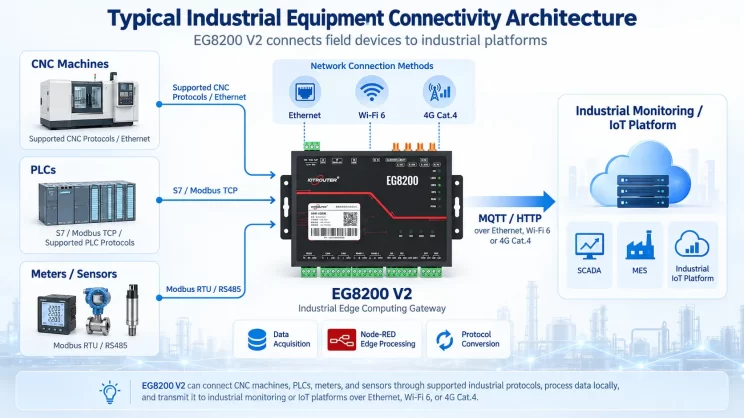
This guide explains how to connect Mitsubishi FX3U PLCs to the EG8200Mini Edge Gateway via the programming port. It is part of the Protocol Hub, focusing on industrial communication and data exchange.
1. Conexión de hardware
PLC compatible
Mitsubishi FX3U series PLCs and other Mitsubishi PLCs that support programming port communication.
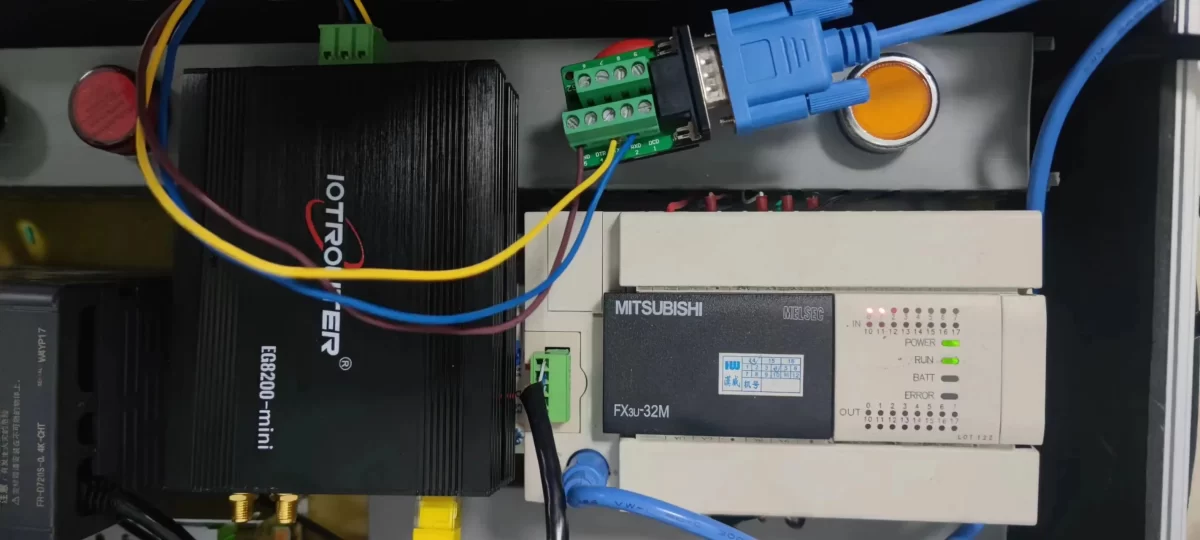
Conexión de hardware
Connect the PLC programming port to the RS232 interface of the EG8200Mini through a compatible conversion cable.
2. Parámetros de comunicación PLC
2.1 Serial Port Parameter Settings
The serial communication parameters should be provided by the PLC engineer.
3. Configuración de la puerta de enlace
3.1 Ajustes de conexión del PLC
Arrastra un Mitsubishi node from the left panel and double-click it to open the configuration page. Configure the connection according to the PLC serial communication parameters as follows:
1  Protocol: FxSerial
2  Serial Port: RS232 (TX, RX, GND)
3  Baud Rate:9600
4  Data Bits:7
5  Stop Bits: 1
6  Parity: EVEN
7  Communication Timeout:2000 ms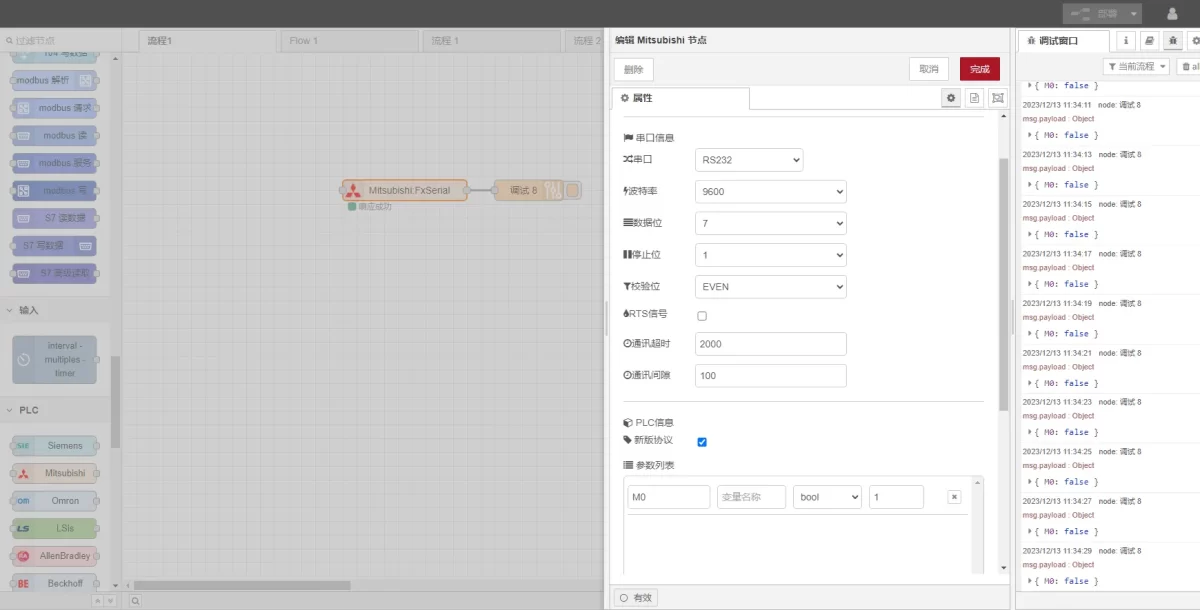
3.2 Configuración de los puntos de datos
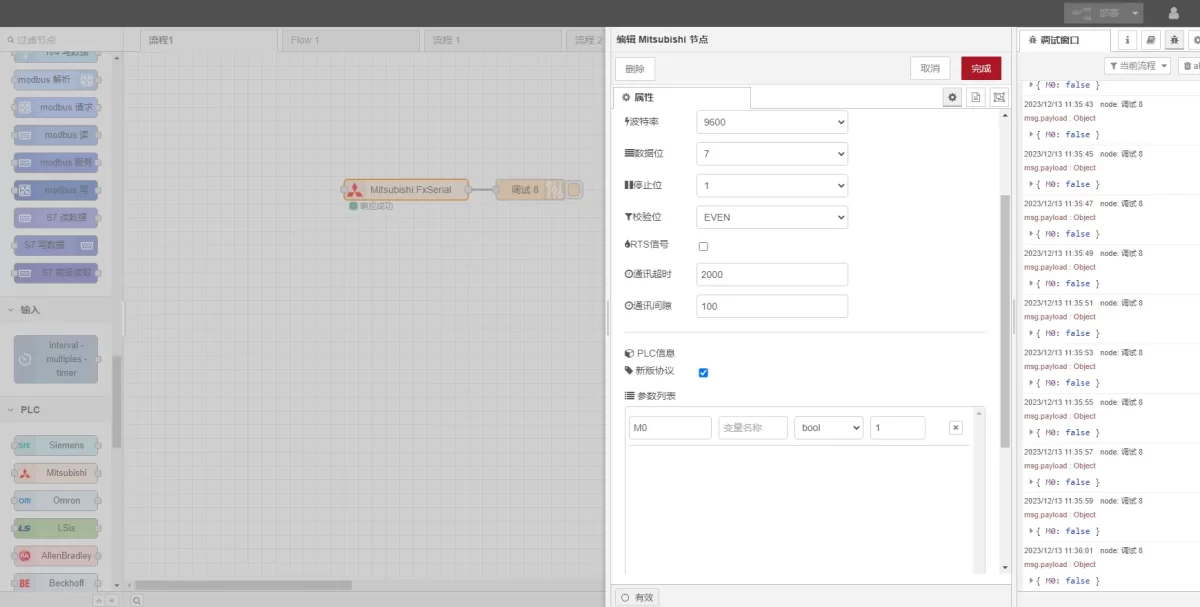
Enter the data points to be read in the parameter list of the Mitsubishi node. After the data points are configured, the gateway will automatically read PLC data at the configured interval.
The PLC engineer usually provides the data points. After receiving the point table, enter the data points according to the format required by the gateway. For detailed address mapping information, refer to: (You can use Google Chrome for translation.)
https://iotrouter.yuque.com/zn3vdn/eg8000/gtyg0mdl9dipbu7u
In this example, data from the M0 address is read. In the parameter list, enter the Dirección, Nombre, Data Typey Data Length in sequence. The data is read in a 2-second cycle, as shown in the figure.
3.3 Pruebas
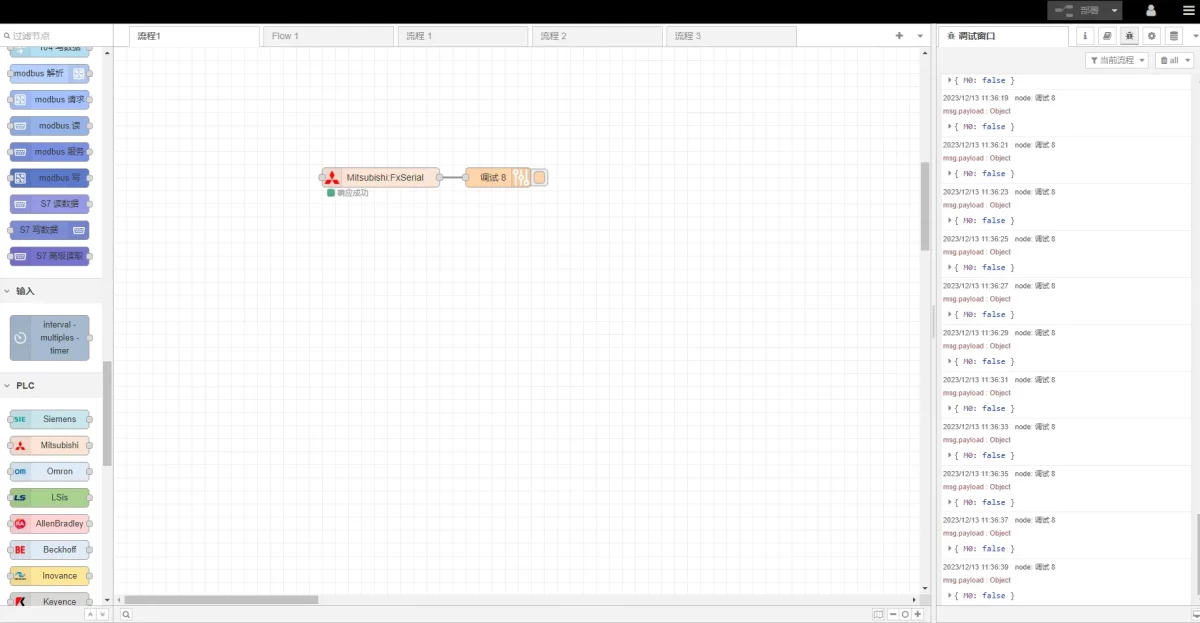
Haga clic en Despliegue. A data record will be printed every 2 seconds. In this example, the result is displayed as:
M0: falseThis indicates that communication has been established successfully.
Guías relacionadas con la integración de PLC industriales
← Volver al Centro de integración de PLC

Agnes Wang es especialista en soluciones de IoT en IOTRouter, donde se dedica principalmente a las pasarelas de IoT industrial, la computación en el borde y las soluciones de automatización industrial.
Está especializada en tecnologías de comunicación industrial, entre las que se incluyen Modbus, IEC 60870-5-104, MQTT, OPC UA, integración de PLC y aplicaciones de monitorización remota. Colabora en la redacción de artículos técnicos y guías de aplicación sobre soluciones de IoT industrial, conversión de protocolos y computación periférica.