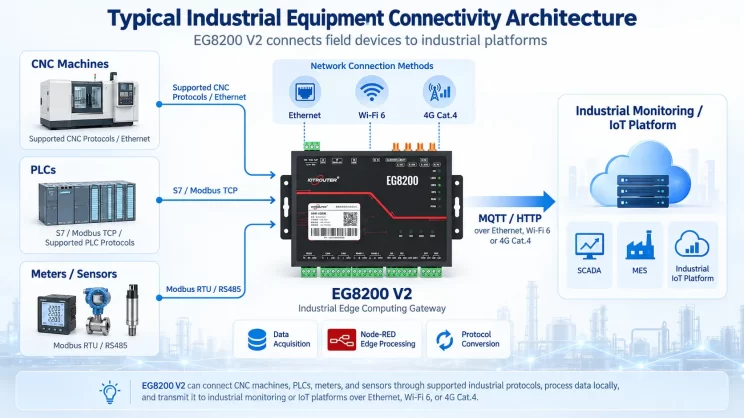
This guide explains how to connect Mitsubishi FX3U PLCs to the EG8200Mini Edge Gateway via the programming port. It is part of the Protocol Hub, focusing on industrial communication and data exchange.
1. Connessione hardware
PLC compatibile
Mitsubishi FX3U series PLCs and other Mitsubishi PLCs that support programming port communication.
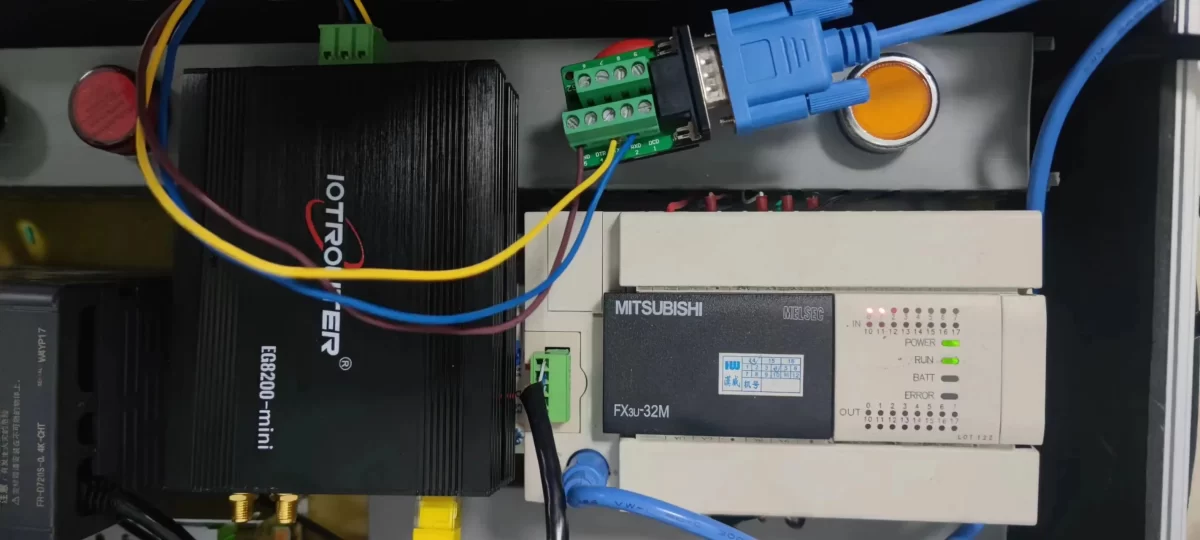
Connessione hardware
Connect the PLC programming port to the RS232 interface of the EG8200Mini through a compatible conversion cable.
2. Parametri di comunicazione del PLC
2.1 Serial Port Parameter Settings
The serial communication parameters should be provided by the PLC engineer.
3. Impostazioni del gateway
3.1 Impostazioni di connessione del PLC
Trascina un Mitsubishi node from the left panel and double-click it to open the configuration page. Configure the connection according to the PLC serial communication parameters as follows:
1  Protocol: FxSerial
2  Serial Port: RS232 (TX, RX, GND)
3  Baud Rate:9600
4  Data Bits:7
5  Stop Bits: 1
6  Parity: EVEN
7  Communication Timeout:2000 ms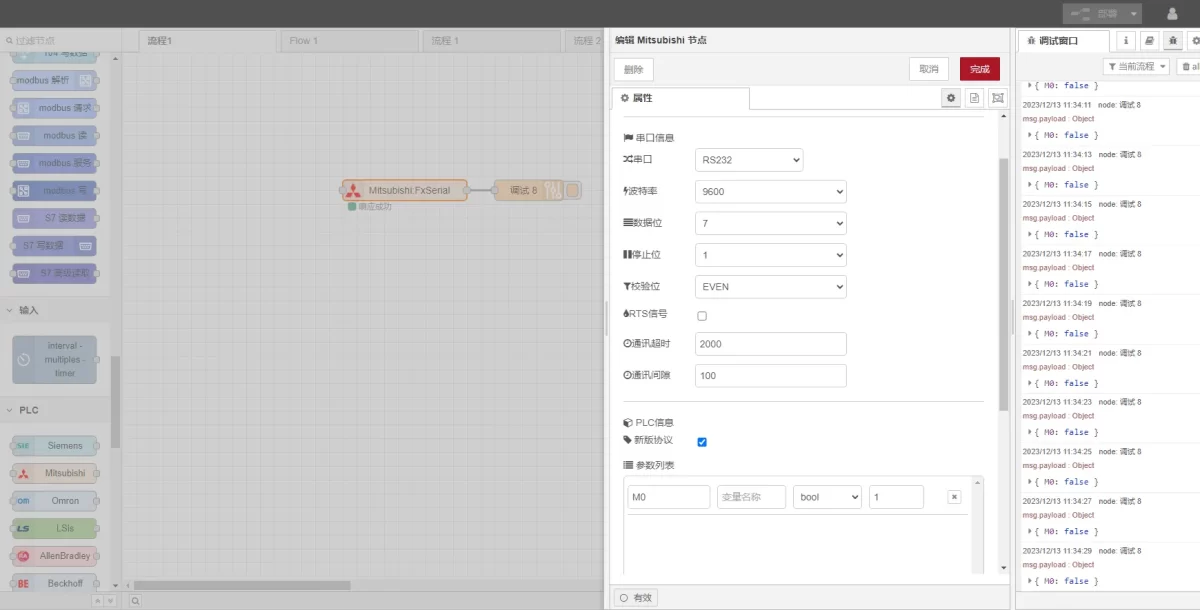
3.2 Impostazioni dei punti dati
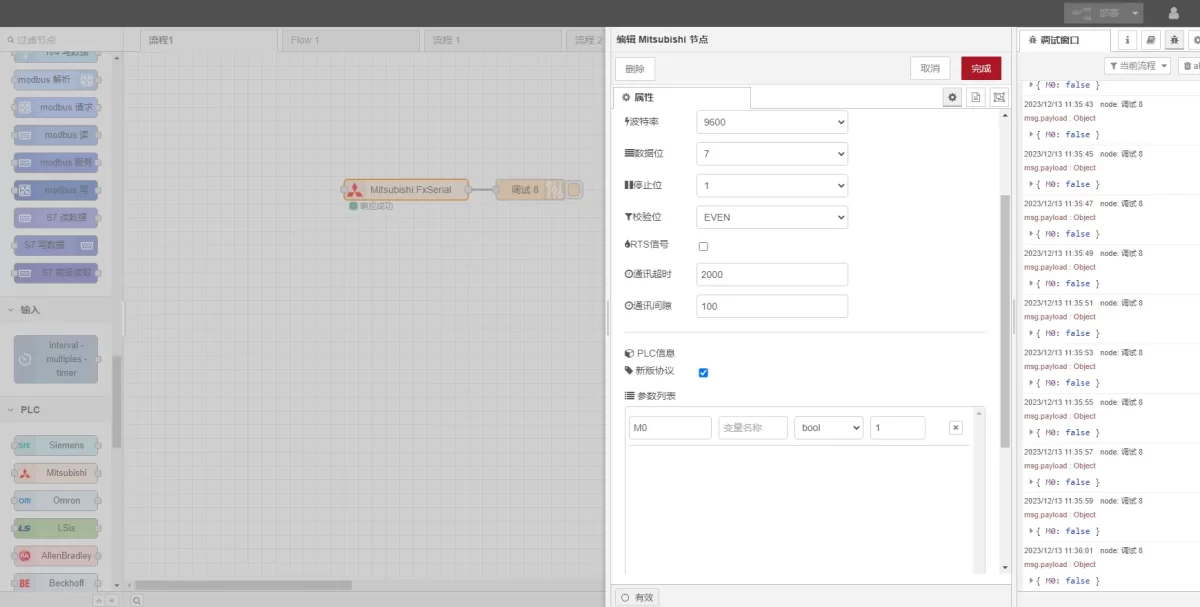
Enter the data points to be read in the parameter list of the Mitsubishi node. After the data points are configured, the gateway will automatically read PLC data at the configured interval.
The PLC engineer usually provides the data points. After receiving the point table, enter the data points according to the format required by the gateway. For detailed address mapping information, refer to: (You can use Google Chrome for translation.)
https://iotrouter.yuque.com/zn3vdn/eg8000/gtyg0mdl9dipbu7u
In this example, data from the M0 address is read. In the parameter list, enter the Indirizzo, Nome, Data Type, e Data Length in sequence. The data is read in a 2-second cycle, as shown in the figure.
3.3 Test
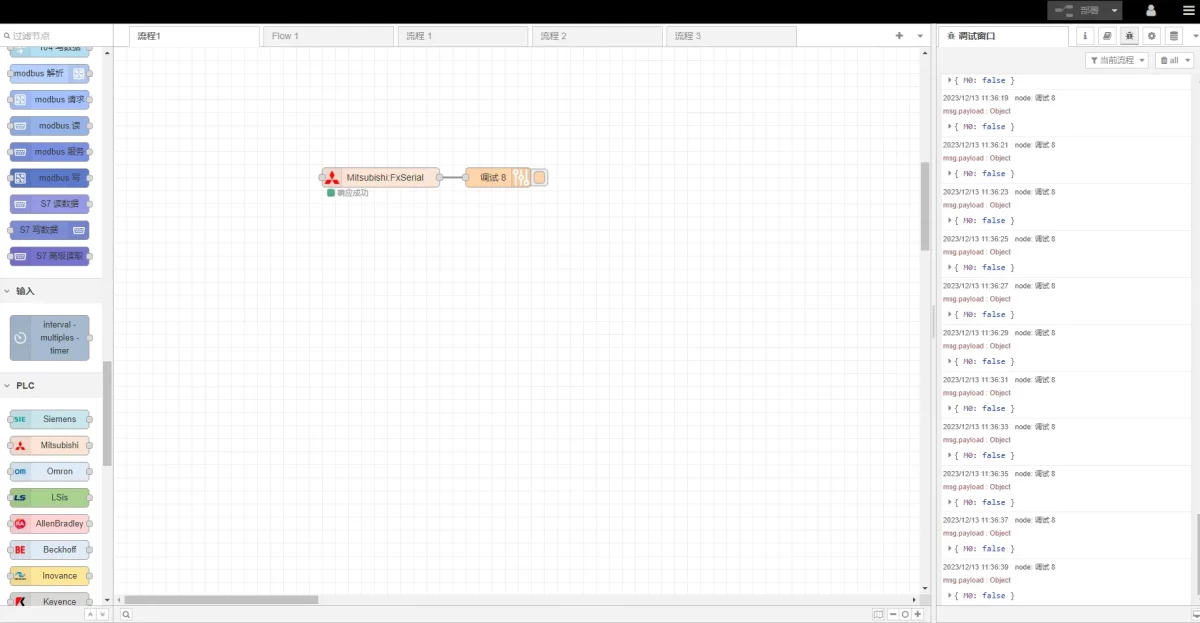
Cliccare Distribuire. A data record will be printed every 2 seconds. In this example, the result is displayed as:
M0: falseThis indicates that communication has been established successfully.
Guide correlate sull'integrazione dei PLC industriali
← Torna alla pagina "PLC Integration Hub"

Agnes Wang è una specialista in soluzioni IoT presso IOTRouter, dove si occupa principalmente di gateway IoT industriali, edge computing e soluzioni di automazione industriale.
È specializzata in tecnologie di comunicazione industriale, tra cui Modbus, IEC 60870-5-104, MQTT, OPC UA, integrazione di PLC e applicazioni di monitoraggio remoto. Collabora alla stesura di articoli tecnici e guide applicative riguardanti soluzioni IoT industriali, conversione di protocolli ed edge computing.