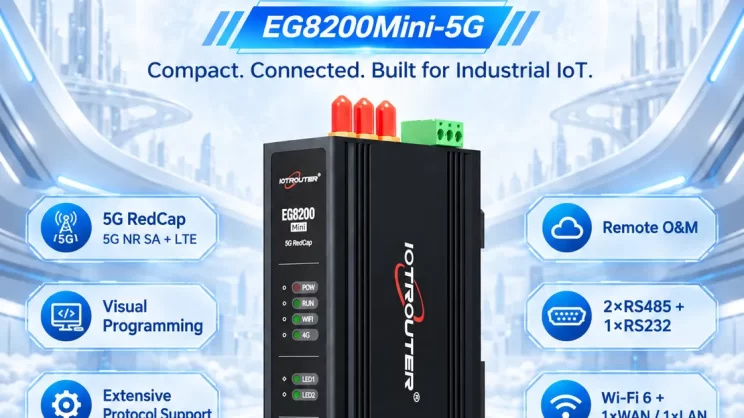
This guide explains how to connect Mitsubishi FX3U PLCs to the EG8200Mini Edge Gateway via the programming port. It is part of the Protocol Hub, focusing on industrial communication and data exchange.
1. Hardware Connection
Compatible PLC
Mitsubishi FX3U series PLCs and other Mitsubishi PLCs that support programming port communication.
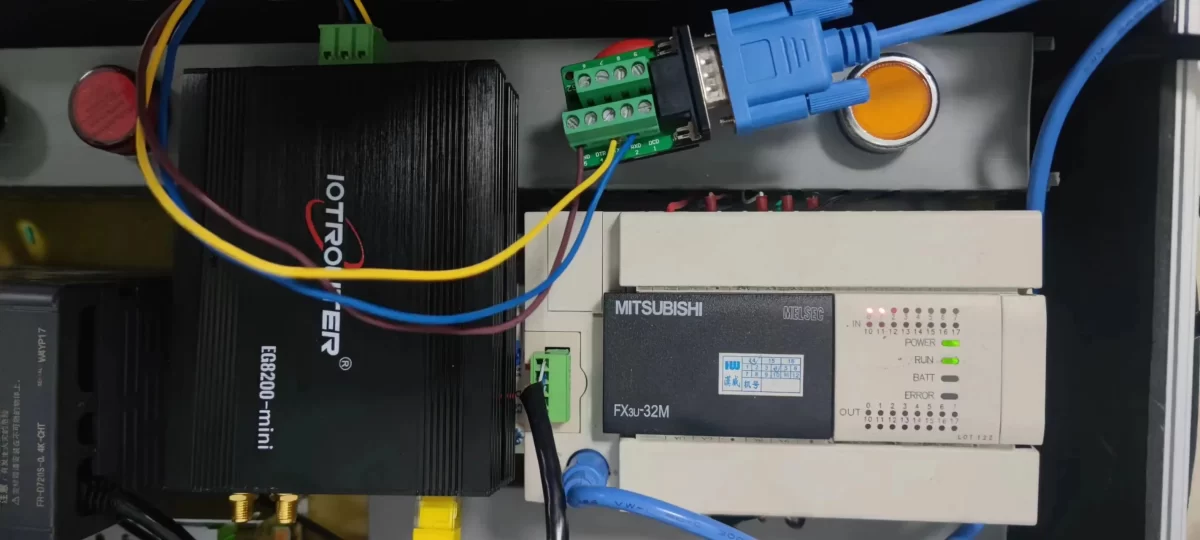
Hardware Connection
Connect the PLC programming port to the RS232 interface of the EG8200Mini through a compatible conversion cable.
2. PLC Communication Parameters
2.1 Serial Port Parameter Settings
The serial communication parameters should be provided by the PLC engineer.
3. Gateway Settings
3.1 PLC Connection Settings
Drag a Mitsubishi node from the left panel and double-click it to open the configuration page. Configure the connection according to the PLC serial communication parameters as follows:
1  Protocol: FxSerial
2  Serial Port: RS232 (TX, RX, GND)
3  Baud Rate:9600
4  Data Bits:7
5  Stop Bits: 1
6  Parity: EVEN
7  Communication Timeout:2000 ms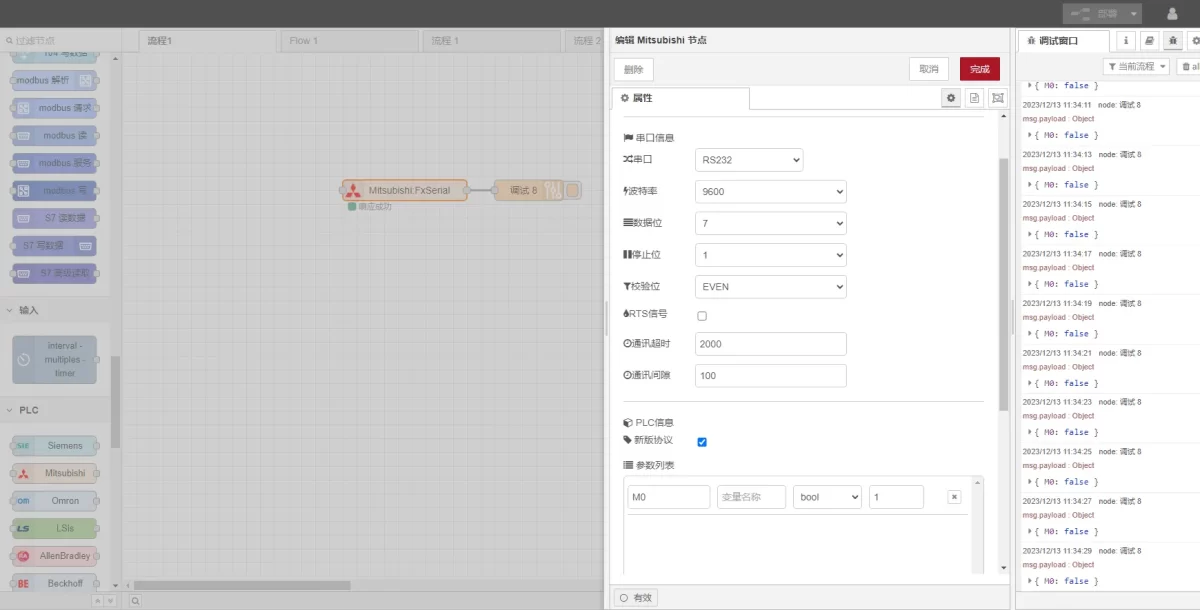
3.2 Data Point Settings
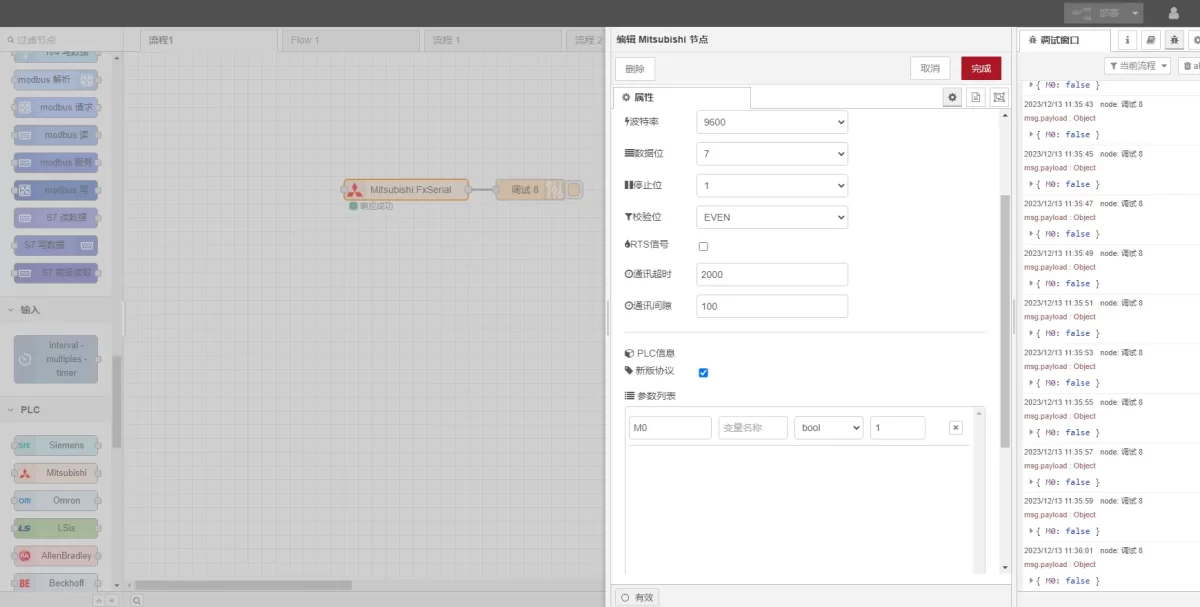
Enter the data points to be read in the parameter list of the Mitsubishi node. After the data points are configured, the gateway will automatically read PLC data at the configured interval.
The PLC engineer usually provides the data points. After receiving the point table, enter the data points according to the format required by the gateway. For detailed address mapping information, refer to: (You can use Google Chrome for translation.)
https://iotrouter.yuque.com/zn3vdn/eg8000/gtyg0mdl9dipbu7u
In this example, data from the M0 address is read. In the parameter list, enter the Address, Name, Data Type, and Data Length in sequence. The data is read in a 2-second cycle, as shown in the figure.
3.3 Testing
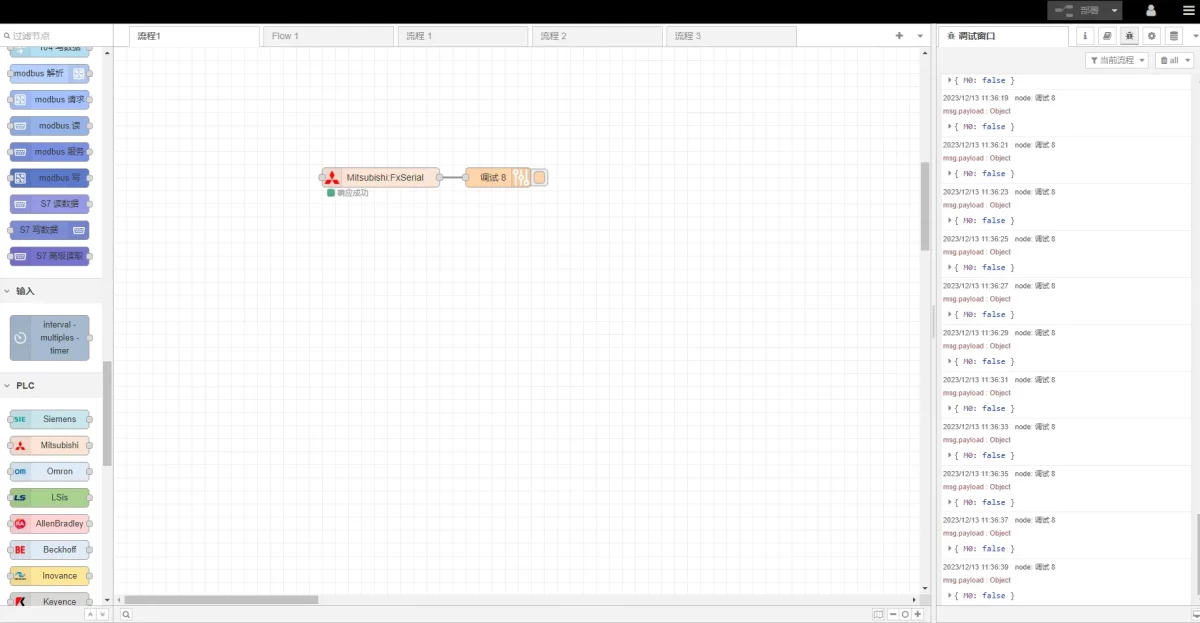
Click Deploy. A data record will be printed every 2 seconds. In this example, the result is displayed as:
M0: falseThis indicates that communication has been established successfully.
Related Guides in Industrial PLC Integration

Agnes Wang is an IoT Solutions Specialist at IOTRouter, focusing on industrial IoT gateways, edge computing, and industrial automation solutions.
She specializes in industrial communication technologies, including Modbus, IEC 60870-5-104, MQTT, OPC UA, PLC integration, and remote monitoring applications. She contributes to technical articles and application guides covering industrial IoT solutions, protocol conversion, and edge computing.