 Video
Video PDF
PDF


Description
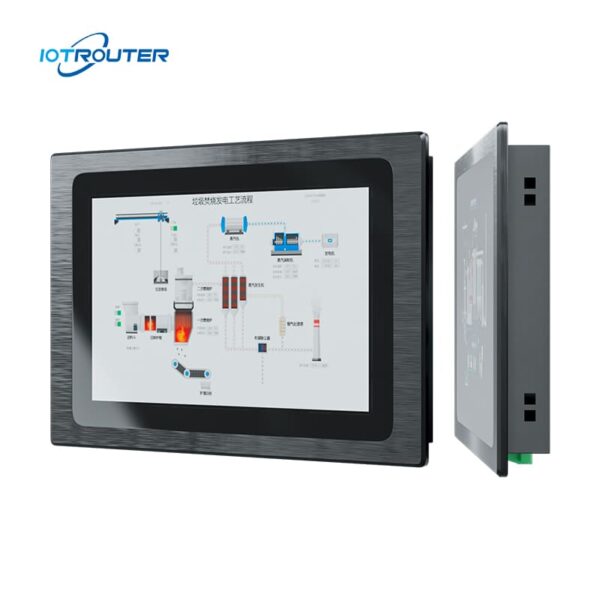
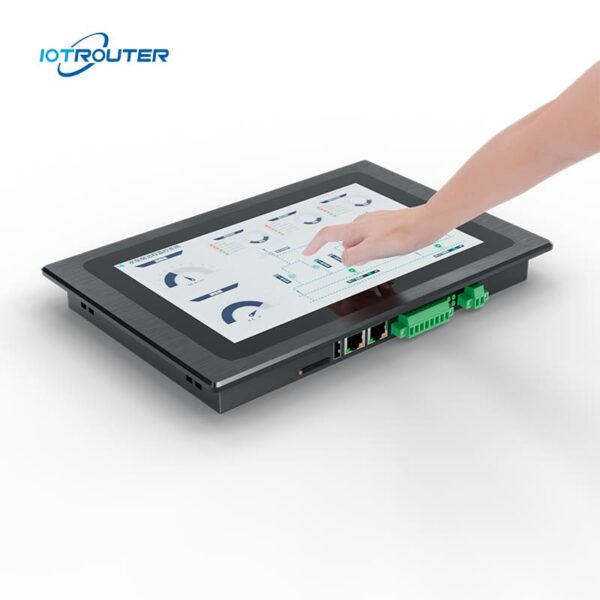
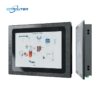
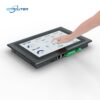
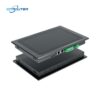
The EV8010 is a rugged industrial panel PC & HMI edge gateway that integrates a multi-protocol data acquisition gateway with a 10.1″ HD touch display. The screen supports millisecond-fast response times and can recognize multiple touch gestures. It provides an all-in-one solution for visualization and edge computing.
EV8010 industrial computer features an 8-core high-performance processor with strong graphics capabilities. Its main frequency reaches up to 1.8 GHz, ensuring smooth, non-lagging operation for 24/7, all-weather use.
It supports multi-protocol data acquisition, protocol conversion, and edge processing, along with Node-RED-based programming and remote deployment. Web-based configuration via FUXA enables flexible and intuitive operation across various IoT applications.
Key Features

Industrial-Grade
-20~70°C operation, 9–36V input, surge & ESD protection

Zero-Code Logic
Visual configuration with built-in Node-RED

Integrated HMI + Gateway
Data acquisition, protocol conversion, and visualization in one device

Multi-Protocol PLC
Siemens, Mitsubishi, Omron → MQTT / HTTP

Alarm & Data Management
Supports alarm events, historical data storage, and visualization

Web-Based HMI
Access and control HMI screens via browser, anytime, anywhere

Multi-Screen Display
One project accessible across multiple devices simultaneously

FUXA Visualization
Direct display of dashboards or SCADA screens
* Support OEM/ODM, contact customer service for details.
Important Attributes
| Hardware parameters | Display Screen | 10.1" 16:9 TFT LCD |
| Viewing Angle | 85'/85'/85'/85' (T/B/L/R) | |
| Number Of Pixels | 1280(H)×800(V) | |
| Display Colors | 16.7M | |
| Brightness | 400 cd/m² | |
| Backlit | LED | |
| LED Lifetime | > 50000h | |
| Touch Screen | 10 Point Capacitive | |
| CPU | ARM Cortex-A55@1.8GHz | |
| RAM | LPDDR4 2GB, 32bits | |
| Storage | 16GB eMMC | |
| RTC | Built-in Real-time Clock | |
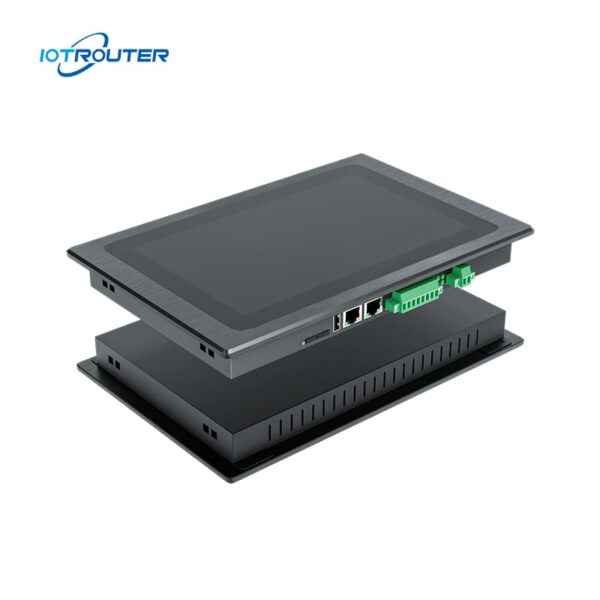
| Ethernet | 1 * WAN ( GE ) / 1 * LAN ( FE ) | |
| USB | 1 * USB2.0 | |
| Serial Port | 1 * RS232 / 2 * RS485 | |
| 4G Full Netcom | Optional | |
| Software parameters | Operating System | Linux |
| Visual Programming | Support | |
| WEB Configuration | Support | |
| Electrical parameters | Rated Power | <8W |
| Power Supply | DC9~36V | |
| Power Protection | Anti-static, Anti-surge, Anti-reverse Connection | |
| Environmental parameters | Operating Temperature | -20~70℃ |
| Storage Temperature | -30~70℃ | |
| Environmental Humidity | 10~90%RH (Non-condensing) | |
| Heat Dissipation | Passive Heat Dissipation | |
| Mechanical parameters | Installation | Embedded Installation |
| Shell Material | Dip Zinc Alloys | |
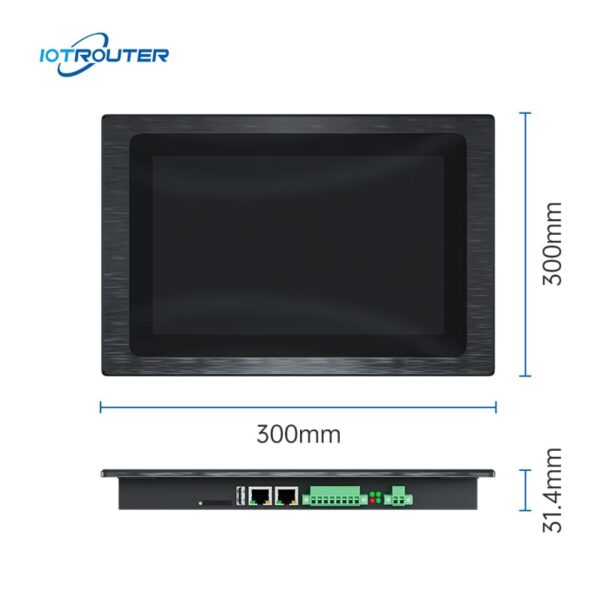
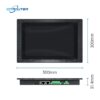
| Overall Size | 300mm×203mm×31.4mm | |
| Suggested Hole Size | 282.5mm×182.5mm |
Main Functions

Massive PLC Protocols
– Millisecond Acquisition –
The EV8010 industrial panel PC supports seamless integration with mainstream PLC brands, including Siemens, Mitsubishi, Omron, LS, Allen-Bradley, Beckhoff, Inovance, Keyence, Panasonic, Delta, XinJE, MegMeet, Yaskawa, Fatek, Vigor, Fuji, and more.
For the detailed list of supported PLC models and protocols, please refer to the protocol documentation.
Multiple Industry Protocols
– Flexible Protocol Integration –
The EV8010 industrial panel PC acts as a flexible bridge for different industrial systems. It supports common industrial and IoT protocols such as Modbus, MQTT, OPC UA/DA, HJ212, and IEC104, enabling easy integration with third-party platforms.
For non-standard or proprietary protocols. EV8010 allows custom data parsing and logic configuration through JavaScript (JS), providing adaptable protocol handling for complex field applications.


Web-Based Configuration with FUXA
Using FUXA, effortlessly build highly personalized data visualization dashboards with intuitive drag-and-drop. Users can access the interface via a browser without installing additional software or plug-ins.
Multi-screen Display
– Operate anytime, anywhere –
Thanks to the advantages of web display, the EV8010 industrial computer supports multiple devices to share the screen and supports off-site remote operation.


Drag & Drop Programming
– Low-code visual programming –
EV series products are based on EG series gateway functions, including PLC remote upload and download, various industry protocols, visualization programming, remote operation and maintenance, and so on.
Application Scenarios of the EV8010 All-In-One HMI Gateway
1. Space-Constrained Control Cabinets or Simplified Hardware Architectures
In real-world deployments, separate gateway and HMI devices not only occupy more cabinet space but also increase the complexity of wiring and communication configurations. During commissioning and maintenance, multi-device architectures often require additional troubleshooting due to connection or protocol issues.
The EV8010 industrial panel PC integrates data acquisition and local visualization into a single device. By reducing the number of devices and interconnections, it simplifies system architecture, while also helping to lower hardware investment and long-term maintenance costs.
Typical applications: Power distribution cabinets, compact control cabinets, equipment integration projects, system retrofit projects.
Traditional Solution VS EV8010
| Item | Traditional Solution
(Gateway + HMI, Two Devices) |
Integrated Solution
(Single Device – EV8010) |
|---|---|---|
| System structure | Separate gateway and HMI devices | One integrated device |
| Configuration | Separate setup and integration for each device | Unified configuration environment |
| Development workflow | Data processing and HMI interface were developed independently | Data, logic, and visualization integrated in one workflow |
| Communication | Multi-device communication required | Internal communication within a single system |
| Debugging complexity | Higher, due to cross-device issues | Lower, fewer failure points |
| Maintenance | More components to manage and troubleshoot | Simplified maintenance with fewer system elements |
2. All-in-One Integration: Accelerating Delivery for Time-Critical Projects
Under tight project deadlines, the EV8010 consolidates data acquisition, logic control, HMI visualization, and cloud connectivity into a single device. By eliminating the need for constant debugging across multiple software platforms, it significantly reduces integration complexity.
-
End-to-End Workflow: Seamlessly covers everything from acquisition and processing to visualization, control, and cloud upload.
-
High-Efficiency Low-Code Development: Leverage Node-RED and FUXA drag-and-drop tools to reduce programming and debugging cycles by over 50%.
-
Lower Maintenance Costs: Simplifies architecture by removing multi-device networking, reducing potential points of failure, and ensuring on-time delivery.
Typical Applications: Production lines, OEM machinery, and rapid-delivery custom projects.
3. Flexible Access & Remote Collaboration: Breaking the Limits of Local HMI
Traditional HMIs are often tethered to physical screens, making remote monitoring and multi-user collaboration complex and costly. The EV8010 features a Web-based HMI, enabling seamless operation across PCs, tablets, and mobile devices.
-
Unified Access: One interface for both local and remote users, eliminating the need for additional remote access tools.
-
Edge Reliability: Local data processing and logic control ensure the system remains fully operational even during network outages.
-
Enhanced Collaboration: Enables engineers and managers to monitor and maintain systems from anywhere, improving response speed.
Typical Applications: Remote maintenance, cross-regional deployments, and multi-role collaborative management.
The Core Advantage
The EV8010 industrial panel PC is engineered for projects that demand leaner architecture and rapid deployment. By consolidating DAQ, protocol conversion, logic control, and HMI into a single edge node, it enables engineers to develop and manage systems within one unified environment.
-
Eliminate Integration Friction: Reduce inter-device dependencies and communication overhead.
-
Enhanced Controllability: Centralized development ensures higher reliability and on-time project milestones.
-
Lower Maintenance TCO: A simplified architecture means fewer points of failure and reduced long-term service costs.
FAQ
Q1. What level of programming knowledge is required for the EV8010?
A1: The EV8010 industrial panel PC is designed for low-code deployment, eliminating the need for complex manual coding.
-
-
Logic over Scripting: If you understand basic industrial automation concepts (such as IP addressing, registers, and I/O mapping), you can easily configure the device.
-
Web-Based Configuration: Protocol matching and network settings are handled via an intuitive browser interface—no specialized IDE required.
-
Visual HMI Design: The VISION software features a drag-and-drop editor. Instead of coding graphics, you simply link UI widgets to your data tags.
-
The Bottom Line: While foundational knowledge of automation is necessary, the EV8010 removes the high barrier of traditional software development, enabling much faster deployment.
Q2. Which PLCs and devices are compatible with the EV8010 industrial panel PC?
A2: The device supports over 90% of mainstream industrial controllers on the market.
-
PLC Compatibility: Includes Siemens, Mitsubishi, Omron, Rockwell Automation, Inovance, Delta, and Xinjie.
-
Physical Interfaces: Equipped with 2x Gigabit Ethernet ports, 1x RS232, and 2x RS485. Any device with Ethernet or Serial output is generally plug-and-play.
-
Analog Sensors: Integration of 4-20mA or 0-10V sensors is easily achieved via standard analog-to-digital converters.
If you are unsure about a specific model, please provide your equipment specifications, and our team will verify compatibility for you.
Dimensions And Interfaces

Packing List

Product Installation

Step 1.
Before installation, it is necessary to open the corresponding installation hole slightly larger than the equipment.
Step 2.
Place the equipment in the reserved installation holes.
Step 3.
There are two square holes on both sides of the equipment, and one end of the square hole is fastened with a buckle during installation; The screws of the buckle are attached to the top of the cabinet, tighten the screws, and the other three parts are the same to complete the installation.