 Video
Video PDF
PDF


Beschreibung
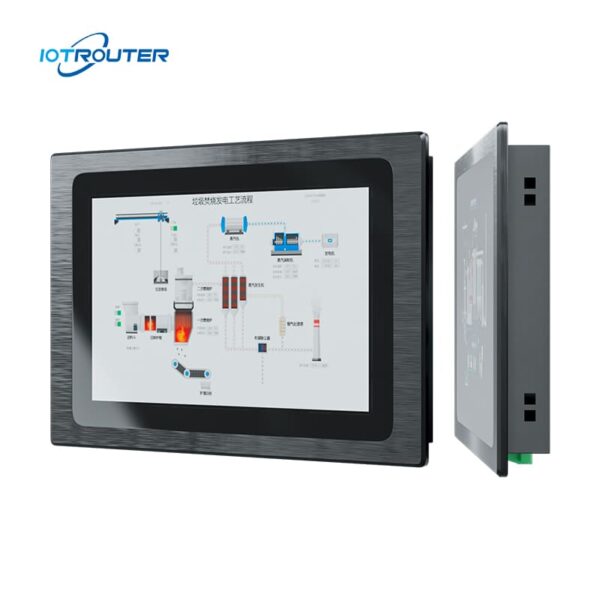
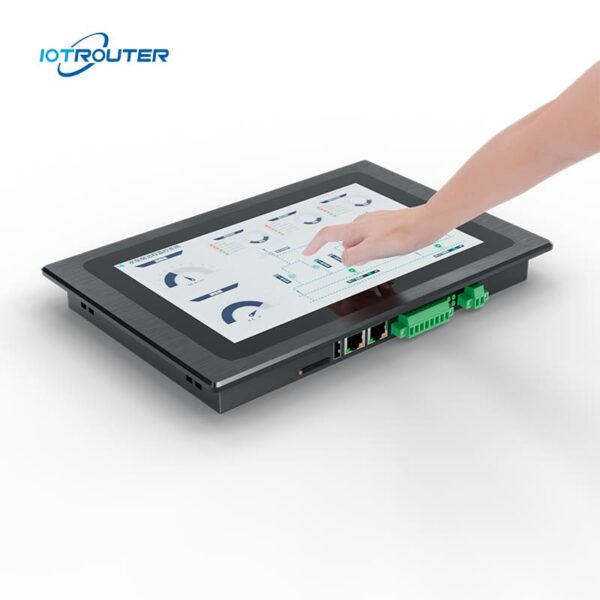
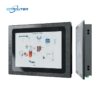
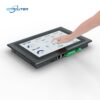
Der EV8010 ist ein robuster industrieller Panel-PC und HMI-Edge-Gateway, der ein Multiprotokoll-Datenerfassungs-Gateway mit einem 10,1-Zoll-HD-Touchdisplay vereint. Der Bildschirm bietet Reaktionszeiten im Millisekundenbereich und erkennt mehrere Touch-Gesten. Er stellt eine All-in-One-Lösung für Visualisierung und Edge-Computing dar.
Der Industriecomputer EV8010 verfügt über einen 8-Kern-Hochleistungsprozessor mit leistungsstarker Grafikausstattung. Seine Taktfrequenz erreicht bis zu 1,8 GHz und gewährleistet so einen reibungslosen, verzögerungsfreien Betrieb rund um die Uhr und bei jedem Wetter.
Es unterstützt die Datenerfassung über mehrere Protokolle, die Protokollkonvertierung und die Edge-Verarbeitung sowie die Node-RED-basierte Programmierung und die Fernbereitstellung. Die webbasierte Konfiguration über FUXA ermöglicht eine flexible und intuitive Bedienung in verschiedenen IoT-Anwendungen.
Wesentliche Merkmale

Industrietauglich
Betriebstemperatur -20 bis 70 °C, Eingangsspannung 9–36 V, Überspannungs- und ESD-Schutz

Zero-Code-Logik
Visuelle Konfiguration mit integriertem Node-RED

Integrierte HMI + Gateway
Datenerfassung, Protokollkonvertierung und Visualisierung in einem Gerät

Multiprotokoll-SPS
Siemens, Mitsubishi, Omron → MQTT / HTTP

Alarm- und Datenmanagement
Unterstützt Alarmereignisse, die Speicherung historischer Daten und die Visualisierung

Webbasierte HMI
Zugriff auf und Steuerung von HMI-Bildschirmen über den Browser – jederzeit und überall

Mehrfachbildschirm-Anzeige
Ein Projekt, auf das gleichzeitig von mehreren Geräten aus zugegriffen werden kann

FUXA-Visualisierung
Direkte Anzeige von Dashboards oder SCADA-Bildschirmen
* unterstützen OEM/ODM, Wenden Sie sich an den Kundendienst, um Einzelheiten zu erfahren.
Wichtige Merkmale
| Hardware-Parameter | Bildschirm | 10,1" 16:9-TFT-LCD |
| Betrachtungswinkel | 85'/85'/85'/85' (T/B/L/R) | |
| Anzahl der Pixel | 1280 (H) × 800 (V) | |
| Anzeigefarben | 16,7 Mio. | |
| Helligkeit | 400 cd/m² | |
| Hintergrundbeleuchtet | LED | |
| LED-Lebensdauer | > 50.000 h | |
| Touchscreen | 10-Punkt-Kapazitiv | |
| CPU | ARM-Cortex-A55@1.8GHz | |
| RAM | LPDDR4 2 GB, 32 Bit | |
| Lagerung | 16 GB eMMC | |
| RTC | Integrierte Echtzeituhr | |
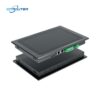
| Ethernet | 1 * WAN (GE) / 1 * LAN (FE) | |
| USB | 1 * USB 2.0 | |
| Serieller Anschluss | 1 * RS232 / 2 * RS485 | |
| 4G Full Netcom | Optional | |
| Softwareparameter | Betriebssystem | Linux |
| Visuelle Programmierung | unterstützen | |
| WEB-Konfiguration | unterstützen | |
| Elektrische Parameter | Nennleistung | <8W |
| Stromversorgung | DC9~36V | |
| Schutz der Stromversorgung | Antistatisch, Überspannungsschutz, Verpolungsschutz | |
| Umweltparameter | Betriebstemperatur | -20 bis 70 °C |
| Lagertemperatur | -30 bis 70 °C | |
| Luftfeuchtigkeit in der Umgebung | 10~90%RH (nicht kondensierend) | |
| Wärmeableitung | Passive Wärmeableitung | |
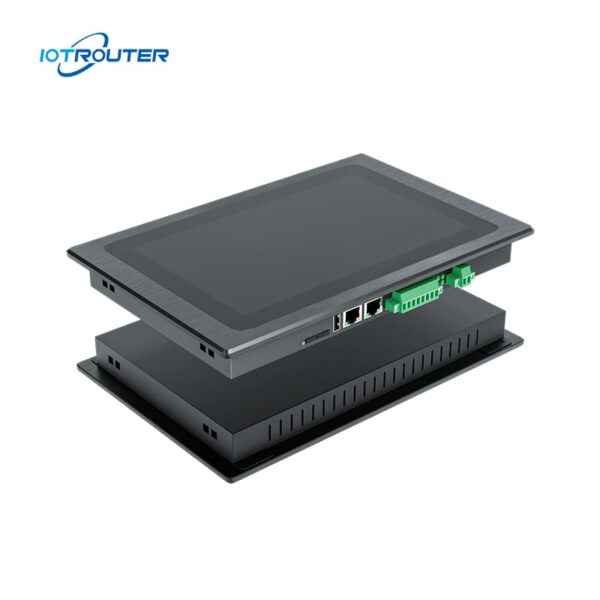
| Mechanische Parameter | Einrichtung | Einbauinstallation |
| Gehäusematerial | Zinklegierungen im Tauchverfahren | |
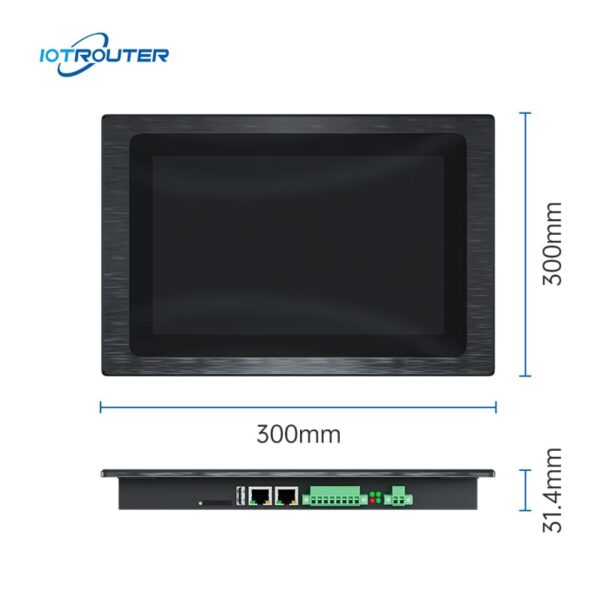
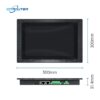
| Gesamtgröße | 300 mm × 203 mm × 31,4 mm | |
| Empfohlene Lochgröße | 282,5 mm × 182,5 mm |
Hauptfunktionen

Massive PLC-Protokolle
– Erfassung im Millisekundenbereich –
Der Industrie-Panel-PC EV8010 unterstützt die nahtlose Integration mit den gängigen SPS-Marken, darunter Siemens, Mitsubishi, Omron, LS, Allen-Bradley, Beckhoff, Inovance, Keyence, Panasonic, Delta, XinJE, MegMeet, Yaskawa, Fatek, Vigor, Fuji und viele mehr.
Eine detaillierte Liste der unterstützten SPS-Modelle und Protokolle finden Sie in der Protokoll-Dokumentation.
Verschiedene Branchenprotokolle
– Flexible Protokollintegration –
Der Industrie-Panel-PC EV8010 fungiert als flexible Schnittstelle zwischen verschiedenen industriellen Systemen. Er unterstützt gängige Industrie- und IoT-Protokolle wie Modbus, MQTT, OPC UA/DA, HJ212 und IEC104 und ermöglicht so eine einfache Integration in Plattformen von Drittanbietern.
Für nicht standardisierte oder proprietäre Protokolle. Der EV8010 ermöglicht eine benutzerdefinierte Datenauswertung und Logikkonfiguration über JavaScript (JS) und bietet so eine anpassungsfähige Protokollverarbeitung für komplexe Feldanwendungen.


Webbasierte Konfiguration mit FUXA
Mit FUXA lassen sich mühelos hochgradig personalisierte Dashboards zur Datenvisualisierung per intuitivem Drag-and-Drop erstellen. Nutzer können über einen Browser auf die Benutzeroberfläche zugreifen, ohne zusätzliche Software oder Plug-ins installieren zu müssen.
Mehrfachbildschirm-Anzeige
– Jederzeit und überall einsetzbar –
Dank der Vorteile der Webanzeige ermöglicht der Industriecomputer EV8010 die gemeinsame Nutzung des Bildschirms durch mehrere Geräte und unterstützt den Fernzugriff von außerhalb.


Drag & Drop Programmierung
- Visuelle Programmierung mit niedrigem Code -
Die Produkte der EV-Serie basieren auf den Gateway-Funktionen der EG-Serie, darunter das Fern-Upload und -Download von SPS-Daten, verschiedene Industrieprotokolle, Visualisierungsprogrammierung sowie Fernbetrieb und -wartung und vieles mehr.
Anwendungsszenarien des All-in-One-HMI-Gateways EV8010
1. Schaltschränke mit begrenztem Platzangebot oder vereinfachte Hardware-Architekturen
In der Praxis beanspruchen separate Gateway- und HMI-Geräte nicht nur mehr Platz im Schaltschrank, sondern erhöhen auch die Komplexität der Verkabelung und der Kommunikationskonfigurationen. Bei der Inbetriebnahme und Wartung erfordern Architekturen mit mehreren Geräten aufgrund von Verbindungs- oder Protokollproblemen häufig zusätzlichen Aufwand bei der Fehlerbehebung.
Der Industrie-Panel-PC EV8010 vereint Datenerfassung und lokale Visualisierung in einem einzigen Gerät. Durch die Reduzierung der Anzahl der Geräte und Verbindungen vereinfacht er die Systemarchitektur und trägt gleichzeitig dazu bei, die Hardware-Investitionen sowie die langfristigen Wartungskosten zu senken.
Typische Anwendungsbereiche: Stromverteilerschränke, kompakte Schaltschränke, Projekte zur Integration von Anlagen, sSystemmodernisierungsprojekte.
Herkömmliche Lösung vs. EV8010
| Item | Herkömmliche Lösung
(Gateway + HMI, zwei Geräte) |
Integrierte Lösung
(Einzelgerät – EV8010) |
|---|---|---|
| Systemaufbau | Getrennte Gateway- und HMI-Geräte | Ein integriertes Gerät |
| Konfiguration | Separate Einrichtung und Integration für jedes Gerät | Einheitliche Konfigurationsumgebung |
| Entwicklungsablauf | Die Datenverarbeitung und die HMI-Schnittstelle wurden unabhängig voneinander entwickelt. | Daten, Logik und Visualisierung in einem Workflow vereint |
| Kommunikation | Kommunikation zwischen mehreren Geräten erforderlich | Interne Kommunikation innerhalb eines einzigen Systems |
| Komplexität der Fehlersuche | Höher, aufgrund geräteübergreifender Probleme | Weniger, geringere Ausfallstellen |
| Wartung | Mehr Komponenten, die verwaltet und bei denen Fehler behoben werden müssen | Vereinfachte Wartung durch weniger Systemkomponenten |
2. All-in-One-Integration: Beschleunigung der Umsetzung bei zeitkritischen Projekten
Angesichts knapper Projektfristen, Der EV8010 vereint Datenerfassung, Logiksteuerung, HMI-Visualisierung und Cloud-Anbindung in einem einzigen Gerät. Da keine ständige Fehlerbehebung über mehrere Softwareplattformen hinweg mehr erforderlich ist, Dadurch wird die Komplexität der Integration erheblich reduziert.
-
End-to-End-Workflow: Deckt nahtlos alle Schritte ab – von der Erfassung über die Verarbeitung bis hin zur Visualisierung, Steuerung, und Cloud-Upload.
-
Hocheffiziente Low-Code-Entwicklung: Nutzen Sie die Drag-and-Drop-Tools von Node-RED und FUXA, um die Programmier- und Debugging-Zyklen um über 50% zu verkürzen.
-
Geringere Wartungskosten: Vereinfacht die Architektur, indem die Vernetzung mehrerer Geräte entfällt, die Reduzierung potenzieller Fehlerquellen und die Gewährleistung einer pünktlichen Lieferung.
Typische Anwendungsbereiche: Fertigungslinien, OEM-Maschinen, sowie maßgeschneiderte Projekte mit kurzer Lieferzeit.
3. Flexibler Zugriff und Zusammenarbeit aus der Ferne: Die Grenzen lokaler HMI überwinden
Herkömmliche HMIs sind oft an physische Bildschirme gebunden, was die Fernüberwachung und die Zusammenarbeit mehrerer Benutzer komplex und kostspielig macht. Der EV8010 verfügt über eine Webbasierte HMI, wodurch ein nahtloser Betrieb auf PCs, Tablets und Mobilgeräten ermöglicht wird.
-
Einheitlicher Zugriff: Eine einzige Benutzeroberfläche für lokale und Remote-Benutzer, wodurch keine zusätzlichen Fernzugriffstools mehr erforderlich sind.
-
Edge-Zuverlässigkeit: Durch lokale Datenverarbeitung und Logiksteuerung bleibt das System auch bei Netzwerkausfällen voll funktionsfähig.
-
Verbesserte Zusammenarbeit: Ermöglicht es Ingenieuren und Managern, Systeme von jedem Ort aus zu überwachen und zu warten, wodurch die Reaktionsgeschwindigkeit verbessert wird.
Typische Anwendungsbereiche: Fernwartung, überregionale Einsätze und kooperative Verwaltung mit mehreren Aufgabenbereichen.
Der Kernvorteil
Der Industrie-Panel-PC EV8010 wurde für Projekte entwickelt, die eine schlankere Architektur und eine schnelle Inbetriebnahme erfordern. Durch die Konsolidierung Datenerfassung, Protokollkonvertierung, Logiksteuerung und HMI zu einem einzigen Edge-Knoten – so können Ingenieure Systeme in einer einheitlichen Umgebung entwickeln und verwalten.
-
Integrationsprobleme beseitigen: Reduzieren Sie die Abhängigkeiten zwischen den Geräten und den Kommunikationsaufwand.
-
Verbesserte Steuerbarkeit: Eine zentralisierte Entwicklung gewährleistet eine höhere Zuverlässigkeit und die termingerechte Einhaltung von Projektmeilensteinen.
-
Geringere Wartungskosten (TCO): Eine vereinfachte Architektur bedeutet weniger Fehlerquellen und geringere langfristige Betriebskosten.
FAQ
Frage 1: Welche Programmierkenntnisse sind für den EV8010 erforderlich?
A1: Der Industrie-Panel-PC EV8010 ist konzipiert für Low-Code-Bereitstellung, wodurch auf eine komplexe manuelle Kodierung verzichtet werden kann.
-
-
Logik statt Skripting: Wenn Sie über Grundkenntnisse in der industriellen Automatisierung verfügen (z. B. IP-Adressierung, Register und E/A-Zuordnung), können Sie das Gerät problemlos konfigurieren.
-
Webbasierte Konfiguration: Die Protokollanpassung und die Netzwerkeinstellungen werden über eine intuitive Browser-Oberfläche verwaltet – eine spezielle IDE ist nicht erforderlich.
-
Visuelles HMI-Design: Die VISION-Software verfügt über einen Drag-and-Drop-Editor. Anstatt Grafiken zu programmieren, verknüpfen Sie einfach UI-Widgets mit Ihren Daten-Tags.
-
Fazit: Zwar sind grundlegende Kenntnisse im Bereich der Automatisierung erforderlich, doch der EV8010 beseitigt die hohen Hürden der herkömmlichen Softwareentwicklung und ermöglicht so eine wesentlich schnellere Bereitstellung.
Frage 2: Welche SPSen und Geräte sind mit dem Industrie-Panel-PC EV8010 kompatibel?
A2: Das Gerät unterstützt über 90% der gängigen industriellen Steuerungen auf dem Markt.
-
SPS-Kompatibilität: Dazu gehören Siemens, Mitsubishi, Omron, Rockwell Automation, Inovance, Delta und Xinjie.
-
Physikalische Schnittstellen: Ausgestattet mit 2 Gigabit-Ethernet-Anschlüssen, 1 RS232-Anschluss und 2 RS485-Anschlüssen. Jedes Gerät mit Ethernet- oder serieller Schnittstelle ist in der Regel Plug-and-Play-fähig.
-
Analoge Sensoren: Die Anbindung von 4–20-mA- oder 0–10-V-Sensoren lässt sich problemlos über handelsübliche Analog-Digital-Wandler realisieren.
Sollten Sie sich bei einem bestimmten Modell unsicher sein, teilen Sie uns bitte die technischen Daten Ihres Geräts mit, dann wird unser Team die Kompatibilität für Sie prüfen.
Abmessungen und Schnittstellen

Packliste

Produktinstallation

Schritt 1.
Vor der Installation muss die entsprechende Einbauöffnung etwas größer als das Gerät ausgeschnitten werden.
Schritt 2.
Setzen Sie die Geräte in die dafür vorgesehenen Einbauöffnungen ein.
Schritt 3.
An beiden Seiten des Geräts befinden sich zwei quadratische Löcher, von denen eines bei der Montage mit einer Schnalle befestigt wird; die Schrauben der Schnalle werden an der Oberseite des Gehäuses angebracht und festgezogen; die anderen drei Teile werden auf die gleiche Weise montiert, um die Installation abzuschließen.