 Video
Video PDF
PDF


Beschrijving
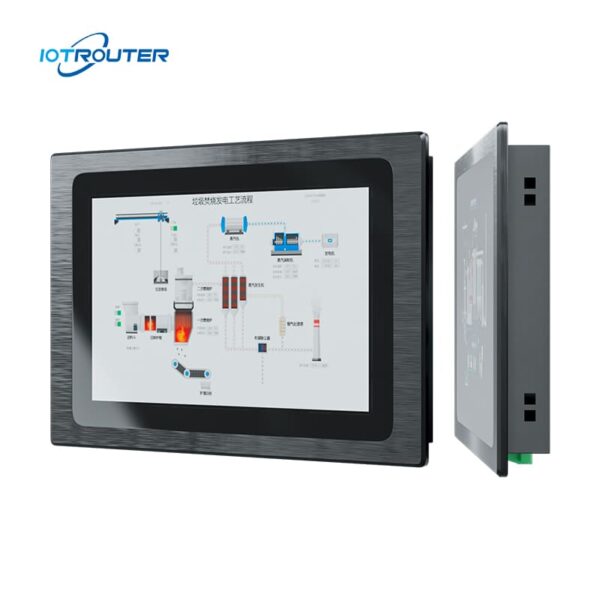
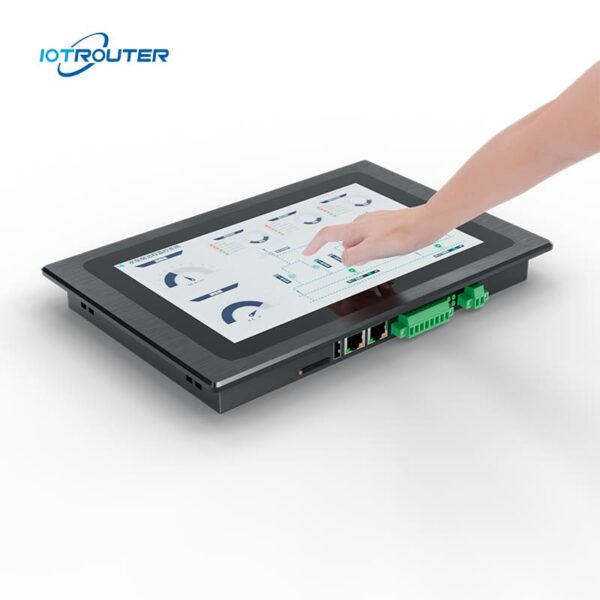
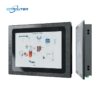
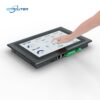
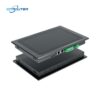
De EV8010 is een robuuste industriële panel-pc en HMI-edge-gateway die een multiprotocol-gateway voor gegevensverzameling combineert met een 10,1″ HD-touchscreen. Het scherm reageert binnen milliseconden en herkent meerdere aanraakgebaren. Het biedt een alles-in-één-oplossing voor visualisatie en edge computing.
De EV8010-industriële computer is uitgerust met een krachtige 8-core processor met uitstekende grafische mogelijkheden. De kloksnelheid bedraagt maximaal 1,8 GHz, wat zorgt voor een soepele, vertragingsvrije werking bij 24/7 gebruik onder alle weersomstandigheden.
Het ondersteunt gegevensverzameling via meerdere protocollen, protocolconversie en edge-verwerking, evenals programmering op basis van Node-RED en implementatie op afstand. De webgebaseerde configuratie via FUXA maakt een flexibele en intuïtieve bediening mogelijk voor diverse IoT-toepassingen.
Belangrijkste kenmerken

Industrieel
- Bedrijfstemperatuur 20–70 °C, ingangsspanning 9–36 V, bescherming tegen stroompieken en ESD

Zero-Code logica
Visuele configuratie met ingebouwde Node-RED

Geïntegreerde HMI + gateway
Gegevensverzameling, protocolconversie en visualisatie in één apparaat

PLC met meerdere protocollen
Siemens, Mitsubishi, Omron → MQTT / HTTP

Alarm- en gegevensbeheer
Ondersteunt alarmmeldingen, opslag van historische gegevens en visualisatie

Webgebaseerde HMI
Toegang tot en bediening van HMI-schermen via de browser, altijd en overal

Weergave op meerdere schermen
Eén project dat tegelijkertijd op meerdere apparaten toegankelijk is

FUXA visualisatie
Directe weergave van dashboards of SCADA-schermen
* Ondersteuning OEM/ODM, Neem contact op met de klantenservice voor meer informatie.
Belangrijke kenmerken
| Hardware parameters | Beeldscherm | 10,1 inch 16:9 TFT-LCD |
| Kijkhoek | 85'/85'/85'/85' (T/B/L/R) | |
| Aantal pixels | 1280 (horizontaal) × 800 (verticaal) | |
| Weergavekleuren | 16,7 miljoen | |
| Helderheid | 400 cd/m² | |
| Verlicht | LED | |
| Levensduur van de LED | > 50.000 uur | |
| Aanraakscherm | 10-punts capacitief | |
| CPU | ARM-Cortex-A55@1.8GHz | |
| RAM | LPDDR4 2 GB, 32 bits | |
| Opslag | 16 GB eMMC | |
| RTC | Ingebouwde realtimeklok | |
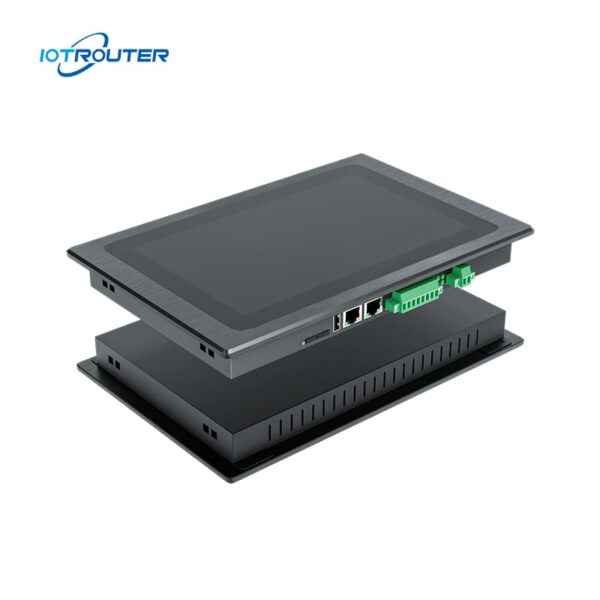
| Ethernet | 1 * WAN (GE) / 1 * LAN (FE) | |
| USB | 1 * USB 2.0 | |
| Seriële poort | 1 * RS232 / 2 * RS485 | |
| 4G Full Netcom | Optioneel | |
| Software-parameters | Besturingssysteem | Linux |
| Visueel programmeren | Ondersteuning | |
| WEB-configuratie | Ondersteuning | |
| Elektrische parameters | Nominaal vermogen | <8W |
| Voeding | DC9~36V | |
| Vermogensbescherming | Antistatisch, overspanningsbeveiliging, beveiliging tegen omgekeerde aansluiting | |
| Milieuparameters | Bedrijfstemperatuur | -20 tot 70 ℃ |
| Opslagtemperatuur | -30 tot 70 ℃ | |
| Omgevingsvochtigheid | 10~90%RH (niet-condenserend) | |
| Warmteafvoer | Passieve warmteafvoer | |
| Mechanische parameters | Installatie | Inbouwmontage |
| Materiaal van de schaal | Zinklegeringen dompelen | |
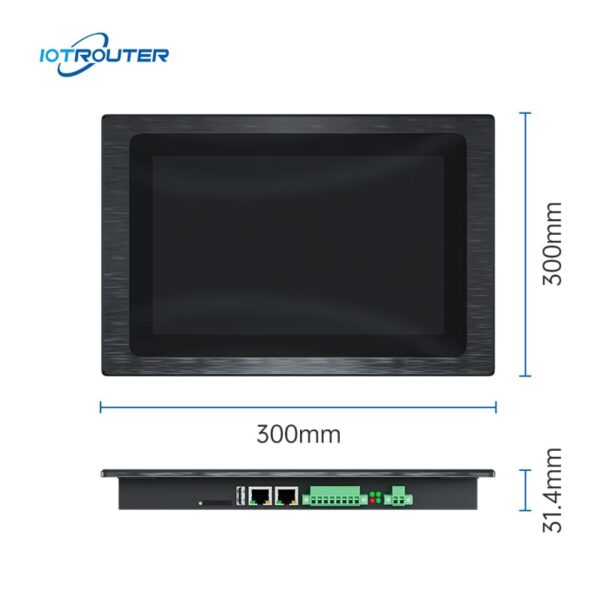
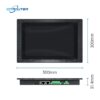
| Totale afmetingen | 300 mm × 203 mm × 31,4 mm | |
| Aanbevolen gatgrootte | 282,5 mm × 182,5 mm |
Belangrijkste functies

Grootschalige PLC-protocollen
– Opname in milliseconden –
De industriële panel-pc EV8010 biedt naadloze integratie met de gangbare PLC-merken, waaronder Siemens, Mitsubishi, Omron, LS, Allen-Bradley, Beckhoff, Inovance, Keyence, Panasonic, Delta, XinJE, MegMeet, Yaskawa, Fatek, Vigor, Fuji en nog veel meer.
Raadpleeg de protocolhandleiding voor een gedetailleerd overzicht van de ondersteunde PLC-modellen en protocollen.
Meerdere industrieprotocollen
– Flexibele protocolintegratie –
De EV8010 industriële panel-pc fungeert als een flexibele schakel tussen verschillende industriële systemen. Het apparaat ondersteunt gangbare industriële en IoT-protocollen zoals Modbus, MQTT, OPC UA/DA, HJ212 en IEC104, waardoor eenvoudige integratie met platforms van derden mogelijk is.
Voor niet-standaard of eigen protocollen. De EV8010 maakt het mogelijk om gegevens op maat te parseren en logica te configureren via JavaScript (JS), waardoor een flexibele protocolverwerking voor complexe veldtoepassingen wordt geboden.


Webgebaseerde configuratie met FUXA
Met FUXA kunt u moeiteloos zeer gepersonaliseerde dashboards voor datavisualisatie bouwen met behulp van intuïtieve drag-and-drop-functionaliteit. Gebruikers hebben via een browser toegang tot de interface, zonder dat ze extra software of plug-ins hoeven te installeren.
Weergave op meerdere schermen
– Altijd en overal te gebruiken –
Dankzij de voordelen van webweergave ondersteunt de EV8010-industriële computer het delen van het scherm met meerdere apparaten en is bediening op afstand mogelijk.


Slepen en neerzetten
- Low-code visueel programmeren
De producten uit de EV-serie zijn gebaseerd op de gateway-functies van de EG-serie, waaronder het op afstand uploaden en downloaden van PLC-gegevens, diverse industriële protocollen, visualisatieprogrammering, bediening en onderhoud op afstand, enzovoort.
Toepassingsscenario’s van de EV8010 alles-in-één HMI-gateway
1. Schakelkasten met beperkte ruimte of vereenvoudigde hardwarearchitecturen
In de praktijk nemen afzonderlijke gateway- en HMI-apparaten niet alleen meer ruimte in de schakelkast in beslag, maar maken ze ook de bedrading en communicatieconfiguraties complexer. Tijdens de inbedrijfstelling en het onderhoud vragen architecturen met meerdere apparaten vaak om extra probleemoplossing vanwege verbindings- of protocolproblemen.
De industriële panel-pc EV8010 combineert data-acquisitie en lokale visualisatie in één enkel apparaat. Door het aantal apparaten en verbindingen te verminderen, wordt de systeemarchitectuur vereenvoudigd, terwijl tegelijkertijd de investeringen in hardware en de onderhoudskosten op lange termijn worden verlaagd.
Typische toepassingen: Stroomverdeelkasten, compacte schakelkasten, projecten voor de integratie van apparatuur, sprojecten voor de modernisering van systemen.
Traditionele oplossing versus EV8010
| Item | Traditionele oplossing
(Gateway + HMI, twee apparaten) |
Geïntegreerde oplossing
(Eén apparaat – EV8010) |
|---|---|---|
| Systeemstructuur | Afzonderlijke gateway- en HMI-apparaten | Eén geïntegreerd apparaat |
| Configuratie | Afzonderlijke installatie en integratie voor elk apparaat | Gecentraliseerde configuratieomgeving |
| Ontwikkelingsworkflow | De gegevensverwerking en de HMI-interface zijn afzonderlijk ontwikkeld | Gegevens, logica en visualisatie geïntegreerd in één workflow |
| Communicatie | Communicatie tussen meerdere apparaten vereist | Interne communicatie binnen één systeem |
| De complexiteit van het opsporen van fouten | Hoger, als gevolg van problemen met verschillende apparaten | Lager, minder storingsgevoelige punten |
| Onderhoud | Meer onderdelen om te beheren en waarbij problemen moeten worden opgelost | Eenvoudiger onderhoud dankzij minder systeemonderdelen |
2. Alles-in-één-integratie: snellere oplevering van tijdgevoelige projecten
Gezien de strakke projectdeadlines, de EV8010 consolideert gegevensverzameling, logische besturing, HMI-visualisatie en cloudconnectiviteit in één enkel apparaat. Door te voorkomen dat er voortdurend fouten moeten worden opgespoord op verschillende softwareplatforms, het vermindert de complexiteit van de integratie aanzienlijk.
-
End-to-end-workflow: Omvat naadloos alle stappen, van acquisitie en verwerking tot visualisatie, controle, en uploaden naar de cloud.
-
Zeer efficiënte low-code-ontwikkeling: Maak gebruik van de drag-and-drop-tools van Node-RED en FUXA om de programmeer- en foutopsporingscycli met meer dan 50% te verkorten.
-
Lagere onderhoudskosten: Vereenvoudigt de architectuur door het wegvallen van netwerken met meerdere apparaten, het aantal mogelijke storingspunten te verminderen en ervoor te zorgen dat de levering op tijd plaatsvindt.
Typische toepassingen: Productielijnen, OEM-machines, en op maat gemaakte projecten met snelle levering.
3. Flexibele toegang en samenwerking op afstand: de grenzen van lokale HMI’s doorbreken
Traditionele HMI’s zijn vaak gebonden aan fysieke schermen, waardoor bewaking op afstand en samenwerking tussen meerdere gebruikers ingewikkeld en kostbaar wordt. De EV8010 beschikt over een Webgebaseerde HMI, waardoor een naadloze werking op pc’s, tablets en mobiele apparaten mogelijk wordt.
-
Unified Access: Eén interface voor zowel lokale als externe gebruikers, waardoor er geen extra tools voor externe toegang nodig zijn.
-
Betrouwbaarheid aan de rand: Dankzij lokale gegevensverwerking en logische besturing blijft het systeem zelfs bij netwerkstoringen volledig operationeel.
-
Verbeterde samenwerking: Hierdoor kunnen technici en managers systemen vanaf elke locatie bewaken en onderhouden, waardoor de reactiesnelheid wordt verbeterd.
Typische toepassingen: Onderhoud op afstand, regio-overschrijdende implementaties en gezamenlijk beheer met meerdere functies.
Het kernvoordeel
De industriële paneel-pc EV8010 is ontworpen voor projecten die een gestroomlijnde architectuur en snelle implementatie vereisen. Door het samenvoegen van DAQ, protocolconversie, logische besturing en HMI tot één enkele randknoop, waardoor ingenieurs systemen kunnen ontwikkelen en beheren binnen één geïntegreerde omgeving.
-
Integratieproblemen wegnemen: Verminder de afhankelijkheid tussen apparaten en de communicatie-overhead.
-
Verbeterde bestuurbaarheid: Gecentraliseerde ontwikkeling zorgt voor een hogere betrouwbaarheid en het tijdig behalen van projectmijlpalen.
-
Lagere totale eigendomskosten (TCO) voor onderhoud: Een vereenvoudigde architectuur zorgt voor minder storingsgevoelige punten en lagere onderhoudskosten op de lange termijn.
FAQ
V1. Welk niveau van programmeerkennis is vereist voor de EV8010?
A1: De EV8010 industriële panel-pc is ontworpen voor low-code-implementatie, waardoor ingewikkelde handmatige codering overbodig wordt.
-
-
Logica boven scripting: Als je de basisbegrippen van industriële automatisering begrijpt (zoals IP-adressering, registers en I/O-toewijzing), kun je het apparaat eenvoudig configureren.
-
Configuratie via het web: Het afstemmen van protocollen en het configureren van netwerkinstellingen gebeurt via een intuïtieve browserinterface — er is geen speciale IDE nodig.
-
Visuele HMI-ontwerp: De VISION-software beschikt over een drag-and-drop-editor. In plaats van afbeeldingen te programmeren, koppel je gewoon UI-widgets aan je gegevenstags.
-
Conclusie: Hoewel basiskennis van automatisering noodzakelijk is, neemt de EV8010 de hoge drempel van traditionele softwareontwikkeling weg, waardoor een veel snellere implementatie mogelijk wordt.
Vraag 2. Welke PLC’s en apparaten zijn compatibel met de EV8010 industriële panel-pc?
A2: Het apparaat ondersteunt meer dan 90% gangbare industriële besturingen die op de markt verkrijgbaar zijn.
-
PLC-compatibiliteit: Waaronder Siemens, Mitsubishi, Omron, Rockwell Automation, Inovance, Delta en Xinjie.
-
Fysieke interfaces: Uitgerust met 2 Gigabit Ethernet-poorten, 1 RS232-poort en 2 RS485-poorten. Elk apparaat met een Ethernet- of seriële uitgang werkt doorgaans plug-and-play.
-
Analoge sensoren: De integratie van 4-20 mA- of 0-10 V-sensoren kan eenvoudig worden gerealiseerd via standaard analoog-naar-digitaal-omzetters.
Als u twijfelt over een bepaald model, geef dan de specificaties van uw apparatuur door, dan zal ons team de compatibiliteit voor u controleren.
Afmetingen en interfaces

Paklijst

Product Installation

Step 1.
Before installation, it is necessary to open the corresponding installation hole slightly larger than the equipment.
Step 2.
Place the equipment in the reserved installation holes.
Step 3.
There are two square holes on both sides of the equipment, and one end of the square hole is fastened with a buckle during installation; The screws of the buckle are attached to the top of the cabinet, tighten the screws, and the other three parts are the same to complete the installation.