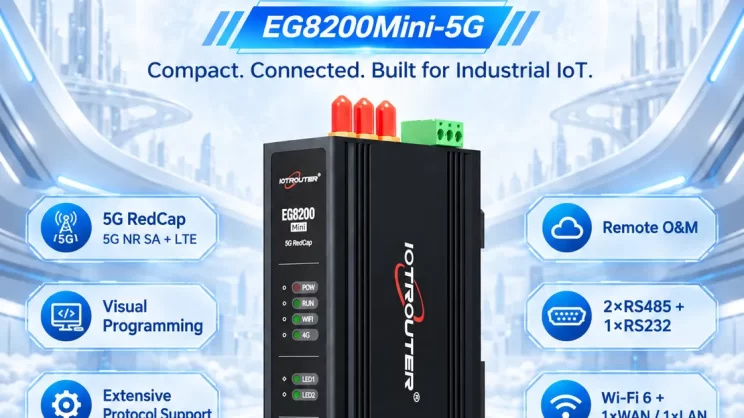
This guide explains how to use the MC-3E protocol to integrate Mitsubishi Q Series and other compatible PLCs with the EG Edge Gateway. It is part of the Protocol Hub, focusing on industrial communication standards and seamless data exchange between legacy control systems and cloud-based monitoring.
Compatible PLC: Mitsubishi Q Series and other PLCs supporting the MC-3E protocol.
1. Conexión de hardware
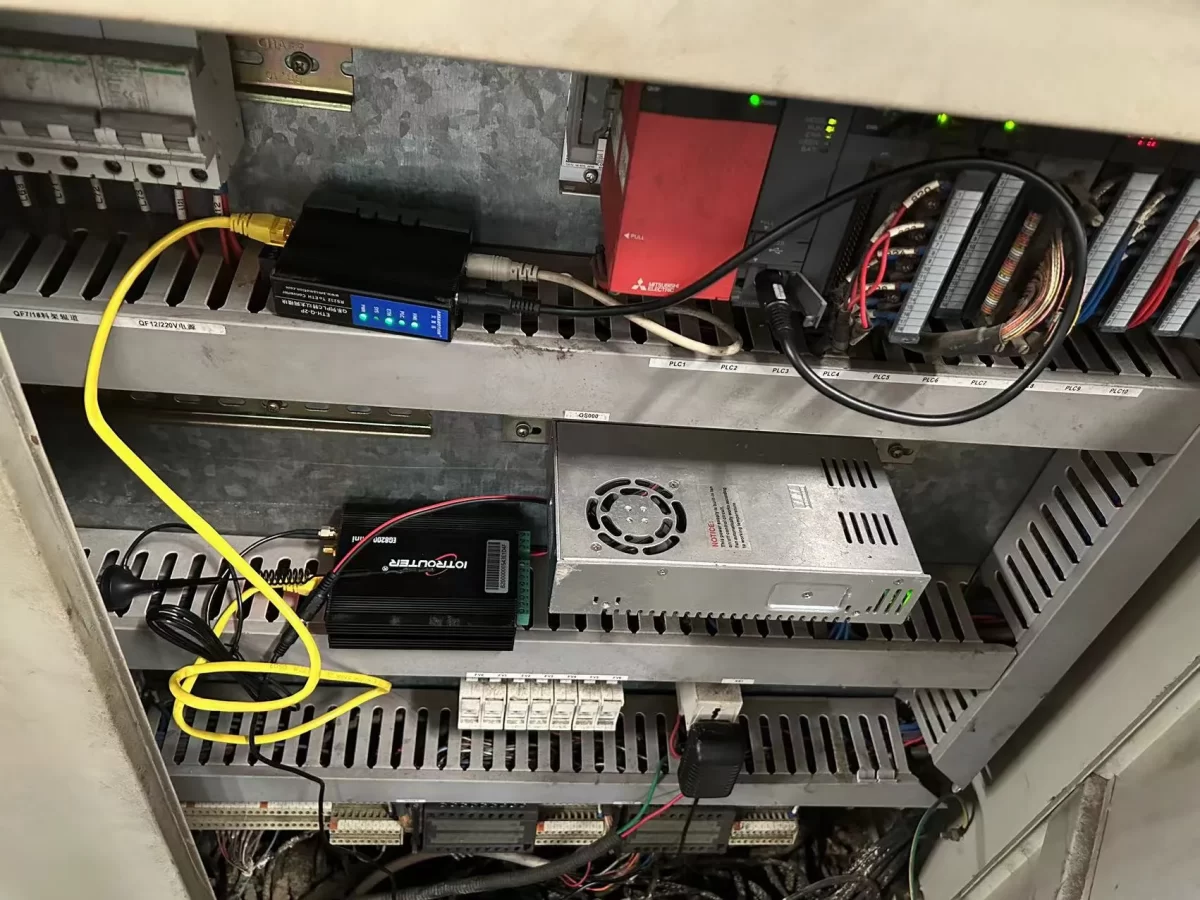
The MC-3E protocol uses Ethernet communication; therefore, it is only necessary to ensure that the EG edge gateway‘s LAN port and the Mitsubishi PLC’s IP address are on the same subnet.
2. Parámetros de comunicación PLC
2.1 Configuración de los parámetros de Ethernet
Proporcionado por el ingeniero del PLC.
3. Configuración de la puerta de enlace
3.1 Ajustes de conexión del PLC
Arrastra un nodo «Mitsubishi» desde el panel de la izquierda y haz doble clic para abrir la página de configuración. Rellena los campos de configuración según los parámetros del PLC de la siguiente manera:
Protocol: Select Mewtocol TCP
Address: Enter the PLC address, in this example 192.168.1.160
Port: Enter the PLC connection port, in this example 5002
Connection Timeout: 2000
Communication Timeout: 2000
Mode: TCP
Station Number: 0
Network Number: 0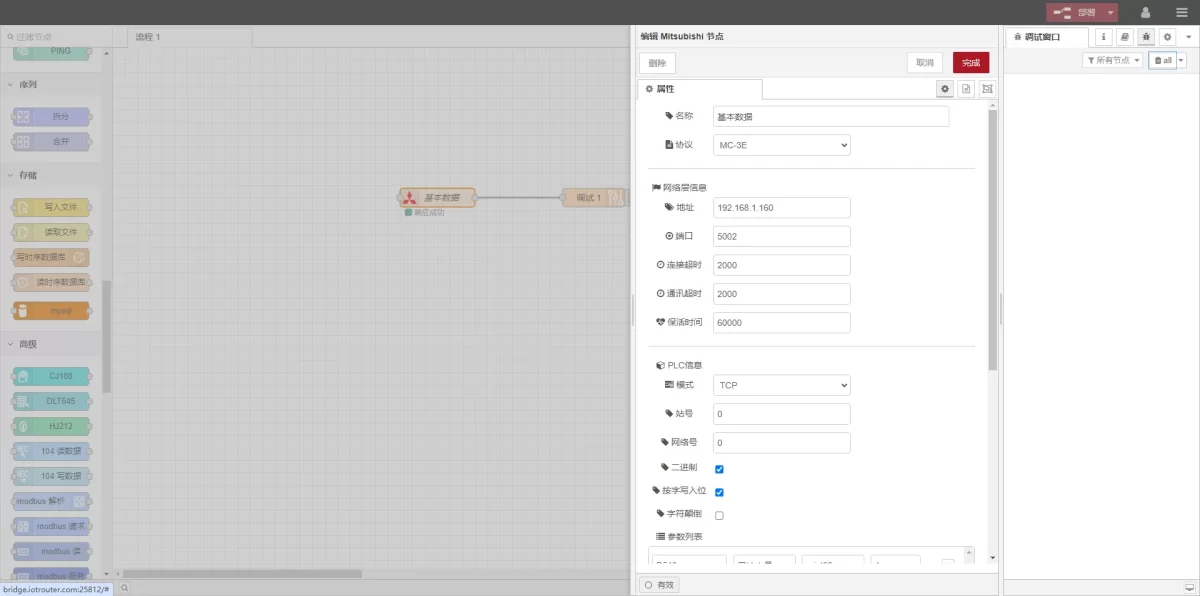
3.2 Configuración de los puntos de datos
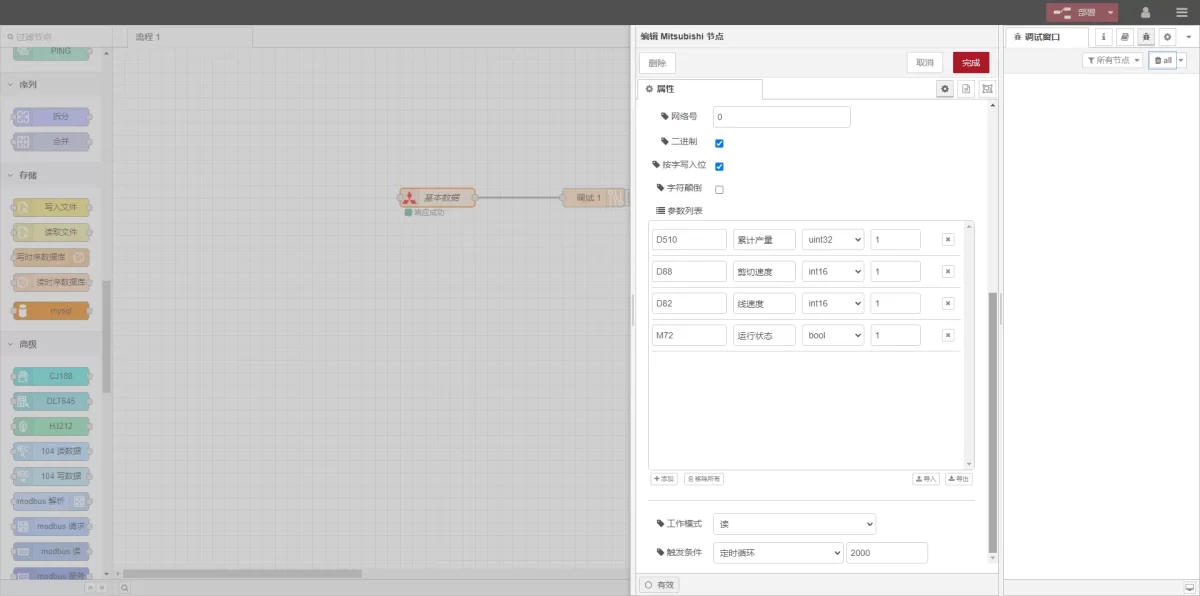
Introduce los puntos de datos que se van a leer en la lista de parámetros del nodo Mitsubishi. Una vez introducidos los puntos de datos, la pasarela leerá automáticamente los datos del PLC con la frecuencia establecida.
The data points are generally provided by the PLC engineer. After receiving the point table, fill in the data points according to the gateway’s required format.
In this example, data at D and M type addresses is read. In the parameter list, fill in the Dirección / Nombre / Tipo de datos / Longitud de los datos de forma secuencial. La lectura se realiza en un bucle de 2 segundos, tal y como se muestra en la figura.
3.3 Pruebas
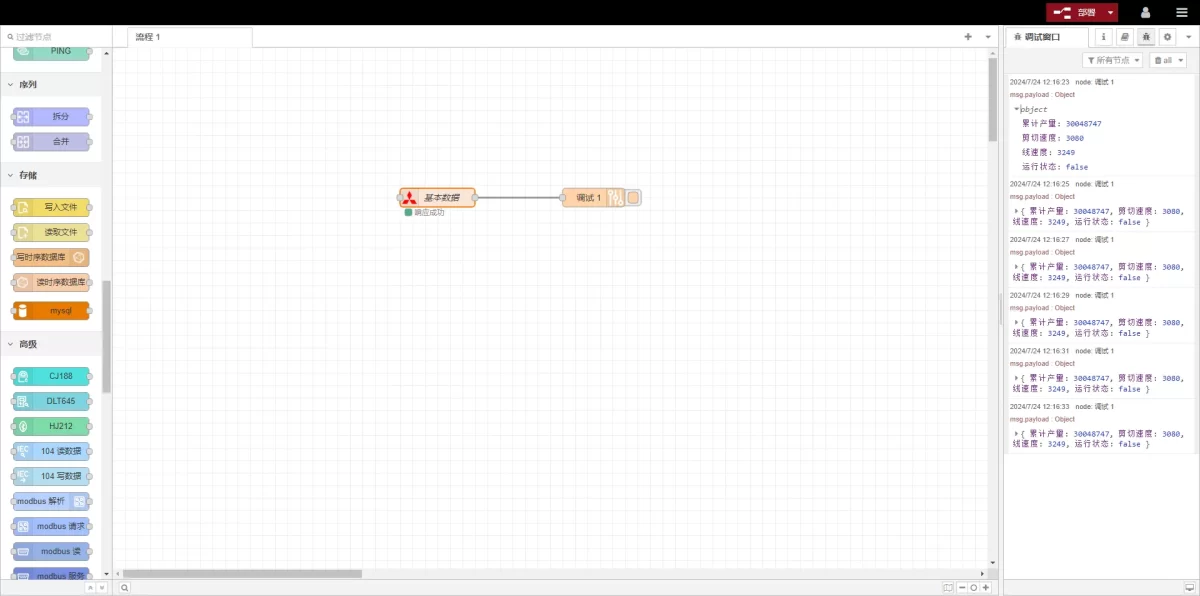
Click Deploy, and observe that a data entry is printed every 2 seconds. Check that the read data matches the actual values. Communication is successful!
Guías relacionadas con la integración de PLC industriales
← Volver al Centro de integración de PLC

Agnes Wang es especialista en soluciones de IoT en IOTRouter, donde se dedica principalmente a las pasarelas de IoT industrial, la computación en el borde y las soluciones de automatización industrial.
Está especializada en tecnologías de comunicación industrial, entre las que se incluyen Modbus, IEC 60870-5-104, MQTT, OPC UA, integración de PLC y aplicaciones de monitorización remota. Colabora en la redacción de artículos técnicos y guías de aplicación sobre soluciones de IoT industrial, conversión de protocolos y computación periférica.