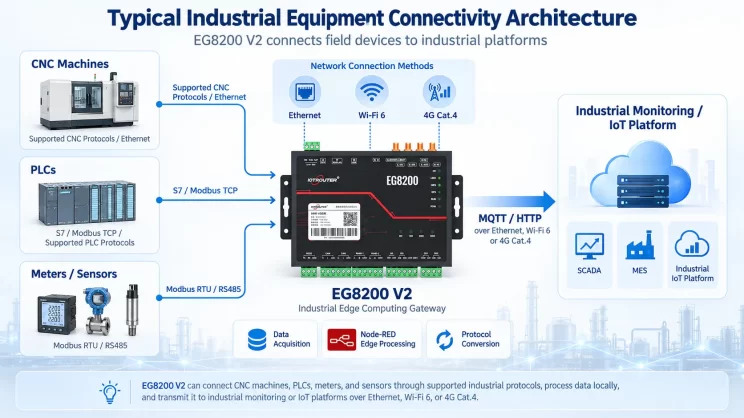
This guide explains how to use the MC-3E protocol to integrate Mitsubishi Q Series and other compatible PLCs with the EG Edge Gateway. It is part of the Protocol Hub, focusing on industrial communication standards and seamless data exchange between legacy control systems and cloud-based monitoring.
Kompatible SPS: Mitsubishi Q Series and other PLCs supporting the MC-3E protocol.
1. Hardware-Anschluss
The MC-3E protocol uses Ethernet communication; therefore, it is only necessary to ensure that the EG edge gateway‘s LAN port and the Mitsubishi PLC’s IP address are on the same subnet.
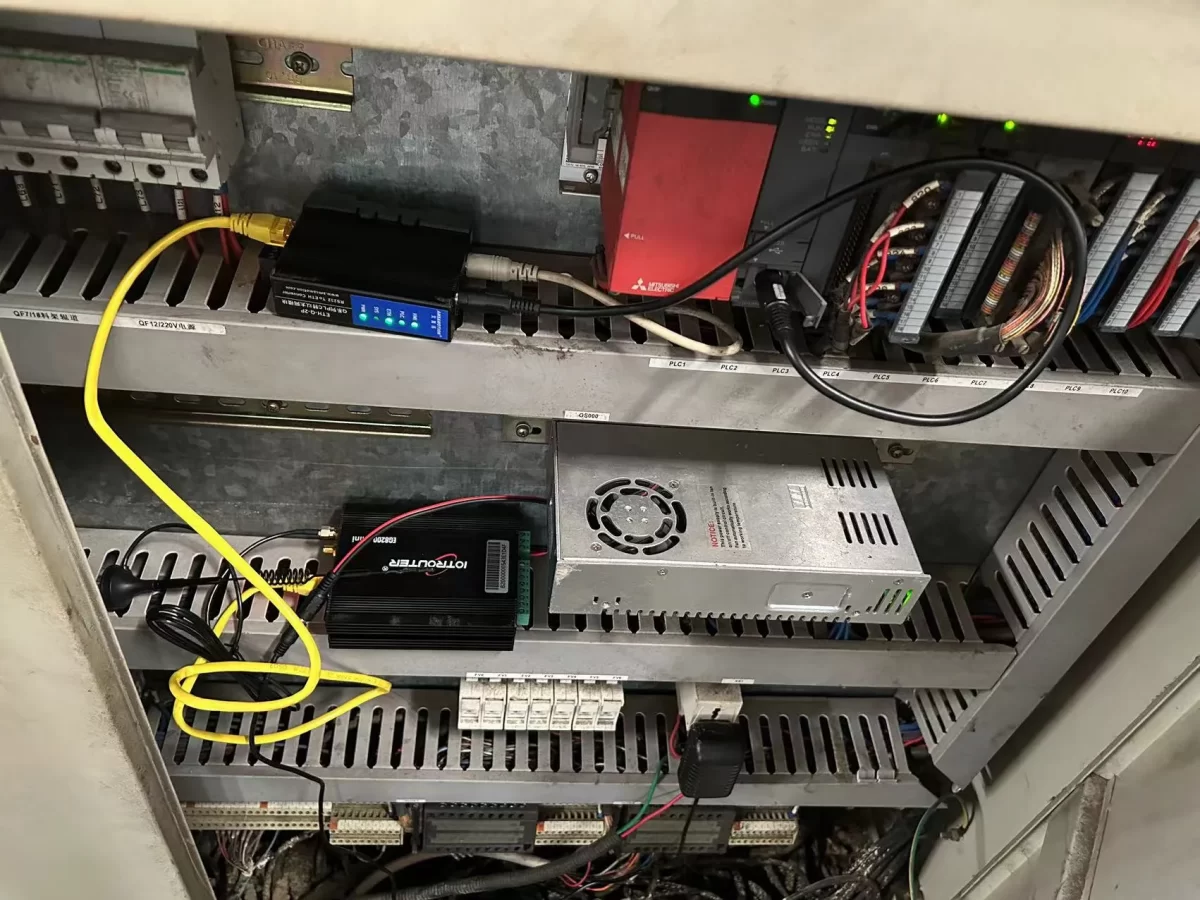
2. PLC-Kommunikationsparameter
2.1 Ethernet-Parametereinstellungen
Wird vom PLC-Ingenieur bereitgestellt.
3. Gateway-Einstellungen
3.1 SPS-Verbindungseinstellungen
Ziehen Sie einen Mitsubishi-Knoten aus dem linken Fensterbereich und doppelklicken Sie darauf, um die Einstellungsseite zu öffnen. Geben Sie die Konfiguration entsprechend den Parametern der SPS wie folgt ein:
Protocol: Select Mewtocol TCP
Address: Enter the PLC address, in this example 192.168.1.160
Port: Enter the PLC connection port, in this example 5002
Connection Timeout: 2000
Communication Timeout: 2000
Mode: TCP
Station Number: 0
Network Number: 0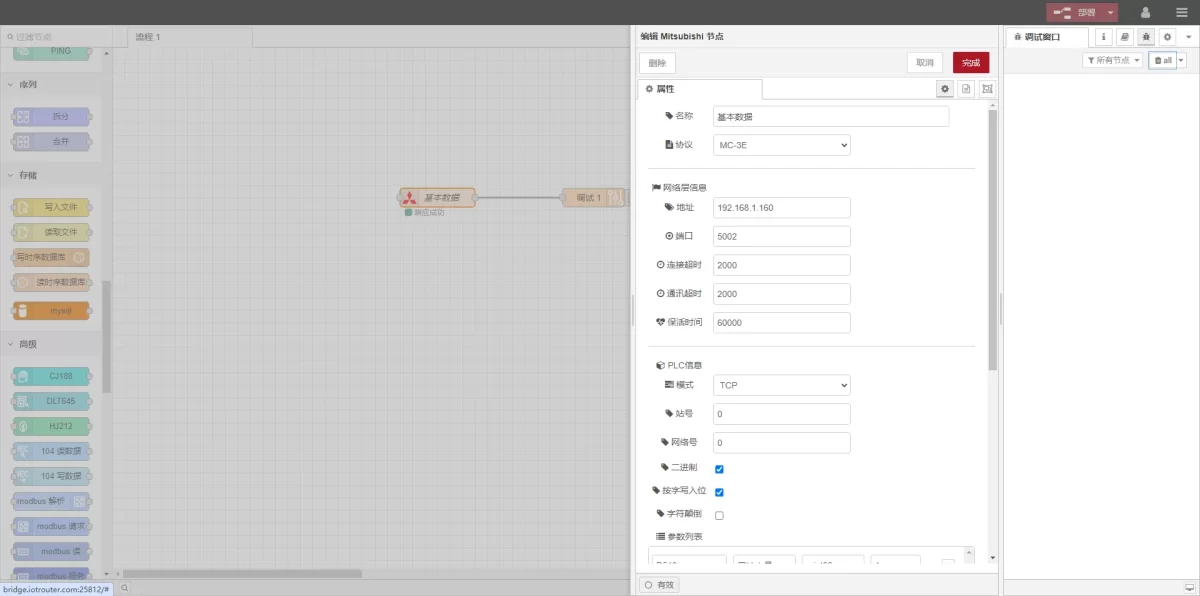
3.2 Einstellungen für Datenpunkte
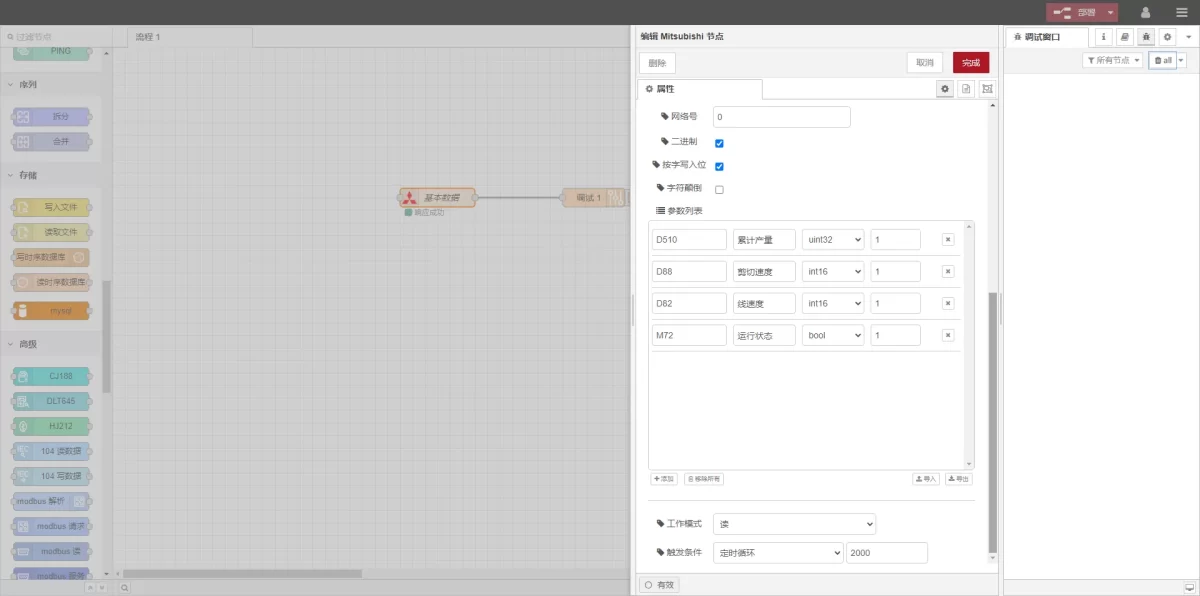
Geben Sie die zu lesenden Datenpunkte in die Parameterliste des Mitsubishi-Knotens ein. Sobald die Datenpunkte eingegeben sind, liest das Gateway die SPS-Daten automatisch mit der eingestellten Frequenz aus.
The data points are generally provided by the PLC engineer. After receiving the point table, fill in the data points according to the gateway’s required format.
In this example, data at D and M type addresses is read. In the parameter list, fill in the Adresse / Name / Datentyp / Datenlänge nacheinander. Die Abtastung erfolgt in einer 2-Sekunden-Schleife, wie in der Abbildung dargestellt.
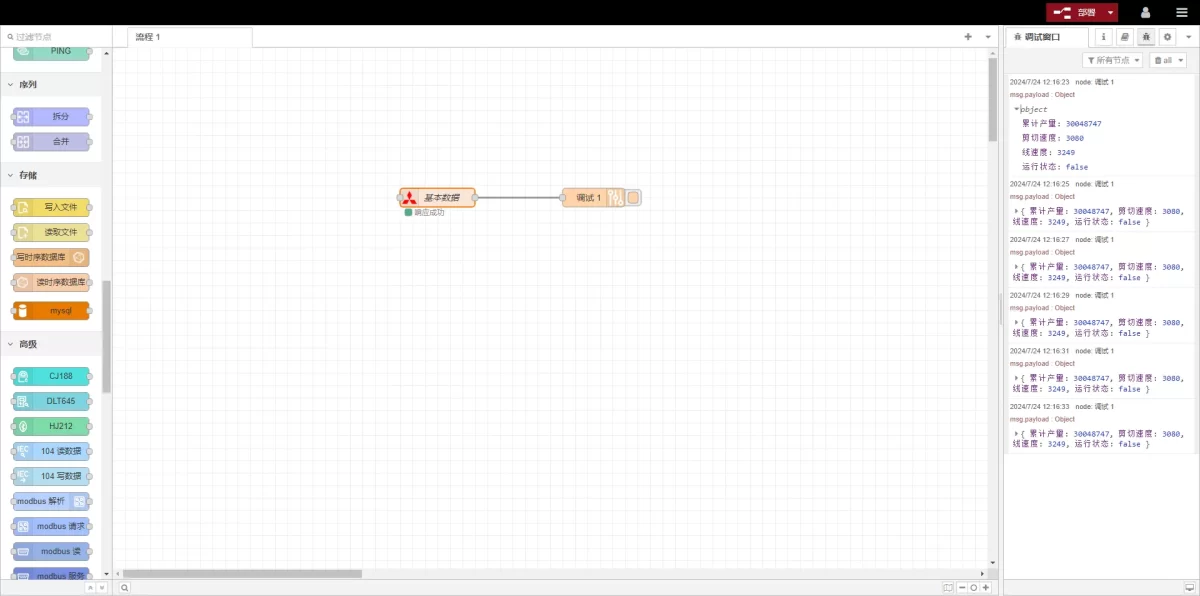
3.3 Prüfung
Click Deploy, and observe that a data entry is printed every 2 seconds. Check that the read data matches the actual values. Communication is successful!
Verwandte Leitfäden zur industriellen PLC-Integration
← Zurück zu PLC Integration Hub

Agnes Wang ist Spezialistin für IoT-Lösungen bei IOTRouter und konzentriert sich auf industrielle IoT-Gateways, Edge-Computing und Lösungen für die industrielle Automatisierung.
Sie ist auf industrielle Kommunikationstechnologien spezialisiert, darunter Modbus, IEC 60870-5-104, MQTT, OPC UA, SPS-Integration und Fernüberwachungsanwendungen. Sie verfasst Fachartikel und Anwendungsleitfäden zu industriellen IoT-Lösungen, Protokollkonvertierung und Edge-Computing.