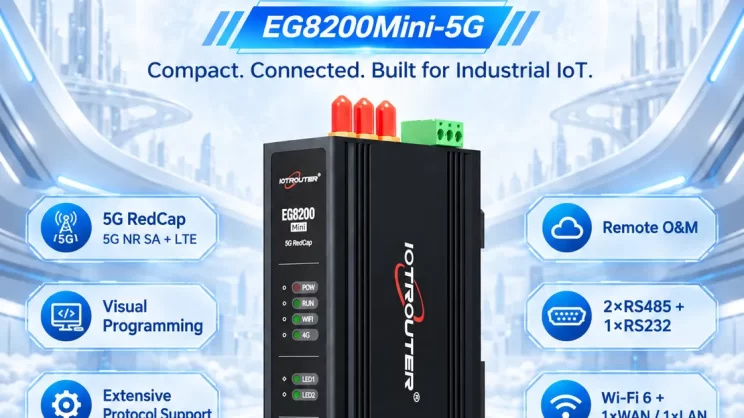
This guide explains how to use the MC-3E protocol to integrate Mitsubishi Q Series and other compatible PLCs with the EG Edge Gateway. It is part of the Protocol Hub, focusing on industrial communication standards and seamless data exchange between legacy control systems and cloud-based monitoring.
Compatible PLC: Mitsubishi Q Series and other PLCs supporting the MC-3E protocol.
1. Hardwareverbinding
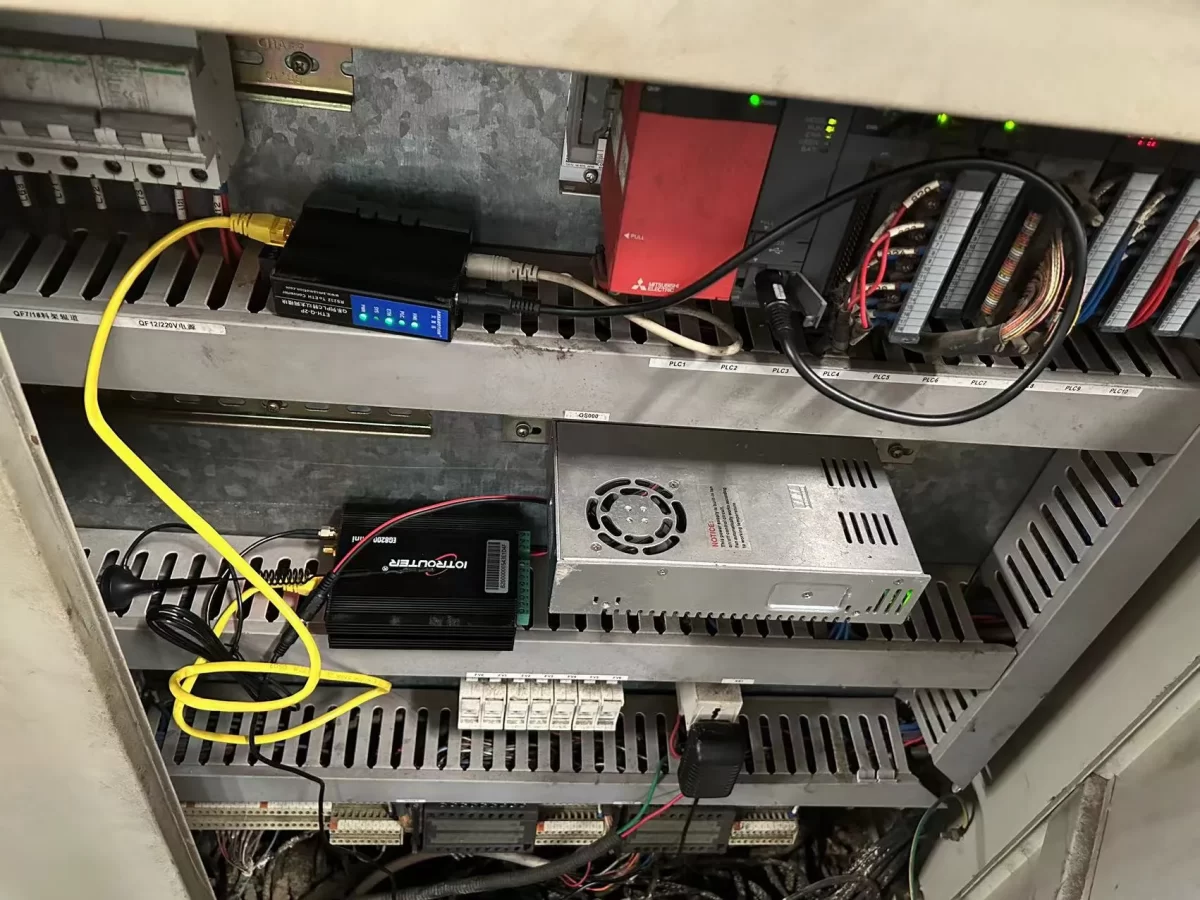
The MC-3E protocol uses Ethernet communication; therefore, it is only necessary to ensure that the EG edge gateway‘s LAN port and the Mitsubishi PLC’s IP address are on the same subnet.
2. PLC-communicatieparameters
2.1 Ethernet Parameter Settings
Provided by the PLC engineer.
3. Gateway-instellingen
3.1 PLC Connection Settings
Drag a Mitsubishi node from the left panel and double-click to open the settings page. Fill in the configuration according to the PLC’s parameters as follows:
Protocol: Select Mewtocol TCP
Address: Enter the PLC address, in this example 192.168.1.160
Port: Enter the PLC connection port, in this example 5002
Connection Timeout: 2000
Communication Timeout: 2000
Mode: TCP
Station Number: 0
Network Number: 0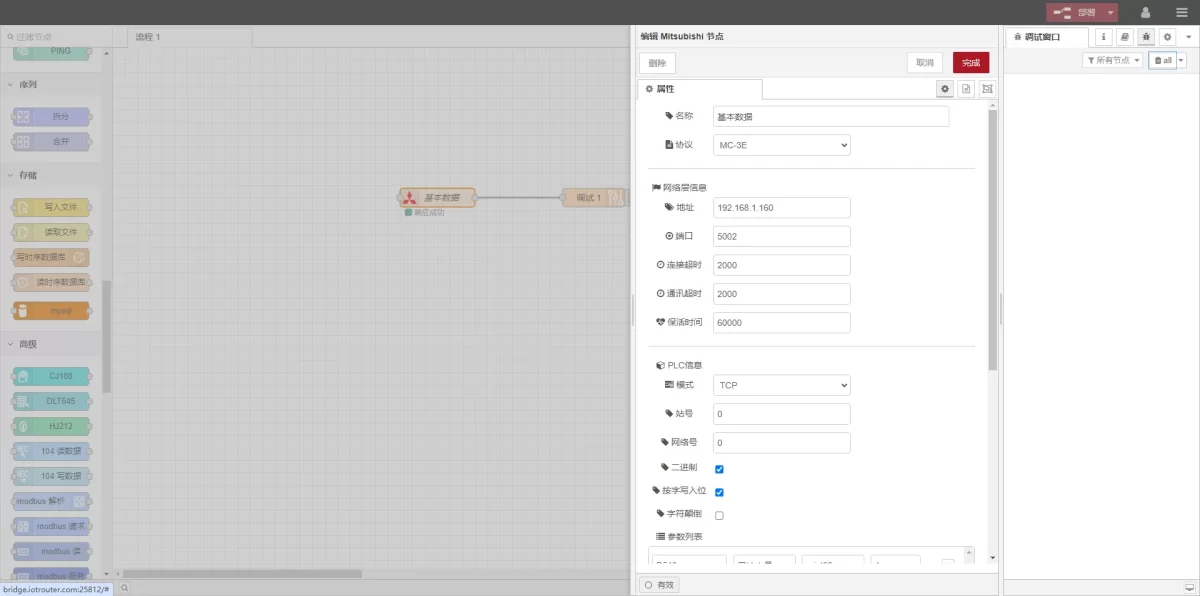
3.2 Instellingen voor gegevenspunten
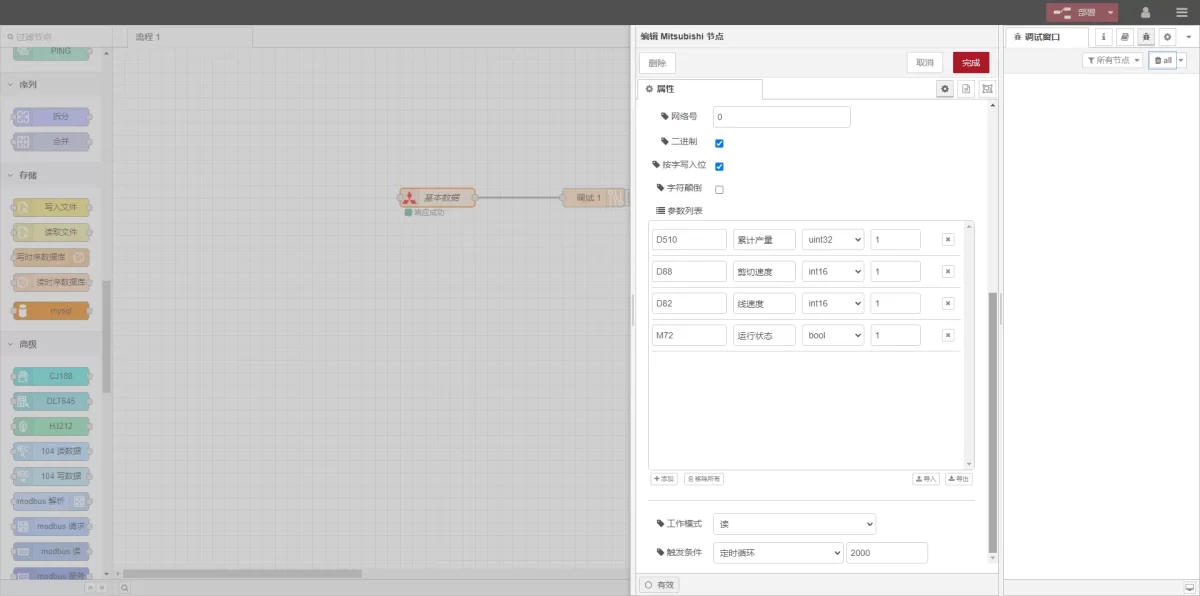
Fill in the data points to be read in the parameter list of the Mitsubishi node. Once the data points are entered, the gateway will automatically read the PLC data at the set frequency.
The data points are generally provided by the PLC engineer. After receiving the point table, fill in the data points according to the gateway’s required format.
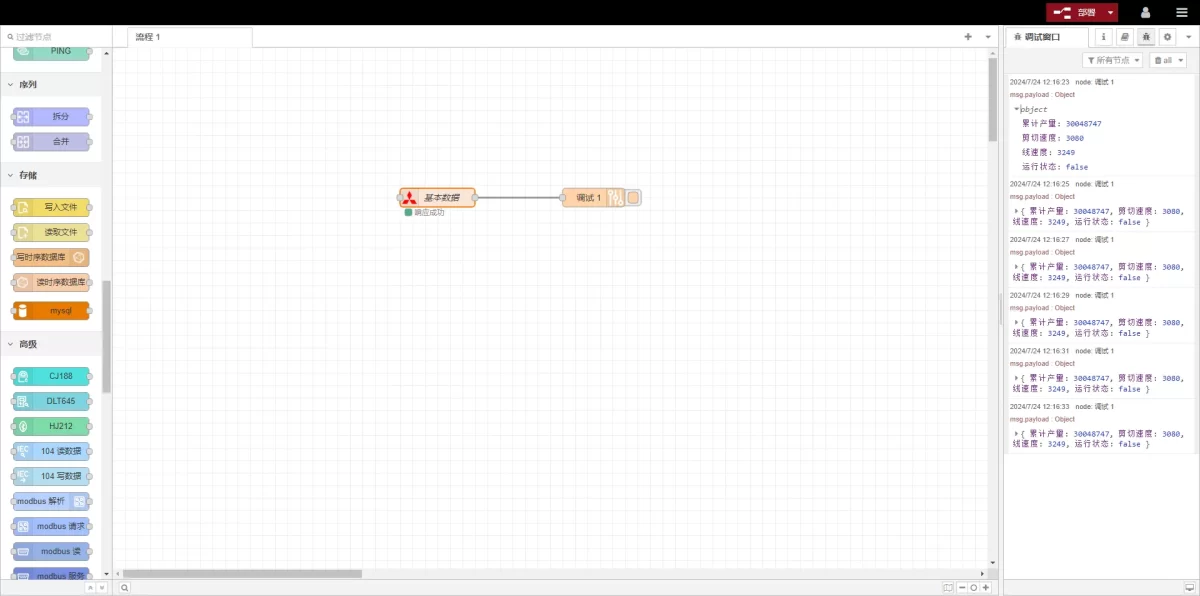
In this example, data at D and M type addresses is read. In the parameter list, fill in the Address / Name / Data Type / Data Length sequentially. The reading is performed in a 2-second loop, as shown in the figure.
3.3 Testing
Click Deploy, and observe that a data entry is printed every 2 seconds. Check that the read data matches the actual values. Communication is successful!
Gerelateerde handleidingen over de integratie van industriële PLC’s
← Terug naar de PLC-integratiehub

Agnes Wang is IoT-oplossingsspecialist bij IOTRouter en richt zich op industriële IoT-gateways, edge computing en oplossingen voor industriële automatisering.
Ze is gespecialiseerd in industriële communicatietechnologieën, waaronder Modbus, IEC 60870-5-104, MQTT, OPC UA, PLC-integratie en toepassingen voor monitoring op afstand. Ze levert bijdragen aan technische artikelen en toepassingsgidsen over industriële IoT-oplossingen, protocolconversie en edge computing.