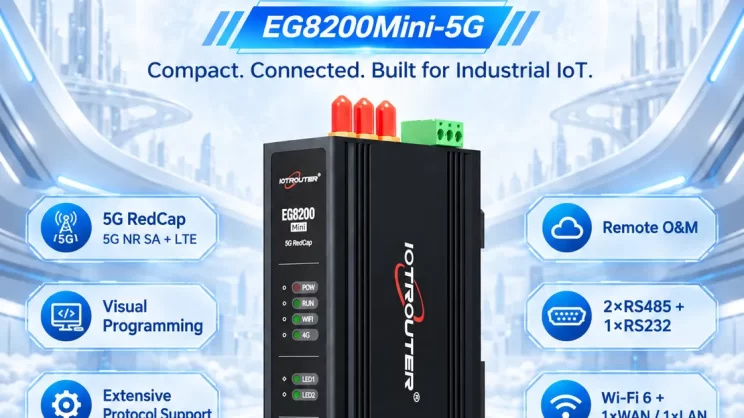
In this tutorial, we will focus on FANUC CNC Integration with CNC gateway. We hope this proves helpful.
In den vorangegangenen Lektionen haben wir uns mit :
Wie das Mini-CNC-Gateway EG8200 mit den CNC-Systemen von Siemens zusammenarbeitet
Einbindung des CNC-Gateways in die Mitsubishi CNC
Integration des CNC-Gateways in die neue CNC-Generation
Einbindung des CNC-Gateways in HAAS CNC
How the EG series CNC gateway interfaces with Maritx CNC
This lesson will provide a detailed explanation for FANUC CNC systems.
Compatible CNC: Fanuc Series 0iD/0iF/30i/31i/32i/35i
1. Hardware-Anschluss
The Fanuc CNC protocol uses Ethernet communication. Therefore, only ensure the gateway’s LAN port IP and the CNC’s IP are within the same subnet (Note: In special cases, they may be on different subnets, requiring routing configuration—consult technical support for details). IP addresses are assigned as follows in this example:
|
EG8200Mini-CNC-Gateway |
FANUC CNC |
|
| IP-Adresse |
192.168.110.88 |
192.168.110.108 |


2. CNC-Kommunikationsparameter
Provided by CNC engineers.
The CNC network port parameters are:
IP: 192.168.110.108
Hafen: 8193
FANUC CNC IP Configuration Panel:

FANUC Port Configuration Interface:

3. Gateway-Einstellungen
3.1. CNC-Verbindungseinstellungen
Drag a Fanuc node from the CNC panel on the left. Double-click to open the settings page and configure as follows based on the PLC parameters:
Adresse: 192.168.8.16
Hafen: 8193
Zeitüberschreitung der Verbindung: 5000
Heartbeat Interval: 60000
Data Timeout: 2000
Data Interval: 1000 (Read Cycle)
Cycle Wait: 1000 (Data Point Read Interval)

3.2. Data Point Settings
Check the required data points.

3.3. Prüfung
Klicken Sie auf Deploy und beobachten Sie, wie alle paar Sekunden ein Datenpunkt gedruckt wird. Überprüfen Sie die empfangenen Datenpunkte, um die erfolgreiche Kommunikation zu bestätigen!
Die Referenztabelle der Datenpunkte finden Sie unter:
Dies ist eine Inhaltskarte von Yueque. Klicken Sie auf den Link, um sie anzusehen: https://iotrouter.yuque.com/zn3vdn/eg8000/om7gm3hef68gt7fb



Agnes Wang ist Spezialistin für IoT-Lösungen bei IOTRouter und konzentriert sich auf industrielle IoT-Gateways, Edge-Computing und Lösungen für die industrielle Automatisierung.
Sie ist auf industrielle Kommunikationstechnologien spezialisiert, darunter Modbus, IEC 60870-5-104, MQTT, OPC UA, SPS-Integration und Fernüberwachungsanwendungen. Sie verfasst Fachartikel und Anwendungsleitfäden zu industriellen IoT-Lösungen, Protokollkonvertierung und Edge-Computing.