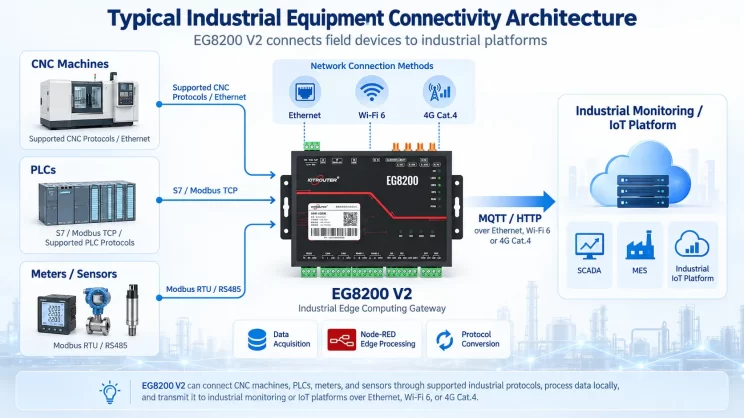
In this tutorial, we will focus on how the EG8200 Mini CNC Gateway works with Mitsubishi CNC systems. We hope this proves helpful.
In the previous lesson, we covered how the EG8200 Mini CNC Gateway interfaces with Siemens CNC systems. This lesson will provide a detailed explanation for Mitsubishi CNC systems.
1. EG8200 Mini CNC Gateway
Die EG8200 Mini CNC Gateway is a data acquisition gateway specifically designed for CNC machine tools, featuring robust data collection and remote monitoring capabilities. This device supports multiple industrial protocols including Modbus and MQTT, is compatible with CNC machine tools from various brands, and empowers users to achieve remote management of their machine tools.
2. Siemens CNC VS. Mitsubishi CNC
Siemens CNC (Siemens SINUMERIK) originates from Germany and is the most widely used CNC system in Europe. It demonstrates significant advantages in high-end equipment applications such as five-axis machining, large gantry milling, and aerospace manufacturing.
Mitsubishi CNC (Computer Numerical Control), developed by Japan’s Mitsubishi Electric, is widely used on machine tools in Japan and China. Mitsubishi CNC excels in small-segment interpolation and high-speed, high-precision machining, making it particularly suitable for mold manufacturing and precision parts processing in the 3C industry.
3. How to Interface the EG8200Mini-CNC gateway with Mitsubishi CNC
Compatible CNC Models: M800/M80/M700V/M70V/E70/C70
1. Hardware-Anschluss
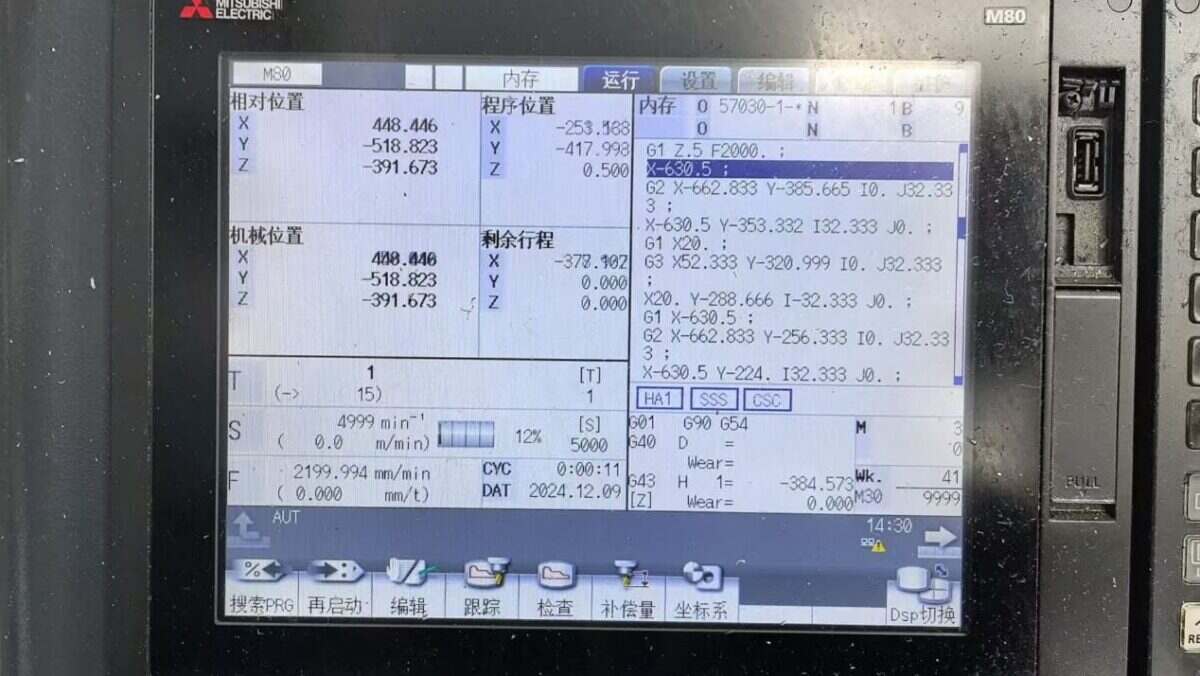
The Mitsubishi CNC protocol utilizes Ethernet communication. Therefore, ensure the gateway’s LAN port IP and the CNC’s IP are within the same subnet (Note: In special cases, routing configuration may be required if they are not on the same subnet; consult technical support for details). IP addresses are assigned as follows in this example:
|
EG8200Mini-CNC-Gateway |
Mitsubishi CNC |
|
| IP-Adresse | 172.16.21.2 | 172.16.21.102 |
2. CNC-Kommunikationsparameter
Provided by the CNC engineer:
The CNC network port parameters are:
IP: 172.16.21.102 Port: 683
3. Gateway-Einstellungen
3.1. CNC-Verbindungseinstellungen
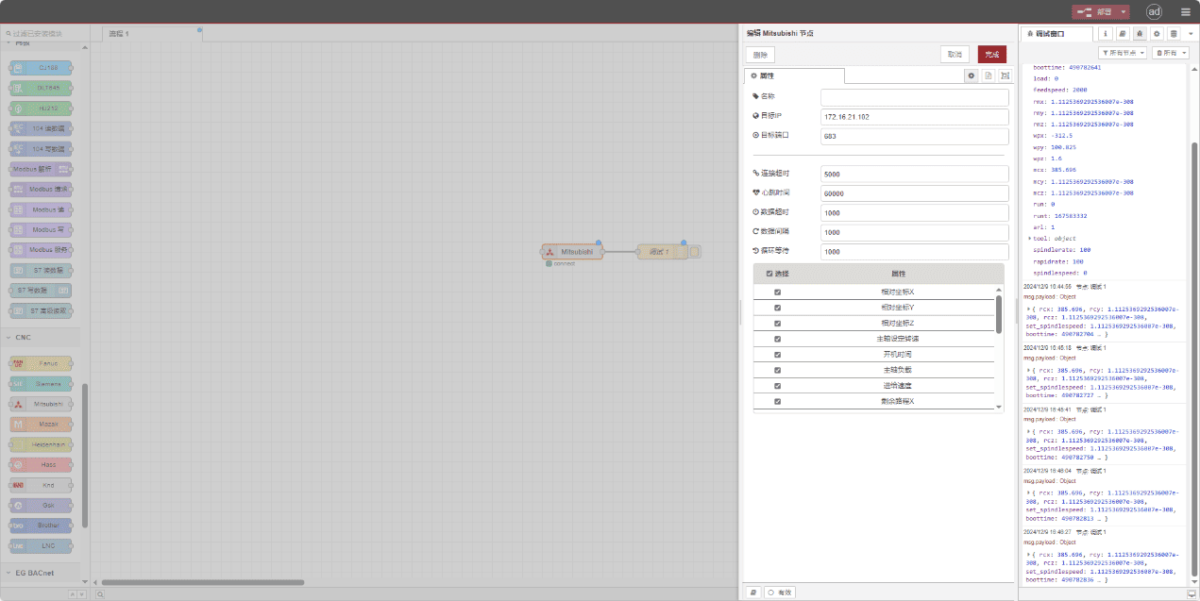
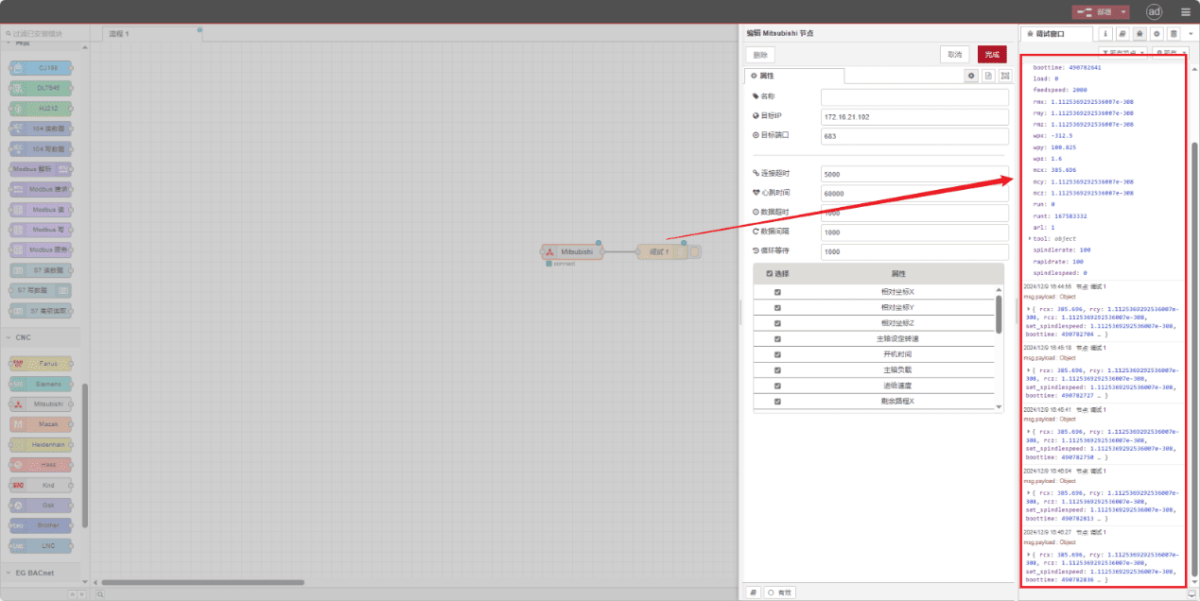
Drag a Mitsubishi node from the left CNC panel, double-click to open the settings page, and configure as follows based on the PLC parameters:
Adresse: 172.16.21.102
Hafen: 683
Zeitüberschreitung der Verbindung: 5000
Heartbeat Interval: 60000
Data Timeout: 2000
Data Interval: 1000 (Read Cycle)
Cycle Wait: 1000 (Data Point Read Interval)
3.2. Data Point Settings
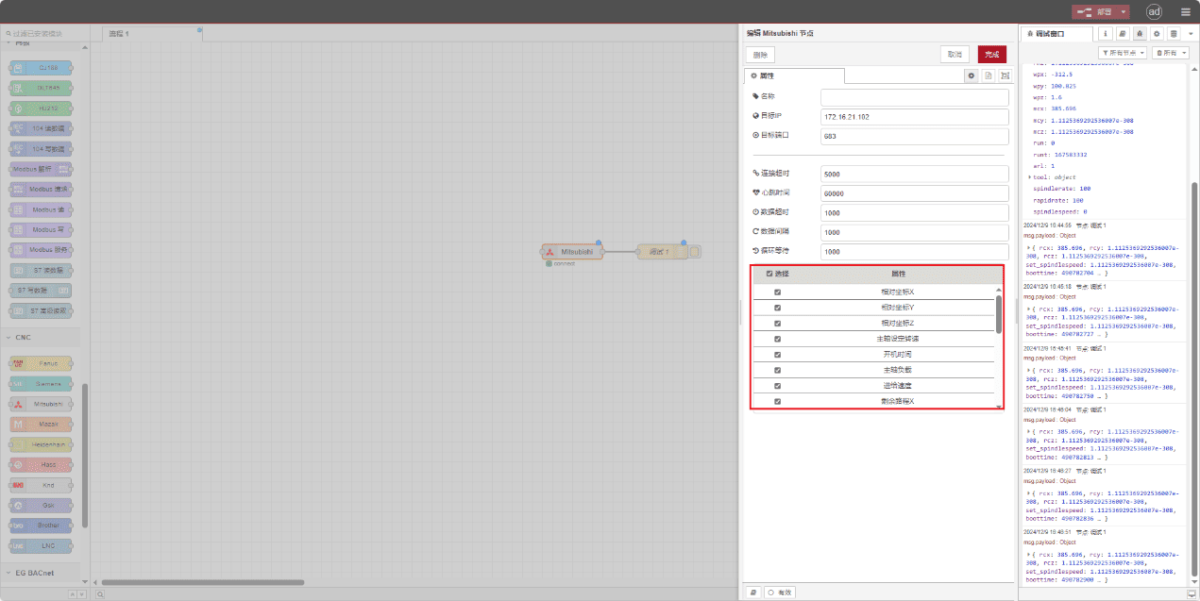
Check the required data points:
3.3. Prüfung
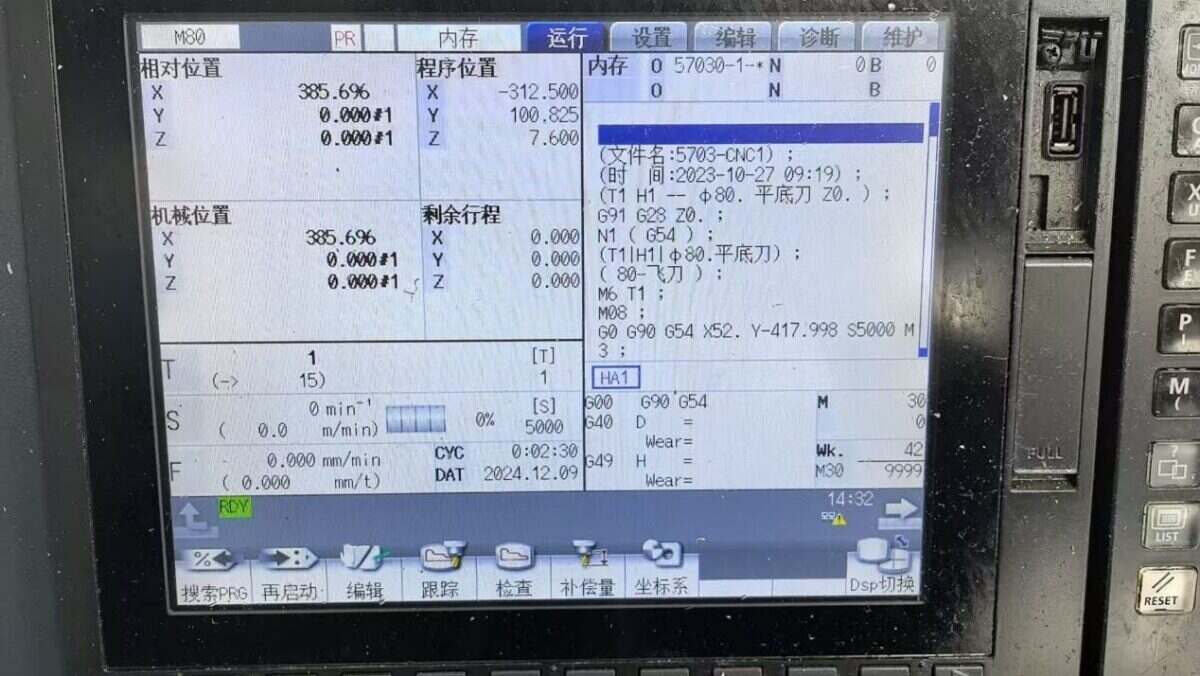
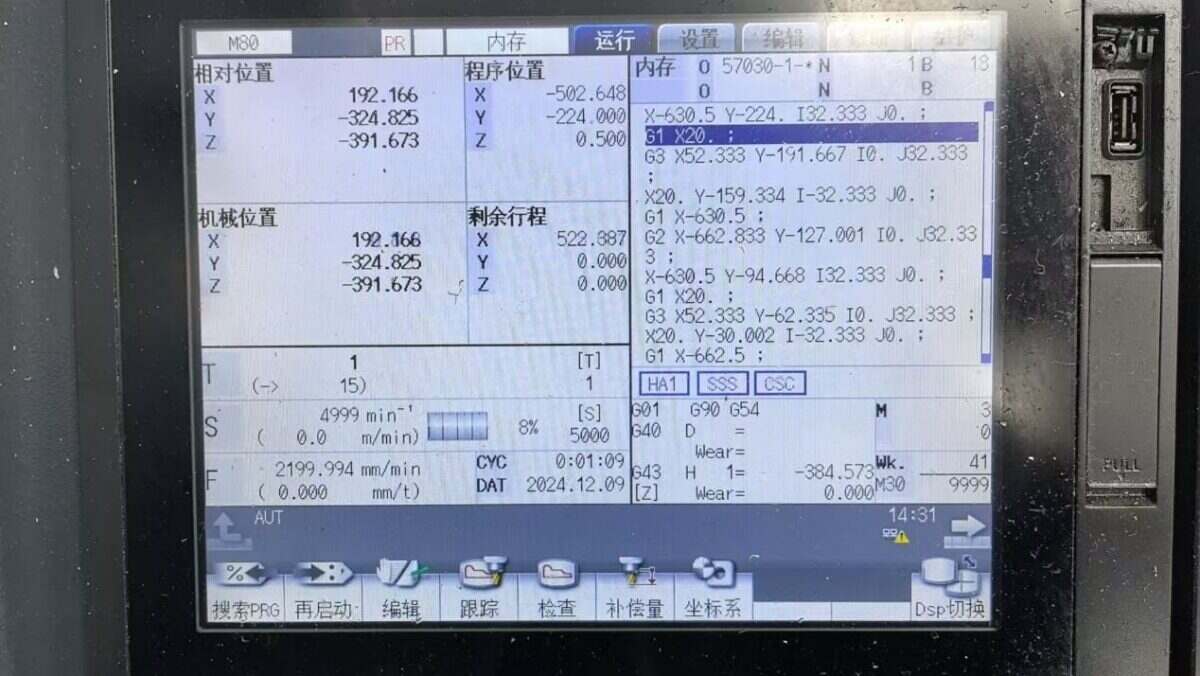
Klicken Sie auf Deploy und beobachten Sie, wie alle paar Sekunden ein Datenpunkt gedruckt wird. Überprüfen Sie die empfangenen Datenpunkte, um die erfolgreiche Kommunikation zu bestätigen!
Die Referenztabelle der Datenpunkte finden Sie unter:
Dies ist eine Inhaltskarte von Yueque. Klicken Sie auf den Link, um sie anzusehen: https://iotrouter.yuque.com/zn3vdn/eg8000/ebxwp1ndwhn988w3

Agnes Wang ist Spezialistin für IoT-Lösungen bei IOTRouter und konzentriert sich auf industrielle IoT-Gateways, Edge-Computing und Lösungen für die industrielle Automatisierung.
Sie ist auf industrielle Kommunikationstechnologien spezialisiert, darunter Modbus, IEC 60870-5-104, MQTT, OPC UA, SPS-Integration und Fernüberwachungsanwendungen. Sie verfasst Fachartikel und Anwendungsleitfäden zu industriellen IoT-Lösungen, Protokollkonvertierung und Edge-Computing.