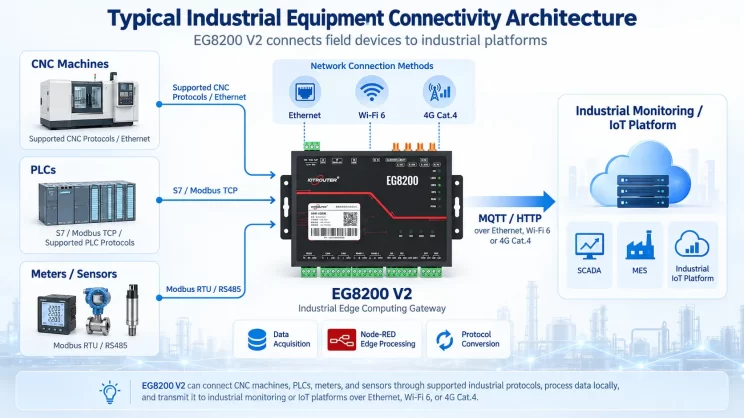
In this tutorial, we will focus on how the EG8200 Mini CNC Gateway works with Mitsubishi CNC systems. We hope this proves helpful.
In the previous lesson, we covered how the EG8200 Mini CNC Gateway interfaces with Siemens CNC systems. This lesson will provide a detailed explanation for Mitsubishi CNC systems.
1. EG8200 Mini Gateway CNC
En EG8200 Mini pasarela CNC Es una pasarela de adquisición de datos diseñada específicamente para máquinas-herramienta CNC, que ofrece sólidas capacidades de recopilación de datos y supervisión remota. Este dispositivo admite múltiples protocolos industriales, entre ellos Modbus y MQTT, es compatible con máquinas-herramienta CNC de diversas marcas y permite a los usuarios gestionar sus máquinas-herramienta de forma remota.
2. Siemens CNC VS. Mitsubishi CNC
Siemens CNC (Siemens SINUMERIK) originates from Germany and is the most widely used CNC system in Europe. It demonstrates significant advantages in high-end equipment applications such as five-axis machining, large gantry milling, and aerospace manufacturing.
Mitsubishi CNC (Computer Numerical Control), developed by Japan’s Mitsubishi Electric, is widely used on machine tools in Japan and China. Mitsubishi CNC excels in small-segment interpolation and high-speed, high-precision machining, making it particularly suitable for mold manufacturing and precision parts processing in the 3C industry.
3. How to Interface the EG8200Mini-CNC gateway with Mitsubishi CNC
Compatible CNC Models: M800/M80/M700V/M70V/E70/C70
1. Conexión de hardware
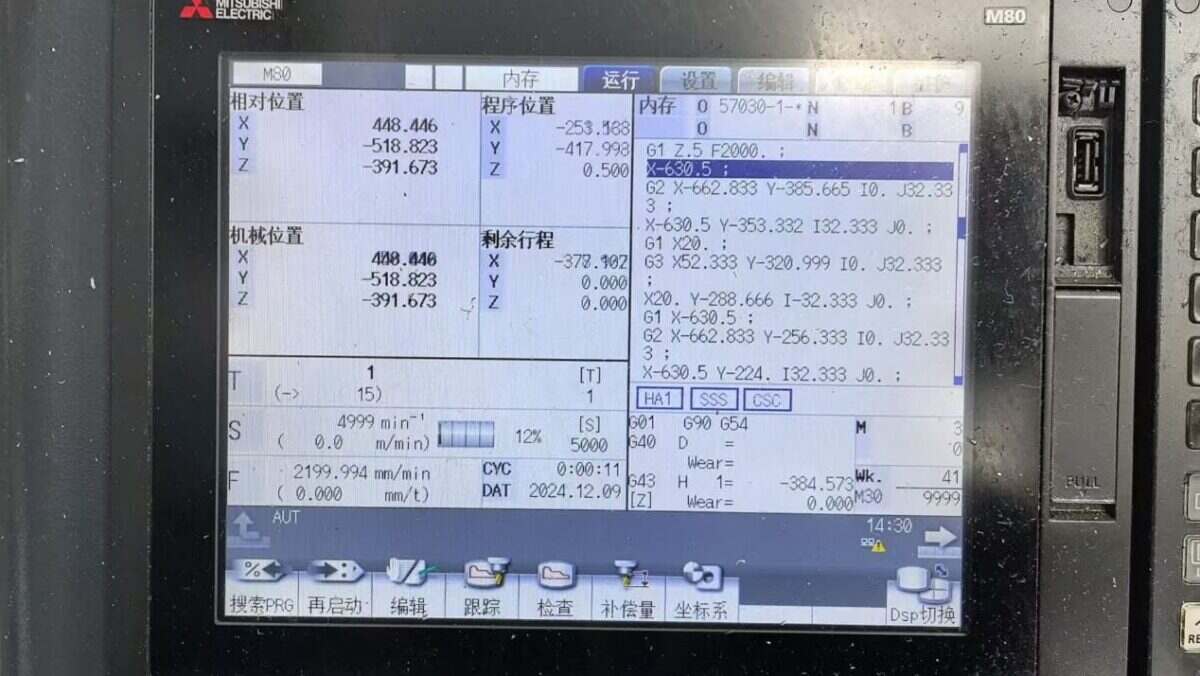
The Mitsubishi CNC protocol utilizes Ethernet communication. Therefore, ensure the gateway’s LAN port IP and the CNC’s IP are within the same subnet (Note: In special cases, routing configuration may be required if they are not on the same subnet; consult technical support for details). IP addresses are assigned as follows in this example:
|
EG8200 Mini-CNC Gateway |
Mitsubishi CNC |
|
| Dirección IP | 172.16.21.2 | 172.16.21.102 |
2. Parámetros de comunicación CNC
Provided by the CNC engineer:
The CNC network port parameters are:
IP: 172.16.21.102 Port: 683
3. Configuración de la puerta de enlace
3.1. Ajustes de conexión CNC
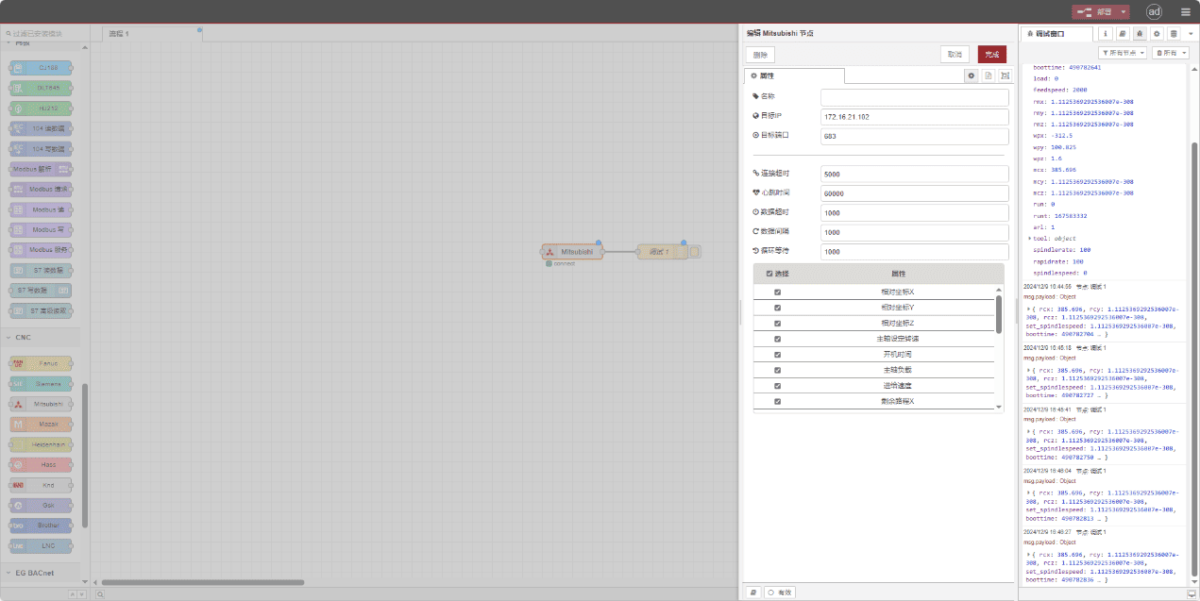
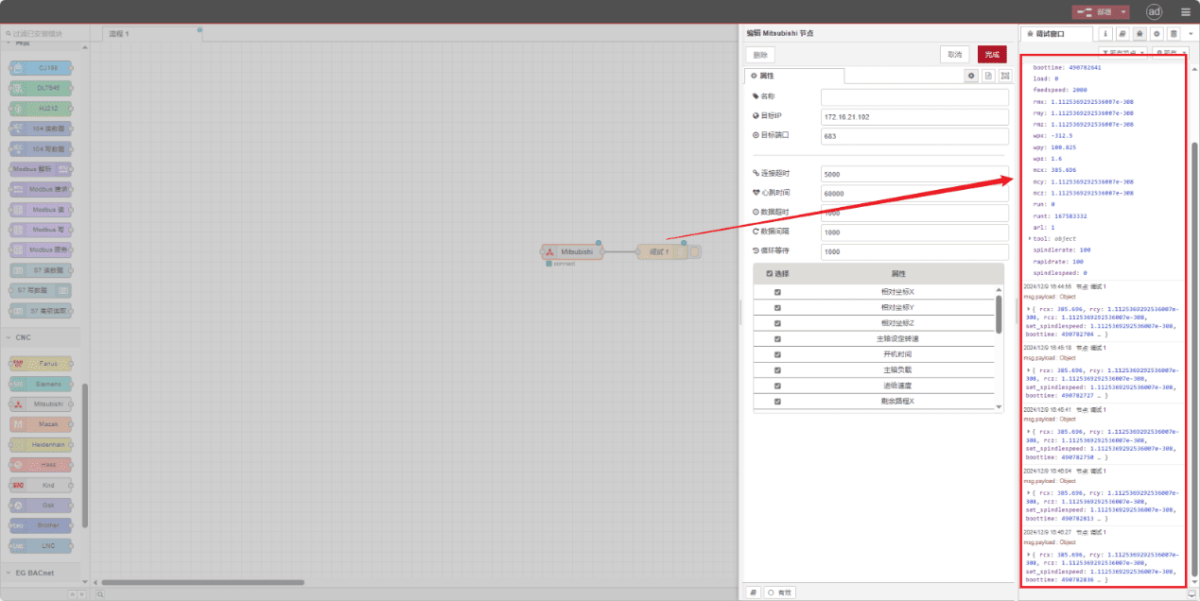
Drag a Mitsubishi node from the left CNC panel, double-click to open the settings page, and configure as follows based on the PLC parameters:
Dirección: 172.16.21.102
Puerto: 683
Tiempo de espera de la conexión: 5000
Intervalo entre latidos: 60000
Tiempo de espera de los datos: 2000
Intervalo de datos: 1000 (Read Cycle)
Cycle Wait: 1000 (Data Point Read Interval)
3.2. Data Point Settings
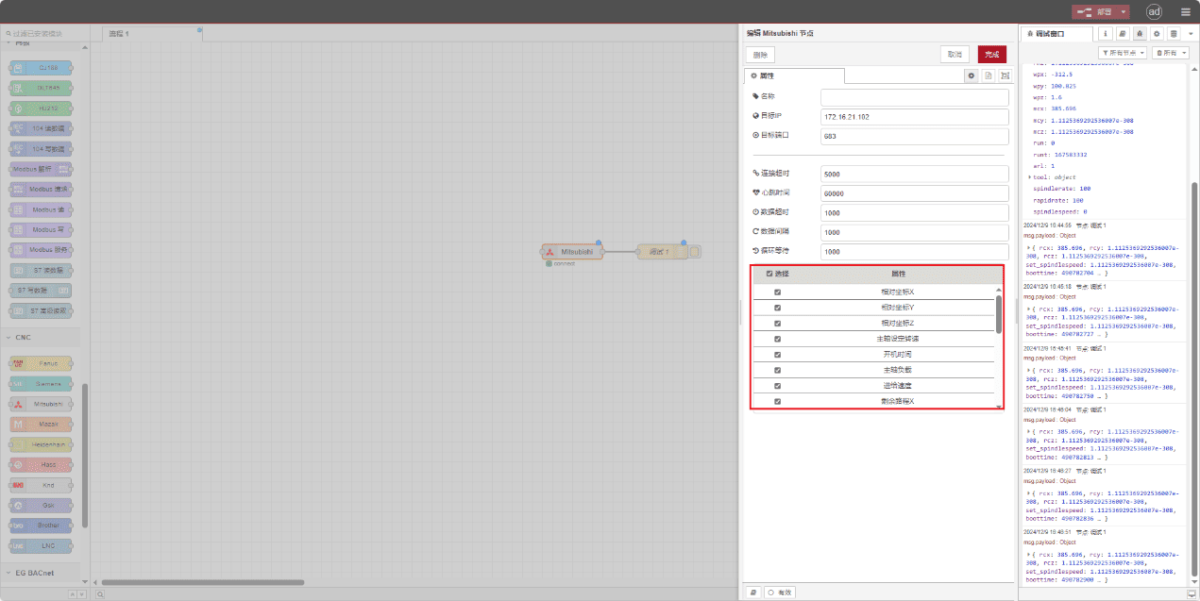
Check the required data points:
3.3. Pruebas
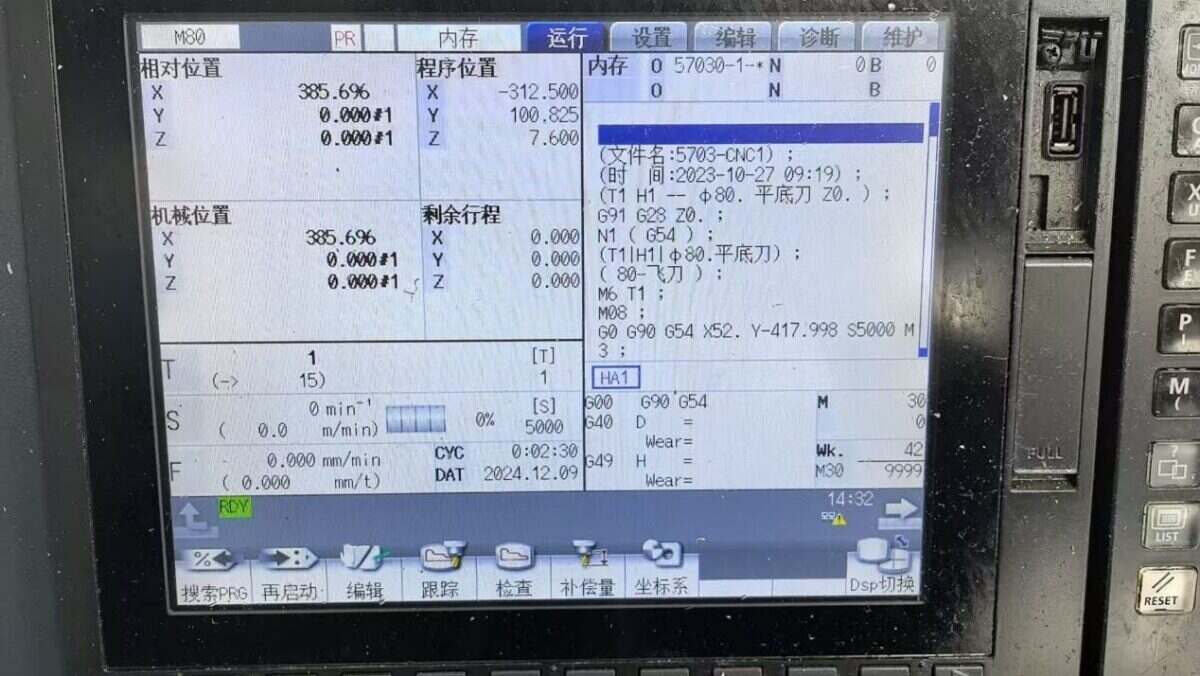
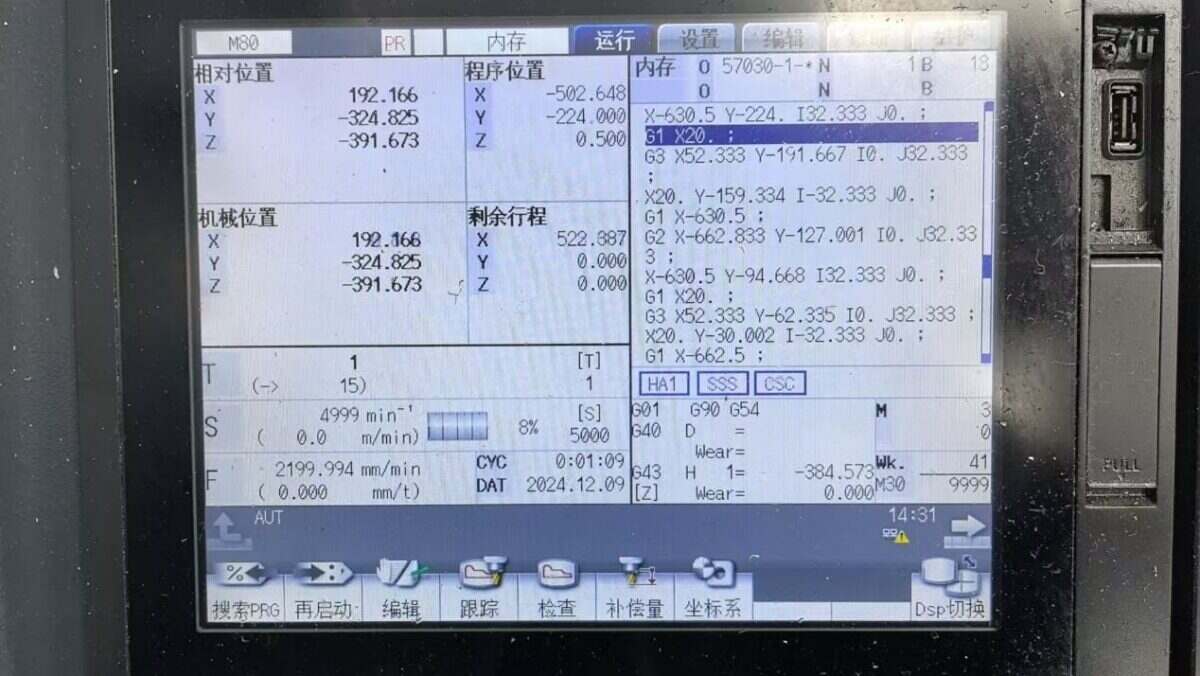
Haz clic en «Implementar» y observa cómo se imprime un punto de datos cada pocos segundos. ¡Comprueba los puntos de datos recibidos para confirmar que la comunicación se ha realizado correctamente!
Para consultar la tabla de referencia de puntos de datos, véase:
Esta es una tarjeta de contenido de Yueque. Haga clic en el enlace para ver: https://iotrouter.yuque.com/zn3vdn/eg8000/ebxwp1ndwhn988w3

Agnes Wang es especialista en soluciones de IoT en IOTRouter, donde se dedica principalmente a las pasarelas de IoT industrial, la computación en el borde y las soluciones de automatización industrial.
Está especializada en tecnologías de comunicación industrial, entre las que se incluyen Modbus, IEC 60870-5-104, MQTT, OPC UA, integración de PLC y aplicaciones de monitorización remota. Colabora en la redacción de artículos técnicos y guías de aplicación sobre soluciones de IoT industrial, conversión de protocolos y computación periférica.