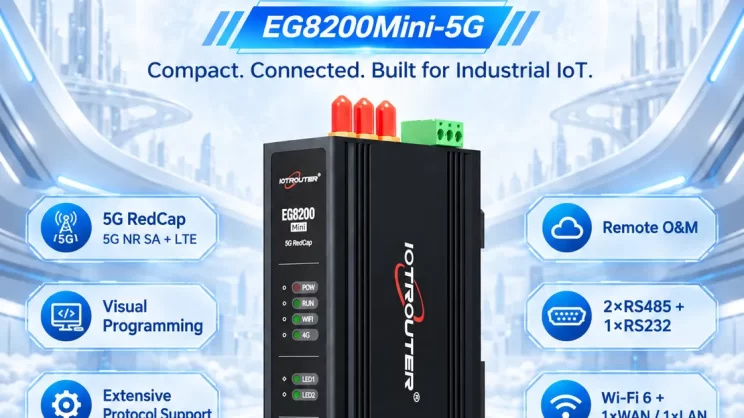
In this tutorial, we will focus on explaining how the EG8200 Mini-CNC Gateway interfaces with Siemens CNC systems. We hope this proves helpful to you.
Starting today, we embark on a new journey. IOTRouter will launch a series of tutorials on how EG series gateways interface with CNC equipment. This tutorial series will feature case studies on well-known CNC brands such as Siemens, Mitsubishi, and many others.
1. EG8200 Mini-CNC Gateway
En EG8200Mini-CNC is an CNC Data Acquisition Gateway designed for CNC equipment with powerful data acquisition and remote monitoring capabilities. The equipment supports a variety of industrial protocols, such as Modbus, MQTT, etc., and can be compatible with multi-brand CNC equipment to help users achieve remote CNC machine tool management.
2. Siemens CNC
Siemens CNC is a series of numerical control systems developed by Siemens. Through CNC systems, machine tools can precisely execute operations such as cutting, drilling, milling, and turning according to pre-programmed instructions (G-code/ISO code).
Siemens CNC systems are widely used in automotive, aerospace, mechanical manufacturing, mold processing, and other industries, offering high precision, high efficiency, and high reliability.
3. How to Interface the EG8200Mini-CNC gateway with Siemens CNC
Compatible CNC: SINUMERIK 802/810/828/840
1. Conexión de hardware
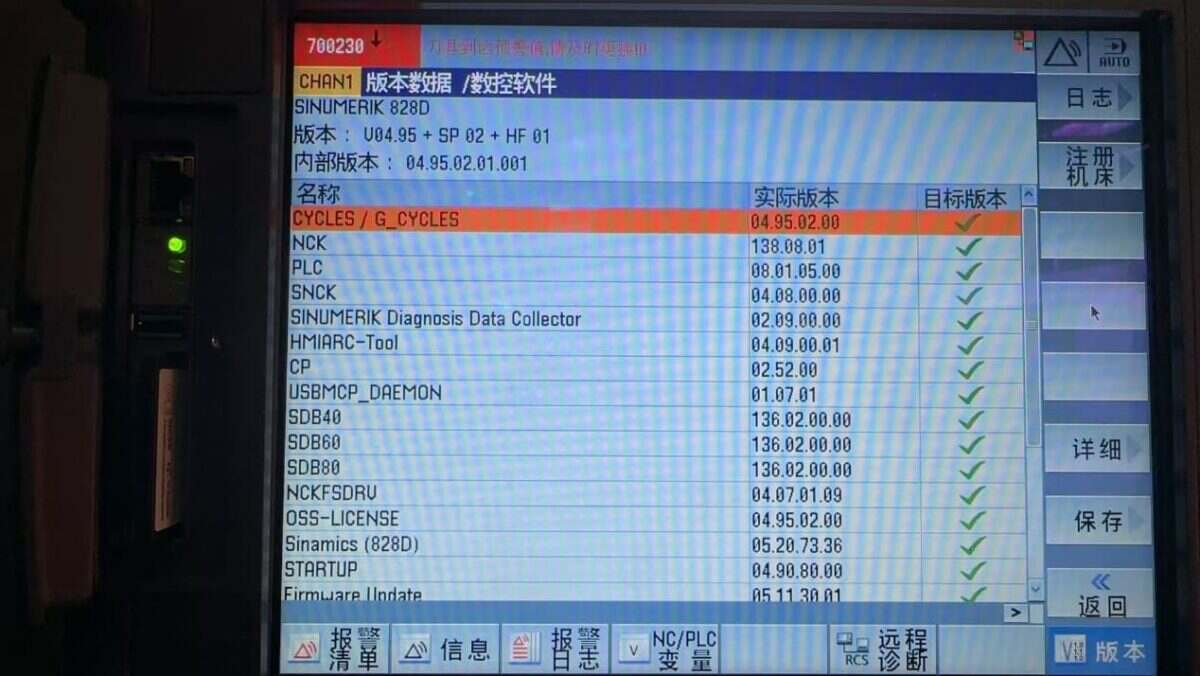
The Siemens CNC protocol utilizes Ethernet communication. Therefore, only ensure the gateway’s LAN port IP and the CNC’s IP are within the same subnet (Note: In special cases, they may be on different subnets, requiring routing configuration—consult technical support for details). IP addresses are assigned as follows in this example:
|
EG8200 Mini-CNC Gateway |
Siemens CNC |
|
| Dirección IP | 10.227.150.30 | 10.227.150.95 |
2. Parámetros de comunicación CNC
Facilitado por el ingeniero de CNC.
The CNC network port parameters are:
IP: 10.227.150.95, Puerto: 102
3. Configuración de la puerta de enlace
3.1. CNC Connection Settings
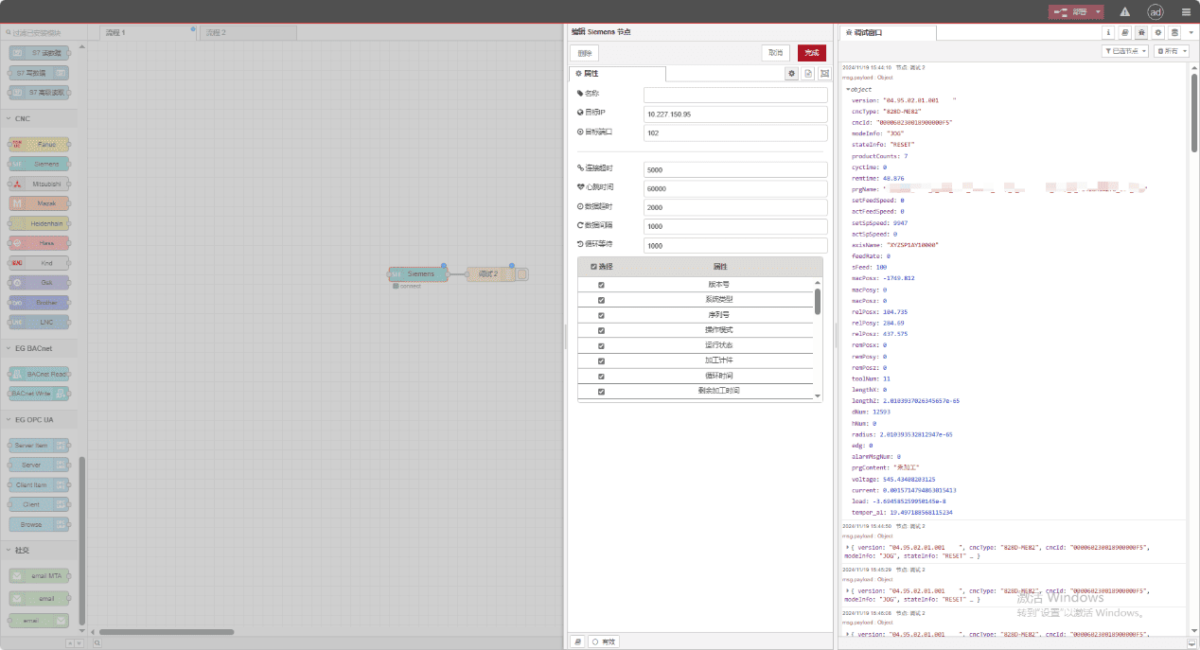
Drag a Siemens node from the CNC panel on the left. Double-click to open the settings page and configure as follows based on the PLC parameters:
Dirección: 10.227.150.95
Puerto: 102
Tiempo de espera de la conexión: 5000
Intervalo entre latidos: 60000
Tiempo de espera de los datos: 2000
Intervalo de datos: 1000 (Read Cycle)
Loop Wait: 1000 (Data Point Read Interval)
3.2. Data Point Settings
Check the required data:
3.3. Pruebas
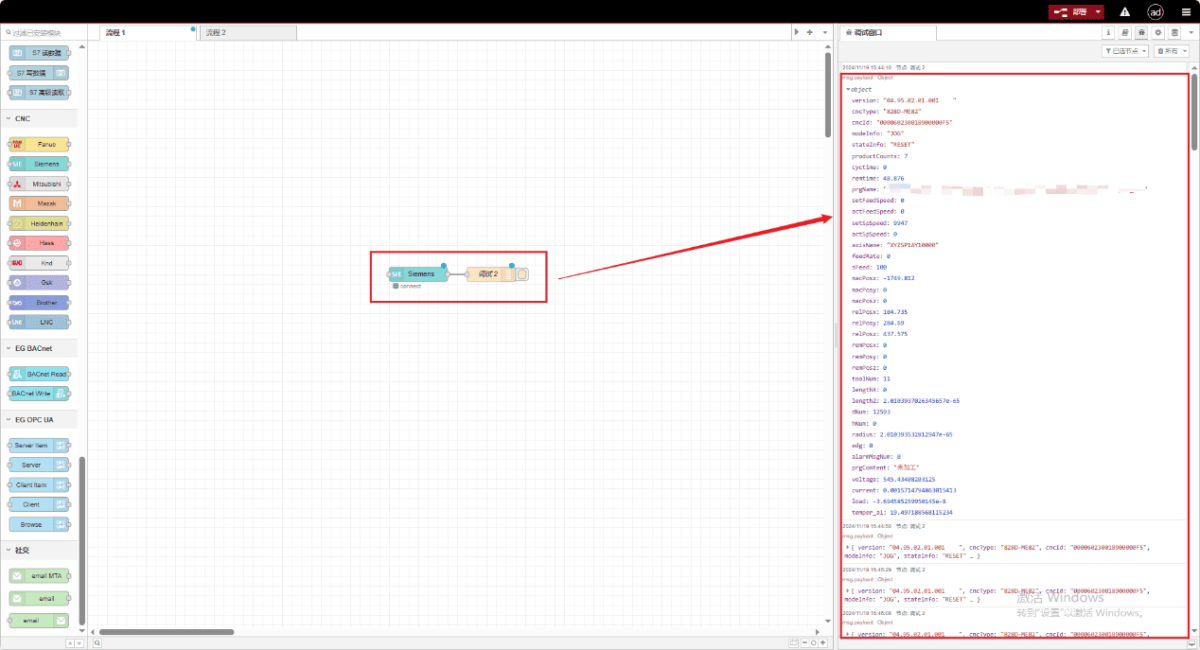
Haz clic en «Implementar» y observa cómo se imprime un punto de datos cada pocos segundos. ¡Comprueba los puntos de datos recibidos para confirmar que la comunicación se ha realizado correctamente!
Para consultar la tabla de referencia de puntos de datos, véase:
Esta es una tarjeta de contenido de Yueque. Haga clic en el enlace para ver: https://iotrouter.yuque.com/zn3vdn/eg8000/xr6s46z90pevgwag

Agnes Wang es especialista en soluciones de IoT en IOTRouter, donde se dedica principalmente a las pasarelas de IoT industrial, la computación en el borde y las soluciones de automatización industrial.
Está especializada en tecnologías de comunicación industrial, entre las que se incluyen Modbus, IEC 60870-5-104, MQTT, OPC UA, integración de PLC y aplicaciones de monitorización remota. Colabora en la redacción de artículos técnicos y guías de aplicación sobre soluciones de IoT industrial, conversión de protocolos y computación periférica.