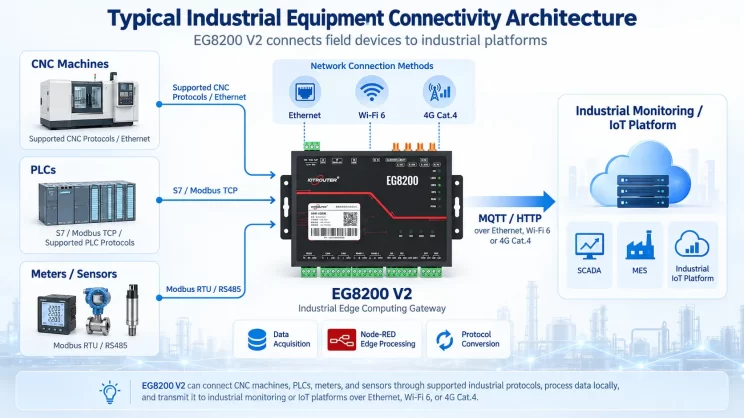
In this tutorial, we will focus on how the EG8200 Mini CNC Gateway works with Mitsubishi CNC systems. We hope this proves helpful.
In the previous lesson, we covered how the EG8200 Mini CNC Gateway interfaces with Siemens CNC systems. This lesson will provide a detailed explanation for Mitsubishi CNC systems.
1. Mini Gateway CNC EG8200
O EG8200 Mini Gateway CNC É um gateway de aquisição de dados concebido especificamente para máquinas-ferramentas CNC, que oferece capacidades robustas de recolha de dados e monitorização remota. Este dispositivo suporta vários protocolos industriais, incluindo Modbus e MQTT, é compatível com máquinas-ferramentas CNC de várias marcas e permite aos utilizadores gerir remotamente as suas máquinas-ferramentas.
2. Siemens CNC VS. Mitsubishi CNC
Siemens CNC (Siemens SINUMERIK) originates from Germany and is the most widely used CNC system in Europe. It demonstrates significant advantages in high-end equipment applications such as five-axis machining, large gantry milling, and aerospace manufacturing.
Mitsubishi CNC (Computer Numerical Control), developed by Japan’s Mitsubishi Electric, is widely used on machine tools in Japan and China. Mitsubishi CNC excels in small-segment interpolation and high-speed, high-precision machining, making it particularly suitable for mold manufacturing and precision parts processing in the 3C industry.
3. How to Interface the EG8200Mini-CNC gateway with Mitsubishi CNC
Compatible CNC Models: M800/M80/M700V/M70V/E70/C70
1. Ligação do hardware
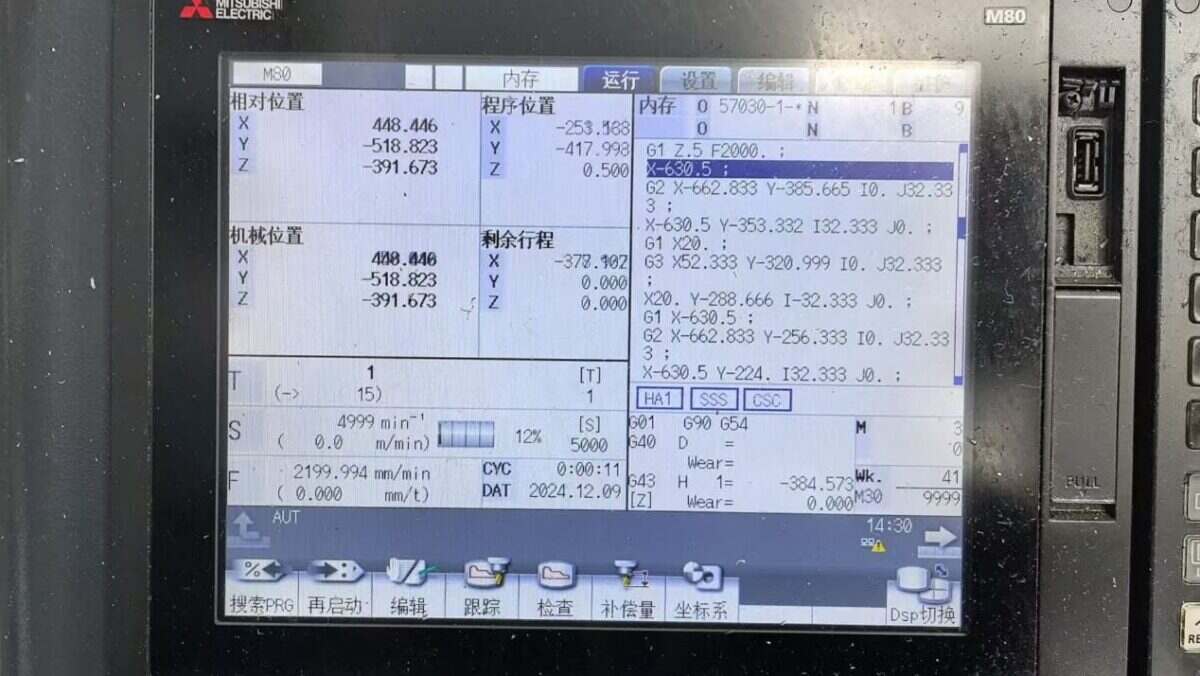
The Mitsubishi CNC protocol utilizes Ethernet communication. Therefore, ensure the gateway’s LAN port IP and the CNC’s IP are within the same subnet (Note: In special cases, routing configuration may be required if they are not on the same subnet; consult technical support for details). IP addresses are assigned as follows in this example:
|
EG8200 Mini-CNC gateway |
Mitsubishi CNC |
|
| Endereço IP | 172.16.21.2 | 172.16.21.102 |
2. Parâmetros de comunicação CNC
Provided by the CNC engineer:
Os parâmetros da porta de rede do CNC são:
IP: 172.16.21.102 Port: 683
3. Definições da porta de entrada
3.1. Configurações de ligação do CNC
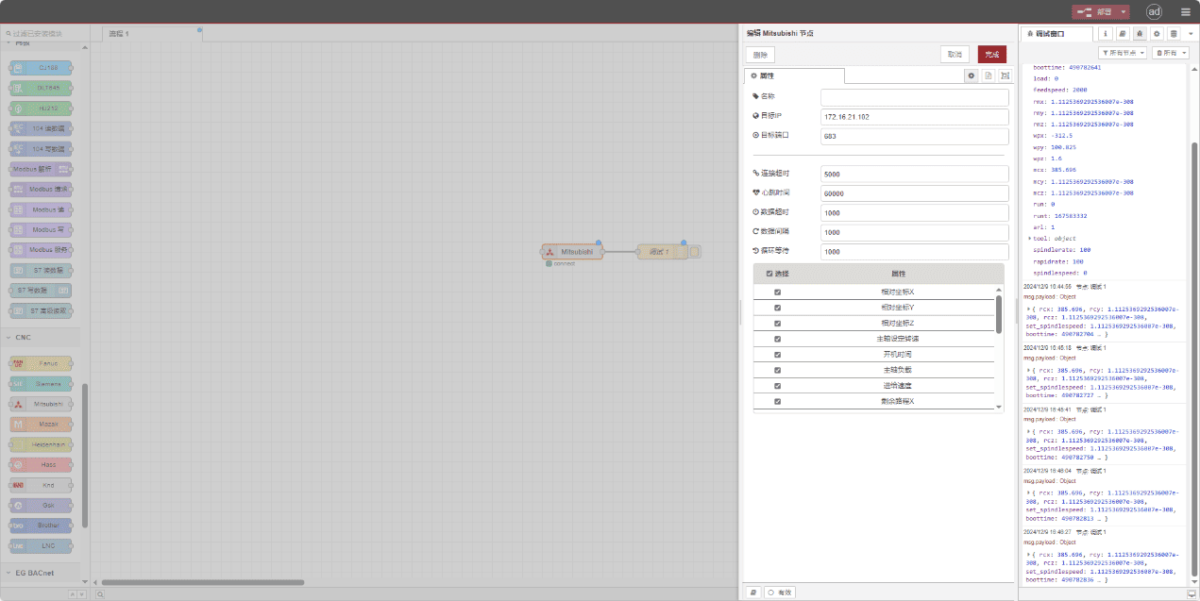
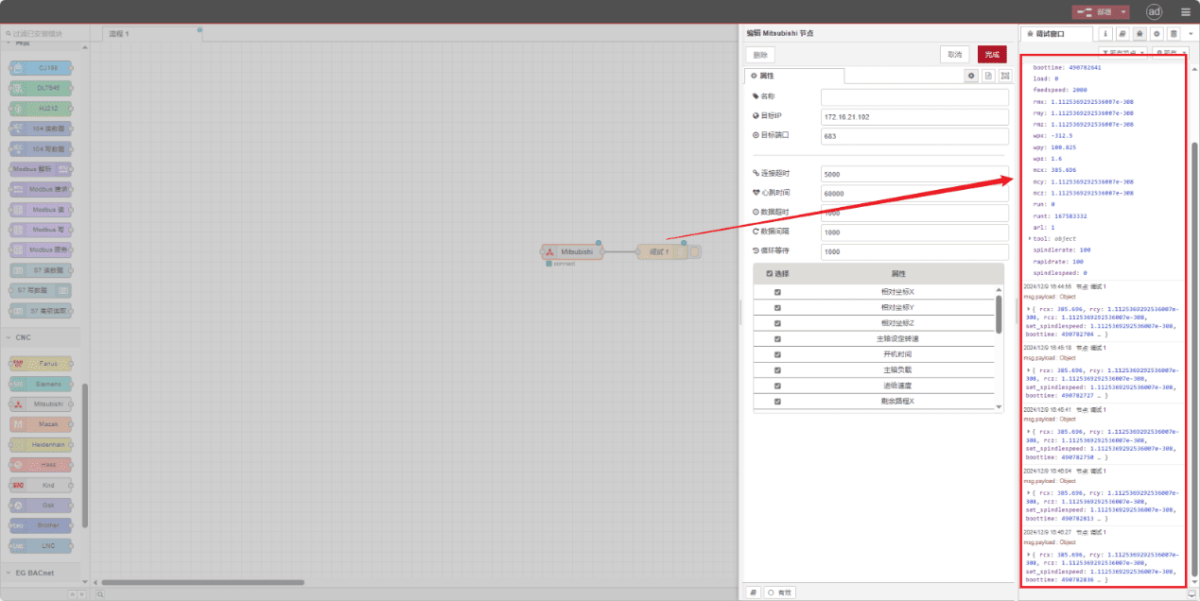
Drag a Mitsubishi node from the left CNC panel, double-click to open the settings page, and configure as follows based on the PLC parameters:
Endereço: 172.16.21.102
Porto: 683
Tempo limite de ligação: 5000
Intervalo entre batimentos cardíacos: 60000
Tempo limite de dados: 2000
Intervalo de dados: 1000 (Ciclo de leitura)
Tempo de espera do ciclo: 1000 (Intervalo de leitura dos pontos de dados)
3.2. Definições dos pontos de dados
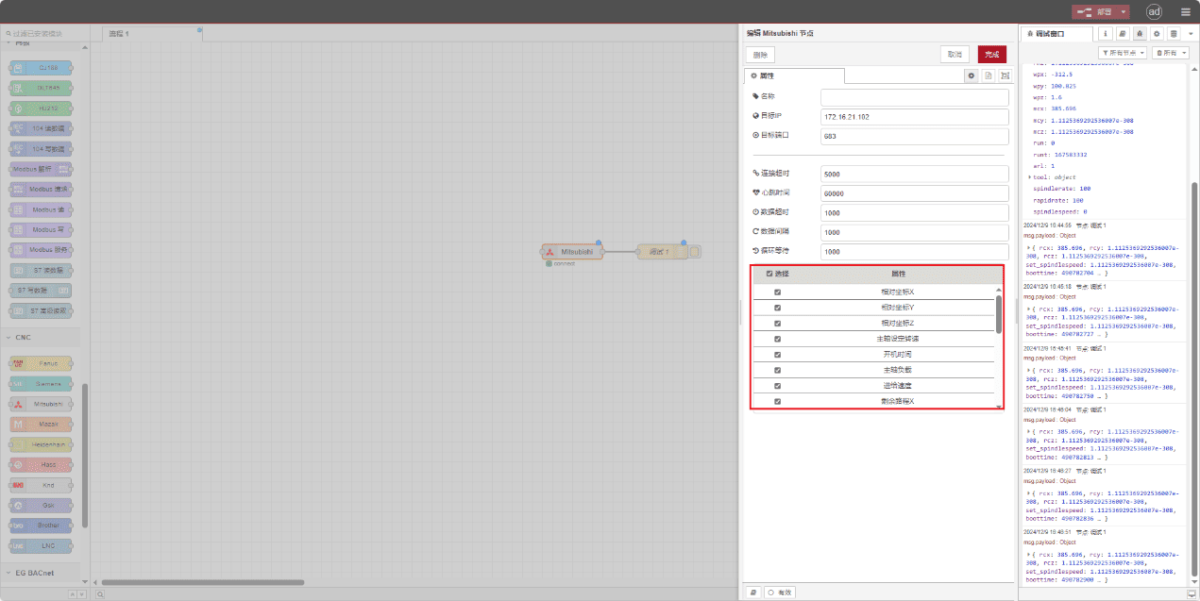
Check the required data points:
3.3. Ensaios
Clique em «Implementar» e observe que é apresentado um ponto de dados a cada poucos segundos. Verifique os pontos de dados recebidos para confirmar que a comunicação foi bem-sucedida!
Para consultar a tabela de referência dos pontos de dados, consulte:
Esta é uma ficha de conteúdo sobre os Yueque. Clique na ligação para ver: https://iotrouter.yuque.com/zn3vdn/eg8000/ebxwp1ndwhn988w3

Agnes Wang é especialista em soluções de IoT na IOTRouter, dedicando-se principalmente a gateways de IoT industrial, computação de ponta e soluções de automação industrial.
É especialista em tecnologias de comunicação industrial, incluindo Modbus, IEC 60870-5-104, MQTT, OPC UA, integração de PLC e aplicações de monitorização remota. Colabora na elaboração de artigos técnicos e guias de aplicação sobre soluções de IoT industrial, conversão de protocolos e computação na periferia.