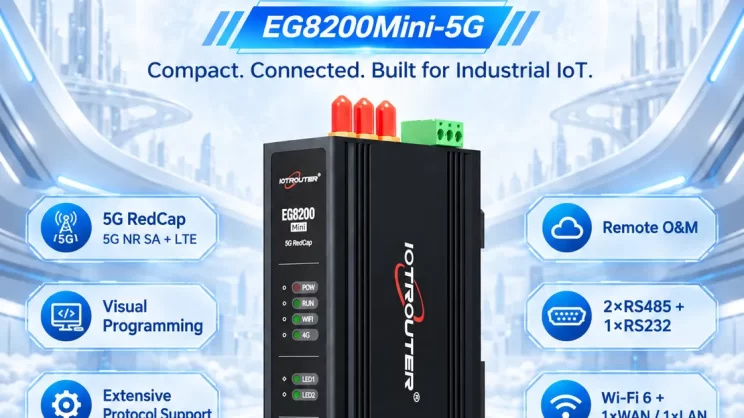
In this tutorial, we will focus on FANUC CNC Integration with CNC gateway. We hope this proves helpful.
Nelle lezioni precedenti abbiamo trattato :
Come il Mini Gateway CNC EG8200 si interfaccia con i sistemi CNC Siemens
Come integrare il gateway CNC con il CNC Mitsubishi
Come integrare il Gateway CNC con i CNC di nuova generazione
How to Integrate the CNC Gateway with HAAS CNC
How the EG series CNC gateway interfaces with Maritx CNC
This lesson will provide a detailed explanation for FANUC CNC systems.
Compatible CNC: Fanuc Series 0iD/0iF/30i/31i/32i/35i
1. Connessione hardware
The Fanuc CNC protocol uses Ethernet communication. Therefore, only ensure the gateway’s LAN port IP and the CNC’s IP are within the same subnet (Note: In special cases, they may be on different subnets, requiring routing configuration—consult technical support for details). IP addresses are assigned as follows in this example:
|
Gateway EG8200Mini-CNC |
FANUC CNC |
|
| Indirizzo IP |
192.168.110.88 |
192.168.110.108 |


2. Parametri di comunicazione CNC
Provided by CNC engineers.
The CNC network port parameters are:
IP: 192.168.110.108
Porto: 8193
FANUC CNC IP Configuration Panel:

FANUC Port Configuration Interface:

3. Impostazioni del gateway
3.1. CNC Connection Settings
Drag a Fanuc node from the CNC panel on the left. Double-click to open the settings page and configure as follows based on the PLC parameters:
Indirizzo: 192.168.8.16
Porto: 8193
Timeout della connessione: 5000
Intervallo del battito cardiaco: 60000
Timeout dati: 2000
Intervallo di dati: 1000 (Read Cycle)
Cycle Wait: 1000 (Data Point Read Interval)

3.2. Data Point Settings
Check the required data points.

3.3. Test
Fare clic su Deploy e osservare la stampa di un punto dati ogni pochi secondi. Verificare i punti dati ricevuti per confermare il successo della comunicazione!
Per la tabella di riferimento dei punti dati, fare riferimento a:
Questa è una scheda di contenuto Yueque. Fare clic sul link per visualizzarla: https://iotrouter.yuque.com/zn3vdn/eg8000/om7gm3hef68gt7fb



Agnes Wang è una specialista in soluzioni IoT presso IOTRouter, dove si occupa principalmente di gateway IoT industriali, edge computing e soluzioni di automazione industriale.
È specializzata in tecnologie di comunicazione industriale, tra cui Modbus, IEC 60870-5-104, MQTT, OPC UA, integrazione di PLC e applicazioni di monitoraggio remoto. Collabora alla stesura di articoli tecnici e guide applicative riguardanti soluzioni IoT industriali, conversione di protocolli ed edge computing.