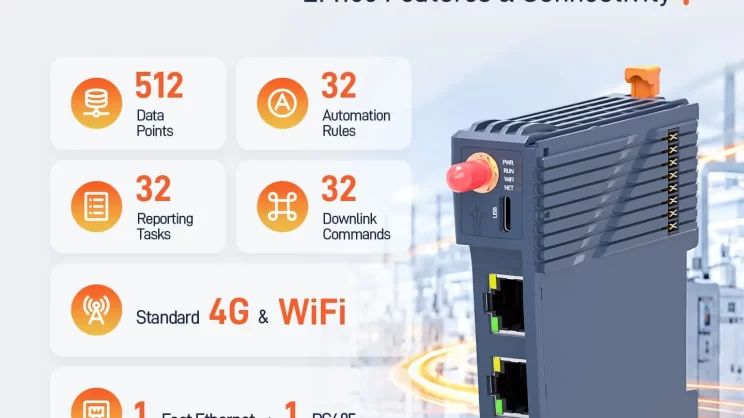
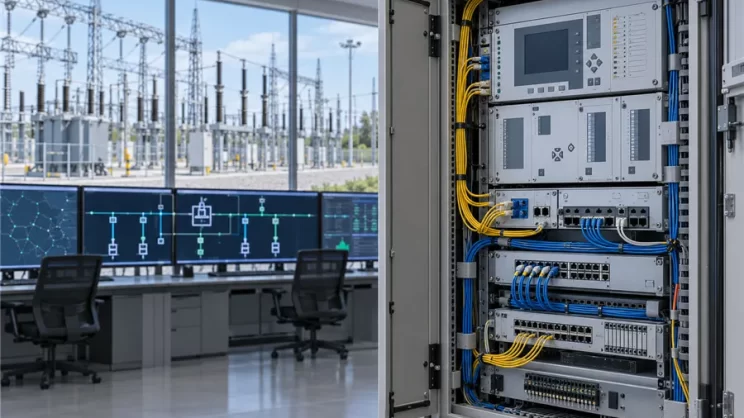
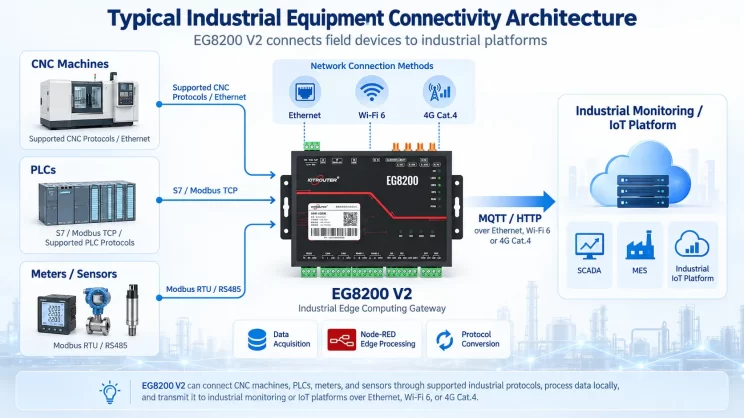
A retrofit may need the same instrument data in two places: an existing PLC or SCADA system and an MQTT platform. The instruments speak Modbus RTU over RS485, while the control system and platform use different connections. How can you share the readings without treating all three connections as one bus?
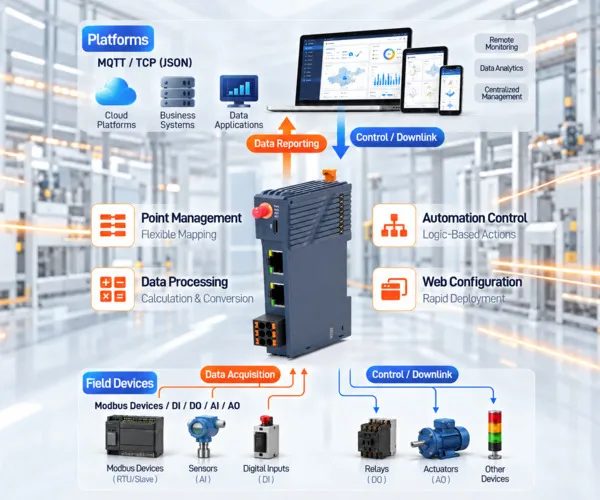
This article follows one EM100 edge IOT gateway configuration. The gateway polls the instruments as the master on their RS485 bus. It makes selected values available through a Modbus TCP server endpoint for the existing control system to read, and sends reports over a separate MQTT link. Rules configured on the EM100 can also act on valid point data locally when the cloud connection is unavailable.
The wiring and existing controls matter. In this example, the EM100 must be able to serve as the sole master on the instruments’ RS485 bus. The PLC, HMI, or SCADA system must support the required Modbus TCP connection, function codes, register addresses, and data types. Check those conditions before using this layout.
How the EM100 Edge IoT Gateway Organizes Field Data
| Term | What it means on the EM100 edge IOT gateway |
|---|---|
| Endpoint | A physical or logical connection to external devices, such as an RS485 port or a TCP connection. |
| Device | A Modbus slave reached through an acquisition endpoint, identified by its endpoint and slave address. |
| Point | One item of data, such as a temperature reading or switch state. |
| Link | A TCP or MQTT connection to a server for reports, remote data, or downlink commands. |
These terms describe different parts of the route. An endpoint handles communication with field devices or an external Modbus master; a northbound link handles communication with a server.
1. Collect data and make it available through Modbus
The EM100 has one RS485 endpoint. You can configure it as a Modbus RTU master oppure slave, but it cannot take both roles at the same time. It also supports up to four TCP master and slave endpoints combined.
| Endpoint type | Purpose | EM100 role |
|---|---|---|
| RS485 Master | Poll instruments on an RS485 bus | Modbus RTU master |
| TCP Master | Read a networked Modbus device | Modbus TCP client |
| RS485 Slave | Allow an external master to access mapped points over RS485 | Modbus RTU slave |
| TCP Slave | Allow an external master to access mapped points over the network | Modbus TCP server |
For the retrofit described here, configure the RS485 endpoint as a master and add a TCP Slave endpoint. The EM100 polls the RTU instruments, then presents selected points in a Modbus address map. A PLC or SCADA system with a suitable Modbus TCP client can read that map. Whether the PLC needs a connection-setting change, an address change, or more work depends on its current configuration.
The EM100 edge IOT gateway manages four kinds of points:
- Collection points: Values acquired from Modbus devices.
- I/O points: Values from attached DI, DO, AI, or AO expansion modules.
- Remote points: Values received as JSON data from a server through a configured link.
- Computed points: Values produced by expressions using other points.
The combined limit is 512 points across these categories. I/O expansion supports up to 16 modules; that module count is separate from the point limit.
2. Check the value and its status
The Overview screen shows each point’s value and status. When a reading looks wrong, the status helps direct the next check toward communication settings, an I/O channel, a source point, or a calculation.
| Stato | Significato |
|---|---|
| Good / Not updated | The latest update is valid / no data has been received yet. |
| Collection failed / Timeout reset | A communication or I/O read failed / a remote point timed out and took its configured reset value. |
| Calculation error / Source error | A calculation failed / a referenced point has no valid data or has an abnormal status. |
| Invalid data / Pending save | A value cannot be used, or an I/O channel is unavailable / an automatically detected I/O point has unsaved configuration. |
There is a practical consequence for the PLC side: a mapped register may still return its previous value after the underlying point develops an error. A number in the register alone does not prove that the reading is current. Check point status and decide how the receiving system should handle stale data.
3. Scale and combine values locally
An instrument’s register value is not always the value an application needs to report. The EM100 can create computed points with expressions for unit conversion, sums, limits, and other simple calculations. If a report contains only the computed result, it need not send every raw value used to produce it.
An expression can contain up to 127 UTF-8 bytes and reference up to eight distinct points. Supported operators include +, -, *, /, %, e ^; functions include sqrt, abs, min, e max.
| Goal | Example expression |
|---|---|
| Add two values | temp1 + temp2 |
| Convert Celsius to Fahrenheit | temp1 * 1.8 + 32 |
| Keep a result between 0 and 100 | min(max(temp1, 0), 100) |
| Find an absolute difference | abs(temp1 - temp2) |
4. Report selected data to a platform
The EM100 provides two independent northbound links. Each can use TCP or MQTT, so separate report tasks can send data to different systems.
A report task can run periodically, when a selected point changes by its configured deadband, or at scheduled times. These rules can be enabled together. A configured automation can also trigger a report task. With a change-based rule, reaching the threshold sends the whole report task, rather than only the point that changed.
Two limits are worth checking while designing the platform connection:
- MQTT TLS: The MQTT connection described in the EM100 application guide does not support TLS. Confirm that the broker and network design can accommodate this before deployment.
- Report size: A rendered report payload must be no more than 4096 bytes. The EM100 does not split an oversized report automatically. If necessary, remove fields, shorten field names, or use separate tasks.
5. Run local rules and accept configured commands
Collection and reporting are only part of this example. The EM100 can also use point values in local automation rules, with event, periodic, or scheduled triggers.
For a fan, one possible arrangement uses two temperature rules: turn it on above 30°C and turn it off below 28°C. The gap prevents the fan from repeatedly switching around one threshold. These temperatures are examples, not recommended settings for every installation. If the fan must remain on until the lower threshold is reached, disable the “on” action’s timed reset by setting its Duration to 0, then verify the output and equipment response during commissioning. A timed reset is better suited to an action intended to be a short pulse.
A server can also send JSON commands through a configured receive link. Those commands write to eligible output or writable collection points. The target points and receive link must be configured; a parse template is needed when the incoming field names differ from the point names.
For an external PLC, HMI, or SCADA system, the EM100 supports up to 512 Modbus mappings in a shared address map. External masters can read mapped points and, where the target permits it, write to eligible writable points. Their requests still need to match the configured function code, address, and data type.
Putting the connections together
In this example, the EM100 polls the RS485 instruments and shows the resulting point values and statuses in Overview. Computed points can turn selected readings into the engineering values the application needs. The Modbus TCP server endpoint then exposes mapped values to the existing control system, while a northbound MQTT link reports selected data to the platform.
A temperature point can also drive a local output rule. That rule can continue to operate if the cloud connection drops, provided its input data and output path remain available.
This layout suits a retrofit with Modbus instruments, a control system that can use the mapped Modbus TCP data, and a need for platform reporting or defined local actions. The first design check is the existing RS485 topology; the next is whether the receiving system’s connection and register settings can be matched.

Agnes Wang è una specialista in soluzioni IoT presso IOTRouter, dove si occupa principalmente di gateway IoT industriali, edge computing e soluzioni di automazione industriale.
È specializzata in tecnologie di comunicazione industriale, tra cui Modbus, IEC 60870-5-104, MQTT, OPC UA, integrazione di PLC e applicazioni di monitoraggio remoto. Collabora alla stesura di articoli tecnici e guide applicative riguardanti soluzioni IoT industriali, conversione di protocolli ed edge computing.