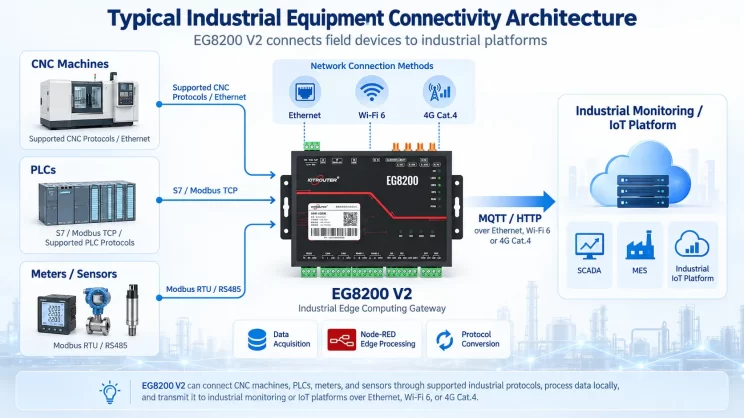
En este tutorial nos centraremos en la integración de Maritx CNC con CNC Gateway. Esperamos que te resulte útil.
En las lecciones anteriores, hemos tratado:
Cómo se conecta la pasarela Mini CNC EG8200 con los sistemas CNC de Siemens
Cómo integrar la pasarela CNC con el CNC de Mitsubishi
Cómo integrar la pasarela CNC con los CNC de nueva generación
Cómo integrar la pasarela CNC con el CNC de HAAS
En esta lección se ofrecerá una explicación detallada de los sistemas CNC de Maritx.
1. Conexión de hardware
El CNC Maritx utiliza comunicación por Ethernet. Asegúrate de que la dirección IP del puerto LAN de la pasarela y la del CNC Maritx se encuentren dentro de la misma subred (Nota: en casos especiales, puede ser necesario configurar el enrutamiento si no se encuentran en la misma subred; consulta al servicio técnico para obtener más detalles). En este ejemplo, las direcciones IP se asignan de la siguiente manera:
|
EG8200 Mini-CNC Gateway |
Maritx CNC (Ethernet) |
|
| Dirección IP |
192.168.0.88 |
192.168.0.11 |
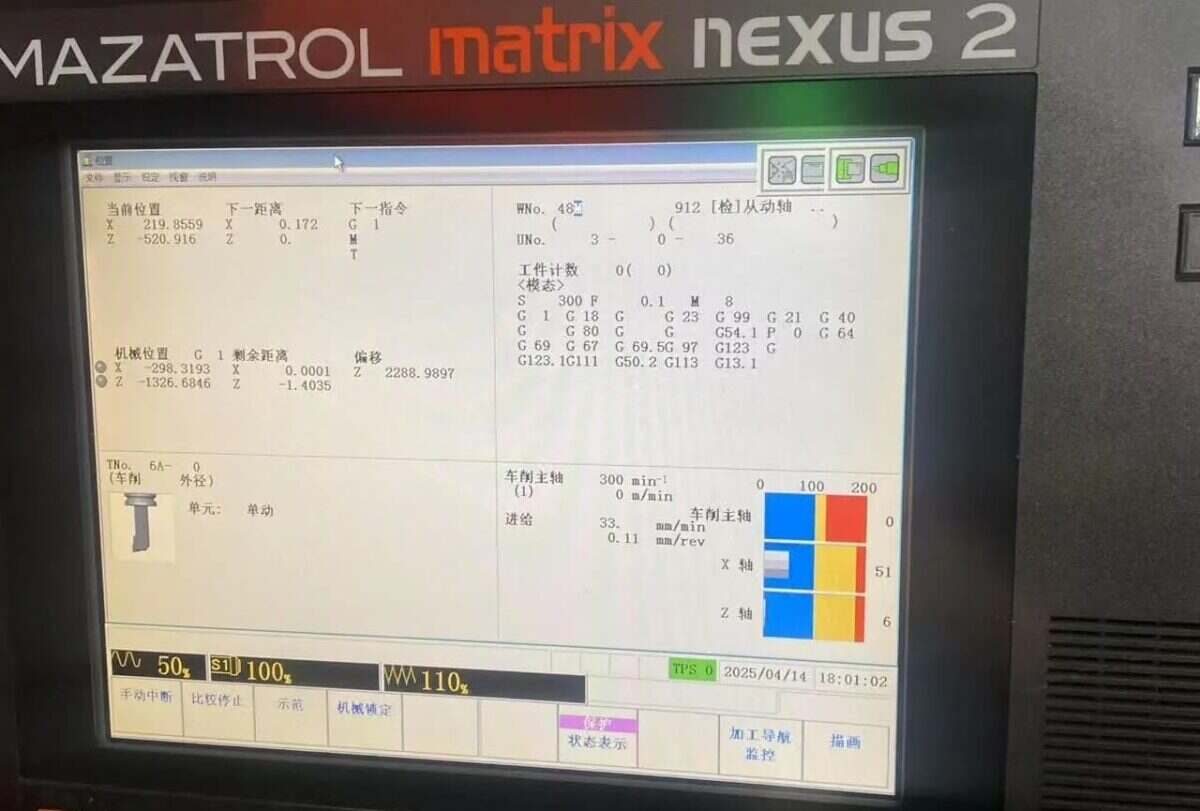
2. Configuración de la máquina herramienta
Para establecer la comunicación con Matrix, necesitas el complemento FusionClient.exe. Este complemento envía de forma activa los datos de la máquina herramienta a la dirección IP de destino configurada.
Busca la carpeta C:\CPCU\fmcnc en el escritorio del sistema de la máquina herramienta. Esta ruta debería contener el archivo FusionClient.exe y sus componentes necesarios.
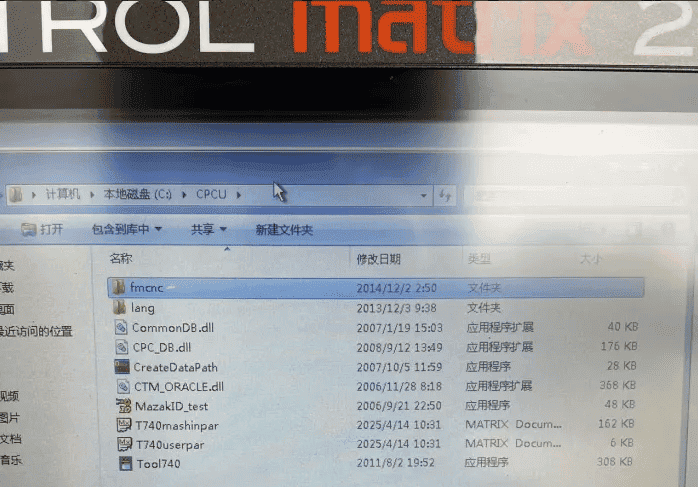
Si el archivo fmcnc no se encuentra en el directorio C:\CPCU de la máquina herramienta, Descargar FMCNC.zip.
Copia el archivo directamente mediante una memoria USB. Es posible que el puerto USB de la máquina herramienta se encuentre en la caja metálica situada debajo del teclado.
Si no se encuentra el puerto USB, copia el archivo a través de un recurso compartido de red (Tutorial sobre cómo compartir archivos).
Abre la ruta de inicio y comprueba si FusionClient.exe aparece en la lista de programas configurados para ejecutarse al iniciar el sistema. Si no aparece, añade un acceso directo a FusionClient.exe desde el directorio C:\CPCU\fmcnc y cópialo en la siguiente ruta de inicio (nota: las rutas varían según el sistema operativo):
Rutas de inicio automático para distintos sistemas:
Windows 95: C:\Windows\Menú de inicio\Programas\Inicio
Windows 2000: C:\Documents and Settings\Todos los usuarios\StartMenu\Programas\Inicio
Windows XP: C:\Documents and Settings\Todos los usuarios\StartMenu\Programas\Inicio
Windows 7: C:\Usuarios\Administrador\AppData\Roaming\Microsoft\Windows\Menú de inicio\Programas\Inicio
Después de ejecutar FusionClient.exe, desplaza el ratón a la esquina inferior derecha del escritorio para que aparezca la barra de tareas y, a continuación, haz doble clic en el icono.

Abre la interfaz de configuración del programa
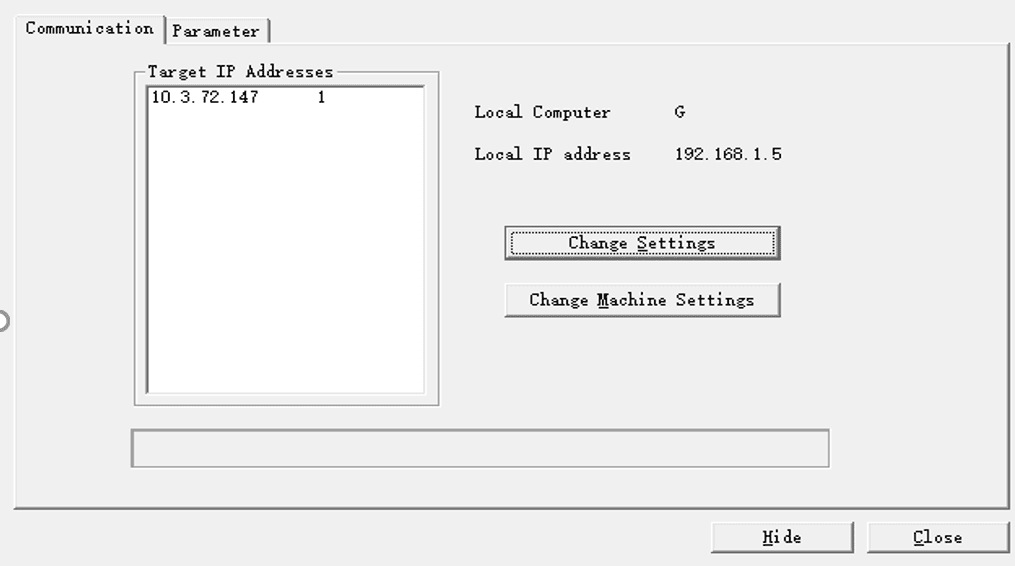
Haz clic en ‘Cambiar configuración’
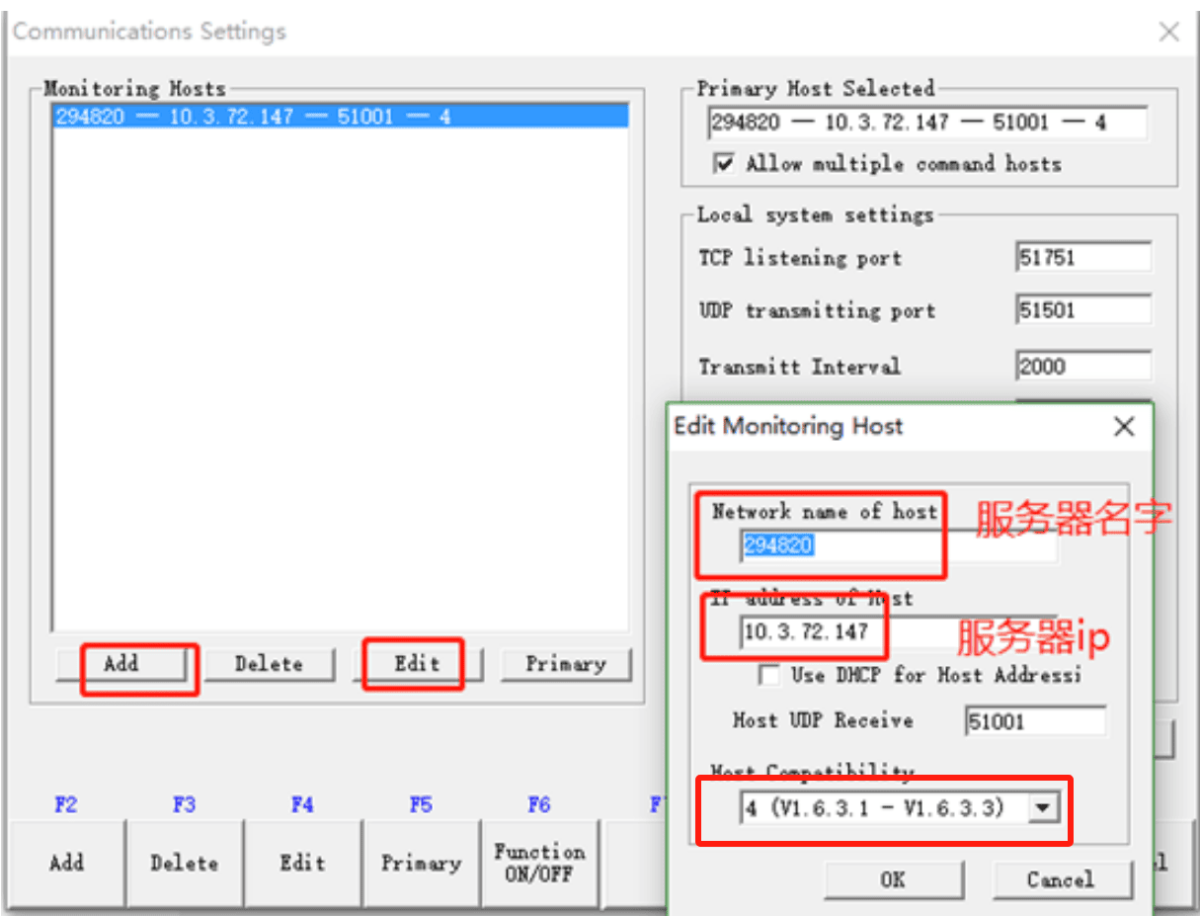
En primer lugar, haz clic en «Añadir» para crear una nueva transmisión de datos. En la ventana emergente, introduce un nombre de servidor (cualquiera) y, a continuación, introduce la IP del servidor (dirección IP de la puerta de enlace). Haz clic en «Aceptar» y, a continuación, en «Ocultar» para minimizar el programa. Haz clic en «Cerrar» para salir del programa. La configuración se puede modificar más tarde mediante «Editar». Ten en cuenta que 51001 es el puerto de recepción de datos del servidor.
3. Configuración de la pasarela
3.1. Ajustes de conexión CNC
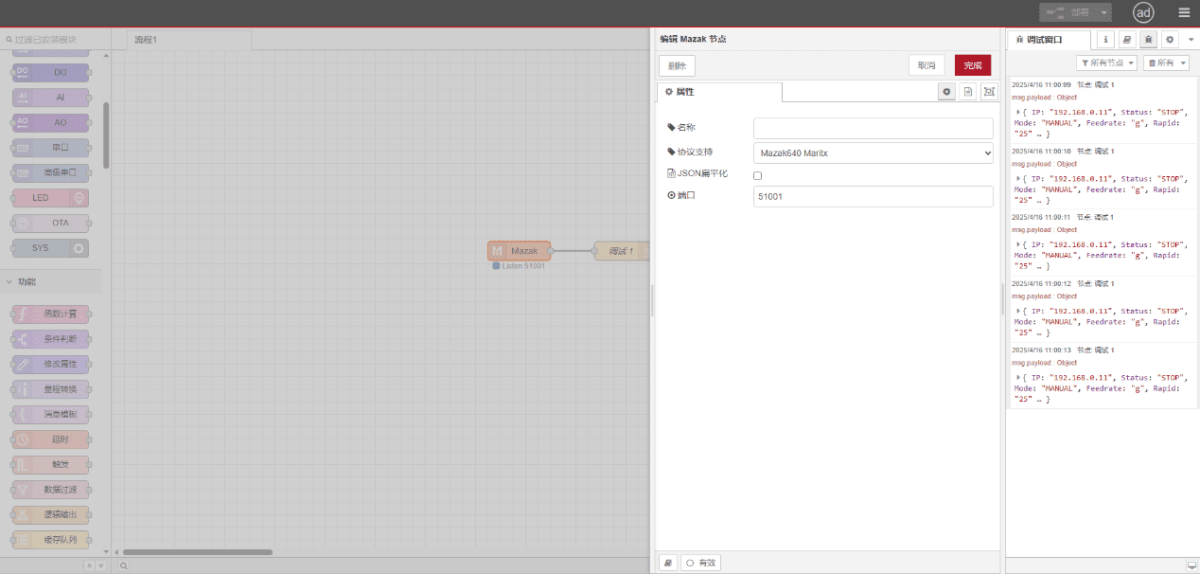
Arrastra un nodo «Mazak» desde el panel CNC de la izquierda. Haz doble clic para abrir la página de configuración y configúralo de la siguiente manera, según los parámetros de tu PLC:
Protocolo: Mazak640 Maritx
Puerto: 51001
3.2. Pruebas
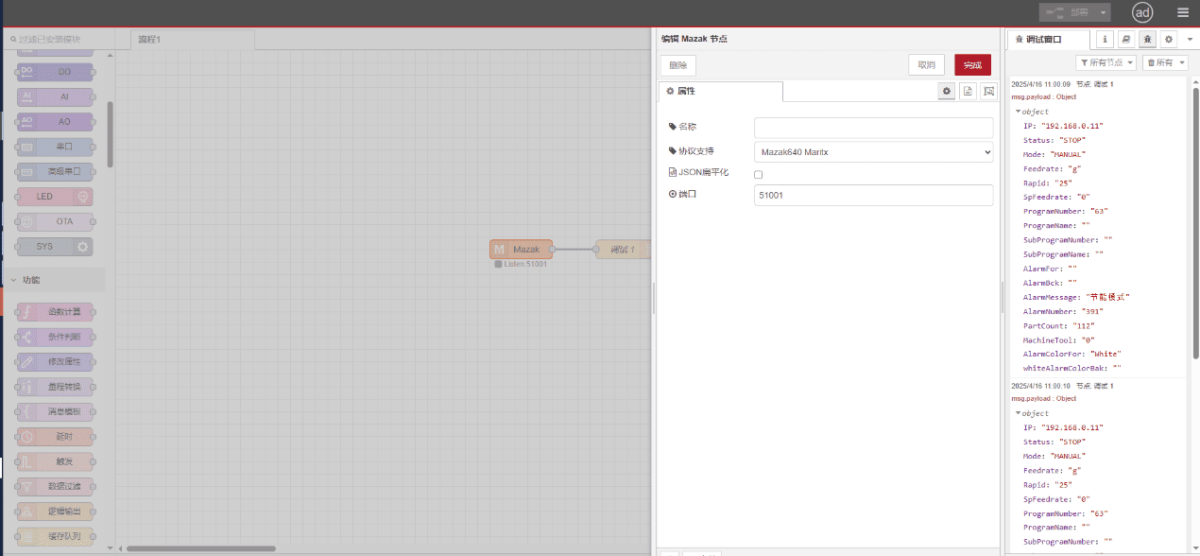
Haz clic en «Implementar» y observa cómo se imprime un punto de datos cada pocos segundos. ¡Comprueba los puntos de datos recibidos para confirmar que la comunicación se ha realizado correctamente!
Para consultar la tabla de referencia de puntos de datos, véase:
Esta es una tarjeta de contenido de Yueque. Haga clic en el enlace para ver: https://iotrouter.yuque.com/zn3vdn/eg8000/op34medz6uezbqf7

Agnes Wang es especialista en soluciones de IoT en IOTRouter, donde se dedica principalmente a las pasarelas de IoT industrial, la computación en el borde y las soluciones de automatización industrial.
Está especializada en tecnologías de comunicación industrial, entre las que se incluyen Modbus, IEC 60870-5-104, MQTT, OPC UA, integración de PLC y aplicaciones de monitorización remota. Colabora en la redacción de artículos técnicos y guías de aplicación sobre soluciones de IoT industrial, conversión de protocolos y computación periférica.