 Vídeo
Vídeo PDF
PDF


Descripción
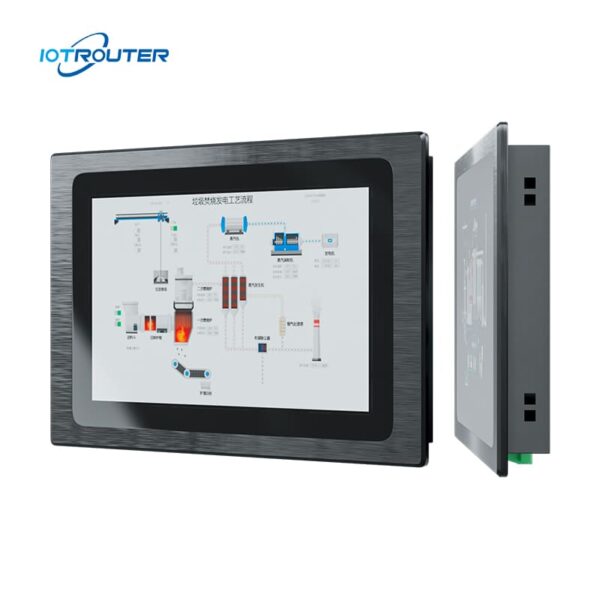
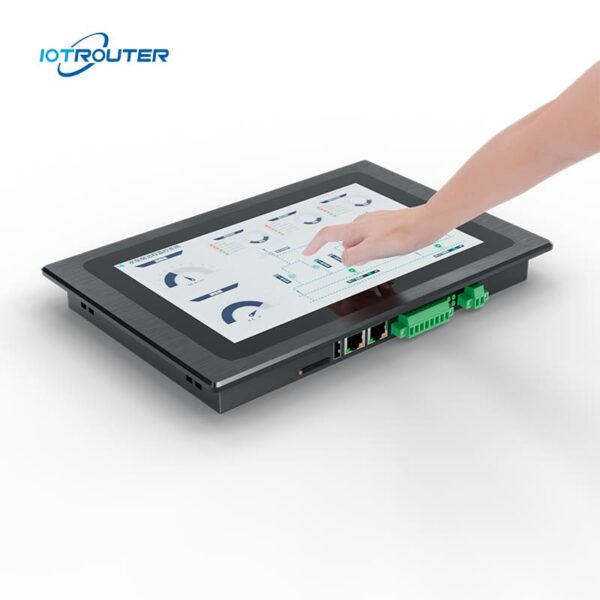
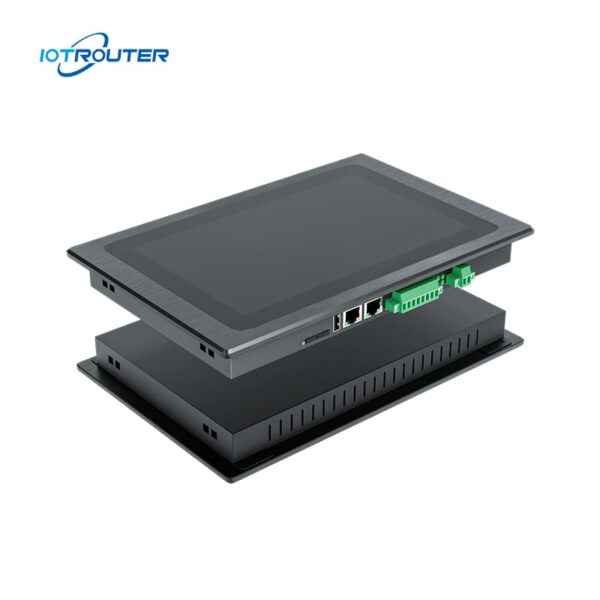
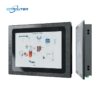
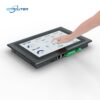
El EV8010 es un robusto PC de panel industrial y pasarela HMI de borde que integra una pasarela de adquisición de datos multiprotocolo con una pantalla táctil HD de 10,1″. La pantalla ofrece tiempos de respuesta de milisegundos y es capaz de reconocer múltiples gestos táctiles. Proporciona una solución «todo en uno» para la visualización y la computación en el borde.
El ordenador industrial EV8010 cuenta con un procesador de alto rendimiento de 8 núcleos con potentes capacidades gráficas. Su frecuencia principal alcanza los 1,8 GHz, lo que garantiza un funcionamiento fluido y sin retrasos para un uso ininterrumpido las 24 horas del día, los 7 días de la semana, en cualquier condición meteorológica.
Admite la adquisición de datos multiprotocolo, la conversión de protocolos y el procesamiento en el borde, además de la programación basada en Node-RED y la implementación remota. La configuración a través de la web mediante FUXA permite un funcionamiento flexible e intuitivo en diversas aplicaciones de IoT.
Características principales

Calidad industrial
- Funcionamiento entre -20 y 70 °C, entrada de 9 a 36 V, protección contra sobretensiones y descargas electrostáticas (ESD)

Lógica sin código
Configuración visual con Node-RED integrado

HMI integrada + pasarela
Adquisición de datos, conversión de protocolos y visualización en un solo dispositivo

PLC multiprotocolo
Siemens, Mitsubishi, Omron → MQTT / HTTP

Gestión de alarmas y datos
Admite eventos de alarma, almacenamiento de datos históricos y visualización

Interfaz hombre-máquina (HMI) basada en web
Accede y controla las pantallas de la interfaz hombre-máquina (HMI) a través del navegador, en cualquier momento y desde cualquier lugar

Visualización multipantalla
Un proyecto al que se puede acceder desde varios dispositivos a la vez

Visualización FUXA
Visualización directa de paneles de control o pantallas SCADA
* Ayuda OEM/ODM, Póngase en contacto con el servicio de atención al cliente.
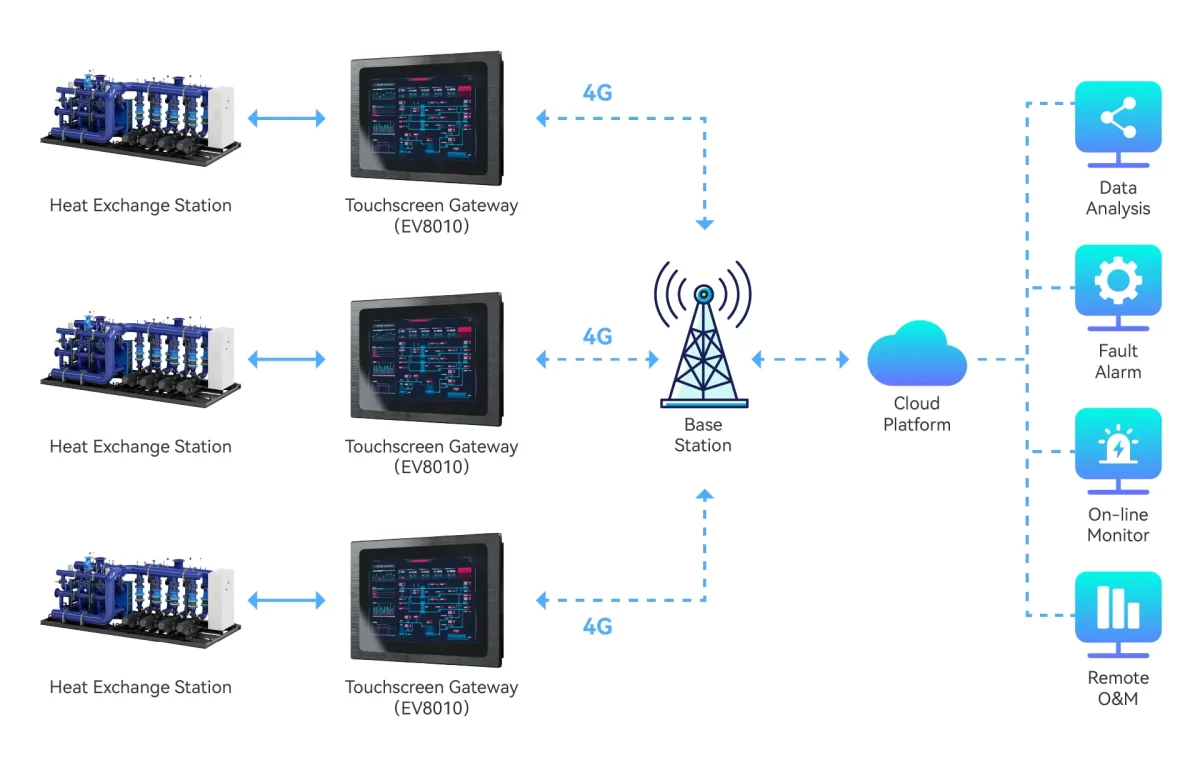
Características importantes
| Parámetros de hardware | Pantalla | Pantalla LCD TFT de 10,1" con formato 16:9 |
| Ángulo de visión | 85'/85'/85'/85' (T/B/L/R) | |
| Número de píxeles | 1280 (H) × 800 (V) | |
| Colores de la pantalla | 16,7 millones | |
| Brillo | 400 cd/m² | |
| Retroiluminado | LED | |
| Vida útil de los LED | > 50 000 h | |
| Pantalla táctil | Capacitivo de 10 puntos | |
| CPU | ARM Cortex-A55@1.8GHz | |
| RAM | LPDDR4 de 2 GB, 32 bits | |
| Almacenamiento | eMMC de 16 GB | |
| RTC | Reloj en tiempo real integrado | |
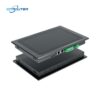
| Ethernet | 1 * WAN (GE) / 1 * LAN (FE) | |
| USB | 1 * USB 2.0 | |
| Puerto serie | 1 * RS232 / 2 * RS485 | |
| 4G Full Netcom | Opcional | |
| Parámetros de software | Sistema operativo | Linux |
| Programación visual | Ayuda | |
| Configuración WEB | Ayuda | |
| Parámetros eléctricos | Potencia nominal | <8W |
| Fuente de alimentación | DC9~36V | |
| Protección eléctrica | Antiestático, protección contra sobretensiones, protección contra conexión inversa | |
| Parámetros medioambientales | Temperatura de funcionamiento | -20~70 ℃ |
| Temperatura de almacenamiento | -30~70 ℃ | |
| Humedad ambiental | 10~90%RH (sin condensación) | |
| Disipación del calor | Disipación pasiva del calor | |
| Parámetros mecánicos | Instalación | Instalación integrada |
| Material de la carcasa | Aleaciones de zinc por inmersión | |
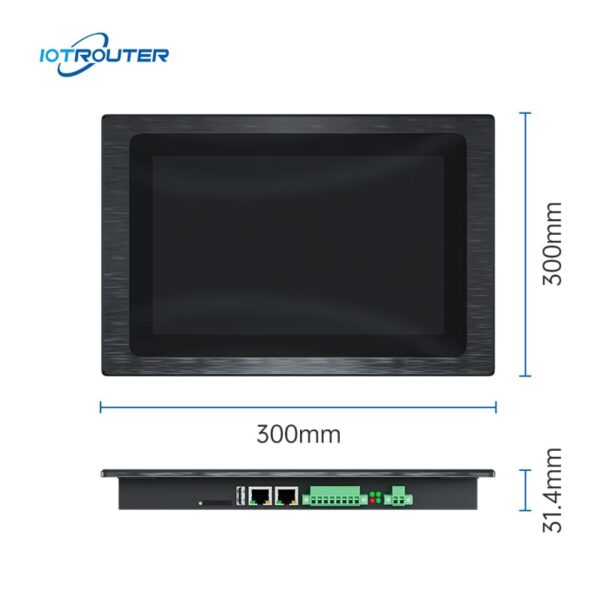
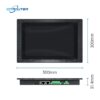
| Tamaño total | 300 mm × 203 mm × 31,4 mm | |
| Tamaño recomendado del orificio | 282,5 mm × 182,5 mm |
Funciones principales

Protocolos PLC masivos
– Adquisición en milisegundos –
El PC industrial de panel EV8010 permite una integración perfecta con las principales marcas de PLC, entre las que se incluyen Siemens, Mitsubishi, Omron, LS, Allen-Bradley, Beckhoff, Inovance, Keyence, Panasonic, Delta, XinJE, MegMeet, Yaskawa, Fatek, Vigor, Fuji y muchas más.
Para obtener una lista detallada de los modelos de PLC y protocolos compatibles, consulte la documentación del protocolo.
Múltiples protocolos industriales
- Integración flexible de protocolos -
El PC de panel industrial EV8010 actúa como un puente flexible entre diferentes sistemas industriales. Es compatible con protocolos industriales y de IoT habituales, como Modbus, MQTT, OPC UA/DA, HJ212 e IEC104, lo que permite una fácil integración con plataformas de terceros.
Para protocolos no estándar o propietarios. El EV8010 permite el análisis de datos personalizado y la configuración de la lógica mediante JavaScript (JS), lo que ofrece una gestión adaptable de los protocolos para aplicaciones de campo complejas.


Configuración a través de la web con FUXA
Con FUXA, podrás crear sin esfuerzo paneles de visualización de datos altamente personalizados gracias a su intuitiva función de arrastrar y soltar. Los usuarios pueden acceder a la interfaz a través de un navegador sin necesidad de instalar software ni complementos adicionales.
Visualización multipantalla
– Funciona en cualquier momento y en cualquier lugar –
Gracias a las ventajas que ofrece la visualización web, el ordenador industrial EV8010 permite que varios dispositivos compartan la pantalla y admite el funcionamiento remoto desde fuera de las instalaciones.


Programación Drag & Drop
- Programación visual de bajo código -
Los productos de la serie EV se basan en las funciones de las pasarelas de la serie EG, entre las que se incluyen la carga y descarga remota de PLC, diversos protocolos industriales, la programación de visualización, la operación y el mantenimiento remotos, etc.
Casos de uso de la pasarela HMI «todo en uno» EV8010
1. Armarios de control con limitaciones de espacio o arquitecturas de hardware simplificadas
En las instalaciones reales, el uso de dispositivos independientes para la pasarela y la interfaz hombre-máquina (HMI) no solo ocupa más espacio en el armario, sino que también aumenta la complejidad del cableado y de las configuraciones de comunicación. Durante la puesta en marcha y el mantenimiento, las arquitecturas con múltiples dispositivos suelen requerir una resolución de problemas adicional debido a incidencias relacionadas con las conexiones o los protocolos.
El PC industrial de panel EV8010 integra la adquisición de datos y la visualización local en un único dispositivo. Al reducir el número de dispositivos y conexiones, simplifica la arquitectura del sistema y contribuye a reducir la inversión en hardware y los costes de mantenimiento a largo plazo.
Aplicaciones habituales: Armarios de distribución eléctrica, armarios de control compactos, proyectos de integración de equipos, sProyectos de modernización de sistemas.
Solución tradicional frente al EV8010
| Artículo | Solución tradicional
(Gateway + HMI, dos dispositivos) |
Solución integrada
(Un solo dispositivo – EV8010) |
|---|---|---|
| Estructura del sistema | Dispositivos de pasarela y HMI independientes | Un dispositivo integrado |
| Configuración | Configuración e integración independientes para cada dispositivo | Entorno de configuración unificado |
| Flujo de trabajo de desarrollo | El procesamiento de datos y la interfaz HMI se desarrollaron de forma independiente | Datos, lógica y visualización integrados en un único flujo de trabajo |
| Comunicación | Se requiere comunicación entre varios dispositivos | Comunicación interna dentro de un único sistema |
| Complejidad de la depuración | Más alto, debido a problemas relacionados con el uso en distintos dispositivos | Menos puntos de fallo |
| Mantenimiento | Más componentes que gestionar y en los que detectar fallos | Mantenimiento simplificado con menos componentes del sistema |
2. Integración «todo en uno»: aceleración de la entrega en proyectos con plazos ajustados
Ante los ajustados plazos del proyecto, El EV8010 consolida adquisición de datos, control lógico, visualización HMI y conectividad en la nube en un único dispositivo. Al eliminar la necesidad de realizar una depuración constante en múltiples plataformas de software, Reduce considerablemente la complejidad de la integración.
-
Flujo de trabajo de principio a fin: Abarca de forma integrada todo el proceso, desde la adquisición y el procesamiento hasta la visualización, control, y la subida a la nube.
-
Desarrollo «low-code» de alta eficiencia: Aprovecha las herramientas de arrastrar y soltar de Node-RED y FUXA para reducir los ciclos de programación y depuración en más de un 50%.
-
Menores costes de mantenimiento: Simplifica la arquitectura al eliminar la conexión en red de varios dispositivos, reducir los posibles puntos de fallo y garantizar la entrega a tiempo.
Aplicaciones habituales: Líneas de producción, Maquinaria OEM, y proyectos personalizados con entrega rápida.
3. Acceso flexible y colaboración a distancia: superando los límites de las interfaces hombre-máquina (HMI) locales
Las interfaces hombre-máquina (HMI) tradicionales suelen estar limitadas a pantallas físicas, lo que hace que la supervisión remota y la colaboración entre varios usuarios resulten complejas y costosas. El EV8010 cuenta con un Interfaz hombre-máquina (HMI) basada en web, lo que permite un funcionamiento fluido en ordenadores, tabletas y dispositivos móviles.
-
Acceso unificado: Una única interfaz tanto para usuarios locales como remotos, lo que elimina la necesidad de utilizar herramientas adicionales de acceso remoto.
-
Fiabilidad en el borde: El procesamiento local de datos y el control lógico garantizan que el sistema siga funcionando plenamente incluso durante los cortes de red.
-
Mayor colaboración: Permite a los ingenieros y directivos supervisar y mantener los sistemas desde cualquier lugar, lo que mejora la rapidez de respuesta.
Aplicaciones habituales: Mantenimiento a distancia, implementaciones interregionales y gestión colaborativa multifuncional.
La ventaja fundamental
El PC industrial de panel EV8010 está diseñado para proyectos que exigen una arquitectura más sencilla y una rápida puesta en marcha. Al consolidar DAQ, conversión de protocolos, control lógico e HMI en un único nodo periférico, lo que permite a los ingenieros desarrollar y gestionar sistemas dentro de un entorno unificado.
-
Eliminar los problemas de integración: Reducir las dependencias entre dispositivos y la sobrecarga de comunicación.
-
Mayor capacidad de control: El desarrollo centralizado garantiza una mayor fiabilidad y el cumplimiento de los plazos clave del proyecto.
-
Menor coste total de propiedad (TCO) en mantenimiento: Una arquitectura simplificada supone menos puntos de fallo y una reducción de los costes de mantenimiento a largo plazo.
PREGUNTAS FRECUENTES
Pregunta 1. ¿Qué nivel de conocimientos de programación se requiere para el EV8010?
A1: El PC industrial de panel EV8010 está diseñado para implementación con poco código, lo que elimina la necesidad de realizar una codificación manual compleja.
-
-
La lógica por encima de la programación de scripts: Si conoces los conceptos básicos de la automatización industrial (como el direccionamiento IP, los registros y la asignación de E/S), podrás configurar el dispositivo sin dificultad.
-
Configuración a través de la web: La configuración de los protocolos y de la red se gestiona a través de una interfaz de navegador intuitiva; no se necesita ningún IDE específico.
-
Diseño visual de la interfaz hombre-máquina (HMI): El software VISION cuenta con un editor de «arrastrar y soltar». En lugar de programar los gráficos, basta con vincular los controles de la interfaz de usuario a las etiquetas de datos.
-
En resumen: Aunque es necesario contar con conocimientos básicos sobre automatización, el EV8010 elimina las grandes dificultades que plantea el desarrollo de software tradicional, lo que permite una implementación mucho más rápida.
Pregunta 2. ¿Qué PLC y dispositivos son compatibles con el PC industrial de panel EV8010?
R2: El dispositivo es compatible con más de 90% de los controladores industriales más habituales del mercado.
-
Compatibilidad con PLC: Entre ellas se encuentran Siemens, Mitsubishi, Omron, Rockwell Automation, Inovance, Delta y Xinjie.
-
Interfaces físicas: Equipado con 2 puertos Gigabit Ethernet, 1 puerto RS232 y 2 puertos RS485. Cualquier dispositivo con salida Ethernet o serie suele ser «plug-and-play».
-
Sensores analógicos: La integración de sensores de 4-20 mA o 0-10 V se lleva a cabo fácilmente mediante convertidores analógico-digitales estándar.
Si no estás seguro de cuál es el modelo adecuado, facilítanos las especificaciones de tu equipo y nuestro equipo comprobará la compatibilidad por ti.
Dimensiones e interfaces

Lista de embalaje

Instalación del producto

Paso 1.
Antes de la instalación, es necesario realizar un orificio de instalación ligeramente más grande que el equipo.
Paso 2.
Coloca el equipo en los orificios de instalación previstos para ello.
Paso 3.
Hay dos orificios cuadrados a ambos lados del equipo, y uno de los extremos del orificio cuadrado se fija con una hebilla durante la instalación; los tornillos de la hebilla se atornillan a la parte superior del armario; aprieta los tornillos y repite el mismo procedimiento con las otras tres partes para completar la instalación.