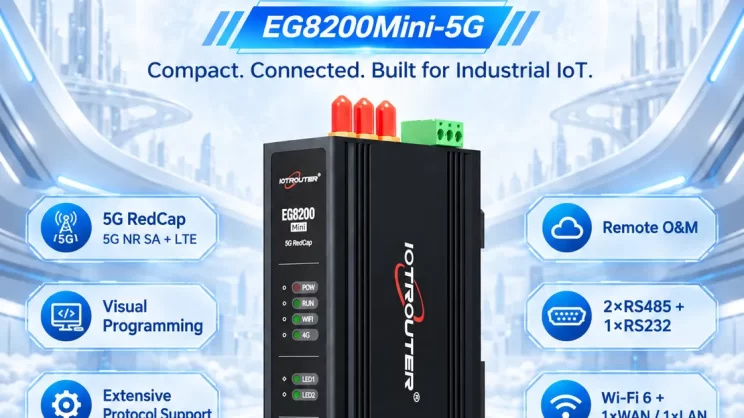
The guide is for connecting the Omron PLC to the EG Edge Gateway using the Hostlink protocol for data communication.
El artículo del que hablamos antes:
Cómo integrar la pasarela de computación periférica EG con el PLC de General Electric
Cómo interactuar con el PLC de Omron mediante el protocolo EtherNet/IP
1. Conexión de hardware
PLC compatible: Serie CP
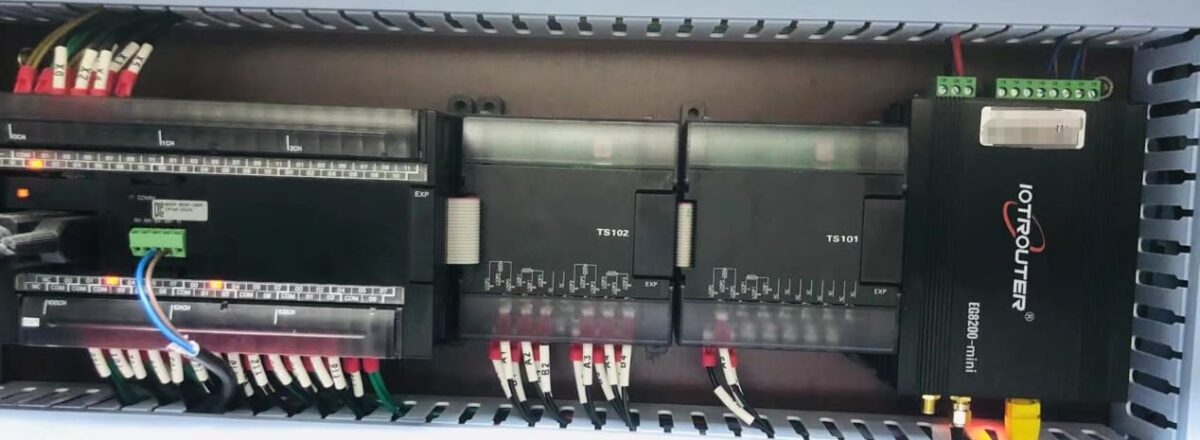
The Hostlink protocol uses serial communication. For this example, the PLC model CP1W-0026 uses RS485 communication. Simply connect the PLC’s 485 interface SDA- to the gateway’s B1 pin, and the PLC’s 485 interface SDB+ to the gateway’s A1 pin.
2. Parámetros serie del PLC
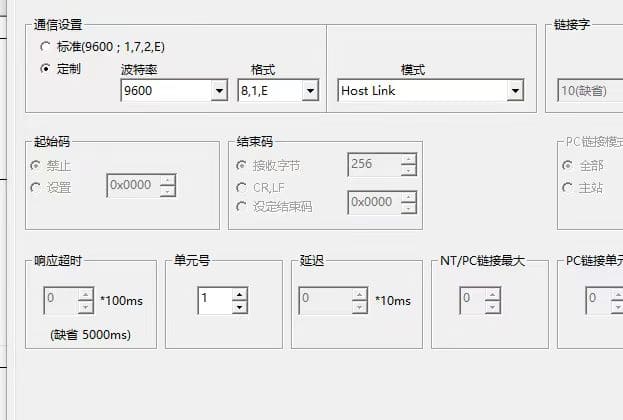
Anote el número de unidad (número de estación 1) y la velocidad en baudios (9600-8-1-E). Estos parámetros serán necesarios para la posterior configuración de la pasarela.
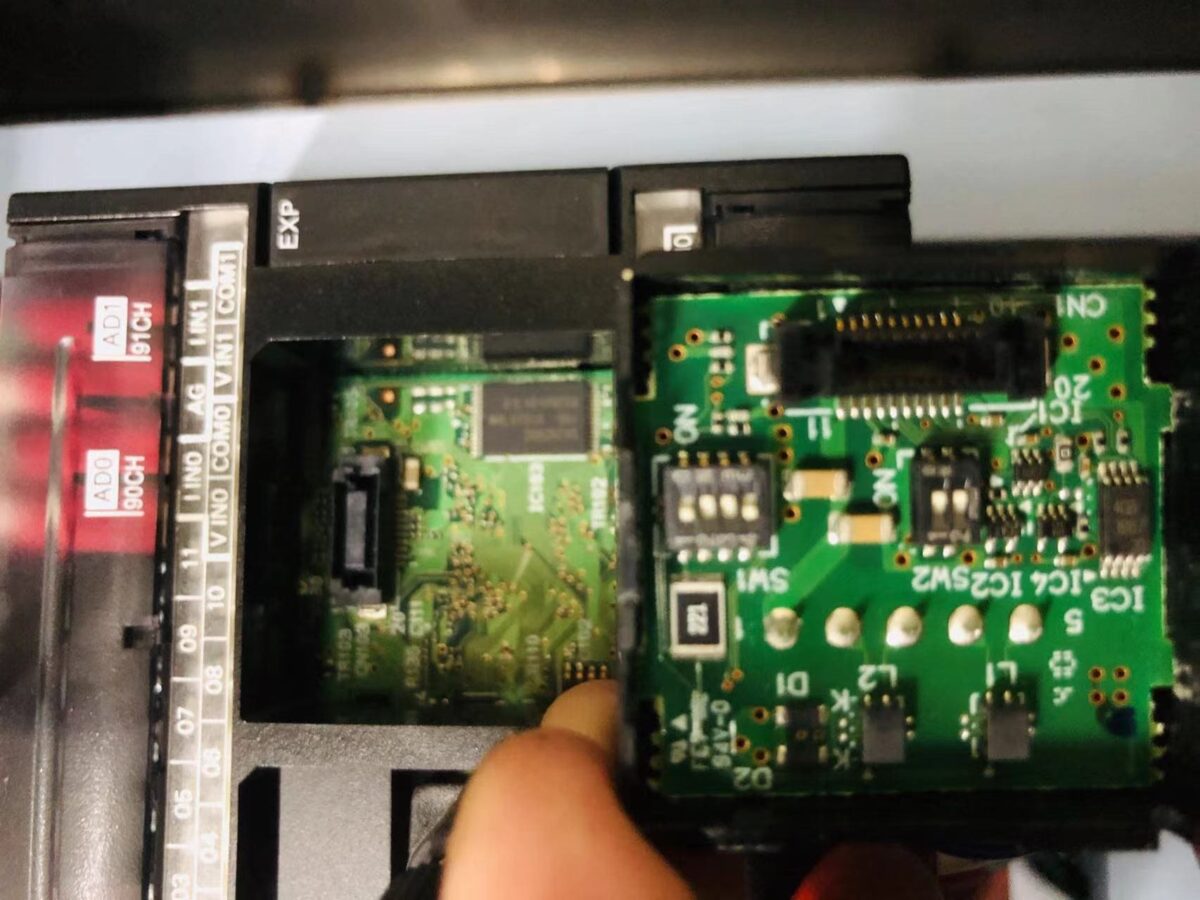
Nota: Ajustes del interruptor DIP: 1 y 4 (OFF), 2, 3, 5, 6 (NO)
3. Configuración de la pasarela
3.1. Configuración de la conexión del PLC
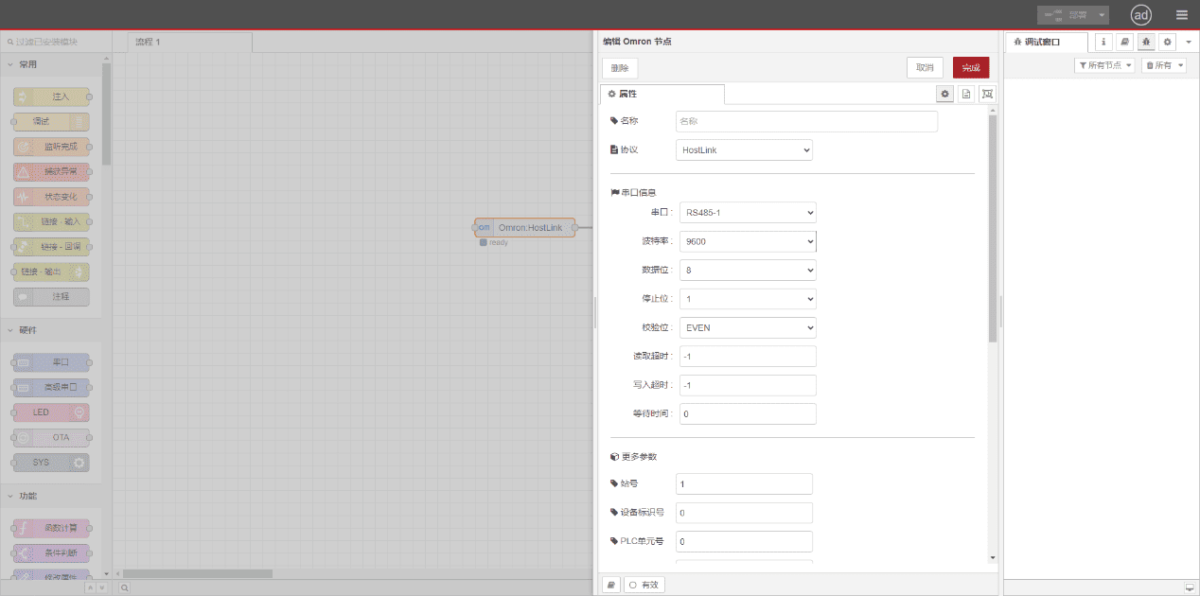
Drag an Omron node from the left panel. Double-click to open the settings page and configure based on the PLC’s serial parameters as follows:
Protocolo: Seleccione HostLink
Puerto serie: Seleccione RS485-1 (en función de las conexiones reales del hardware)
Velocidad en baudios: 9600
Bits de datos: 8
Bits de parada: 1
Paridad: INCLUSO
Número de estación: 1
3.2. Configuración de los puntos de datos
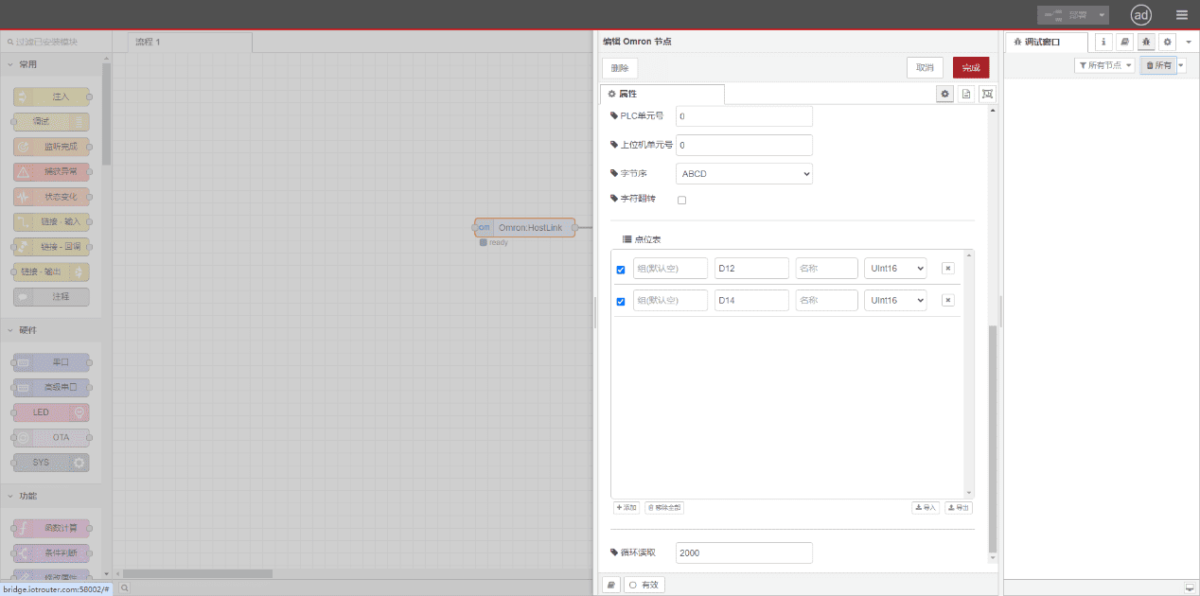
Enter the data points to be read in the Omron node’s parameter list. Once configured, the PLC data will be automatically retrieved at the set frequency. Data points are typically provided by PLC engineers. After obtaining the point list, enter data points in the format required by the gateway. For specific correspondence, refer to:(Puedes utilizar Google Chrome para la traducción) https://iotrouter.yuque.com/zn3vdn/eg8000/skfapgdm7332it5q
En la lista de parámetros, rellene Dirección/Nombre/Tipo de datos/Longitud de datos secuencialmente. Establezca un ciclo de 2 segundos para la lectura periódica, como se muestra en la figura:
3.3. Pruebas
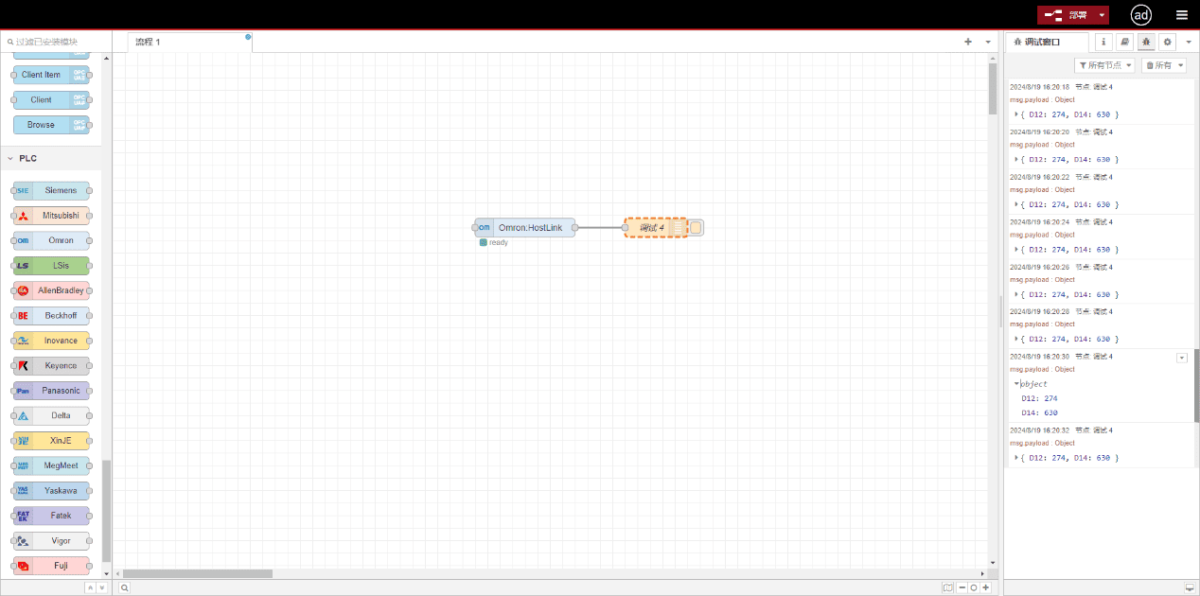
Haga clic en Desplegar. Observe que se imprime un punto de datos cada 2 segundos. Compruebe que el valor de salida coincide con el valor real. La comunicación se ha realizado correctamente.
Guías relacionadas con la integración de PLC industriales
← Volver al Centro de integración de PLC

Agnes Wang es especialista en soluciones de IoT en IOTRouter, donde se dedica principalmente a las pasarelas de IoT industrial, la computación en el borde y las soluciones de automatización industrial.
Está especializada en tecnologías de comunicación industrial, entre las que se incluyen Modbus, IEC 60870-5-104, MQTT, OPC UA, integración de PLC y aplicaciones de monitorización remota. Colabora en la redacción de artículos técnicos y guías de aplicación sobre soluciones de IoT industrial, conversión de protocolos y computación periférica.