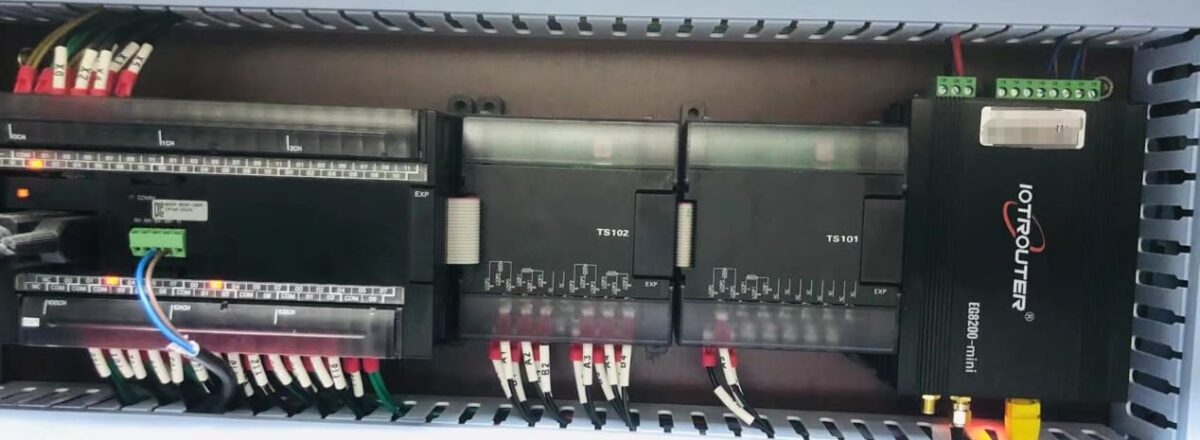
The guide is for connecting the Omron PLC to the EG Edge Gateway using the Hostlink protocol for data communication.
The article we discussed before:
How to integration EG edge computing gateway with the General Electric PLC
How to interface with Omron PLC via EtherNet/IP protocol
1. Hardware Connection
Compatible PLC: CP Series
The Hostlink protocol uses serial communication. For this example, the PLC model CP1W-0026 uses RS485 communication. Simply connect the PLC’s 485 interface SDA- to the gateway’s B1 pin, and the PLC’s 485 interface SDB+ to the gateway’s A1 pin.
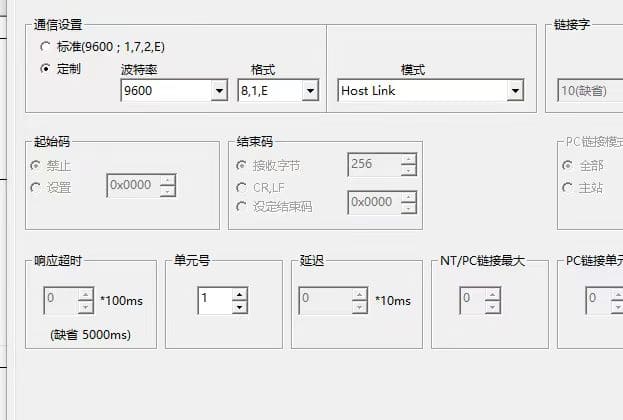
2. PLC Serial Parameters
Note the unit number (station number 1) and baud rate (9600-8-1-E). These parameters will be required for subsequent gateway configuration.
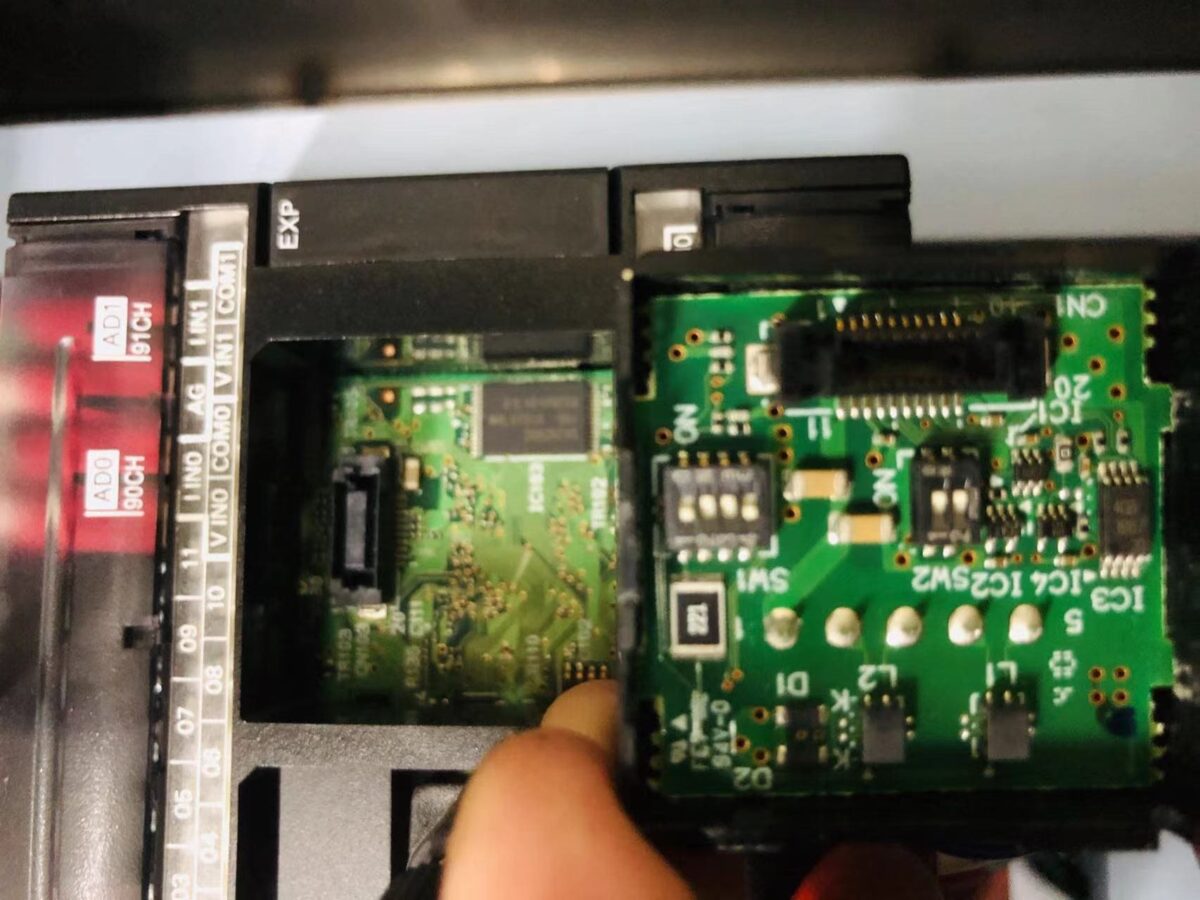
Note: DIP Switch Settings: 1 and 4 (OFF), 2, 3, 5, 6 (NO)
3. Gateway Configuration
3.1. PLC Connection Setup
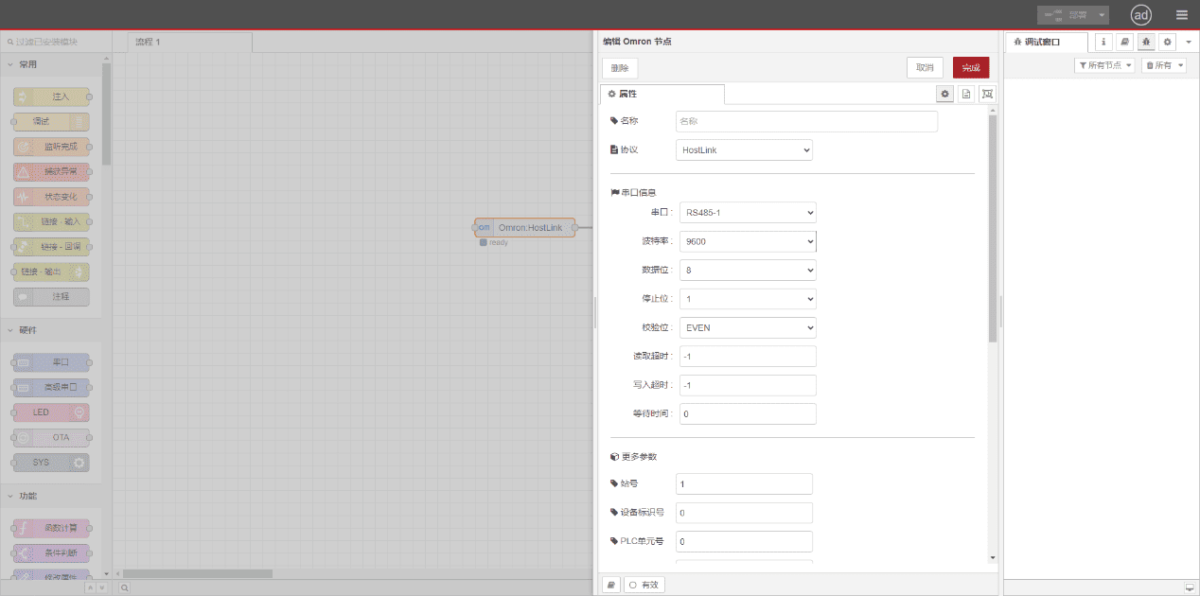
Drag an Omron node from the left panel. Double-click to open the settings page and configure based on the PLC’s serial parameters as follows:
Protocol: Select HostLink
Serial Port: Select RS485-1 (based on actual hardware connections)
Baud Rate: 9600
Data Bits: 8
Stop Bits: 1
Parity: EVEN
Station Number: 1
3.2. Data Point Configuration
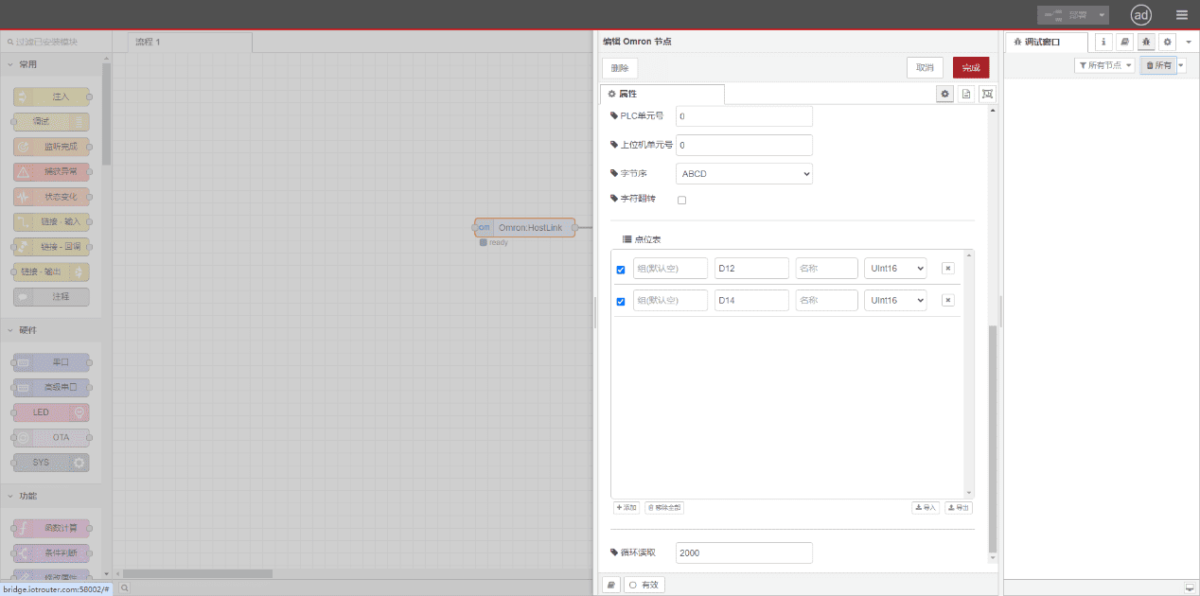
Enter the data points to be read in the Omron node’s parameter list. Once configured, the PLC data will be automatically retrieved at the set frequency. Data points are typically provided by PLC engineers. After obtaining the point list, enter data points in the format required by the gateway. For specific correspondence, refer to:(You can use Google Chrome for translation) https://iotrouter.yuque.com/zn3vdn/eg8000/skfapgdm7332it5q
In the parameter list, fill in Address/Name/Data Type/Data Length sequentially. Set a 2-second cycle for periodic reading, as shown in the figure:
3.3. Testing
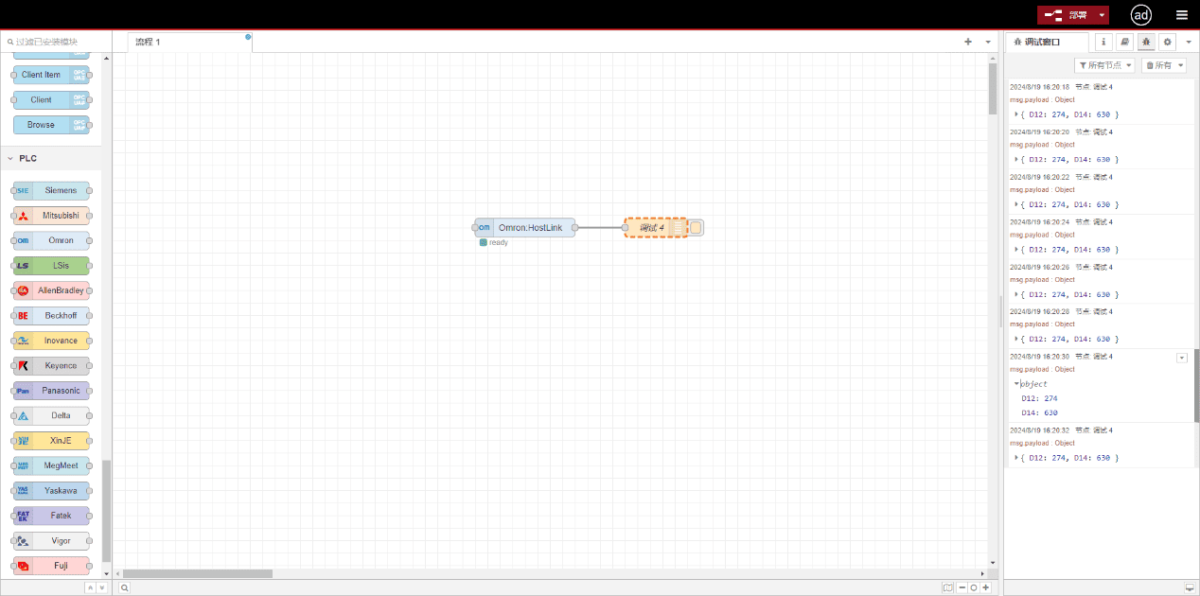
Click Deploy. Observe that a data point is printed every 2 seconds. Verify that the output value matches the actual value. Communication successful!
Related Guides in Industrial PLC Integration

Agnes Wang is an IoT Solutions Specialist at IOTRouter, focusing on industrial IoT gateways, edge computing, and industrial automation solutions.
She specializes in industrial communication technologies, including Modbus, IEC 60870-5-104, MQTT, OPC UA, PLC integration, and remote monitoring applications. She contributes to technical articles and application guides covering industrial IoT solutions, protocol conversion, and edge computing.