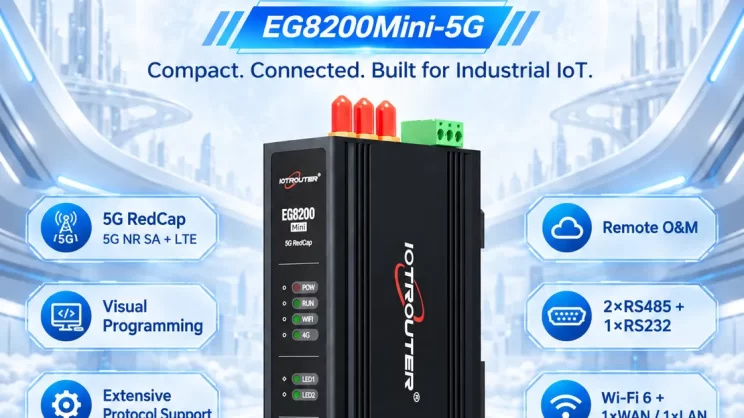
The guide is for connecting the Omron PLC to the EG Edge Gateway using the Hostlink protocol for data communication.
O artigo que discutimos anteriormente:
Como integrar a gateway de computação periférica EG com o PLC da General Electric
Como fazer a interface com o PLC da Omron através do protocolo EtherNet/IP
1. Ligação do hardware
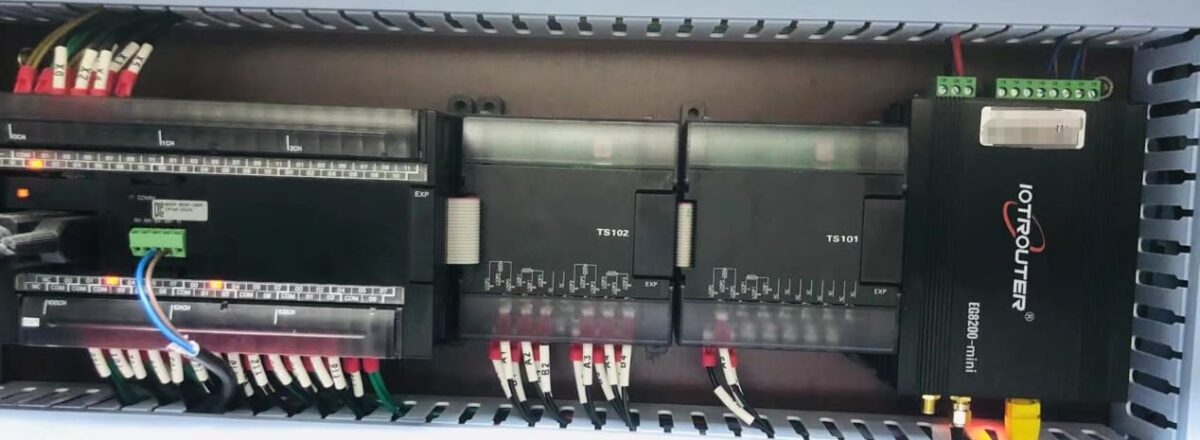
Compatible PLC: CP Series
The Hostlink protocol uses serial communication. For this example, the PLC model CP1W-0026 uses RS485 communication. Simply connect the PLC’s 485 interface SDA- to the gateway’s B1 pin, and the PLC’s 485 interface SDB+ to the gateway’s A1 pin.
2. PLC Serial Parameters
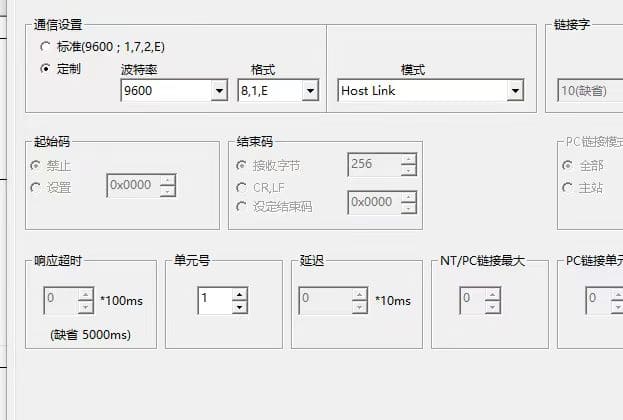
Note the unit number (station number 1) and baud rate (9600-8-1-E). These parameters will be required for subsequent gateway configuration.
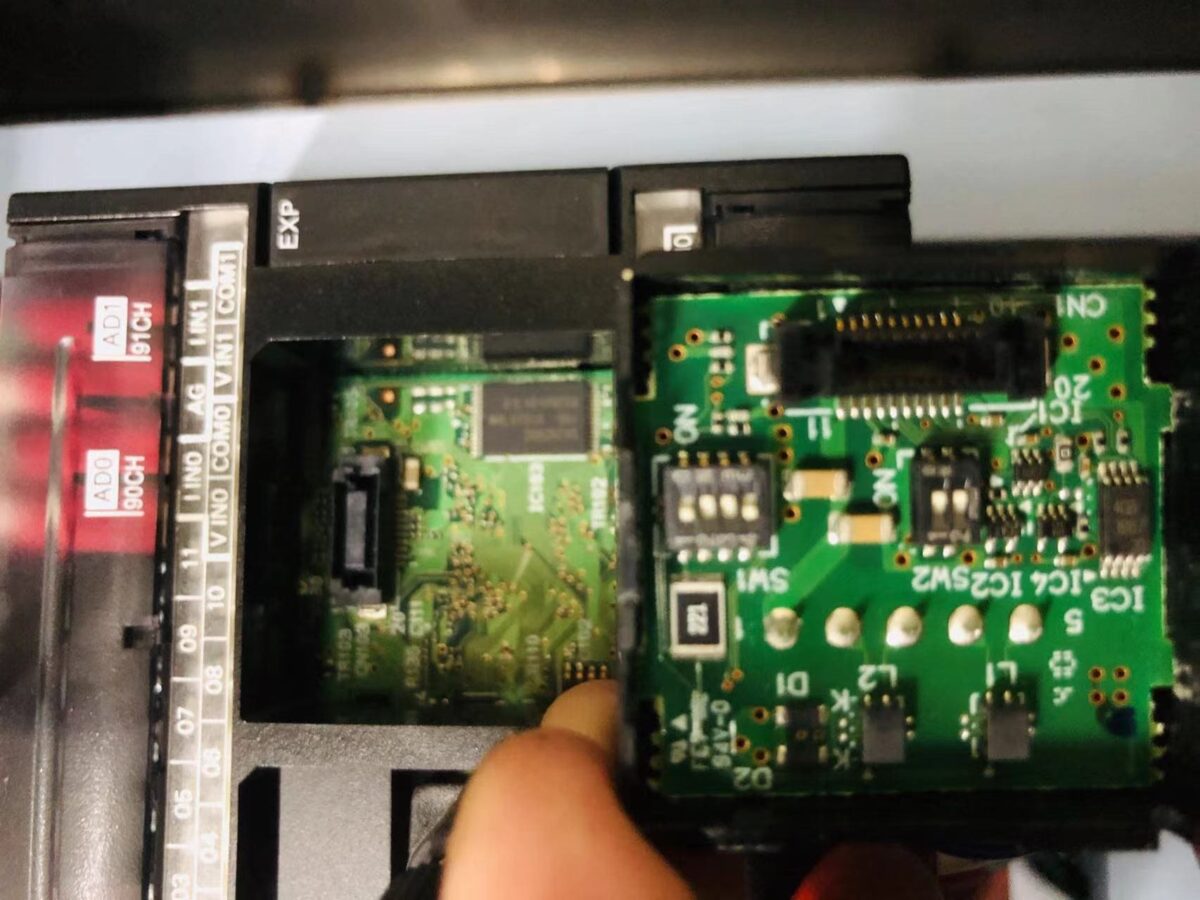
Note: DIP Switch Settings: 1 and 4 (OFF), 2, 3, 5, 6 (NO)
3. Configuração da porta de entrada
3.1. Configuração da ligação do PLC
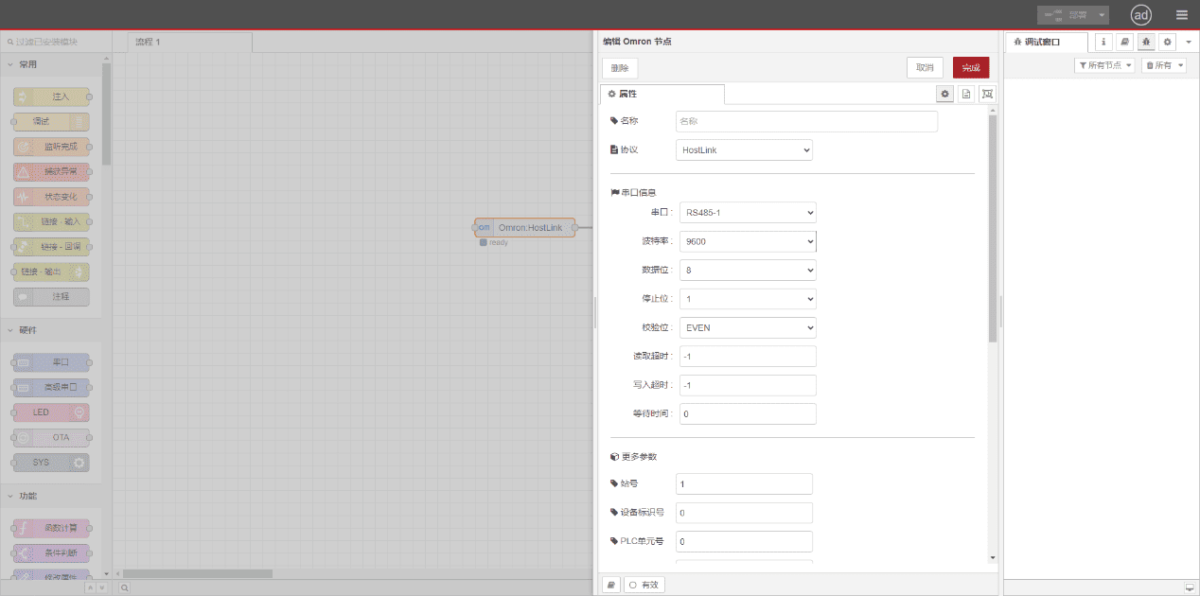
Drag an Omron node from the left panel. Double-click to open the settings page and configure based on the PLC’s serial parameters as follows:
Protocolo: Select HostLink
Porta de série: Select RS485-1 (based on actual hardware connections)
Taxa de transmissão: 9600
Bits de dados: 8
Bits de paragem: 1
Paridade: MESMO
Station Number: 1
3.2. Configuração do ponto de dados
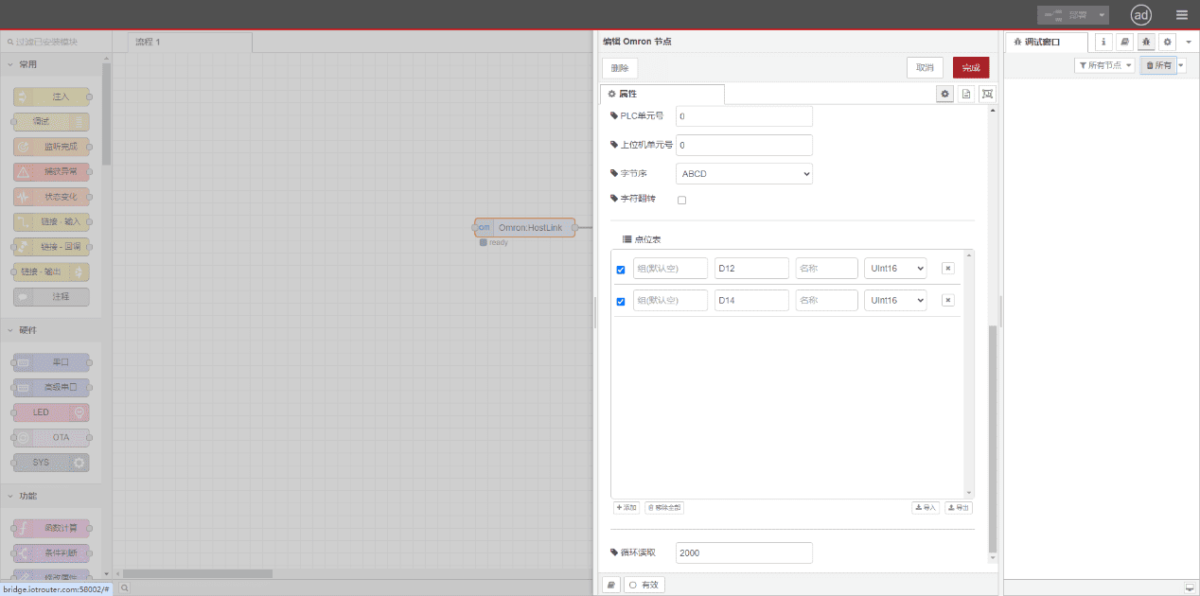
Enter the data points to be read in the Omron node’s parameter list. Once configured, the PLC data will be automatically retrieved at the set frequency. Data points are typically provided by PLC engineers. After obtaining the point list, enter data points in the format required by the gateway. For specific correspondence, refer to:(Pode utilizar o Google Chrome para traduzir) https://iotrouter.yuque.com/zn3vdn/eg8000/skfapgdm7332it5q
In the parameter list, fill in Address/Name/Data Type/Data Length sequentially. Set a 2-second cycle for periodic reading, as shown in the figure:
3.3. Ensaios
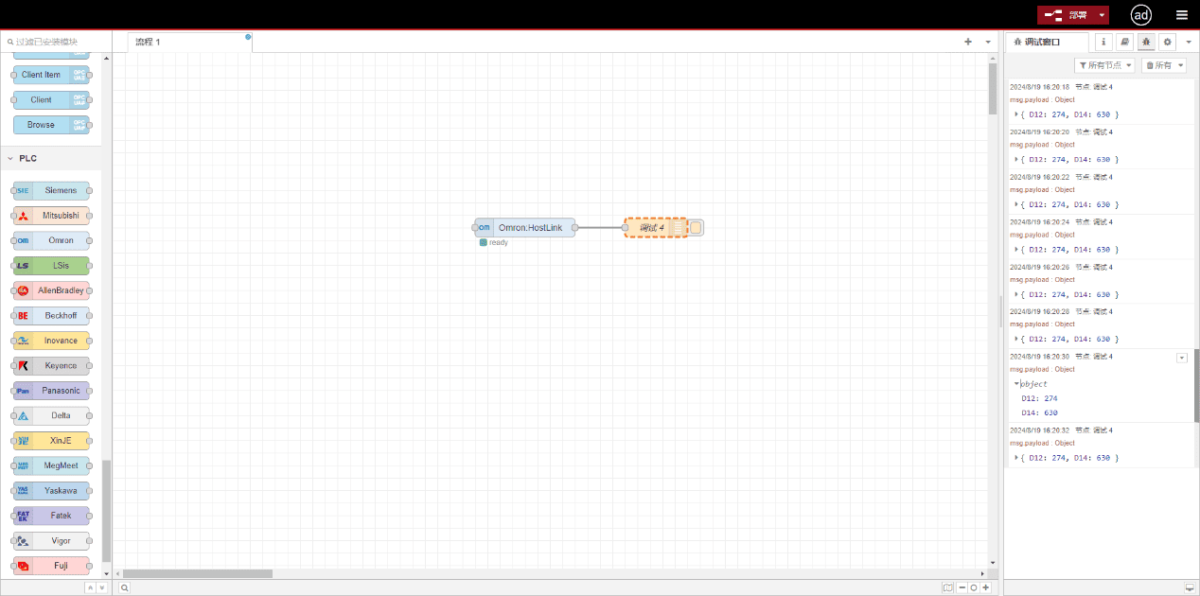
Click Deploy. Observe that a data point is printed every 2 seconds. Verify that the output value matches the actual value. Communication successful!
Guias relacionados em Integração de PLC industrial
← Voltar ao Centro de Integração PLC

Agnes Wang é especialista em soluções de IoT na IOTRouter, dedicando-se principalmente a gateways de IoT industrial, computação de ponta e soluções de automação industrial.
É especialista em tecnologias de comunicação industrial, incluindo Modbus, IEC 60870-5-104, MQTT, OPC UA, integração de PLC e aplicações de monitorização remota. Colabora na elaboração de artigos técnicos e guias de aplicação sobre soluções de IoT industrial, conversão de protocolos e computação na periferia.