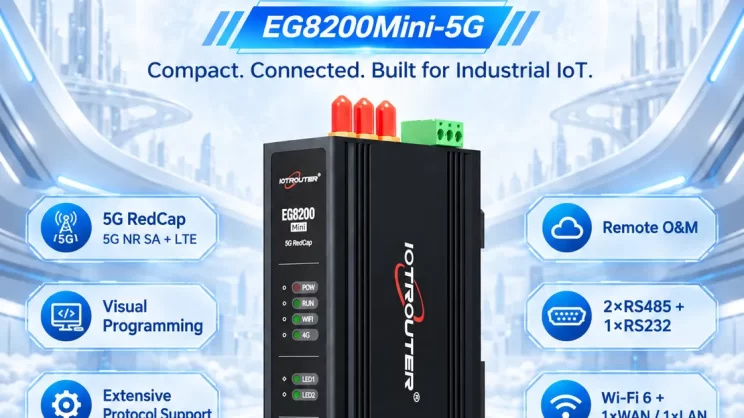
The guide is for connecting the Omron PLC to the EG Edge Gateway using the Hostlink protocol for data communication.
Het artikel dat we eerder bespraken:
How to integration EG edge computing gateway with the General Electric PLC
Hoe maak je verbinding met een Omron-PLC via het EtherNet/IP-protocol?
1. Hardwareverbinding
Compatible PLC: CP Series
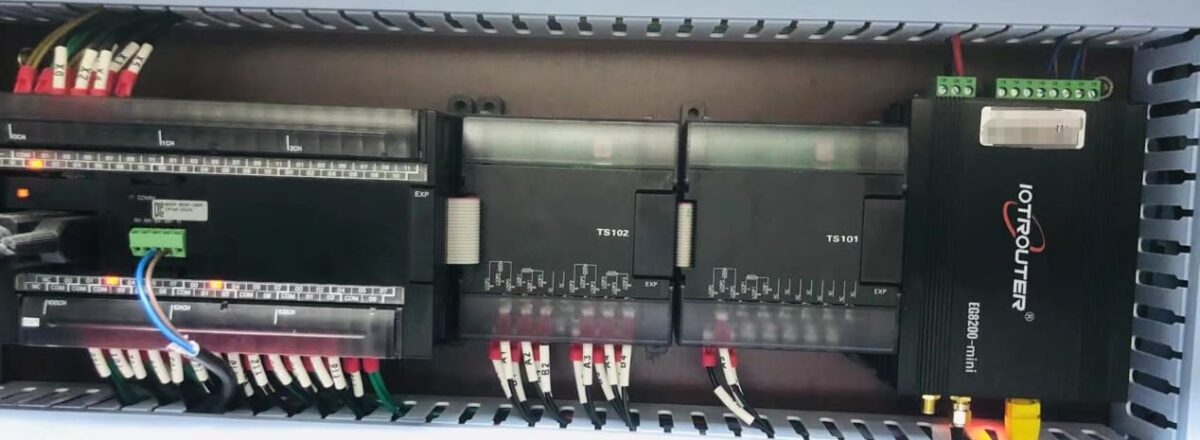
The Hostlink protocol uses serial communication. For this example, the PLC model CP1W-0026 uses RS485 communication. Simply connect the PLC’s 485 interface SDA- to the gateway’s B1 pin, and the PLC’s 485 interface SDB+ to the gateway’s A1 pin.
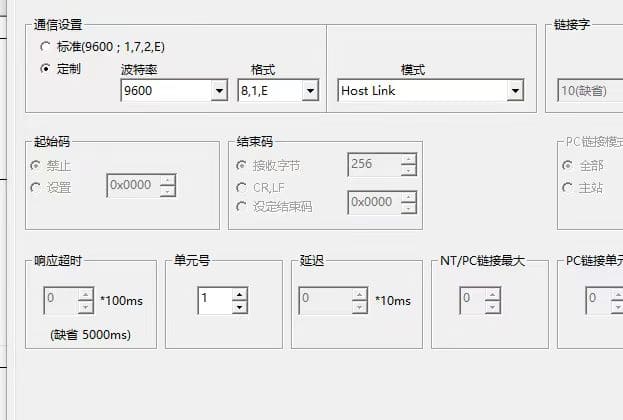
2. PLC Serial Parameters
Note the unit number (station number 1) and baud rate (9600-8-1-E). These parameters will be required for subsequent gateway configuration.
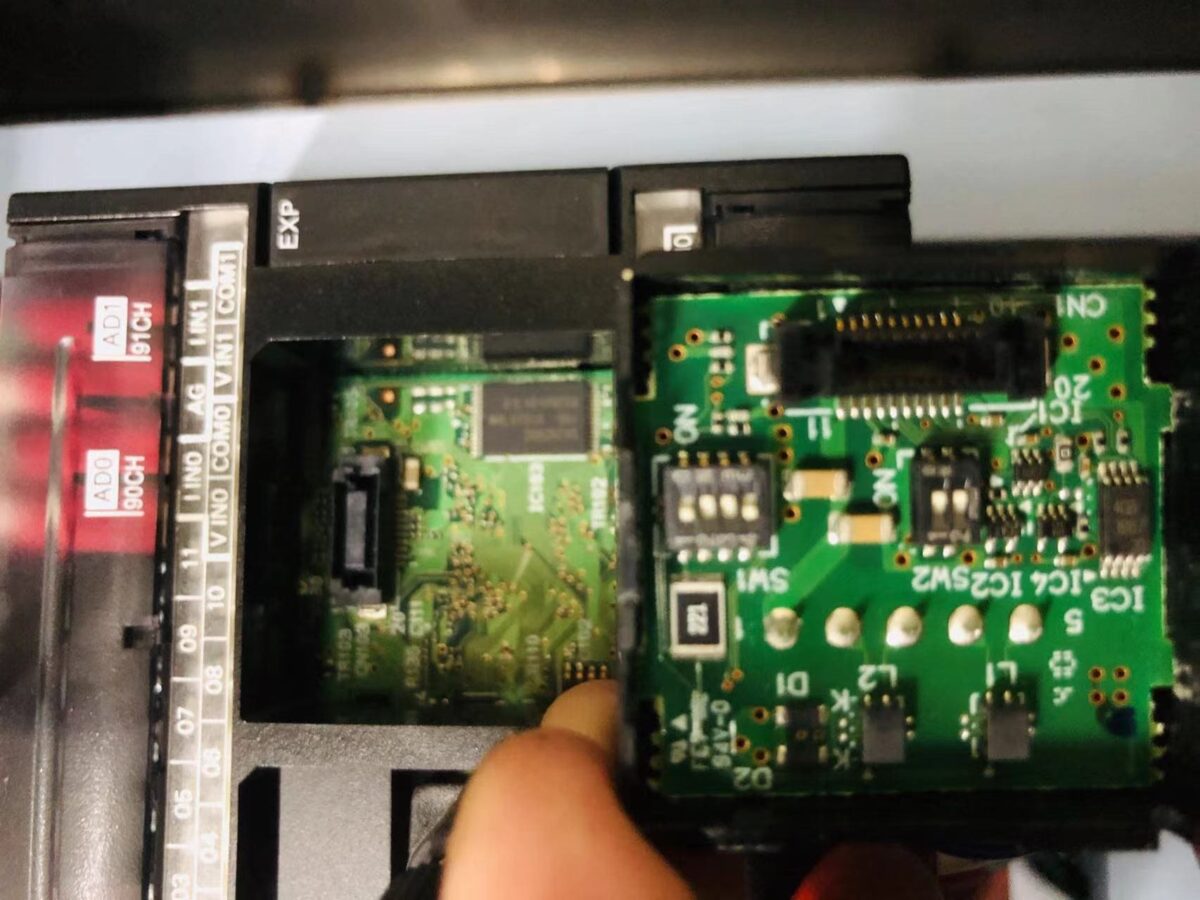
Note: DIP Switch Settings: 1 and 4 (OFF), 2, 3, 5, 6 (NO)
3. Gateway Configuration
3.1. PLC Connection Setup
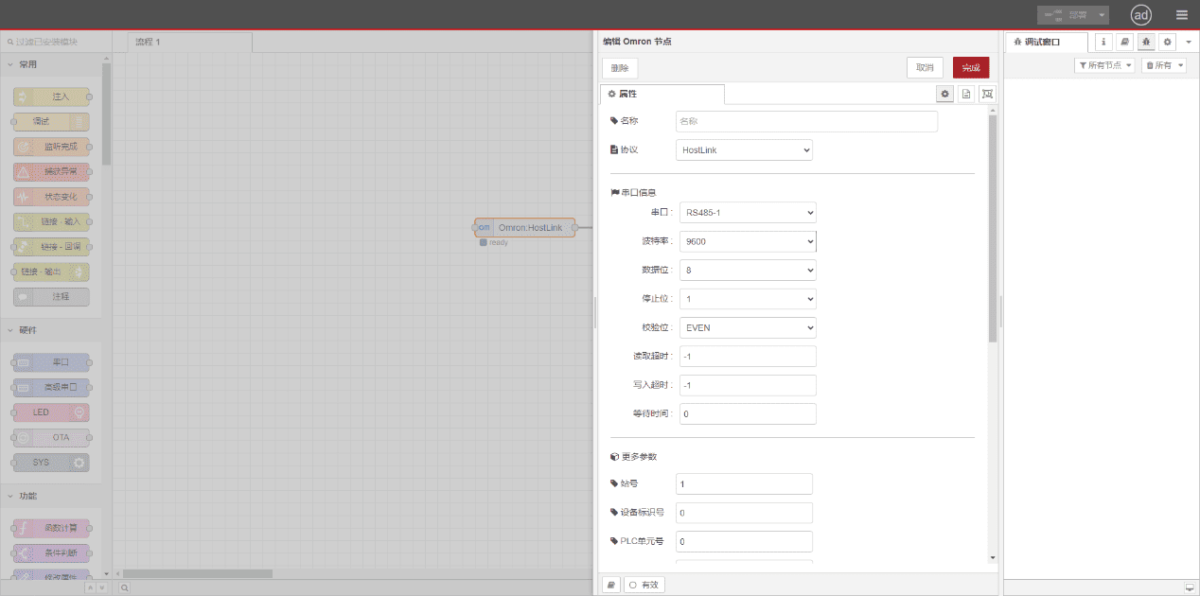
Drag an Omron node from the left panel. Double-click to open the settings page and configure based on the PLC’s serial parameters as follows:
Protocol: Select HostLink
Seriële poort: Select RS485-1 (based on actual hardware connections)
Baudrate: 9600
Gegevensbits: 8
Stopbits: 1
Pariteit: ZELFS
Station Number: 1
3.2. Configuratie gegevenspunt
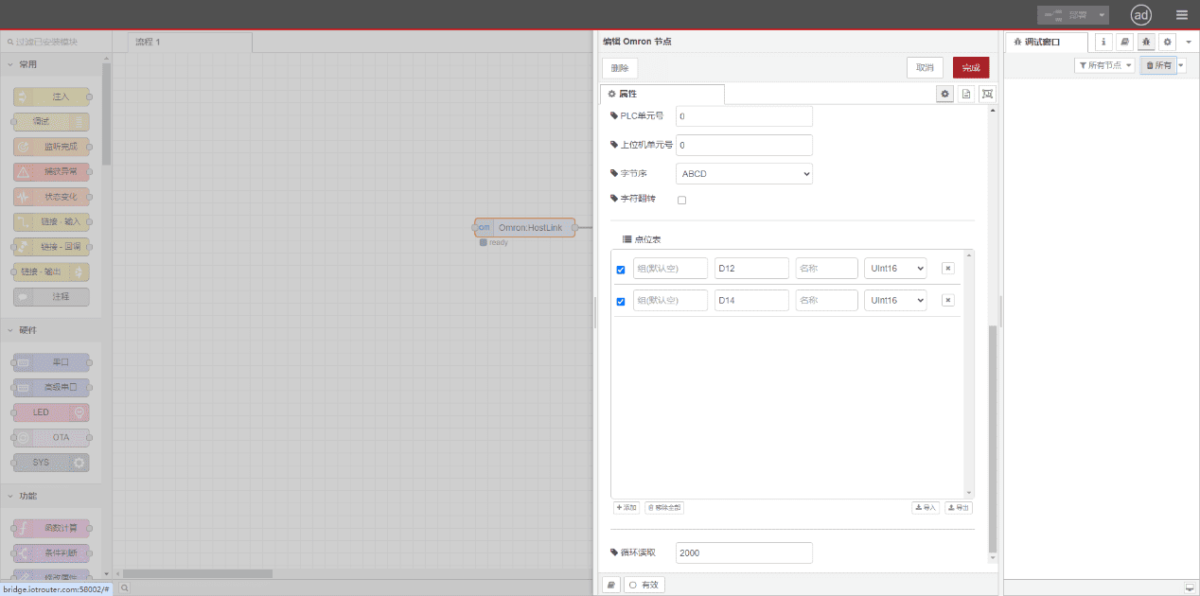
Enter the data points to be read in the Omron node’s parameter list. Once configured, the PLC data will be automatically retrieved at the set frequency. Data points are typically provided by PLC engineers. After obtaining the point list, enter data points in the format required by the gateway. For specific correspondence, refer to:(Je kunt Google Chrome gebruiken voor vertaling) https://iotrouter.yuque.com/zn3vdn/eg8000/skfapgdm7332it5q
In the parameter list, fill in Address/Name/Data Type/Data Length sequentially. Set a 2-second cycle for periodic reading, as shown in the figure:
3.3. Testen
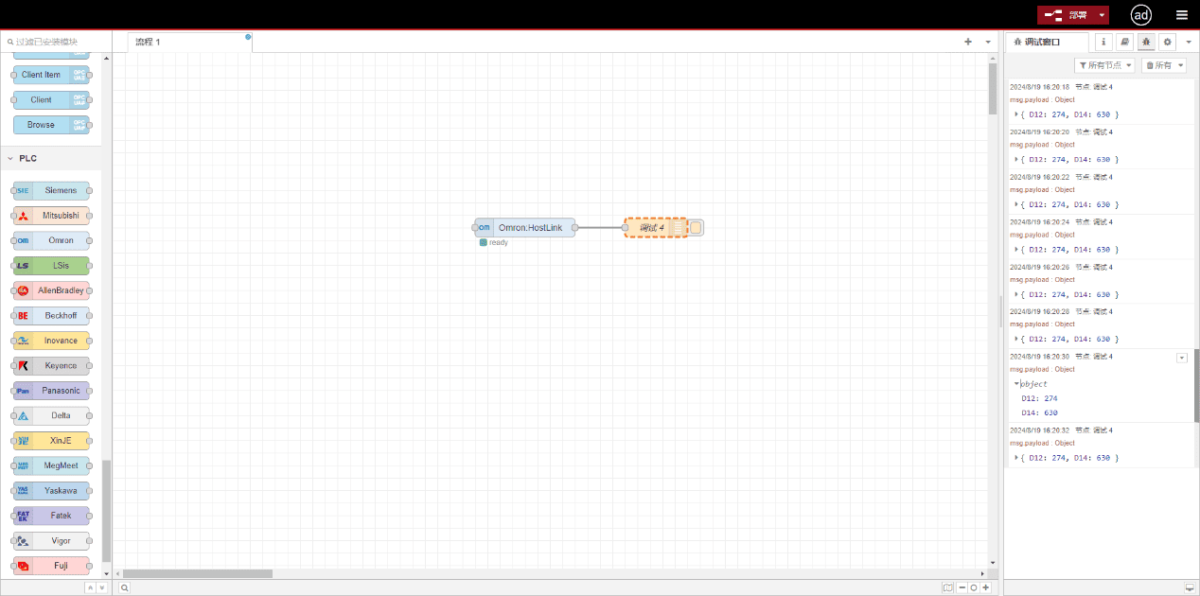
Click Deploy. Observe that a data point is printed every 2 seconds. Verify that the output value matches the actual value. Communication successful!
Gerelateerde handleidingen over de integratie van industriële PLC’s
← Terug naar de PLC-integratiehub

Agnes Wang is IoT-oplossingsspecialist bij IOTRouter en richt zich op industriële IoT-gateways, edge computing en oplossingen voor industriële automatisering.
Ze is gespecialiseerd in industriële communicatietechnologieën, waaronder Modbus, IEC 60870-5-104, MQTT, OPC UA, PLC-integratie en toepassingen voor monitoring op afstand. Ze levert bijdragen aan technische artikelen en toepassingsgidsen over industriële IoT-oplossingen, protocolconversie en edge computing.