In this guide, we will discuss how to interface with Omron PLC via EtherNet/IP protocol. It is part of the PLC Integration Hub.
1. Hardwareverbinding
Compatible PLC: NX7
The Fins protocol utilizes Ethernet communication. Therefore, it is only necessary to ensure that the LAN port IP address of the gateway and the IP address of the Omron PLC are within the same subnet (Note: In special cases, they may not be on the same subnet, requiring route configuration; consult technical support for details). The IP address allocation for this example is as follows:
| Omron PLC | ||
| IP-adres | 192.168.250.4 | 192.168.250.10 |
2. PLC-communicatieparameters
2.1. Instellingen ethernetparameters
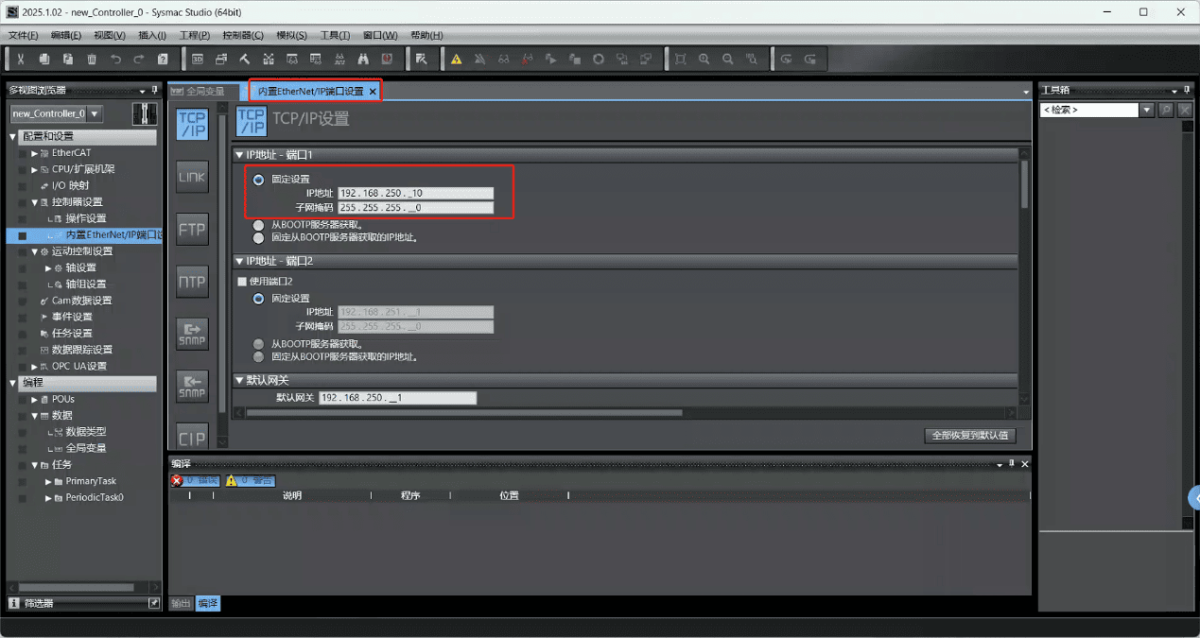
2.2. Variable Address
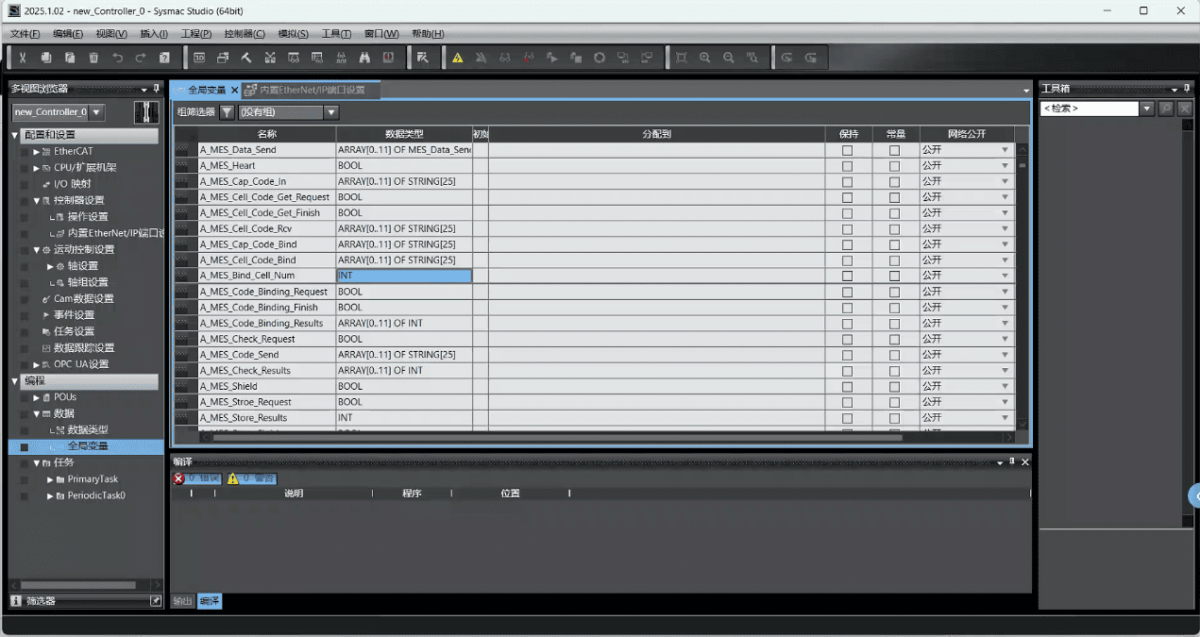
3. Gateway-instellingen
3.1. PLC-verbindingsinstellingen
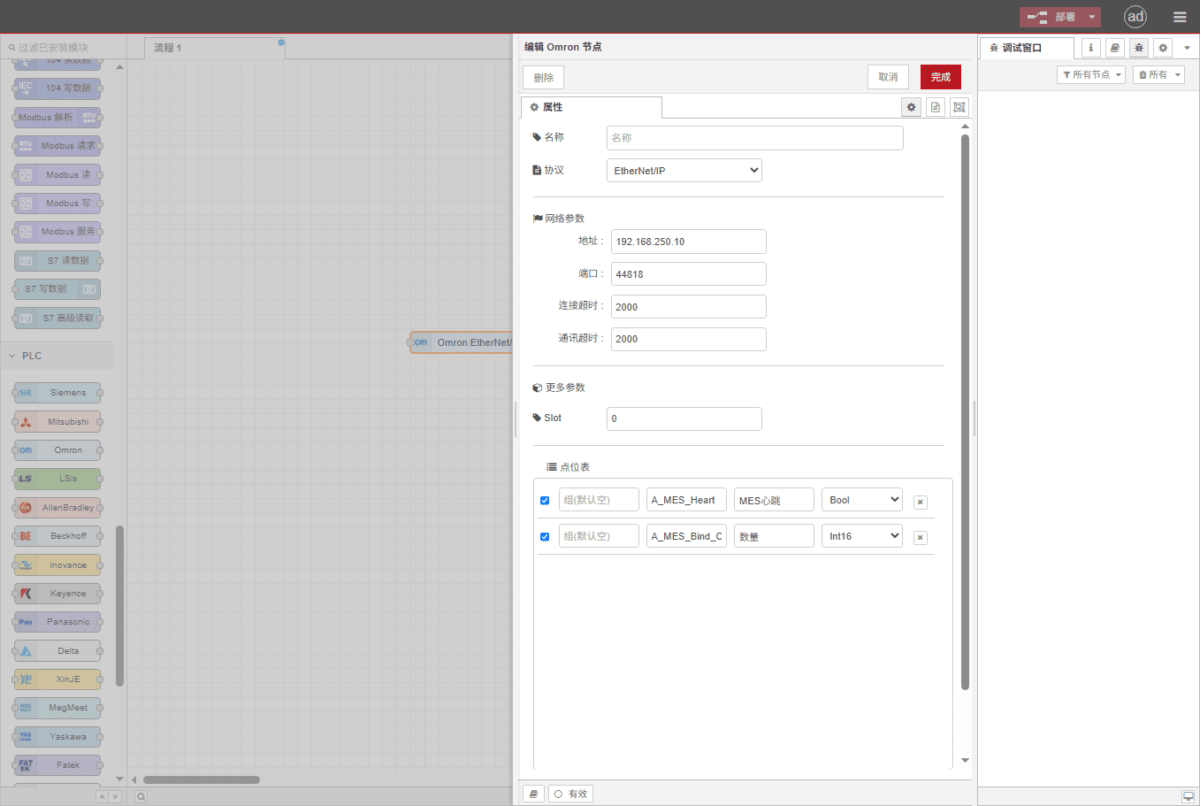
Drag an Omron node from the left panel and double-click to open the settings page. Configure the following based on the PLC’s serial port parameters:
Protocol: Select Fins
Adres: Enter the PLC address (e.g., 192.168.250.10)
Haven: Voer de aansluitpoort van de PLC in (bijvoorbeeld 44818).
Time-out verbinding: 2000
Time-out communicatie: 2000
Modus: TCP
SIot: 0
3.2. Configuratie gegevenspunt
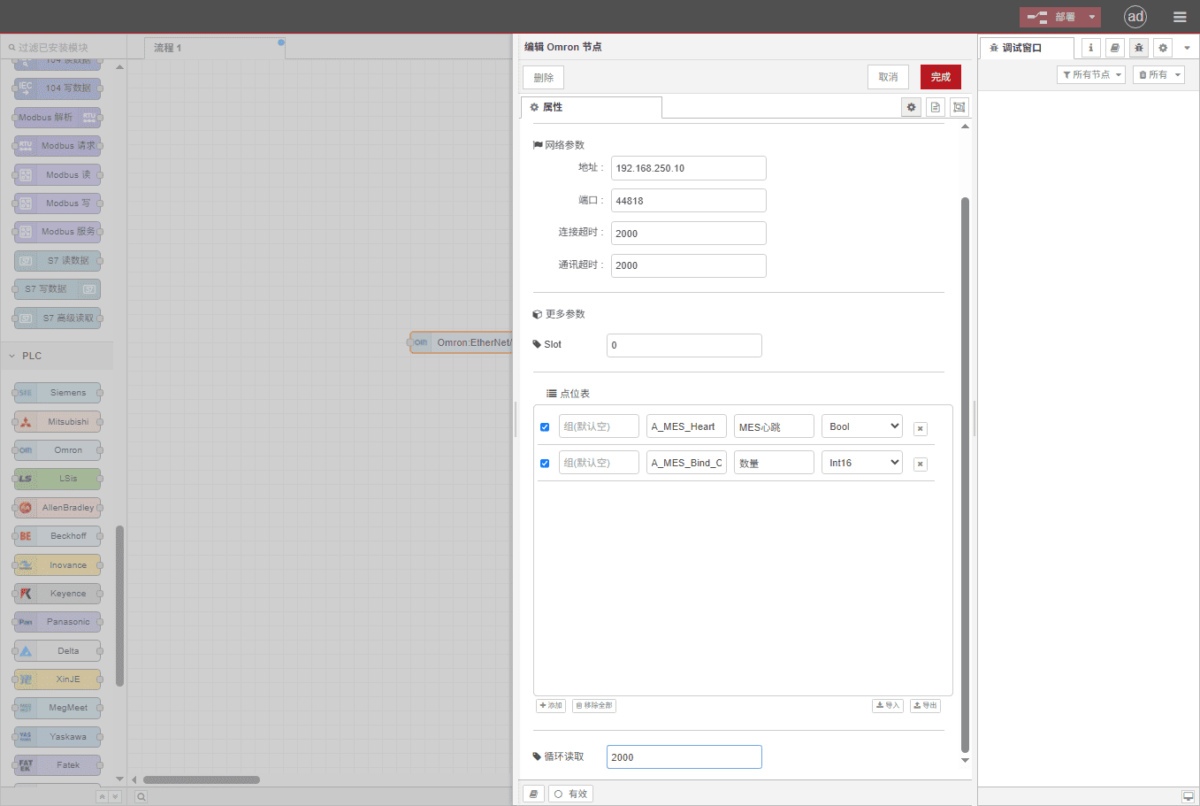
Enter the data points to be read into the parameter list of the Omron node. Once configured, the PLC data will be automatically retrieved at the specified frequency.
Datapunten worden meestal geleverd door PLC-engineers. Na ontvangst van de puntenlijst vult u de gegevenspunten in volgens het vereiste formaat van de gateway. Raadpleeg voor specifieke correspondentie:
Dit is een Yueque-contentkaart. Klik op de link om deze te bekijken:(Je kunt Google Chrome gebruiken voor vertaling)
https://iotrouter.yuque.com/zn3vdn/eg8000/skfapgdm7332it5q
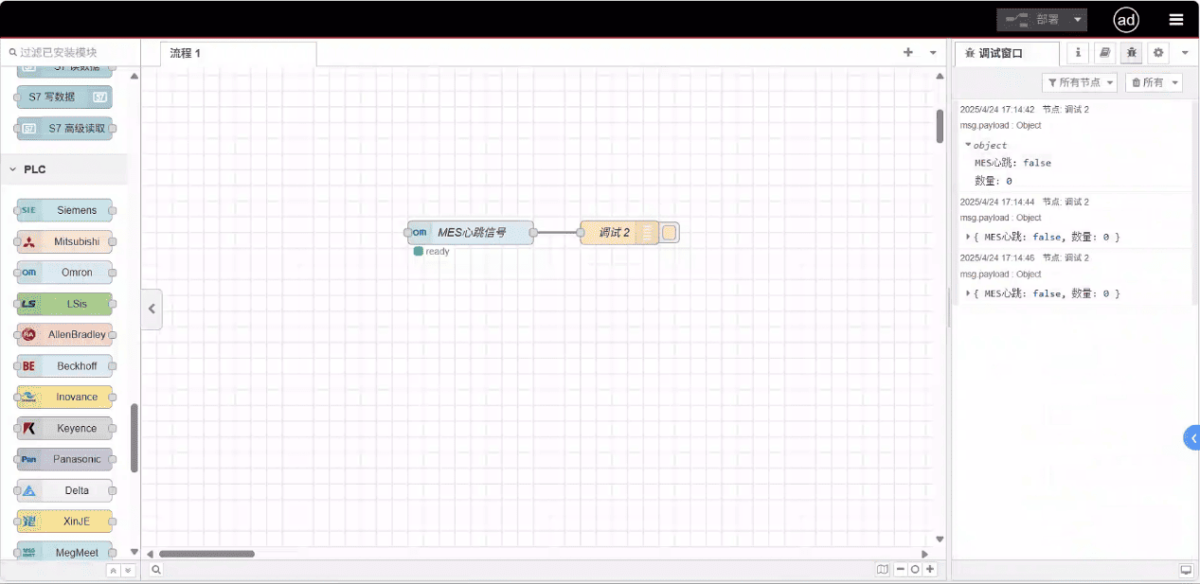
This example reads data from addresses A_MES_Heart and A_MES_Bind_C. In the parameter list, enter the address/name/data type/data length in sequence. Data is read cyclically every 2 seconds, as shown in the figure:
3.3. Testen
Click Deploy and observe that a data point is printed every 2 seconds. The read data point results are: D100: false, D102: 99. Communication successful!
Gerelateerde handleidingen over de integratie van industriële PLC’s
← Terug naar de PLC-integratiehub

Agnes Wang is IoT-oplossingsspecialist bij IOTRouter en richt zich op industriële IoT-gateways, edge computing en oplossingen voor industriële automatisering.
Ze is gespecialiseerd in industriële communicatietechnologieën, waaronder Modbus, IEC 60870-5-104, MQTT, OPC UA, PLC-integratie en toepassingen voor monitoring op afstand. Ze levert bijdragen aan technische artikelen en toepassingsgidsen over industriële IoT-oplossingen, protocolconversie en edge computing.