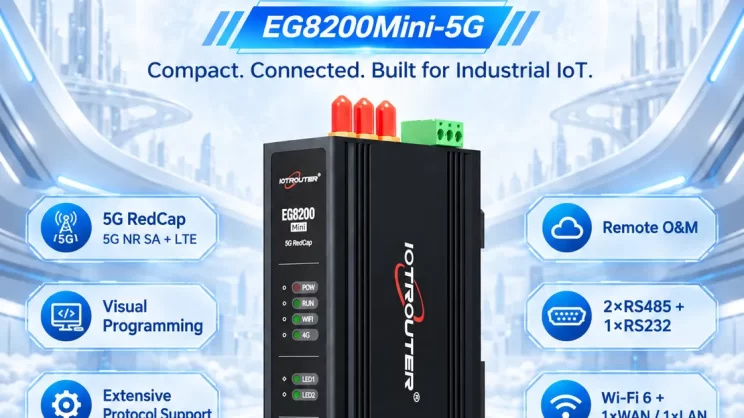
In this guide, we will discuss how to interface with Omron PLC via EtherNet/IP protocol. It is part of the PLC Integration Hub.
1. Connexion du matériel
Compatible PLC: NX7
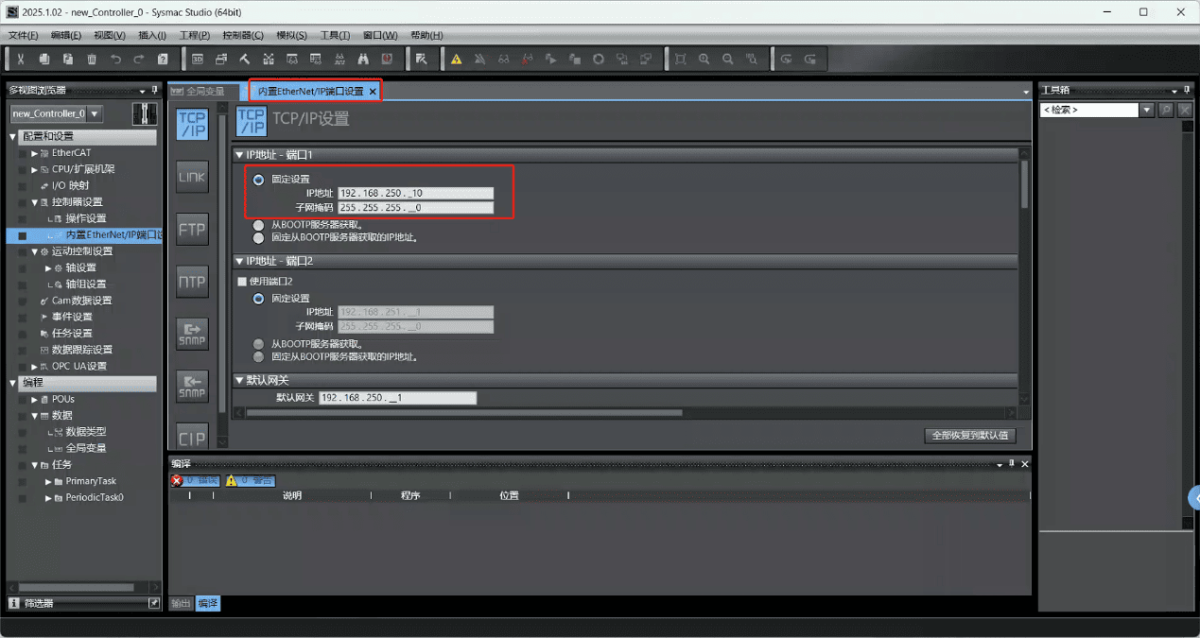
The Fins protocol utilizes Ethernet communication. Therefore, it is only necessary to ensure that the LAN port IP address of the gateway and the IP address of the Omron PLC are within the same subnet (Note: In special cases, they may not be on the same subnet, requiring route configuration; consult technical support for details). The IP address allocation for this example is as follows:
| Automate programmable Omron | ||
| Adresse IP | 192.168.250.4 | 192.168.250.10 |
2. Paramètres de communication PLC
2.1. Paramètres Ethernet
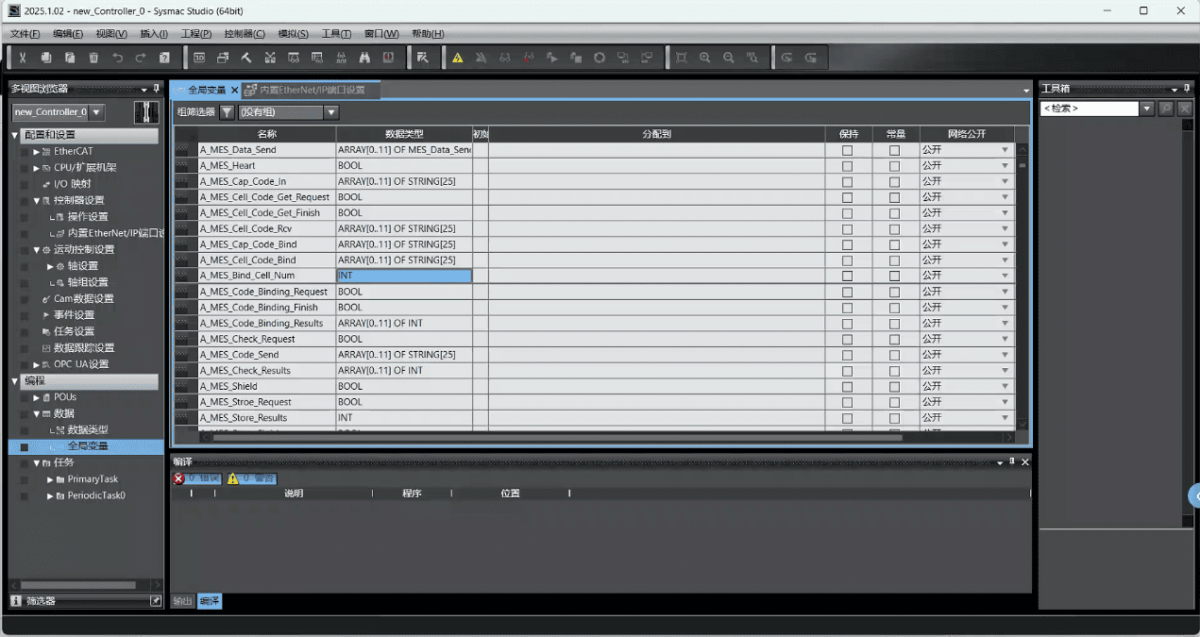
2.2. Variable Address
3. Paramètres de la passerelle
3.1. Paramètres de connexion PLC
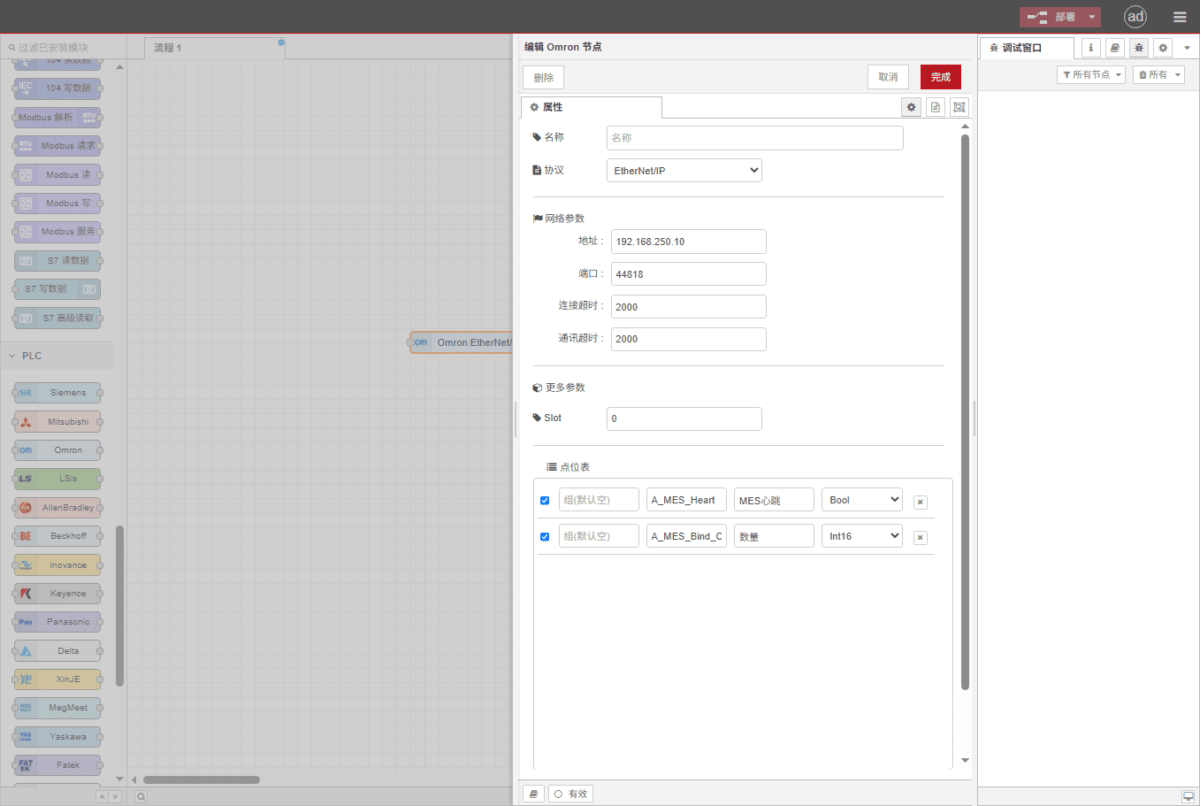
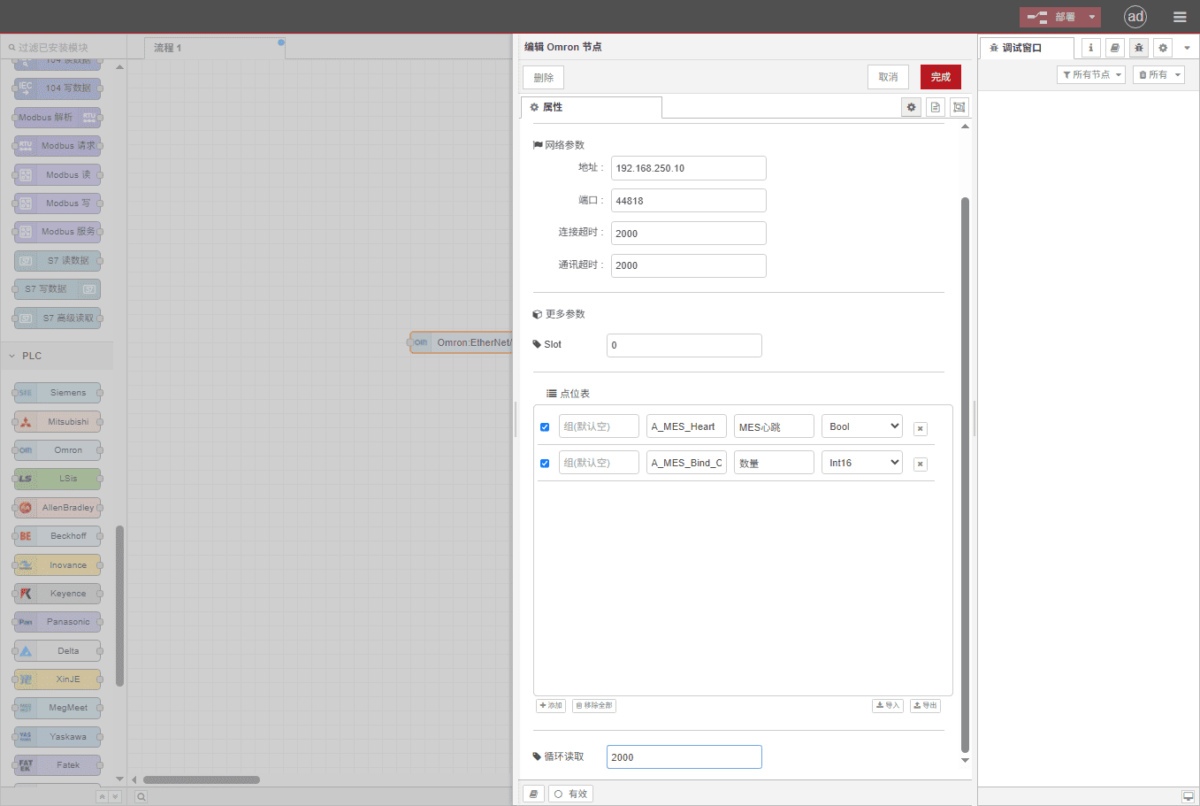
Drag an Omron node from the left panel and double-click to open the settings page. Configure the following based on the PLC’s serial port parameters:
Protocole : Select Fins
Adresse : Enter the PLC address (e.g., 192.168.250.10)
Port : Enter the PLC connection port (e.g., 44818)
Délai de connexion : 2000
Délai de communication : 2000
Mode : TCP
SIot: 0
3.2. Configuration des points de données
Enter the data points to be read into the parameter list of the Omron node. Once configured, the PLC data will be automatically retrieved at the specified frequency.
Les points de données sont généralement fournis par les ingénieurs API. Après avoir reçu la liste des points, remplissez les points de données selon le format requis par la passerelle. Pour une correspondance spécifique, se référer à :
Il s'agit d'une carte de contenu Yueque. Cliquez sur le lien pour l'afficher :(Vous pouvez utiliser Google Chrome pour la traduction)
https://iotrouter.yuque.com/zn3vdn/eg8000/skfapgdm7332it5q
This example reads data from addresses A_MES_Heart and A_MES_Bind_C. In the parameter list, enter the address/name/data type/data length in sequence. Data is read cyclically every 2 seconds, as shown in the figure:
3.3. Essais
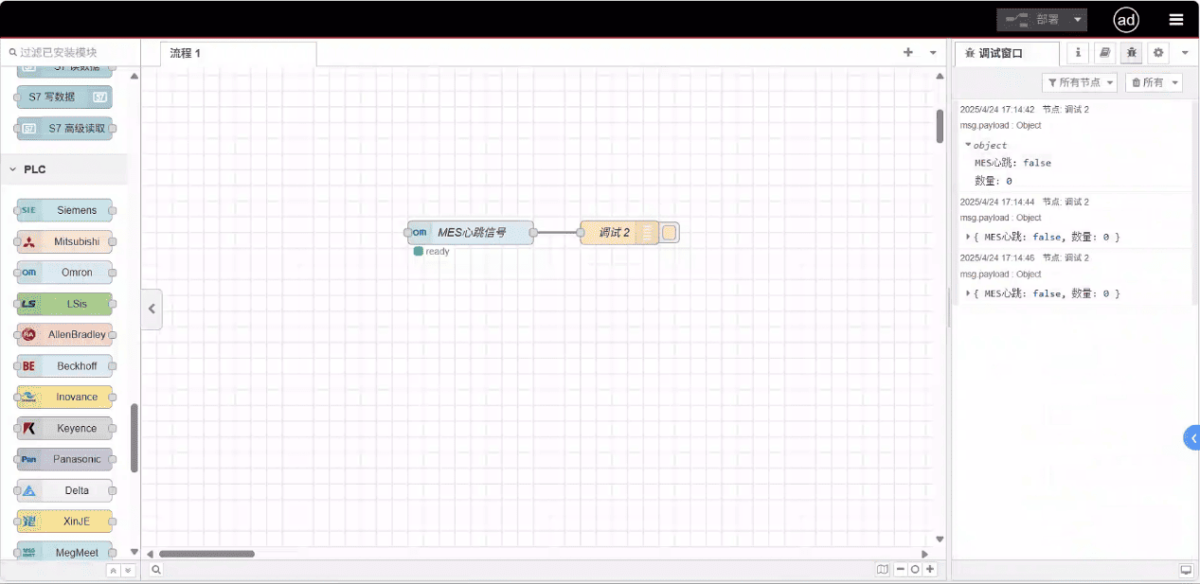
Click Deploy and observe that a data point is printed every 2 seconds. The read data point results are: D100: false, D102: 99. Communication successful!
Guides connexes dans Intégration des automates industriels
← Retour au Hub d'intégration PLC

Agnes Wang est spécialiste des solutions IoT chez IOTRouter ; elle se consacre principalement aux passerelles IoT industrielles, à l'edge computing et aux solutions d'automatisation industrielle.
Elle est spécialisée dans les technologies de communication industrielle, notamment Modbus, la norme CEI 60870-5-104, MQTT, OPC UA, l'intégration d'automates programmables (PLC) et les applications de télésurveillance. Elle contribue à la rédaction d'articles techniques et de guides d'application consacrés aux solutions IoT industrielles, à la conversion de protocoles et à l'edge computing.