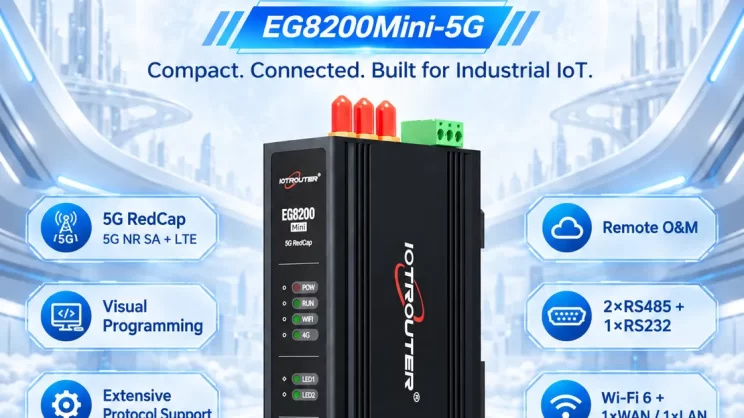
In this guide, we will discuss how to interface with Omron PLC via EtherNet/IP protocol. It is part of the PLC Integration Hub.
1. Подключение оборудования
Compatible PLC: NX7
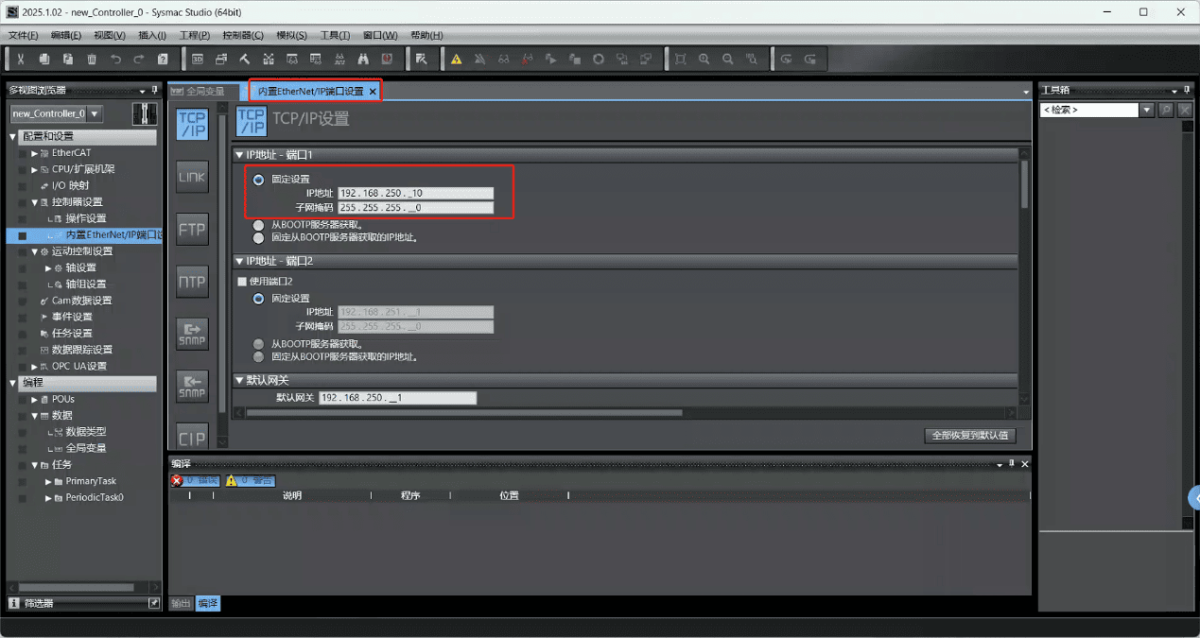
The Fins protocol utilizes Ethernet communication. Therefore, it is only necessary to ensure that the LAN port IP address of the gateway and the IP address of the Omron PLC are within the same subnet (Note: In special cases, they may not be on the same subnet, requiring route configuration; consult technical support for details). The IP address allocation for this example is as follows:
| Omron PLC | ||
| IP-адрес | 192.168.250.4 | 192.168.250.10 |
2. Параметры связи с ПЛК
2.1. Настройки параметров Ethernet
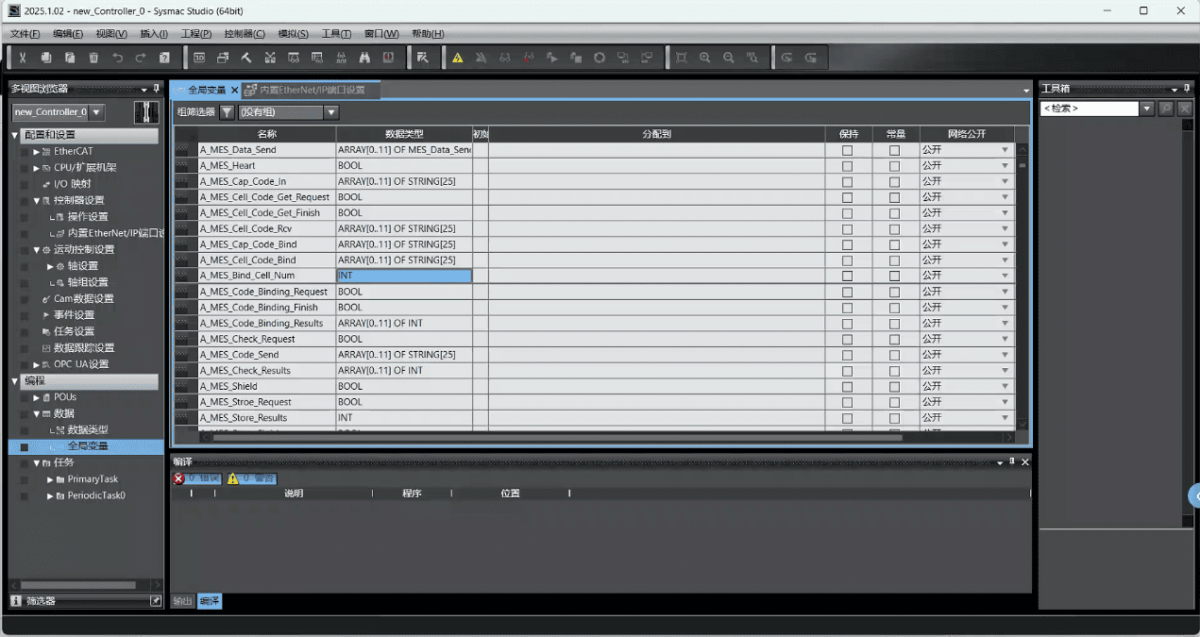
2.2. Variable Address
3. Настройки шлюза
3.1. Настройки подключения ПЛК
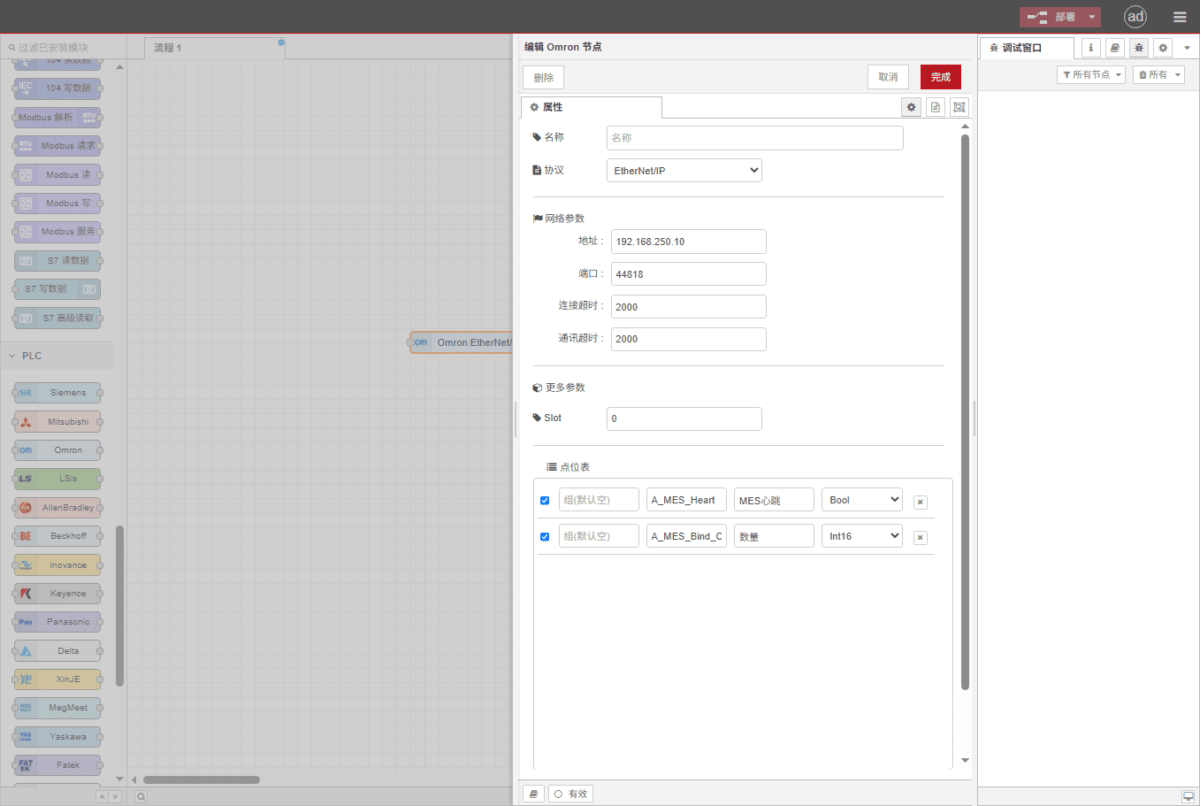
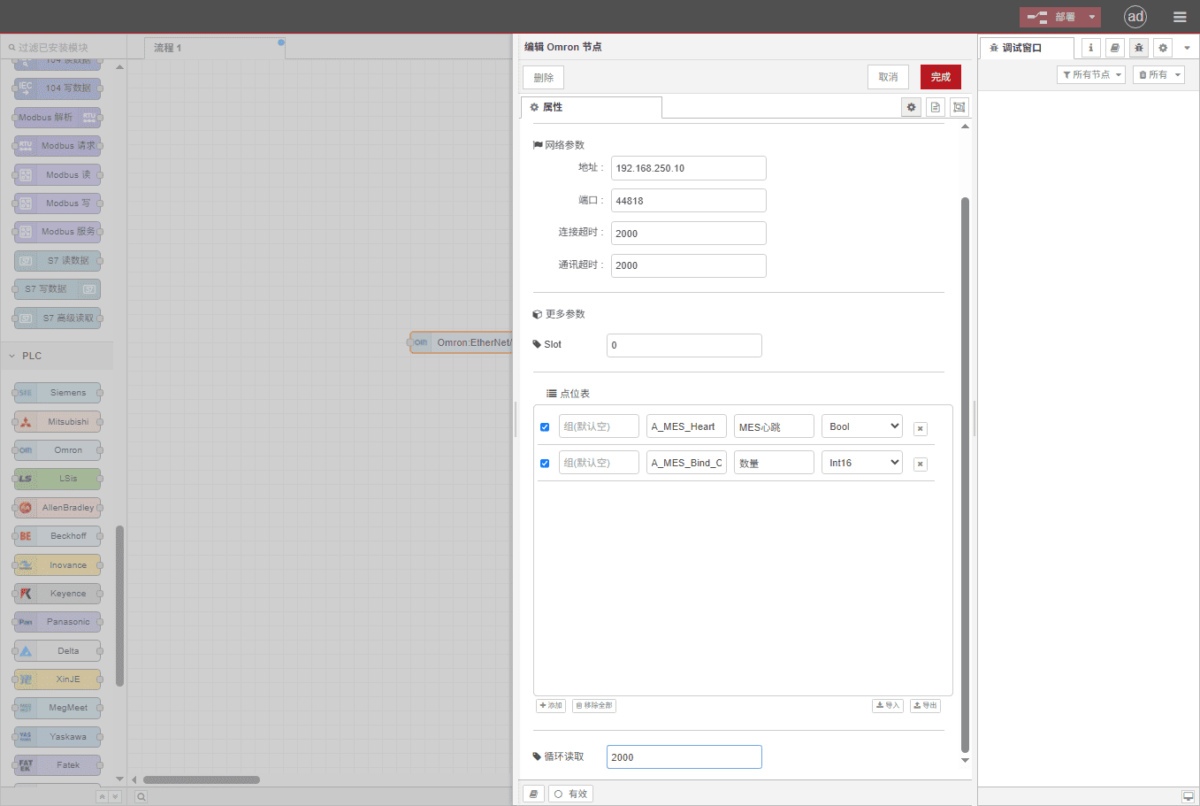
Drag an Omron node from the left panel and double-click to open the settings page. Configure the following based on the PLC’s serial port parameters:
Протокол: Select Fins
Адрес: Enter the PLC address (e.g., 192.168.250.10)
Порт: Введите порт подключения ПЛК (например, 44818).
Таймаут соединения: 2000
Таймаут связи: 2000
Mode: TCP
SIot: 0
3.2. Конфигурация точки данных
Enter the data points to be read into the parameter list of the Omron node. Once configured, the PLC data will be automatically retrieved at the specified frequency.
Точки данных обычно предоставляются инженерами ПЛК. Получив список точек, заполните их в соответствии с требуемым форматом шлюза. Для получения конкретной корреспонденции см:
Это карта содержимого Yueque. Нажмите на ссылку для просмотра:(Вы можете использовать Google Chrome для перевода).
https://iotrouter.yuque.com/zn3vdn/eg8000/skfapgdm7332it5q
This example reads data from addresses A_MES_Heart and A_MES_Bind_C. In the parameter list, enter the address/name/data type/data length in sequence. Data is read cyclically every 2 seconds, as shown in the figure:
3.3. Тестирование
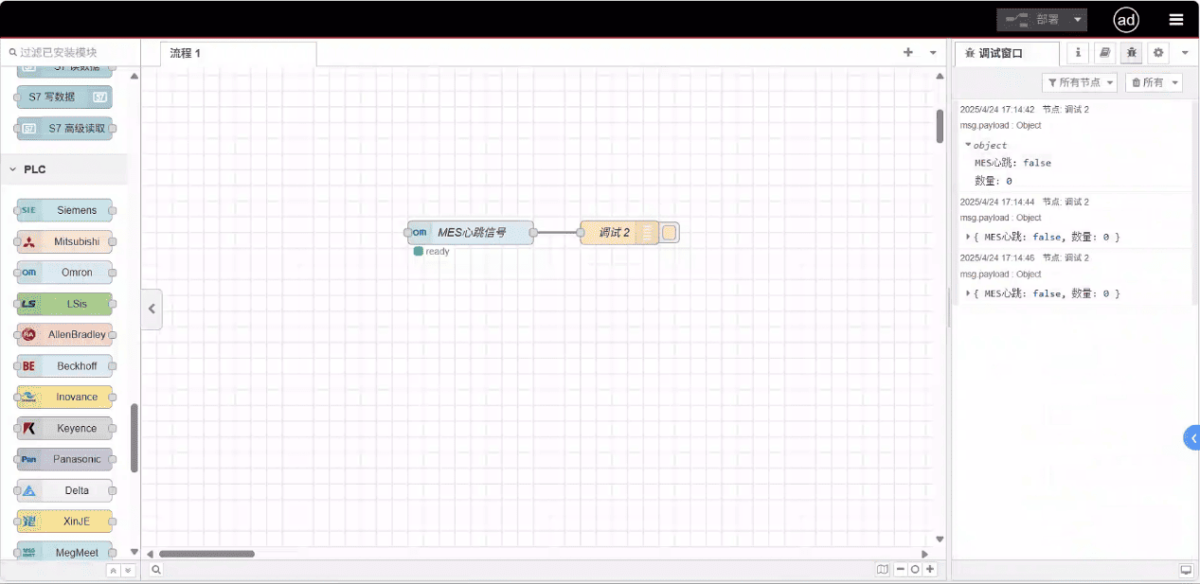
Click Deploy and observe that a data point is printed every 2 seconds. The read data point results are: D100: false, D102: 99. Communication successful!
Связанные руководства по интеграции промышленных ПЛК
← Вернуться на страницу «Центр интеграции ПЛК»

Агнес Ван — специалист по решениям в области Интернета вещей (IoT) в компании IOTRouter, специализирующаяся на промышленных шлюзах IoT, периферийных вычислениях и решениях для промышленной автоматизации.
Она специализируется на технологиях промышленной связи, в том числе на протоколах Modbus, IEC 60870-5-104, MQTT, OPC UA, интеграции ПЛК и приложениях для удаленного мониторинга. Она участвует в написании технических статей и руководств по применению, посвященных решениям в области промышленного Интернета вещей, преобразованию протоколов и пограничным вычислениям.