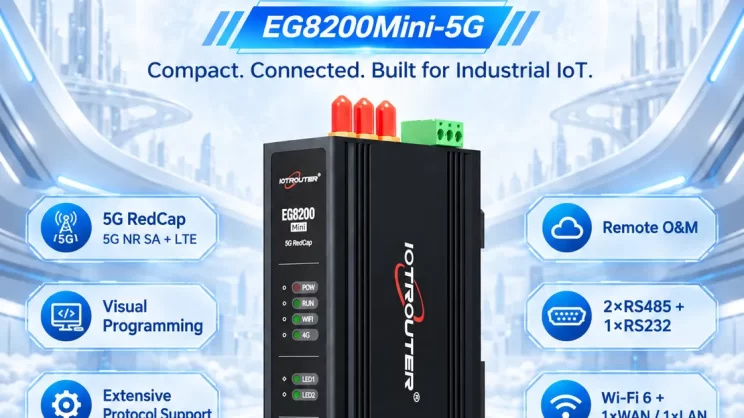
This guide focuses on connecting Allen-Bradley PLC to the EG Edge Gateway via the EtherNet/IP protocol. It provides a clear setup process for industrial communication.
Related article:
How to interface with AB PLC via PCCC protocol
1. Hardware Connection
Compatible PLC: AB 1769-L23-QB1B
The EtherNet/IP protocol utilizes Ethernet communication. Therefore, simply ensure the gateway’s LAN port and the AB PLC’s IP address are within the same subnet.
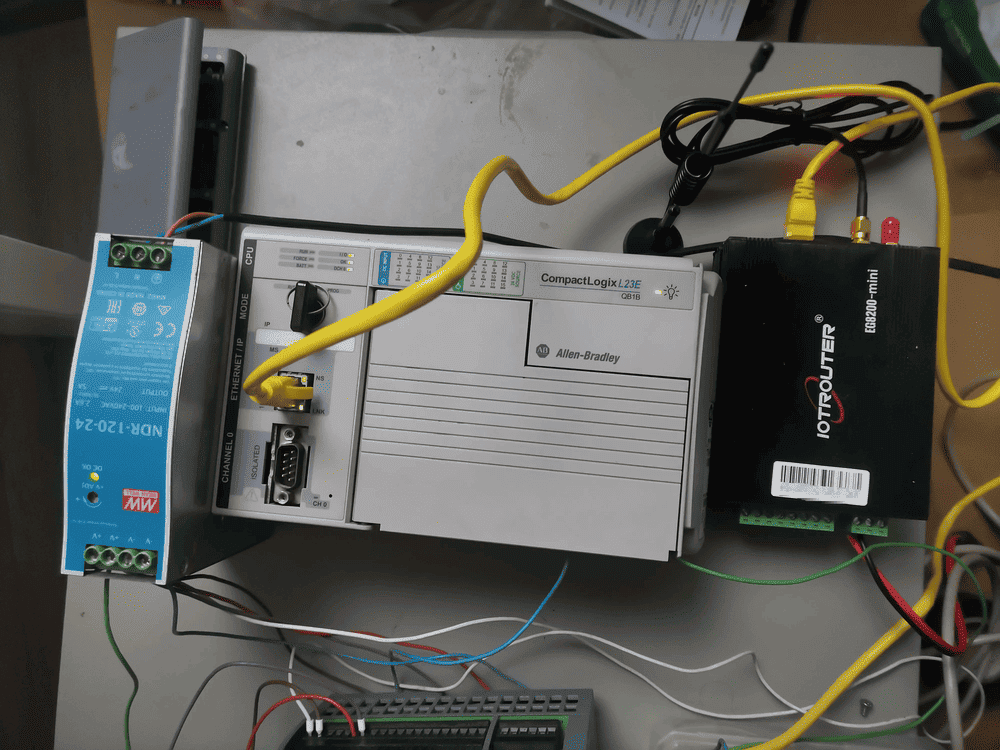
2. PLC Communication Parameters
2.1. Ethernet Parameter Settings
Provided by PLC Engineer
3. Gateway Settings
3.1. PLC Connection Settings
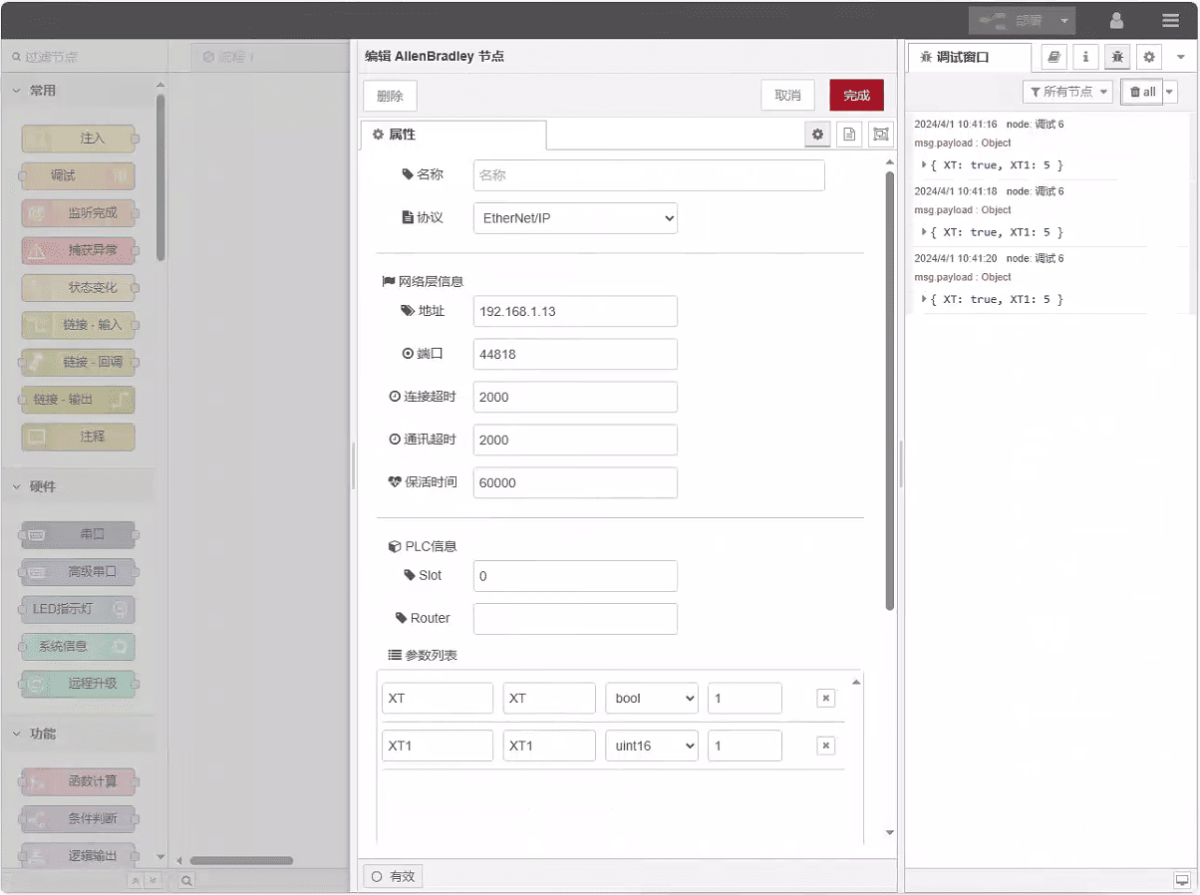
Drag an Allen-Bradley node from the left panel, double-click to open the settings page, and configure as follows based on the PLC’s network port parameters:
Protocol: Select EtherNet/IP
Address: Enter the PLC address (e.g., 192.168.1.13)
Port: Enter the PLC connection port (e.g., 44818)
Connection Timeout: 2000
Communication Timeout: 2000
Keepalive Time: 60000
Slot: 0
3.2. Data Point Configuration
Enter the data points to be read into the parameter list of the Allen-Bradley node. Once configured, the PLC data will be automatically retrieved at the specified frequency.
Data points are typically provided by PLC engineers. Upon receiving the point list, fill in the data points according to the gateway’s required format. For specific mapping details, refer to:
This section contains content from Yueque. Click the link to view: (You can use Google Chrome for translation) https://iotrouter.yuque.com/zn3vdn/eg8000/tcxbmwqbg7k7f5ah
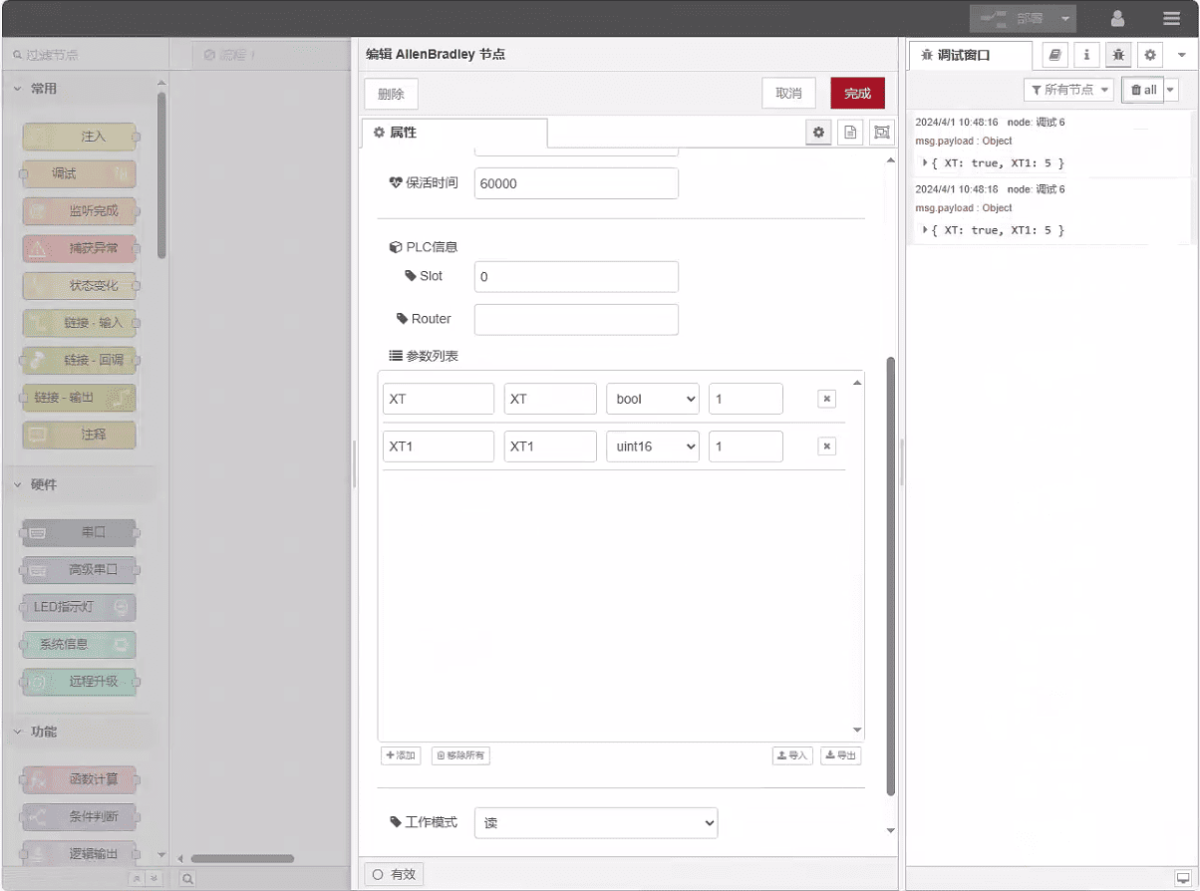
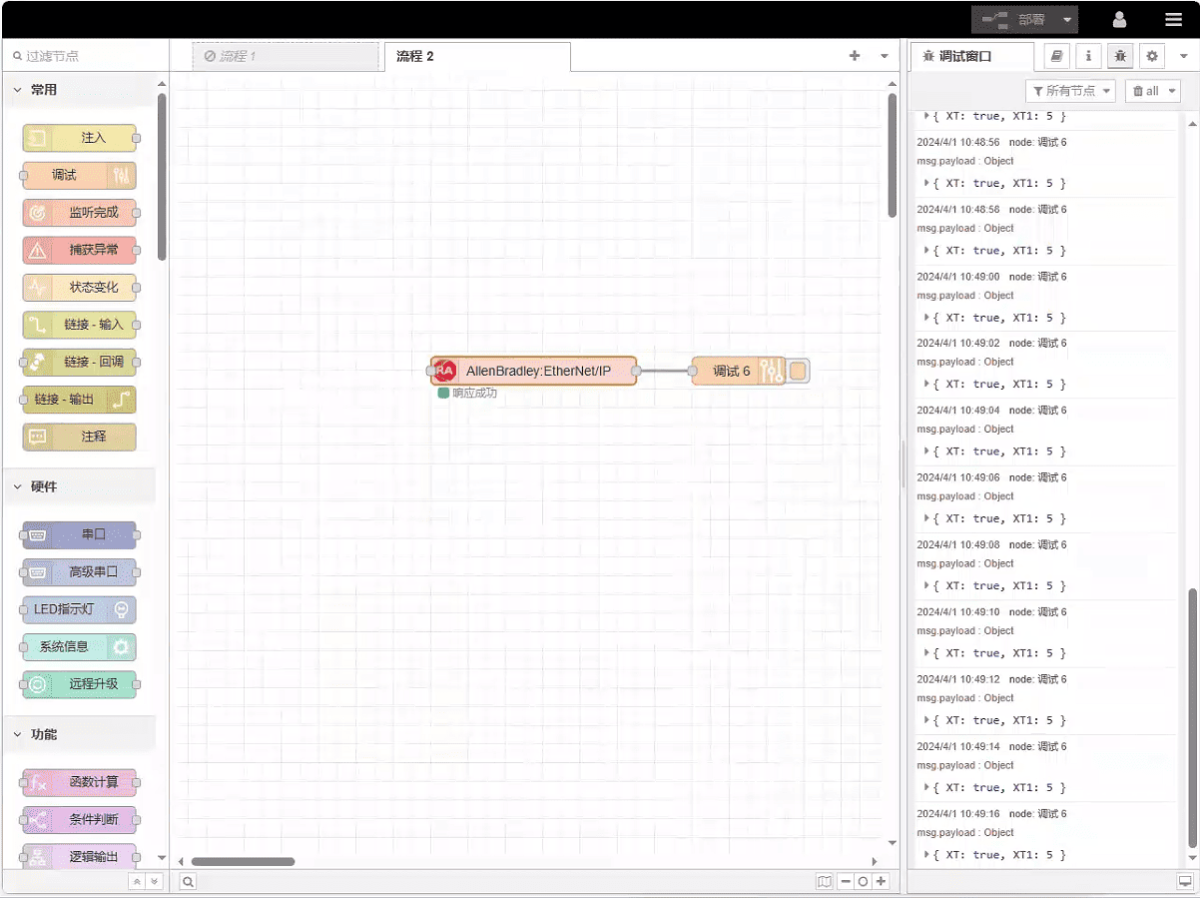
This example reads data from addresses XT and XT1. In the parameter list, enter the address/name/data type/data length in sequence. The data is read cyclically every 2 seconds, as shown in the figure:
3.3. Testing
Click Deploy and observe that a data point is printed every 2 seconds. The read data point results are: XT:true, XT1:5. Communication successful!
Related Guides in Industrial PLC Integration

Agnes Wang is an IoT Solutions Specialist at IOTRouter, focusing on industrial IoT gateways, edge computing, and industrial automation solutions.
She specializes in industrial communication technologies, including Modbus, IEC 60870-5-104, MQTT, OPC UA, PLC integration, and remote monitoring applications. She contributes to technical articles and application guides covering industrial IoT solutions, protocol conversion, and edge computing.