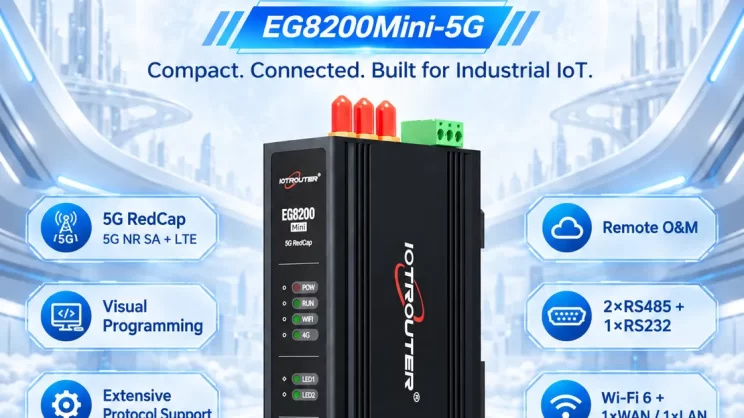
This guide focuses on connecting Allen-Bradley PLC to the EG Edge Gateway via the EtherNet/IP protocol. It provides a clear setup process for industrial communication.
Related article:
How to interface with AB PLC via PCCC protocol
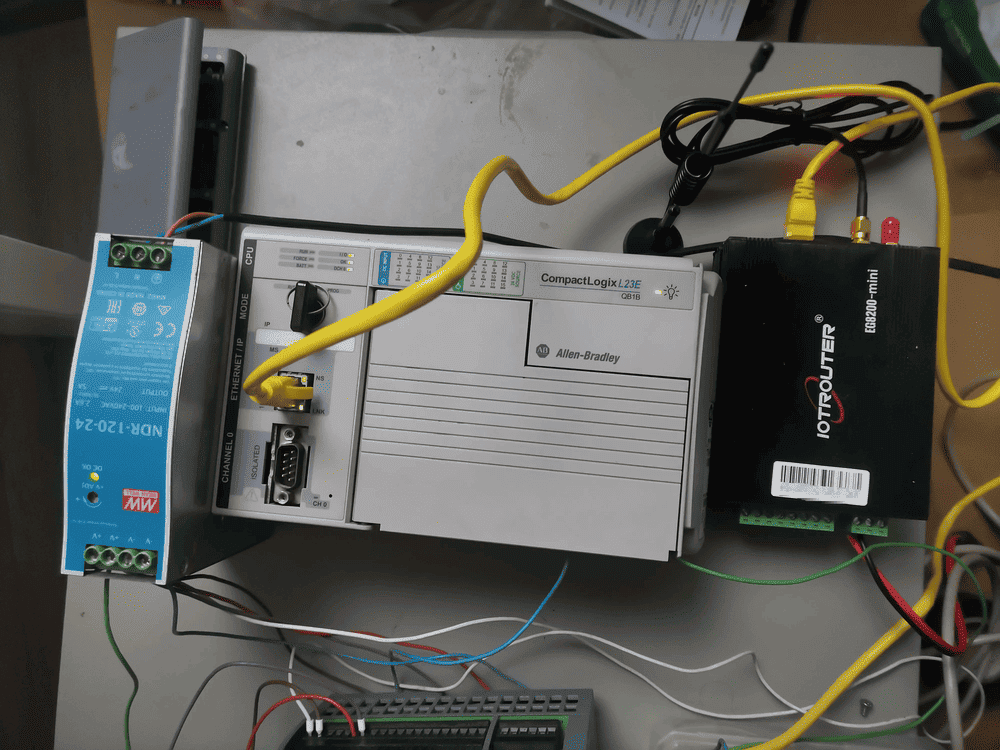
1. Connessione hardware
Compatible PLC: AB 1769-L23-QB1B
The EtherNet/IP protocol utilizes Ethernet communication. Therefore, simply ensure the gateway’s LAN port and the AB PLC’s IP address are within the same subnet.
2. Parametri di comunicazione del PLC
2.1. Impostazioni dei parametri Ethernet
Provided by PLC Engineer
3. Impostazioni del gateway
3.1. Impostazioni di connessione del PLC
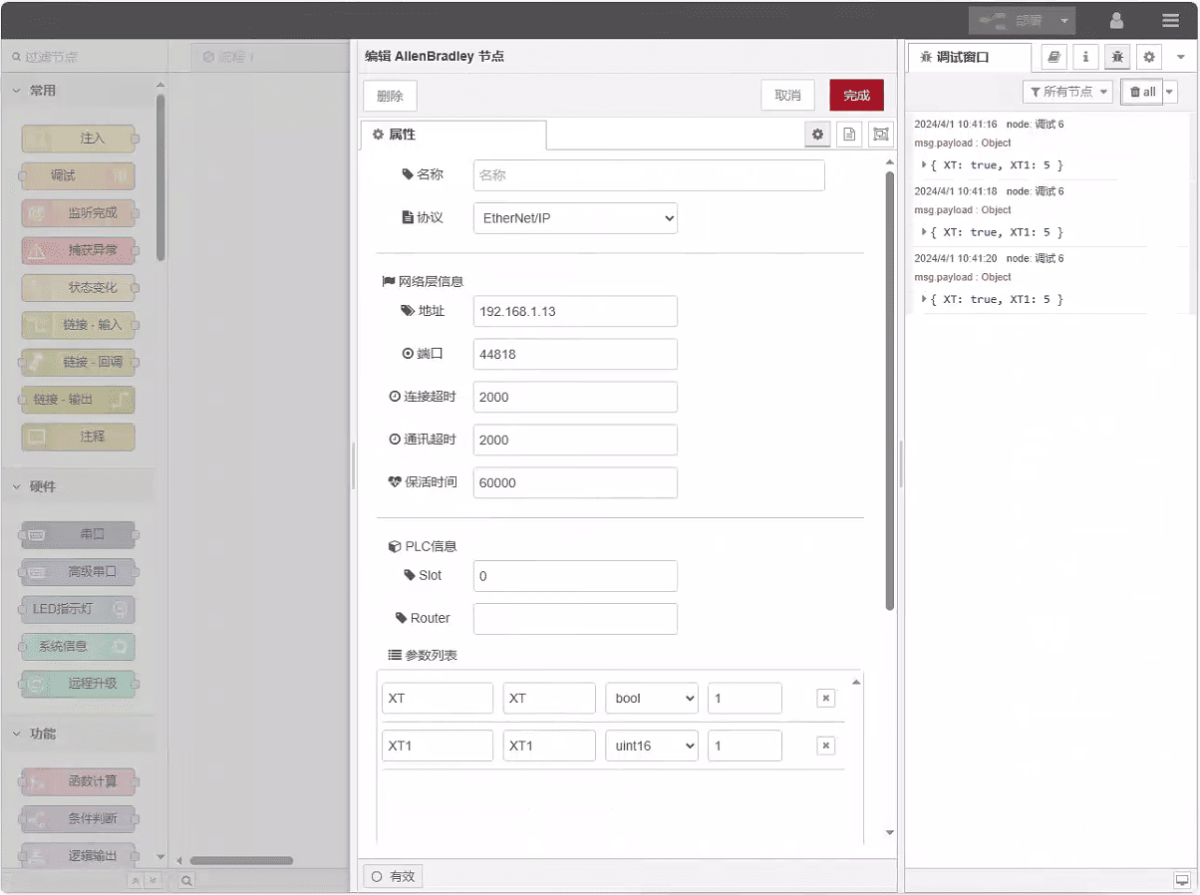
Drag an Allen-Bradley node from the left panel, double-click to open the settings page, and configure as follows based on the PLC’s network port parameters:
Protocollo: Select EtherNet/IP
Indirizzo: Enter the PLC address (e.g., 192.168.1.13)
Porto: Enter the PLC connection port (e.g., 44818)
Timeout della connessione: 2000
Timeout di comunicazione: 2000
Tempo di mantenimento: 60000
Slot: 0
3.2. Configurazione del punto dati
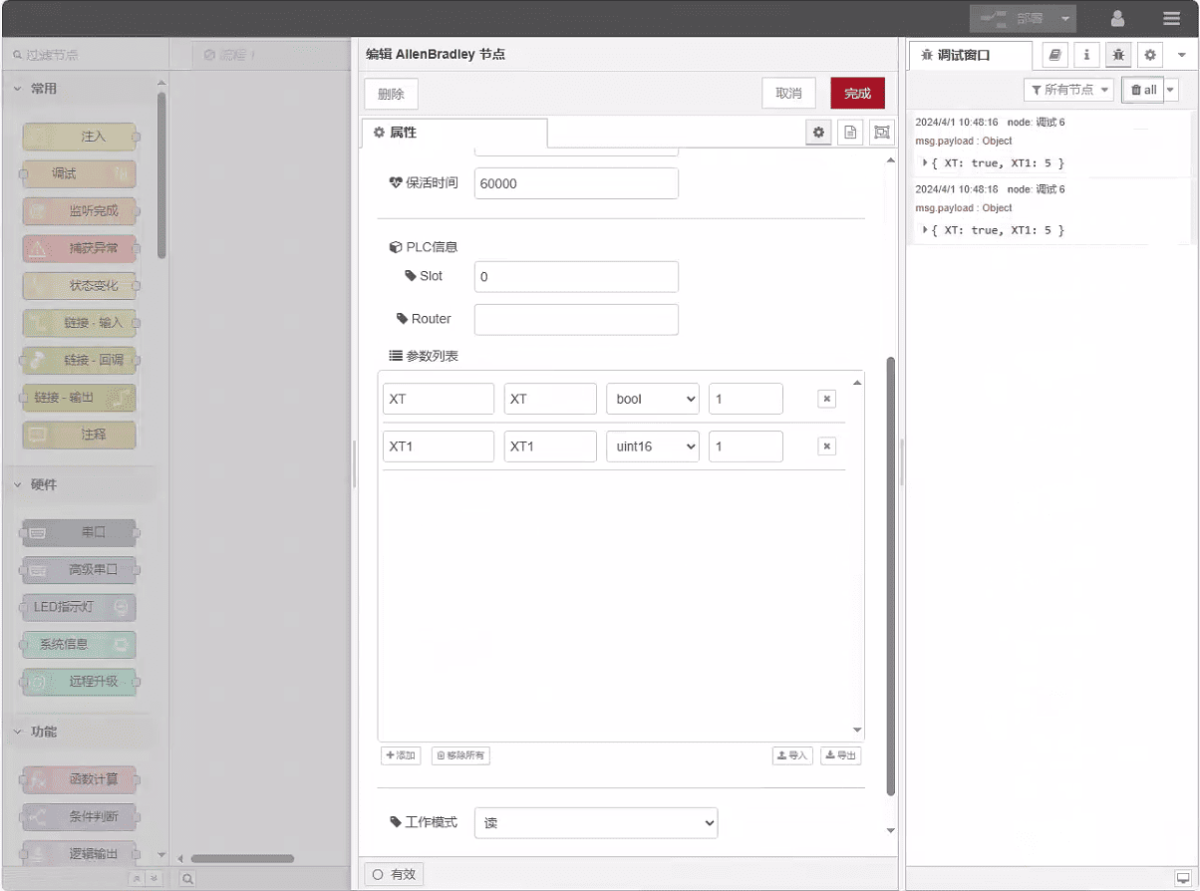
Enter the data points to be read into the parameter list of the Allen-Bradley node. Once configured, the PLC data will be automatically retrieved at the specified frequency.
I punti dati sono tipicamente forniti dai tecnici del PLC. Una volta ricevuto l'elenco dei punti, è necessario compilare i punti dati secondo il formato richiesto dal gateway. Per dettagli specifici sulla mappatura, consultare:
Questa sezione contiene contenuti di Yueque. Fare clic sul link per visualizzare: (È possibile utilizzare Google Chrome per la traduzione.) https://iotrouter.yuque.com/zn3vdn/eg8000/tcxbmwqbg7k7f5ah
This example reads data from addresses XT and XT1. In the parameter list, enter the address/name/data type/data length in sequence. The data is read cyclically every 2 seconds, as shown in the figure:
3.3. Test
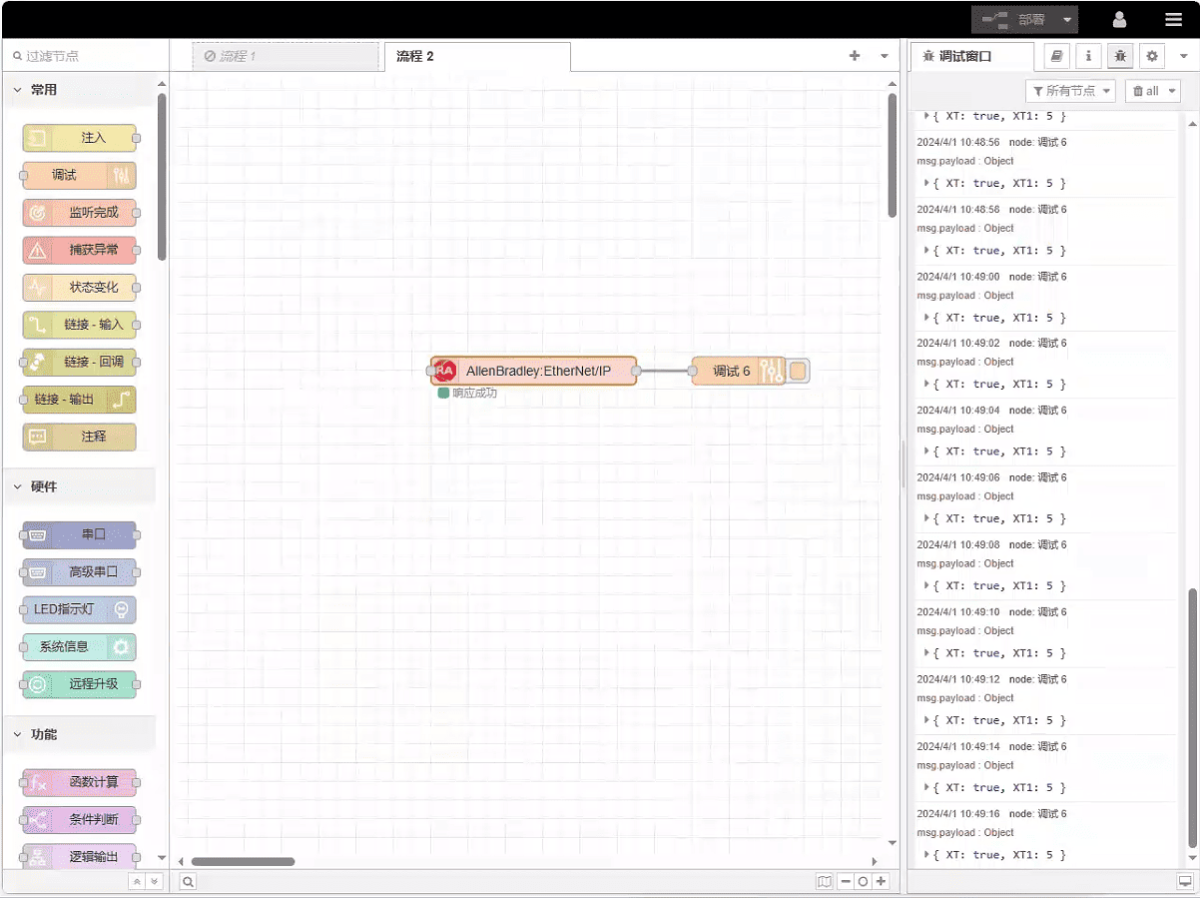
Click Deploy and observe that a data point is printed every 2 seconds. The read data point results are: XT:true, XT1:5. Communication successful!
Guide correlate sull'integrazione dei PLC industriali
← Torna alla pagina "PLC Integration Hub"

Agnes Wang è una specialista in soluzioni IoT presso IOTRouter, dove si occupa principalmente di gateway IoT industriali, edge computing e soluzioni di automazione industriale.
È specializzata in tecnologie di comunicazione industriale, tra cui Modbus, IEC 60870-5-104, MQTT, OPC UA, integrazione di PLC e applicazioni di monitoraggio remoto. Collabora alla stesura di articoli tecnici e guide applicative riguardanti soluzioni IoT industriali, conversione di protocolli ed edge computing.