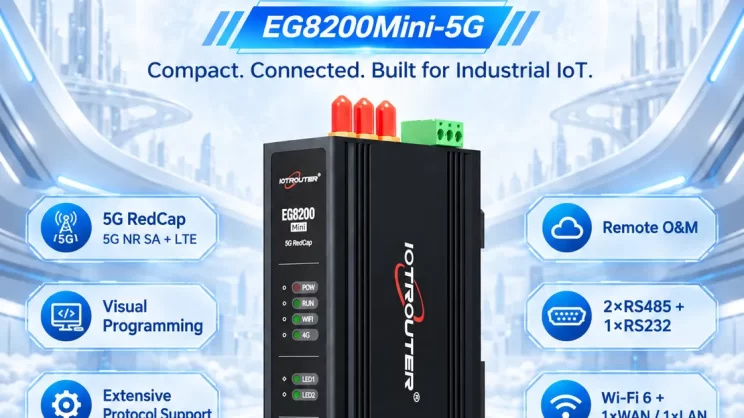
Esta guía se centra en la conexión de un PLC Allen-Bradley a la pasarela EG Edge mediante el protocolo EtherNet/IP. Ofrece un proceso de configuración claro para la comunicación industrial.
Artículo relacionado:
Cómo interactuar con el PLC AB mediante el protocolo PCCC
1. Conexión de hardware
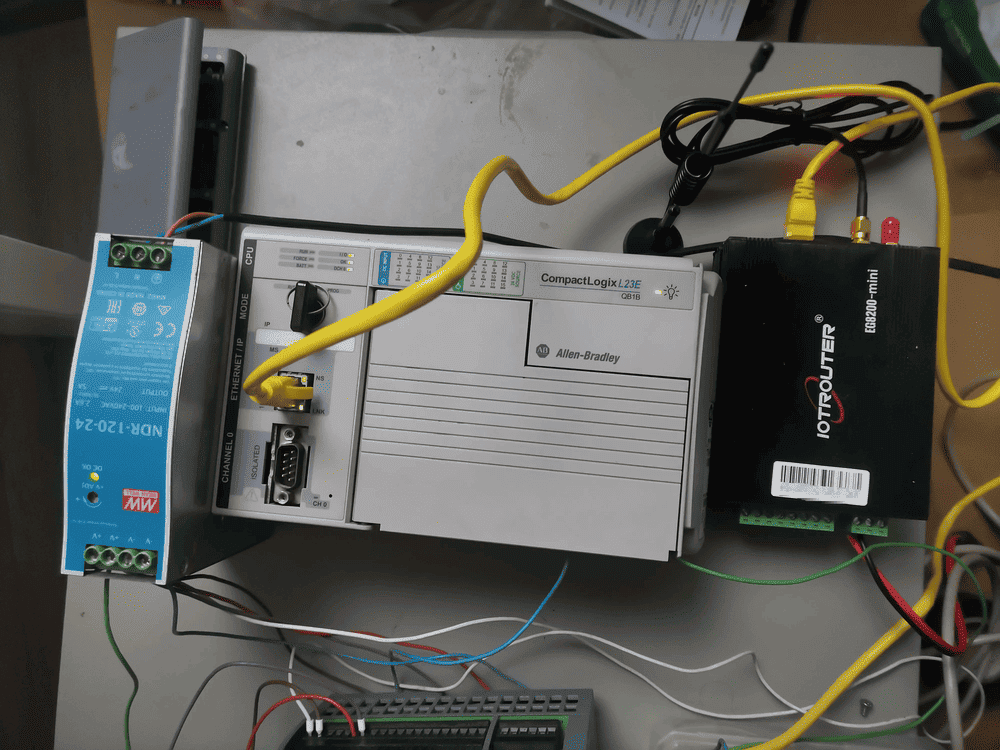
PLC compatible: AB 1769-L23-QB1B
El protocolo EtherNet/IP utiliza la comunicación Ethernet. Por lo tanto, basta con asegurarse de que el puerto LAN de la pasarela y la dirección IP del PLC AB se encuentren dentro de la misma subred.
2. Parámetros de comunicación PLC
2.1. Configuración de los parámetros de Ethernet
Facilitado por un ingeniero de PLC
3. Configuración de la puerta de enlace
3.1. Configuración de la conexión del PLC
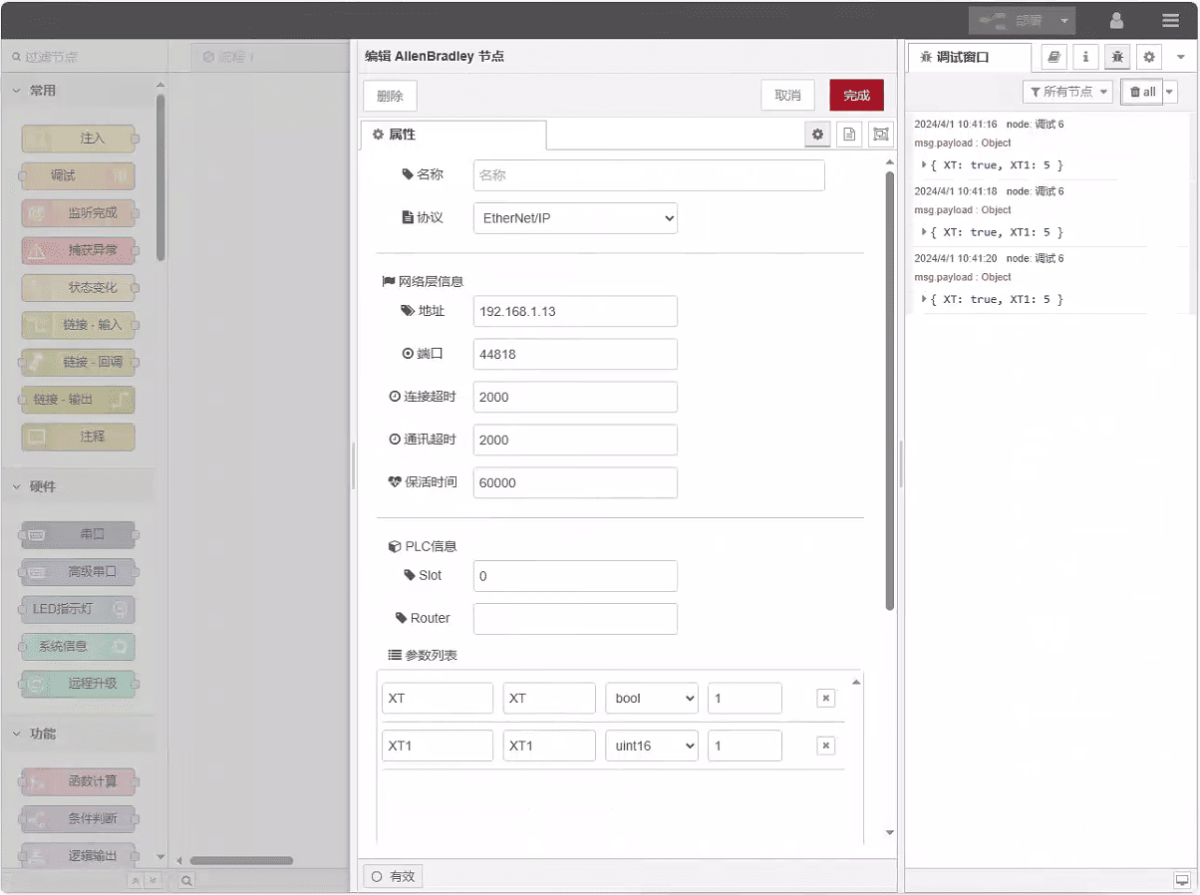
Arrastra un nodo de Allen-Bradley desde el panel izquierdo, haz doble clic para abrir la página de configuración y configúralo de la siguiente manera, según los parámetros del puerto de red del PLC:
Protocolo: Selecciona EtherNet/IP
Dirección: Introduce la dirección del PLC (por ejemplo, 192.168.1.13)
Puerto: Introduce el puerto de conexión del PLC (por ejemplo, 44818)
Tiempo de espera de la conexión: 2000
Tiempo de espera de comunicación: 2000
Tiempo de mantenimiento de la conexión: 60000
Ranura: 0
3.2. Configuración de los puntos de datos
Introduce los puntos de datos que se van a leer en la lista de parámetros del nodo Allen-Bradley. Una vez configurado, los datos del PLC se recuperarán automáticamente con la frecuencia especificada.
Los puntos de datos suelen proporcionarlos los ingenieros de PLC. Una vez recibida la lista de puntos, rellene los puntos de datos de acuerdo con el formato requerido por la pasarela. Para obtener detalles específicos de la asignación, consulte:
Esta sección contiene contenido de Yueque. Haga clic en el enlace para ver: (Puedes utilizar Google Chrome para la traducción) https://iotrouter.yuque.com/zn3vdn/eg8000/tcxbmwqbg7k7f5ah
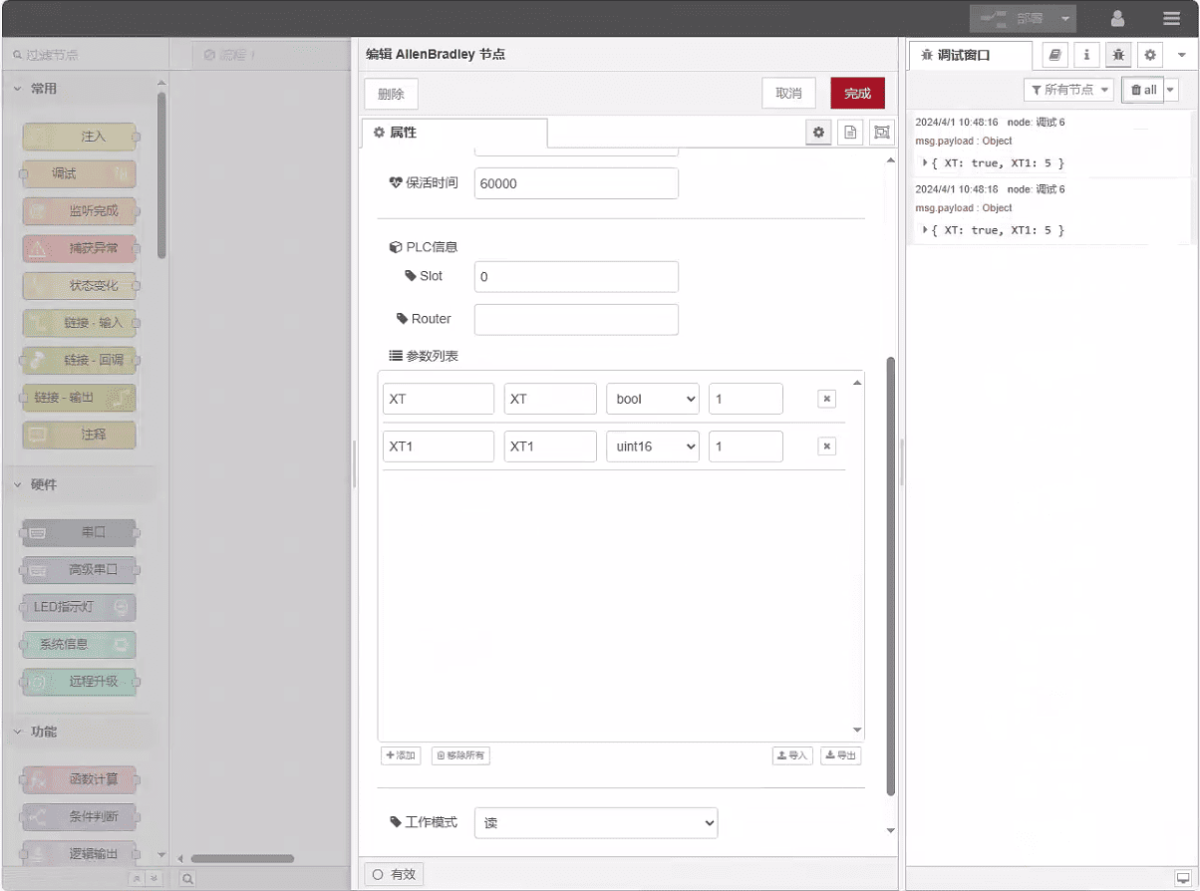
En este ejemplo se leen datos de las direcciones XT y XT1. En la lista de parámetros, introduce la dirección, el nombre, el tipo de datos y la longitud de los datos en ese orden. Los datos se leen de forma cíclica cada 2 segundos, tal y como se muestra en la figura:
3.3. Pruebas
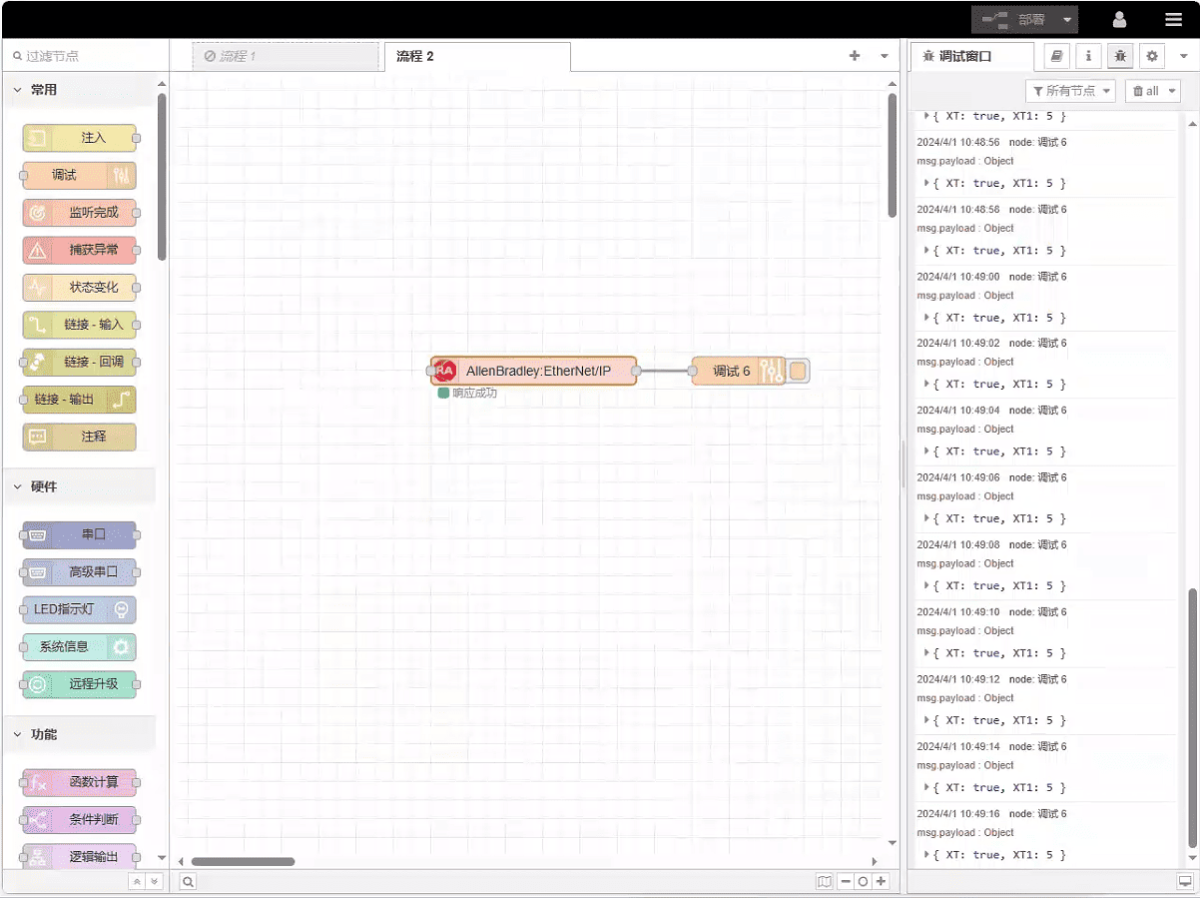
Haz clic en «Implementar» y comprueba que se imprime un punto de datos cada 2 segundos. Los resultados de los puntos de datos leídos son: XT:true, XT1:5. ¡Comunicación realizada con éxito!
Guías relacionadas con la integración de PLC industriales
← Volver al Centro de integración de PLC

Agnes Wang es especialista en soluciones de IoT en IOTRouter, donde se dedica principalmente a las pasarelas de IoT industrial, la computación en el borde y las soluciones de automatización industrial.
Está especializada en tecnologías de comunicación industrial, entre las que se incluyen Modbus, IEC 60870-5-104, MQTT, OPC UA, integración de PLC y aplicaciones de monitorización remota. Colabora en la redacción de artículos técnicos y guías de aplicación sobre soluciones de IoT industrial, conversión de protocolos y computación periférica.