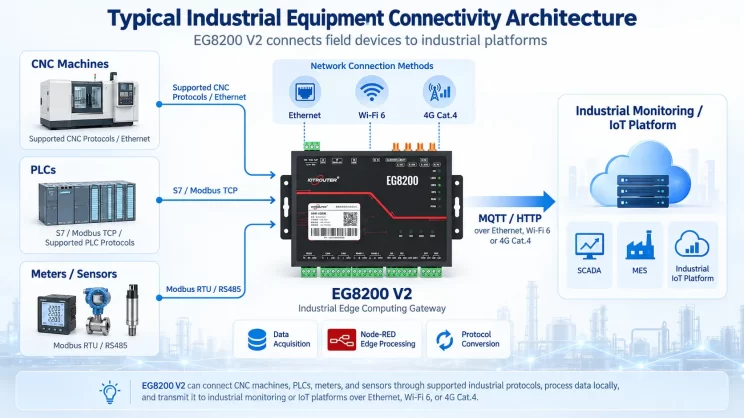
This guide focuses on connecting Allen-Bradley PLC to the EG Edge Gateway via the EtherNet/IP protocol. It provides a clear setup process for industrial communication.
Verwandter Artikel:
How to interface with AB PLC via PCCC protocol
1. Hardware-Anschluss
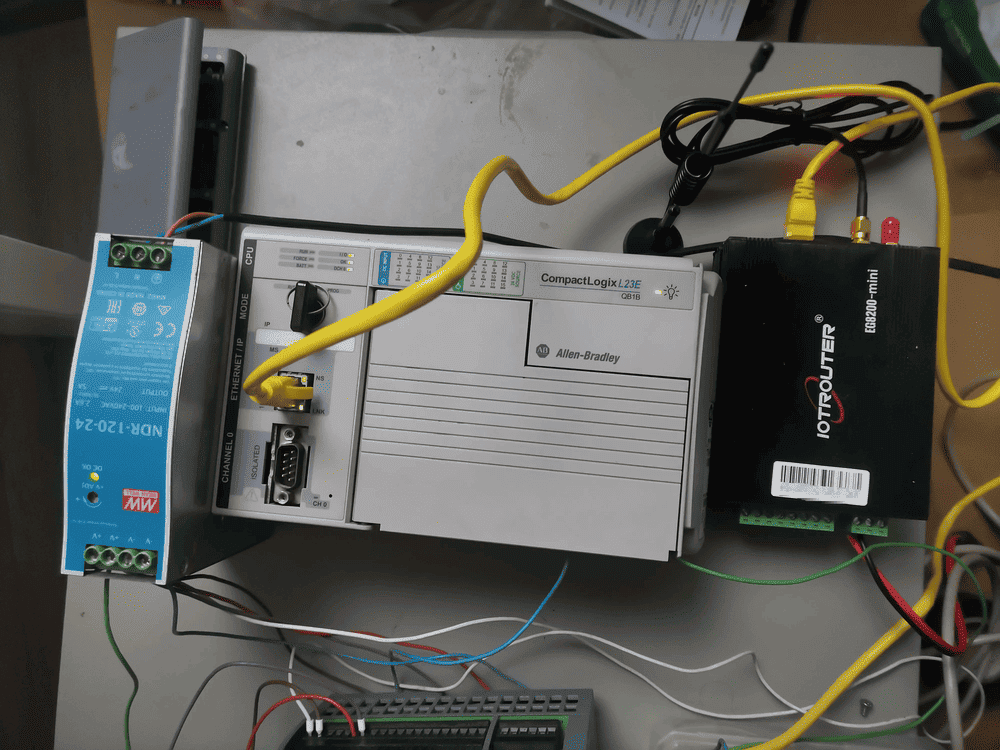
Compatible PLC: AB 1769-L23-QB1B
The EtherNet/IP protocol utilizes Ethernet communication. Therefore, simply ensure the gateway’s LAN port and the AB PLC’s IP address are within the same subnet.
2. PLC-Kommunikationsparameter
2.1. Ethernet-Parameter-Einstellungen
Zur Verfügung gestellt von PLC Engineer
3. Gateway-Einstellungen
3.1. PLC-Verbindungseinstellungen
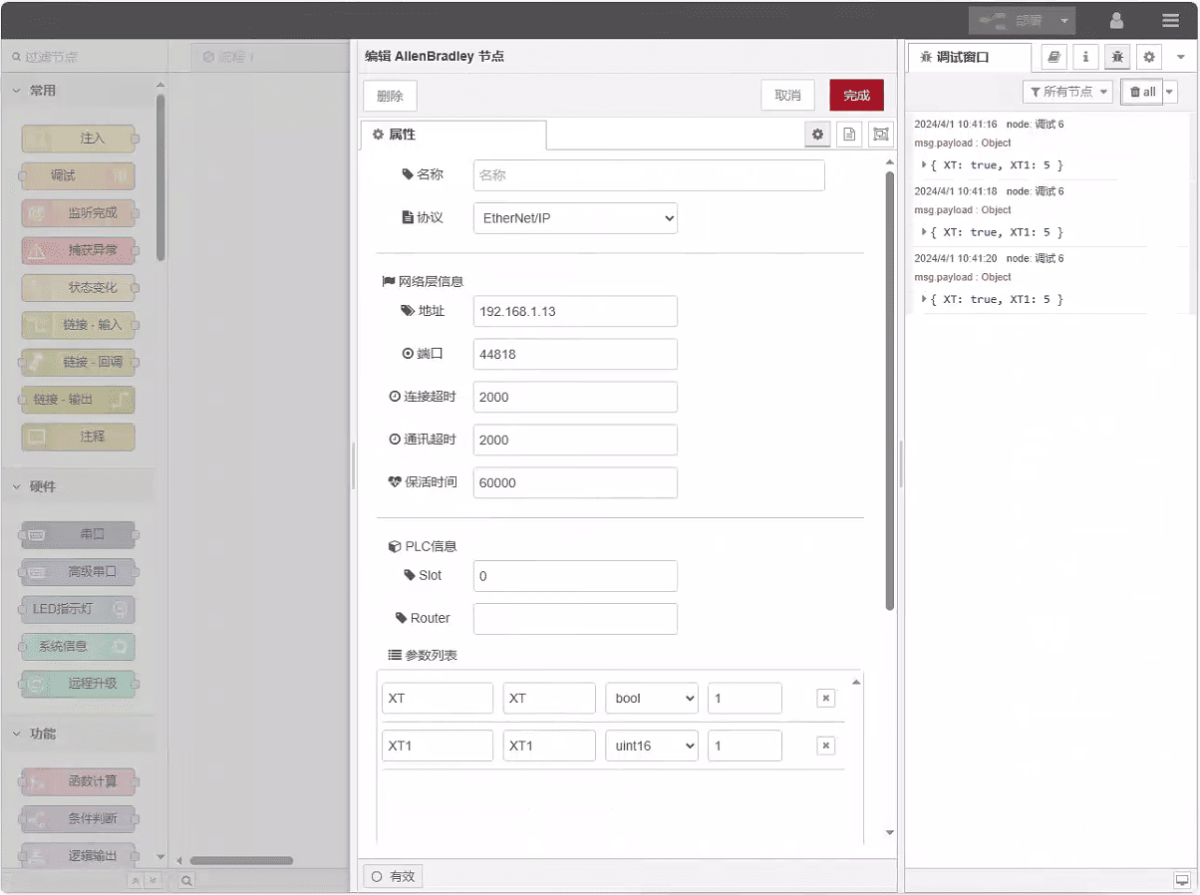
Ziehen Sie einen Allen-Bradley-Knoten aus dem linken Fensterbereich, doppelklicken Sie darauf, um die Einstellungsseite zu öffnen, und nehmen Sie anhand der Netzwerkanschlussparameter der SPS folgende Konfiguration vor:
Protokoll: Select EtherNet/IP
Adresse: Enter the PLC address (e.g., 192.168.1.13)
Hafen: Geben Sie den SPS-Anschlussport ein (z. B. 44818)
Zeitüberschreitung der Verbindung: 2000
Zeitüberschreitung bei der Kommunikation: 2000
Keepalive-Zeit: 60000
Slot: 0
3.2. Datenpunkt-Konfiguration
Geben Sie die Datenpunkte, die eingelesen werden sollen, in die Parameterliste des Allen-Bradley-Knotens ein. Nach der Konfiguration werden die SPS-Daten automatisch mit der angegebenen Frequenz abgerufen.
Die Datenpunkte werden in der Regel von SPS-Ingenieuren bereitgestellt. Füllen Sie nach Erhalt der Punktliste die Datenpunkte entsprechend dem erforderlichen Format des Gateways aus. Spezifische Details zum Mapping finden Sie unter:
Dieser Abschnitt enthält Inhalte von Yueque. Klicken Sie auf den Link, um ihn zu sehen: (Sie können Google Chrome für die Übersetzung verwenden) https://iotrouter.yuque.com/zn3vdn/eg8000/tcxbmwqbg7k7f5ah
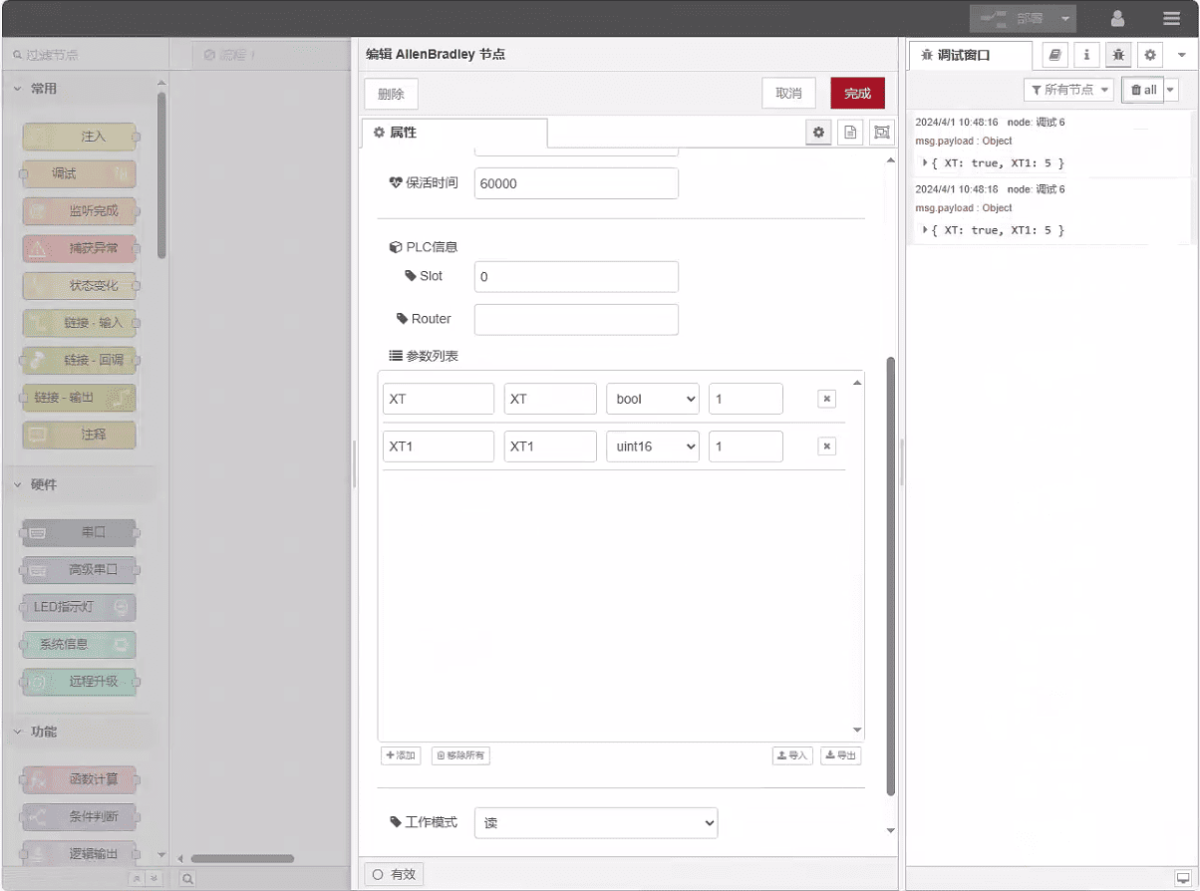
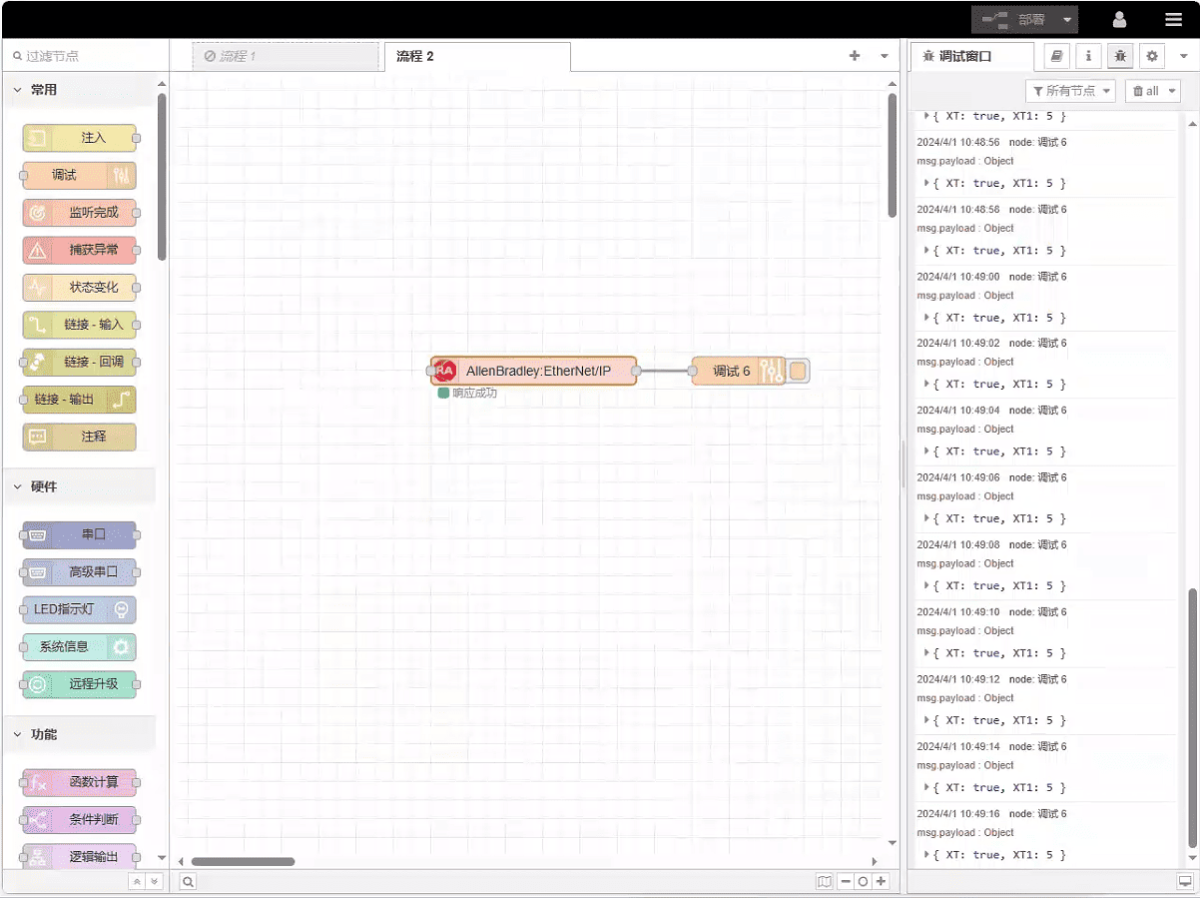
This example reads data from addresses XT and XT1. In the parameter list, enter the address/name/data type/data length in sequence. The data is read cyclically every 2 seconds, as shown in the figure:
3.3. Prüfung
Click Deploy and observe that a data point is printed every 2 seconds. The read data point results are: XT:true, XT1:5. Communication successful!
Verwandte Leitfäden zur industriellen PLC-Integration
← Zurück zu PLC Integration Hub

Agnes Wang ist Spezialistin für IoT-Lösungen bei IOTRouter und konzentriert sich auf industrielle IoT-Gateways, Edge-Computing und Lösungen für die industrielle Automatisierung.
Sie ist auf industrielle Kommunikationstechnologien spezialisiert, darunter Modbus, IEC 60870-5-104, MQTT, OPC UA, SPS-Integration und Fernüberwachungsanwendungen. Sie verfasst Fachartikel und Anwendungsleitfäden zu industriellen IoT-Lösungen, Protokollkonvertierung und Edge-Computing.