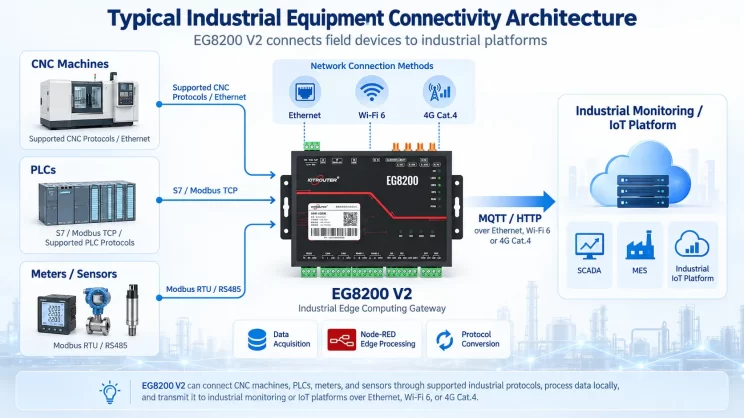
Diese Anleitung befasst sich mit der Anbindung einer Allen-Bradley-SPS an das EG Edge Gateway über das PCCC-Protokoll. Sie eignet sich für Einsteiger, die eine industrielle Kommunikation schnell einrichten möchten.
Verwandter Artikel: Anbindung an eine AB-SPS über das EtherNet/IP-Protokoll
1. Hardware-Anschluss
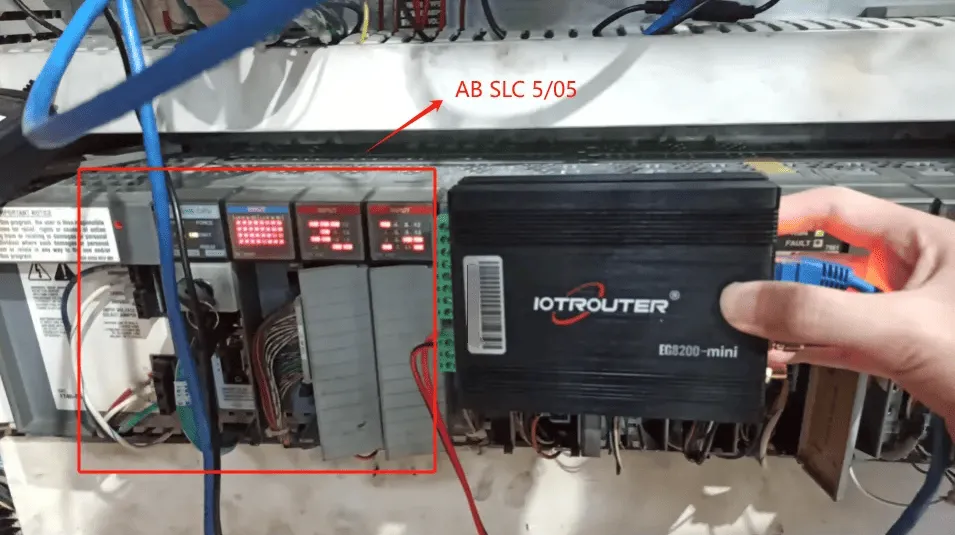
Kompatible SPS: AB SLC 5/05
Das PCCC-Protokoll nutzt die Ethernet-Kommunikation. Stellen Sie daher einfach sicher, dass sich der LAN-Anschluss des Gateways und die IP-Adresse der AB-SPS im selben Subnetz befinden.
2. PLC-Kommunikationsparameter
2.1. Ethernet-Parameter-Einstellungen
Zur Verfügung gestellt von PLC Engineer
3. Gateway-Einstellungen
3.1. PLC-Verbindungseinstellungen
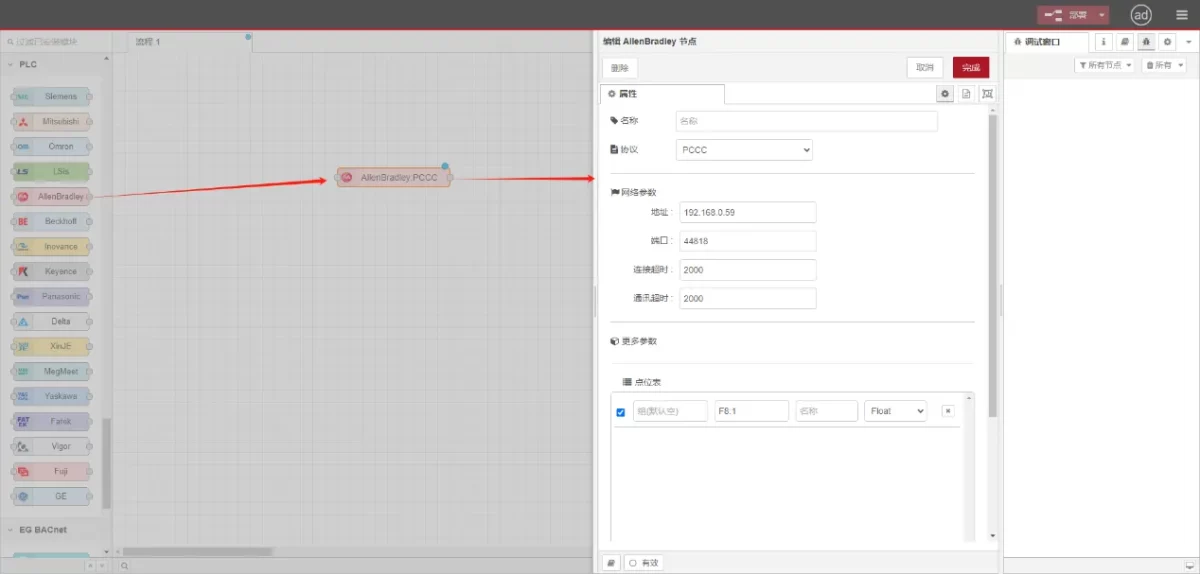
Ziehen Sie einen Allen-Bradley-Knoten aus dem linken Fensterbereich, doppelklicken Sie darauf, um die Einstellungsseite zu öffnen, und nehmen Sie anhand der Netzwerkanschlussparameter der SPS folgende Konfiguration vor:
Protokoll: PCCC auswählen
Adresse: Geben Sie die SPS-Adresse ein (z. B. 192.168.0.59)
Hafen: Geben Sie den SPS-Anschlussport ein (z. B. 44818)
Zeitüberschreitung der Verbindung: 2000
Zeitüberschreitung bei der Kommunikation: 2000
3.2. Datenpunkt-Konfiguration
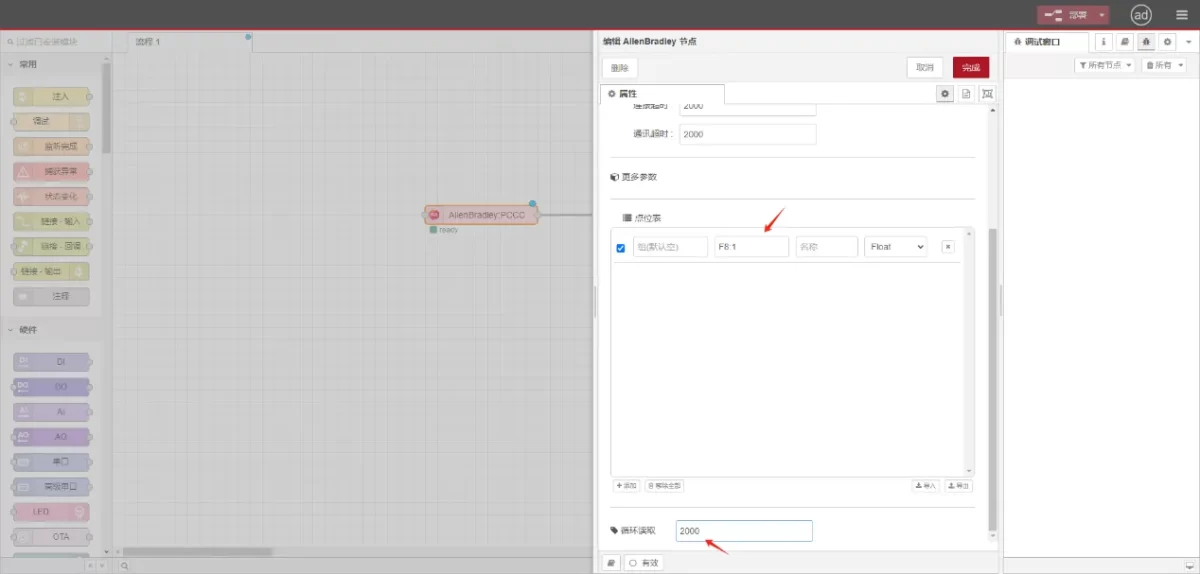
Geben Sie die Datenpunkte, die eingelesen werden sollen, in die Parameterliste des Allen-Bradley-Knotens ein. Nach der Konfiguration werden die SPS-Daten automatisch mit der angegebenen Frequenz abgerufen.
Die Datenpunkte werden in der Regel von SPS-Ingenieuren bereitgestellt. Füllen Sie nach Erhalt der Punktliste die Datenpunkte entsprechend dem erforderlichen Format des Gateways aus. Spezifische Details zum Mapping finden Sie unter:
Dieser Abschnitt enthält Inhalte von Yueque. Klicken Sie auf den Link, um ihn zu sehen:(Sie können Google Chrome für die Übersetzung verwenden) https://iotrouter.yuque.com/zn3vdn/eg8000/tcxbmwqbg7k7f5ah
In diesem Beispiel werden Daten von der Adresse F8:1 gelesen. Geben Sie in der Parameterliste nacheinander die Adresse, den Namen, den Datentyp und die Datenlänge ein. Die Daten werden zyklisch alle 2 Sekunden gelesen, wie in der Abbildung dargestellt:
3.3. Prüfung
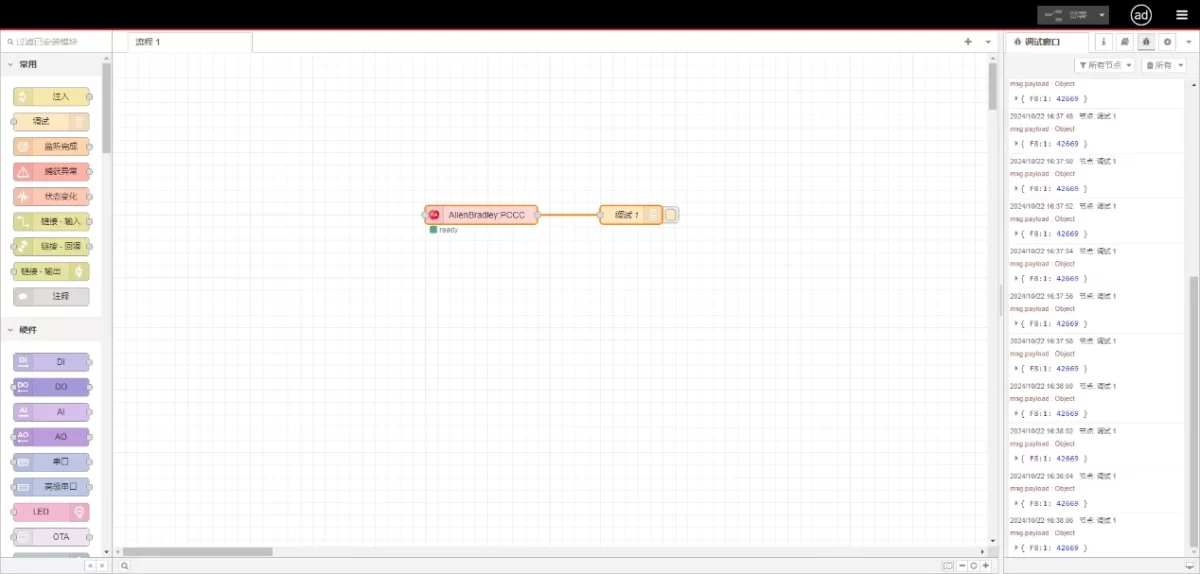
Stellen Sie eine Verbindung zum Debugging-Knoten her, klicken Sie auf „Deploy“ und beobachten Sie, dass alle 2 Sekunden ein Datenpunkt ausgegeben wird. Das Ergebnis des gelesenen Datenpunkts lautet:
{F8:1:42669}. Kommunikation erfolgreich!
Verwandte Leitfäden zur industriellen PLC-Integration
← Zurück zu PLC Integration Hub

Agnes Wang ist Spezialistin für IoT-Lösungen bei IOTRouter und konzentriert sich auf industrielle IoT-Gateways, Edge-Computing und Lösungen für die industrielle Automatisierung.
Sie ist auf industrielle Kommunikationstechnologien spezialisiert, darunter Modbus, IEC 60870-5-104, MQTT, OPC UA, SPS-Integration und Fernüberwachungsanwendungen. Sie verfasst Fachartikel und Anwendungsleitfäden zu industriellen IoT-Lösungen, Protokollkonvertierung und Edge-Computing.