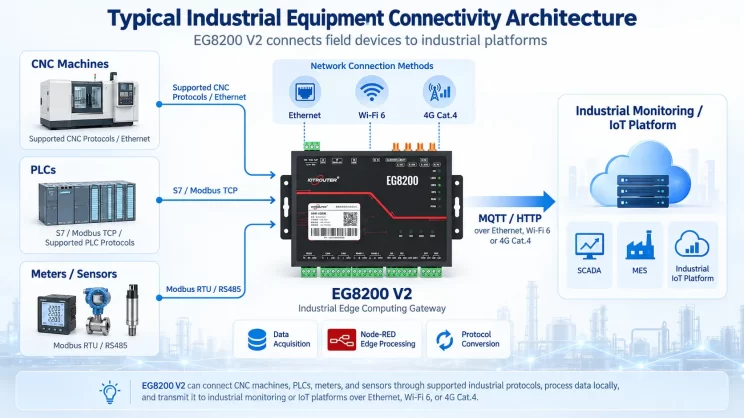
This guide focuses on connecting Inovance PLC to the EG Edge Gateway via Modbus RTU protocol. It is suitable for beginners looking to set up industrial communication quickly.
The articles we discussed before:
So integrieren Sie das EG-Edge-Computing-Gateway in die SPS von General Electric
How to integrate with Xinjie PLC via Modbus RTU protocol
How to interface with Panasonic PLCs via Mewtocol TCP Protocol
1. Hardware-Anschluss
Compatible PLC: Inovance H3U
The Modbus RTU protocol uses serial communication. This example PLC model employs RS232 communication.
2. PLC-Kommunikationsparameter
2.1. Serial Port Parameter Settings
Wird vom PLC-Ingenieur bereitgestellt.
The serial port parameters for this Inovance PLC are:
Baudrate: 57600
Datenbits: 8
Stoppbits: 1
Parity Bit: NONE
3. Gateway-Konfiguration
3.1. PLC-Verbindung einrichten
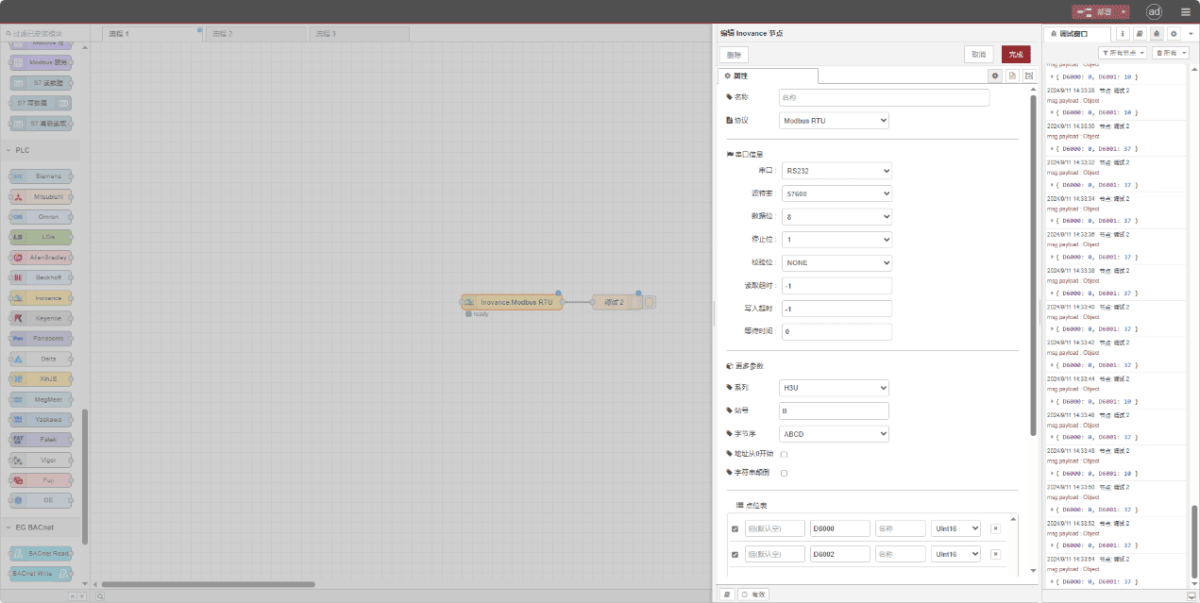
Drag an Inovance node from the left pane. Double-click to open the settings page and configure as follows based on the PLC’s serial parameters:
Protokoll: Select Modbus RTU
Serieller Anschluss: RS232
Baudrate: 57600
Datenbits: 8
Stoppbits: 1
Parität: Keine
Timeout: -1
Series: H3U
Station ID: 0x0B
Format: ABCD
3.2. Datenpunkt-Konfiguration
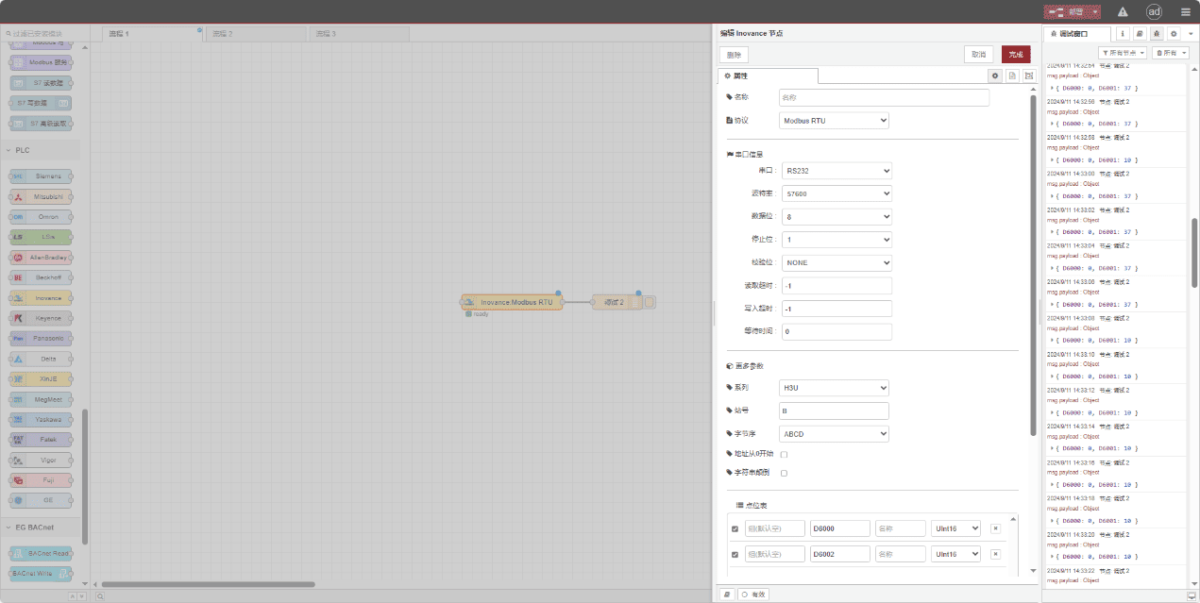
Enter the data points to be read into the parameter list of the Inovance node. Once configured, the node will automatically read data from the PLC at the specified frequency.
Die Datenpunkte werden in der Regel von SPS-Ingenieuren bereitgestellt. Nachdem Sie die Punktliste erhalten haben, tragen Sie die Datenpunkte entsprechend dem vom Gateway geforderten Format ein. Einzelheiten zur Zuordnung finden Sie unter:
This section contains a Yueque content card. Click the link to view:(Sie können Google Chrome für die Übersetzung verwenden) https://iotrouter.yuque.com/zn3vdn/eg8000/dqdvyosc5vubd2rv
This example reads data from addresses D6000 and D6002. In the parameter list, enter the address/name/data type in sequence. The data is read cyclically every 2 seconds, as shown in the figure:
3.3. Prüfung
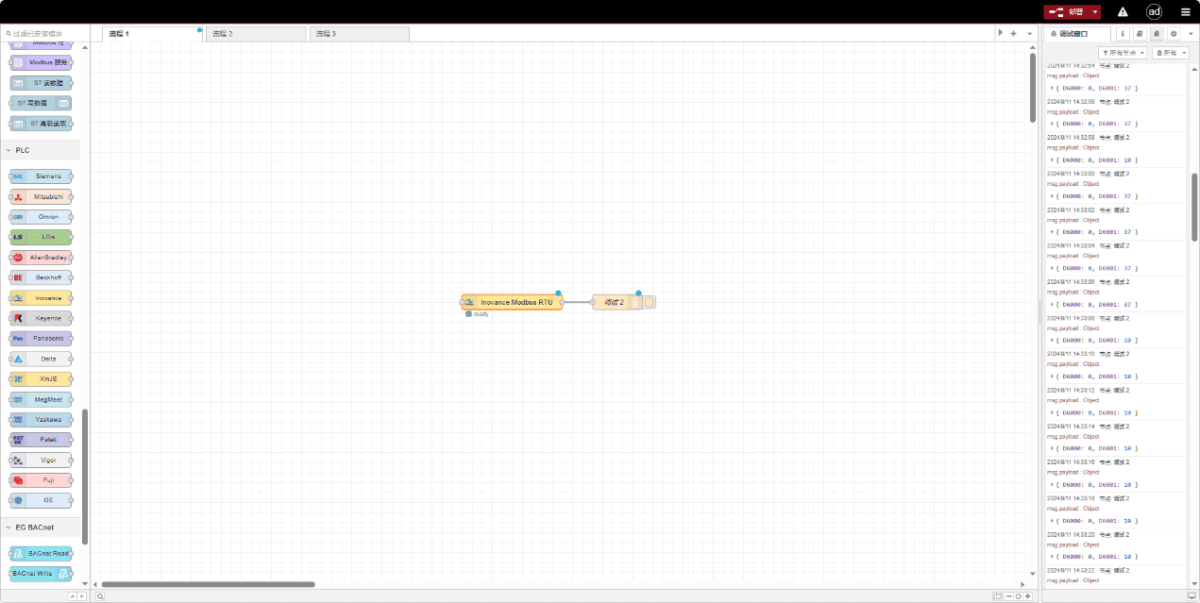
Click Deploy and observe that data is printed every 2 seconds. The read data point results are: D6000:0 D6002:0. Communication successful!
Verwandte Leitfäden zur industriellen PLC-Integration
← Zurück zu PLC Integration Hub

Agnes Wang ist Spezialistin für IoT-Lösungen bei IOTRouter und konzentriert sich auf industrielle IoT-Gateways, Edge-Computing und Lösungen für die industrielle Automatisierung.
Sie ist auf industrielle Kommunikationstechnologien spezialisiert, darunter Modbus, IEC 60870-5-104, MQTT, OPC UA, SPS-Integration und Fernüberwachungsanwendungen. Sie verfasst Fachartikel und Anwendungsleitfäden zu industriellen IoT-Lösungen, Protokollkonvertierung und Edge-Computing.