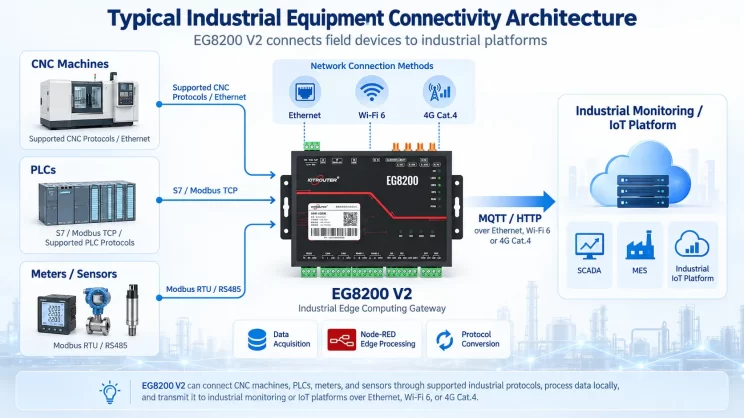
This guide focuses on connecting Inovance PLC to the EG Edge Gateway via Modbus RTU protocol. It is suitable for beginners looking to set up industrial communication quickly.
The articles we discussed before:
Hoe de EG edge computing-gateway te integreren met de PLC van General Electric
How to integrate with Xinjie PLC via Modbus RTU protocol
Interface met Panasonic PLC's via het Mewtocol TCP-protocol
1. Hardwareverbinding
Compatible PLC: Inovance H3U
The Modbus RTU protocol uses serial communication. This example PLC model employs RS232 communication.
2. PLC-communicatieparameters
2.1. Instellingen seriële poort
Provided by the PLC engineer.
The serial port parameters for this Inovance PLC are:
Baudrate: 57600
Gegevensbits: 8
Stopbits: 1
Parity Bit: NONE
3. Configuratie van de gateway
3.1. Aansluiting van de PLC instellen
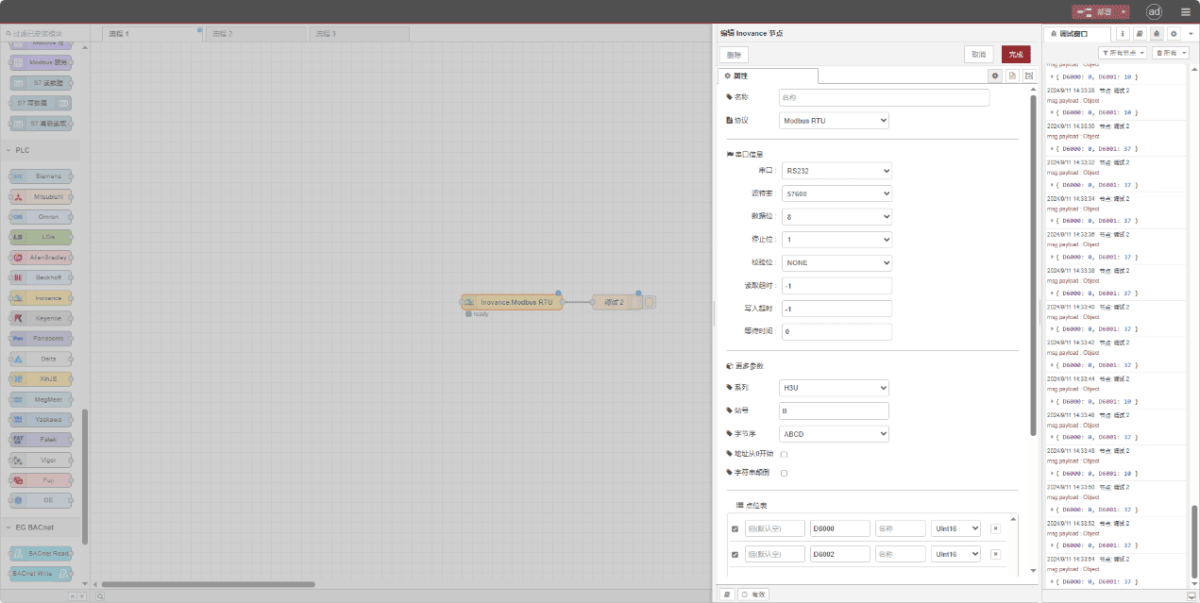
Drag an Inovance node from the left pane. Double-click to open the settings page and configure as follows based on the PLC’s serial parameters:
Protocol: Selecteer Modbus RTU
Seriële poort: RS232
Baudrate: 57600
Gegevensbits: 8
Stopbits: 1
Pariteit: None
Timeout: -1
Serie: H3U
Station ID: 0x0B
Formaat: ABCD
3.2. Configuratie gegevenspunt
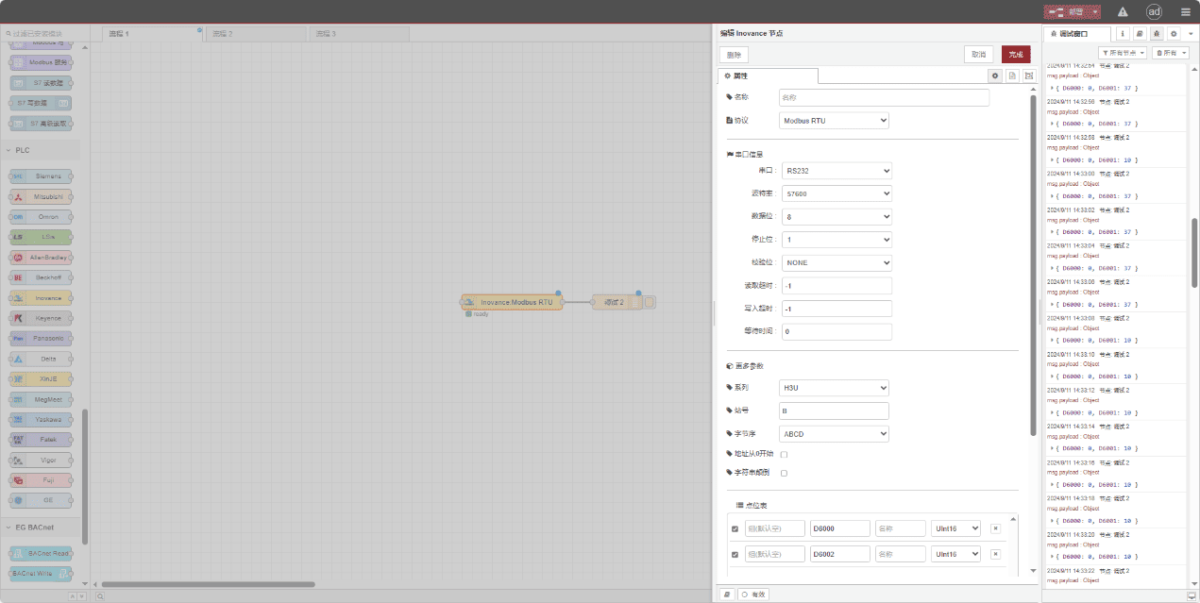
Enter the data points to be read into the parameter list of the Inovance node. Once configured, the node will automatically read data from the PLC at the specified frequency.
Datapunten worden meestal geleverd door PLC-engineers. Nadat u de puntenlijst hebt verkregen, vult u de gegevenspunten in volgens het vereiste formaat van de gateway. Raadpleeg voor specifieke details over de toewijzing:
This section contains a Yueque content card. Click the link to view:(Je kunt Google Chrome gebruiken voor vertaling) https://iotrouter.yuque.com/zn3vdn/eg8000/dqdvyosc5vubd2rv
This example reads data from addresses D6000 and D6002. In the parameter list, enter the address/name/data type in sequence. The data is read cyclically every 2 seconds, as shown in the figure:
3.3. Testen
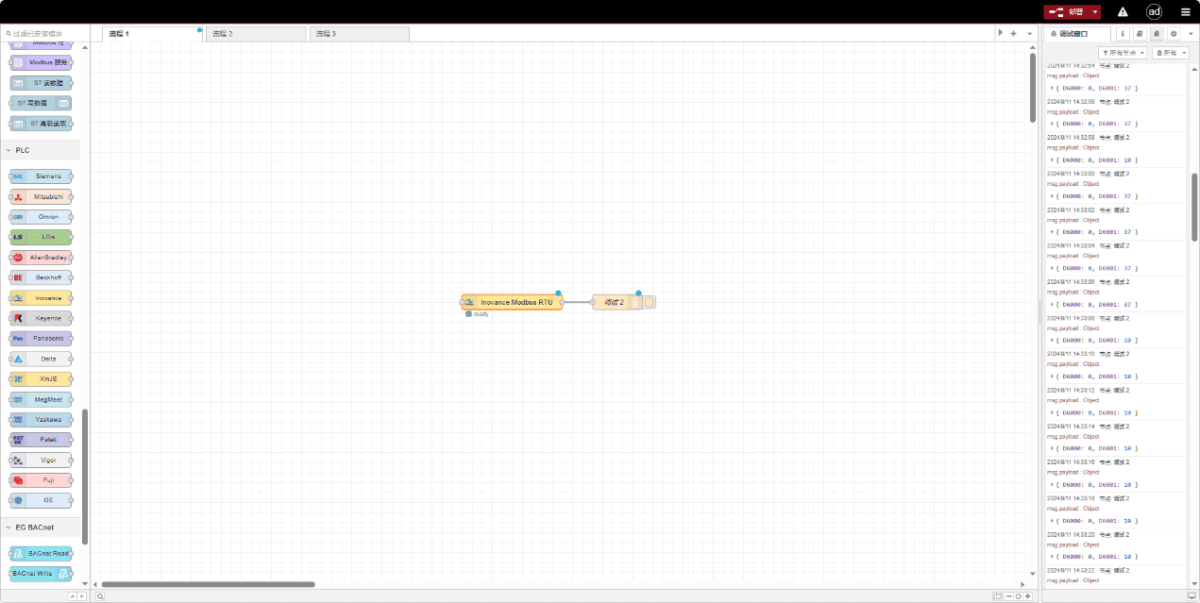
Click Deploy and observe that data is printed every 2 seconds. The read data point results are: D6000:0 D6002:0. Communication successful!
Gerelateerde handleidingen over de integratie van industriële PLC’s
← Terug naar de PLC-integratiehub

Agnes Wang is IoT-oplossingsspecialist bij IOTRouter en richt zich op industriële IoT-gateways, edge computing en oplossingen voor industriële automatisering.
Ze is gespecialiseerd in industriële communicatietechnologieën, waaronder Modbus, IEC 60870-5-104, MQTT, OPC UA, PLC-integratie en toepassingen voor monitoring op afstand. Ze levert bijdragen aan technische artikelen en toepassingsgidsen over industriële IoT-oplossingen, protocolconversie en edge computing.