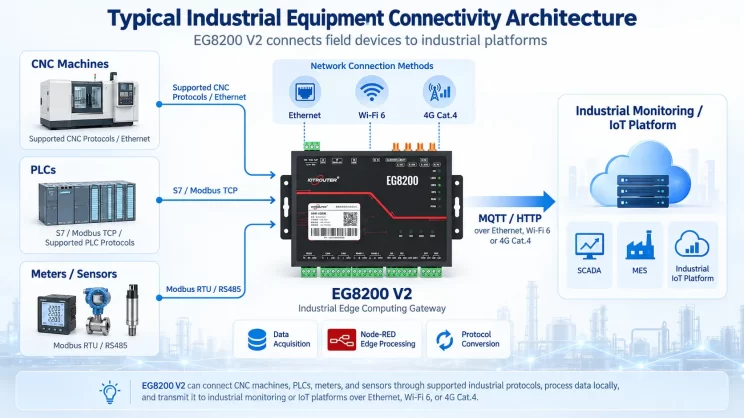
This guide focuses on connecting Allen-Bradley PLC to the EG Edge Gateway via the PCCC protocol. It is suitable for beginners looking to set up industrial communication quickly.
Related article: How to interface with AB PLC via the EtherNet/IP protocol
1. Hardwareverbinding
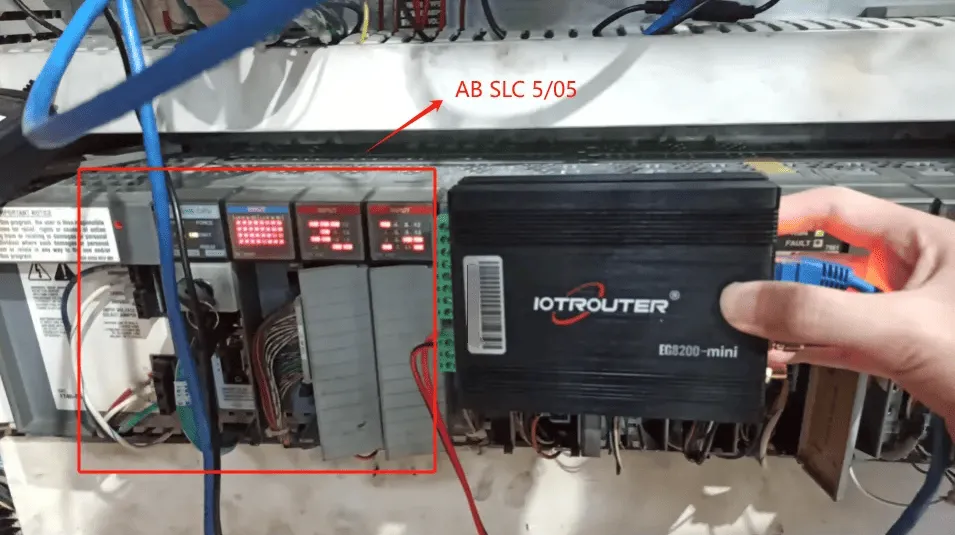
Compatible PLC: AB SLC 5/05
The PCCC protocol utilizes Ethernet communication. Therefore, simply ensure the gateway’s LAN port and the AB PLC’s IP address are within the same subnet.
2. PLC-communicatieparameters
2.1. Instellingen ethernetparameters
Geleverd door PLC Engineer
3. Gateway-instellingen
3.1. PLC-verbindingsinstellingen
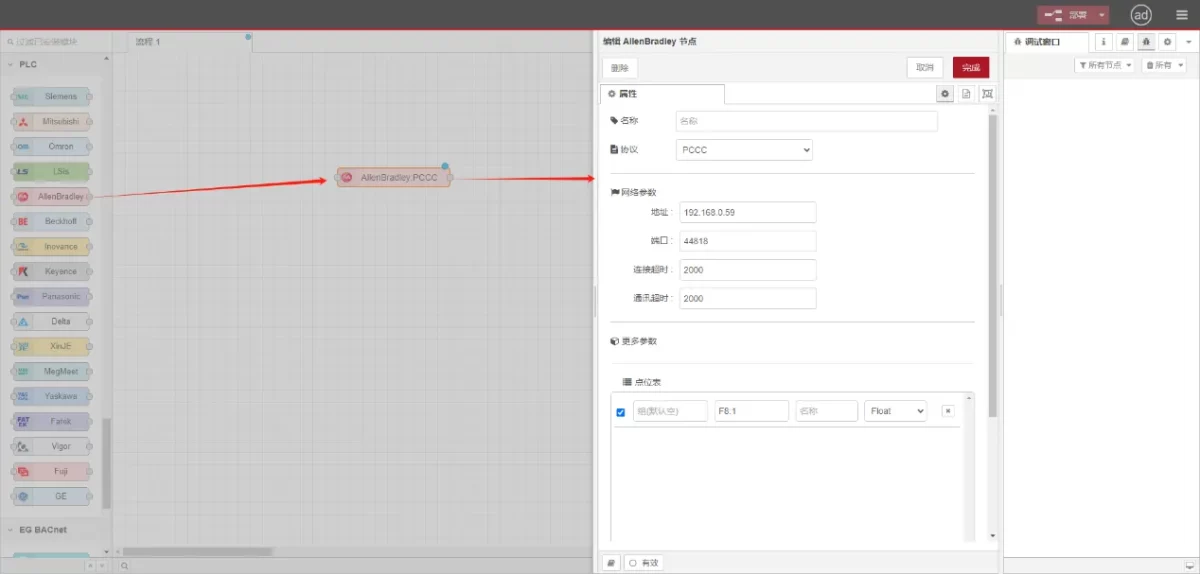
Drag an Allen-Bradley node from the left panel, double-click to open the settings page, and configure as follows based on the PLC’s network port parameters:
Protocol: Select PCCC
Adres: Enter the PLC address (e.g., 192.168.0.59)
Haven: Voer de aansluitpoort van de PLC in (bijvoorbeeld 44818).
Time-out verbinding: 2000
Time-out communicatie: 2000
3.2. Configuratie gegevenspunt
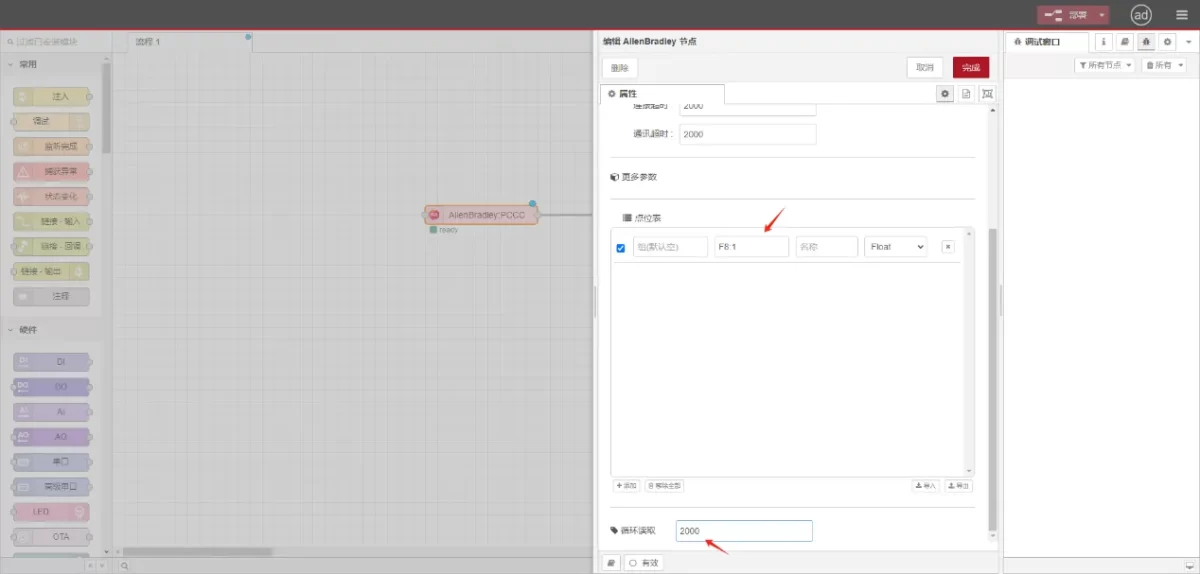
Voer de datapunten die moeten worden gelezen in de parameterlijst van het Allen-Bradley knooppunt in. Na de configuratie worden de PLC-gegevens automatisch opgehaald met de opgegeven frequentie.
Datapunten worden meestal geleverd door PLC-engineers. Na ontvangst van de puntenlijst vult u de gegevenspunten in volgens het vereiste formaat van de gateway. Raadpleeg voor specifieke details over de toewijzing:
Deze sectie bevat inhoud van Yueque. Klik op de link om te bekijken:(Je kunt Google Chrome gebruiken voor vertaling) https://iotrouter.yuque.com/zn3vdn/eg8000/tcxbmwqbg7k7f5ah
This example reads data from address F8:1. In the parameter list, enter the address/name/data type/data length sequentially. The data is read cyclically every 2 seconds, as shown in the figure:
3.3. Testen
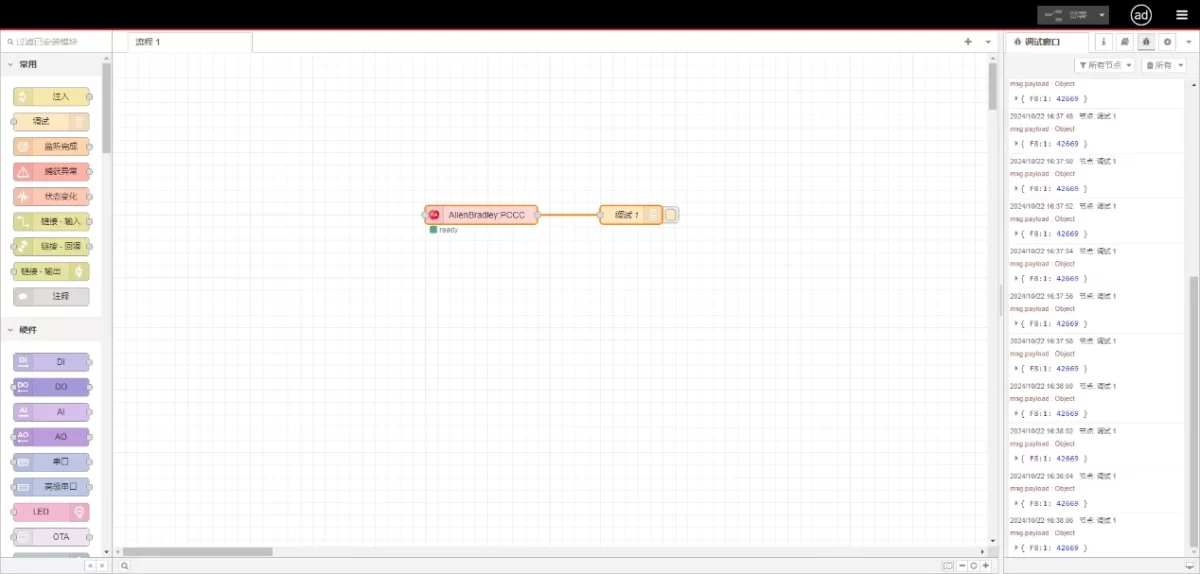
Connect to the debugging node, click Deploy, and observe that a data point is printed every 2 seconds. The read data point result is:
{F8:1:42669}. Communication successful!
Gerelateerde handleidingen over de integratie van industriële PLC’s
← Terug naar de PLC-integratiehub

Agnes Wang is IoT-oplossingsspecialist bij IOTRouter en richt zich op industriële IoT-gateways, edge computing en oplossingen voor industriële automatisering.
Ze is gespecialiseerd in industriële communicatietechnologieën, waaronder Modbus, IEC 60870-5-104, MQTT, OPC UA, PLC-integratie en toepassingen voor monitoring op afstand. Ze levert bijdragen aan technische artikelen en toepassingsgidsen over industriële IoT-oplossingen, protocolconversie en edge computing.