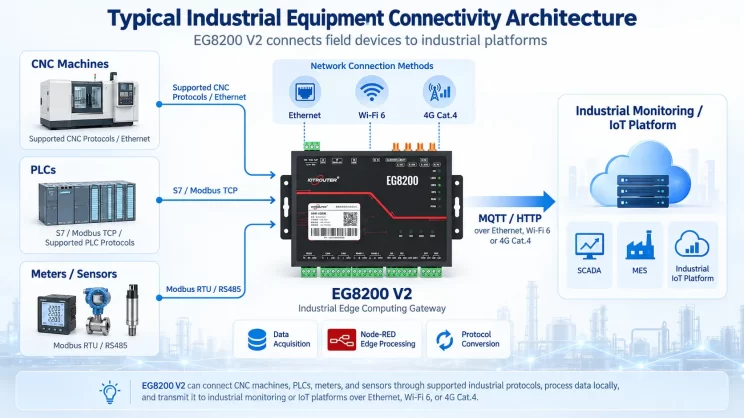
This guide focuses on connecting Allen-Bradley PLC to the EG Edge Gateway via the PCCC protocol. It is suitable for beginners looking to set up industrial communication quickly.
Related article: How to interface with AB PLC via the EtherNet/IP protocol
1. Подключение оборудования
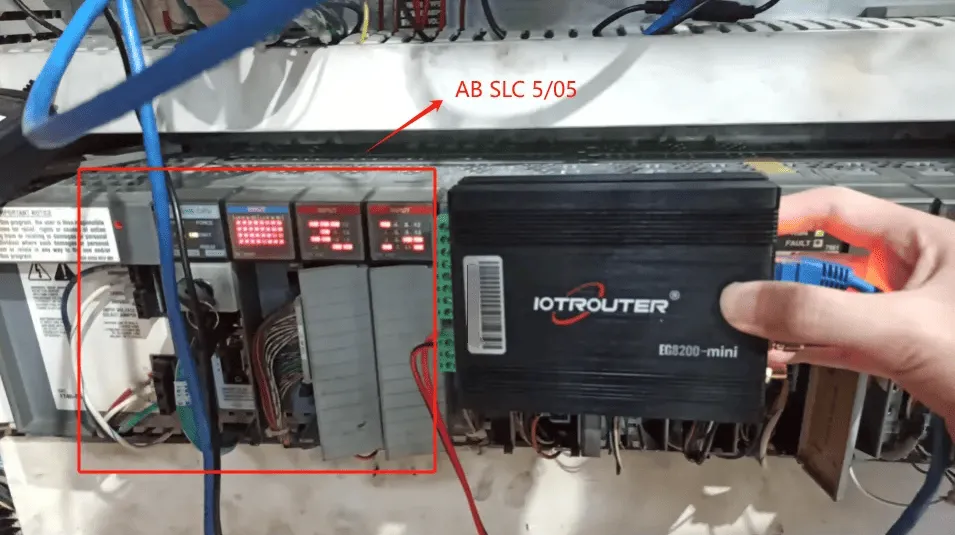
Compatible PLC: AB SLC 5/05
The PCCC protocol utilizes Ethernet communication. Therefore, simply ensure the gateway’s LAN port and the AB PLC’s IP address are within the same subnet.
2. Параметры связи с ПЛК
2.1. Настройки параметров Ethernet
Предоставлено инженером ПЛК
3. Настройки шлюза
3.1. Настройки подключения ПЛК
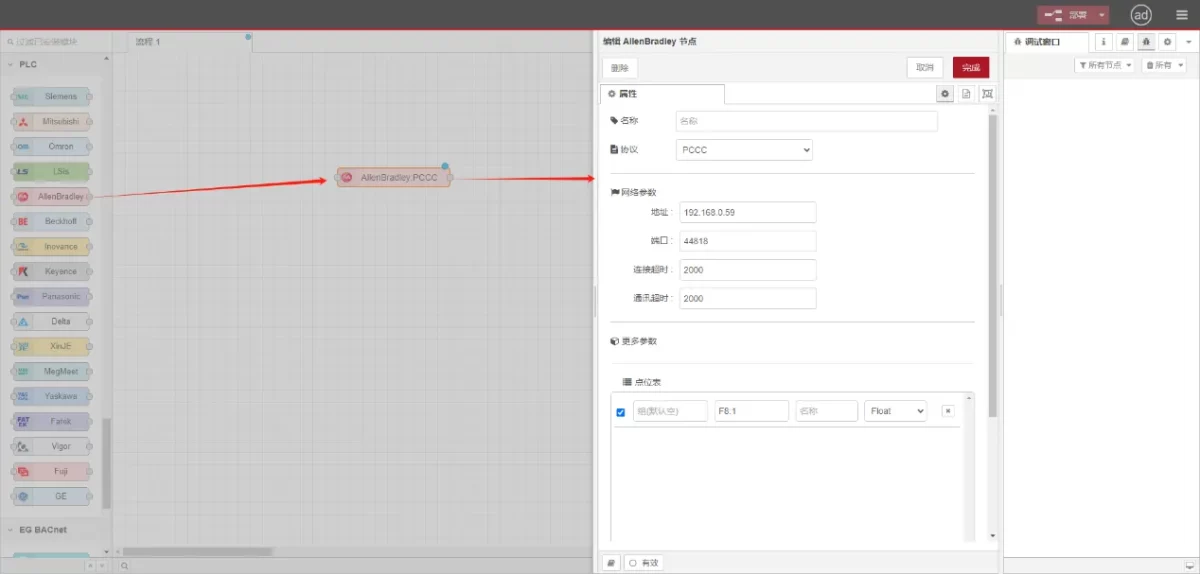
Drag an Allen-Bradley node from the left panel, double-click to open the settings page, and configure as follows based on the PLC’s network port parameters:
Протокол: Select PCCC
Адрес: Введите адрес ПЛК (например, 192.168.0.59).
Порт: Введите порт подключения ПЛК (например, 44818).
Таймаут соединения: 2000
Таймаут связи: 2000
3.2. Конфигурация точки данных
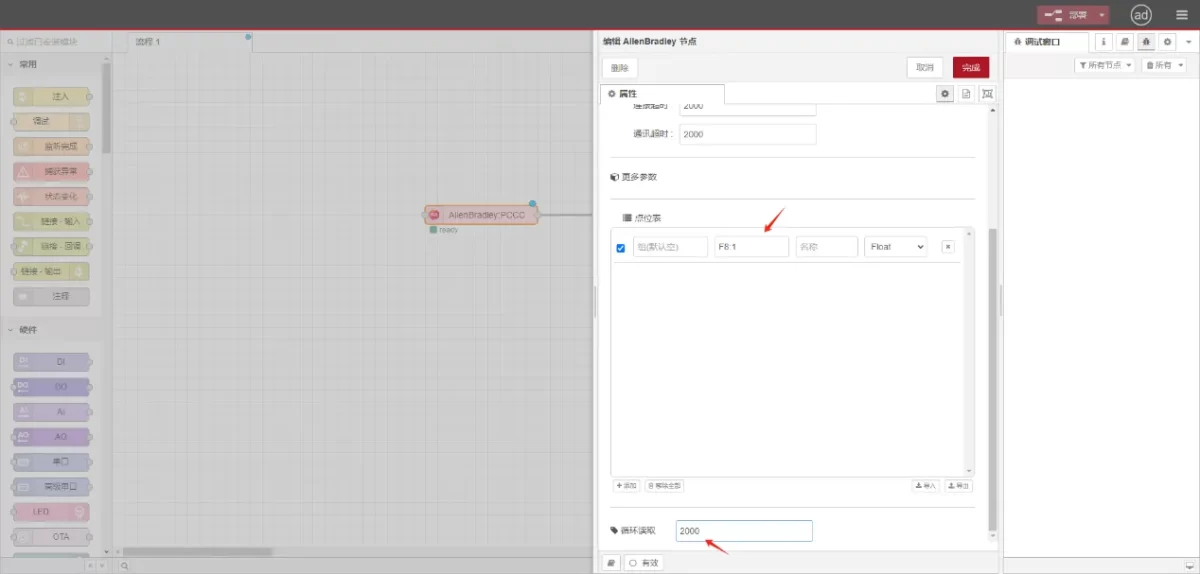
Введите точки данных, которые необходимо считать, в список параметров узла Allen-Bradley. После настройки данные ПЛК будут автоматически считываться с заданной частотой.
Точки данных обычно предоставляются инженерами ПЛК. Получив список точек, заполните их в соответствии с требуемым форматом шлюза. Для получения подробной информации об отображении см:
В этом разделе содержится контент от Yueque. Нажмите на ссылку для просмотра:(Вы можете использовать Google Chrome для перевода). https://iotrouter.yuque.com/zn3vdn/eg8000/tcxbmwqbg7k7f5ah
This example reads data from address F8:1. In the parameter list, enter the address/name/data type/data length sequentially. The data is read cyclically every 2 seconds, as shown in the figure:
3.3. Тестирование
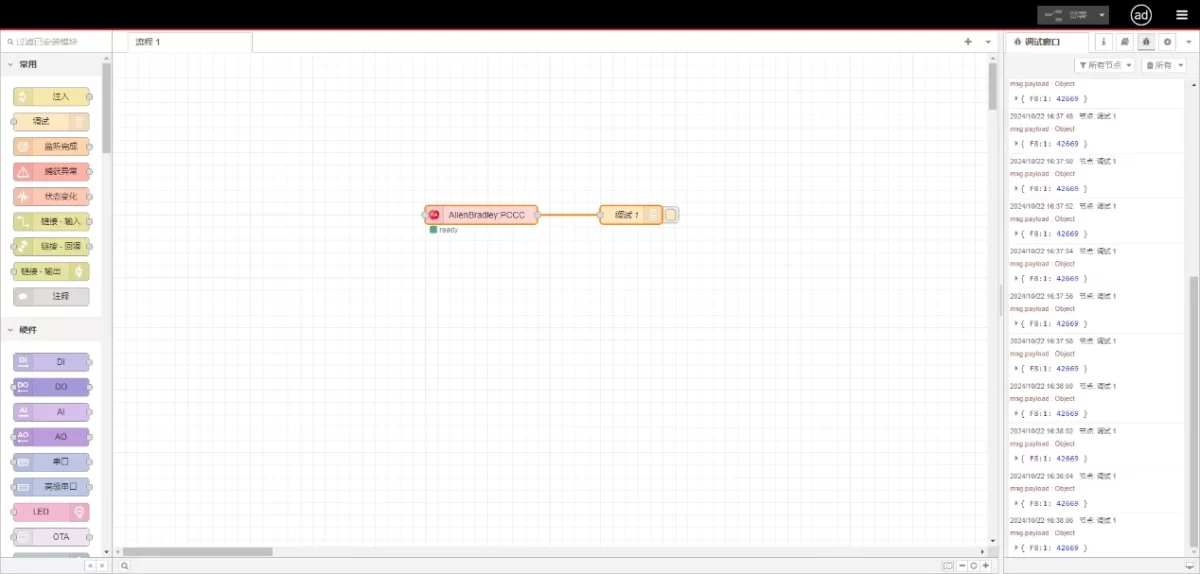
Connect to the debugging node, click Deploy, and observe that a data point is printed every 2 seconds. The read data point result is:
{F8:1:42669}. Communication successful!
Связанные руководства по интеграции промышленных ПЛК
← Вернуться на страницу «Центр интеграции ПЛК»

Агнес Ван — специалист по решениям в области Интернета вещей (IoT) в компании IOTRouter, специализирующаяся на промышленных шлюзах IoT, периферийных вычислениях и решениях для промышленной автоматизации.
Она специализируется на технологиях промышленной связи, в том числе на протоколах Modbus, IEC 60870-5-104, MQTT, OPC UA, интеграции ПЛК и приложениях для удаленного мониторинга. Она участвует в написании технических статей и руководств по применению, посвященных решениям в области промышленного Интернета вещей, преобразованию протоколов и пограничным вычислениям.