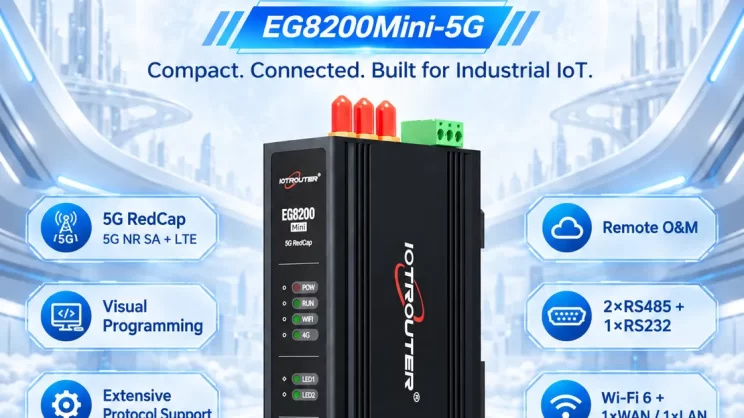
This guide focuses on connecting Inovance PLC to the EG Edge Gateway via Modbus RTU protocol. It is suitable for beginners looking to set up industrial communication quickly.
The articles we discussed before:
Come integrare il gateway di edge computing EG con il PLC General Electric
How to integrate with Xinjie PLC via Modbus RTU protocol
How to interface with Panasonic PLCs via Mewtocol TCP Protocol
1. Connessione hardware
Compatible PLC: Inovance H3U
The Modbus RTU protocol uses serial communication. This example PLC model employs RS232 communication.
2. Parametri di comunicazione del PLC
2.1. Impostazioni dei parametri della porta seriale
Fornito dal tecnico del PLC.
The serial port parameters for this Inovance PLC are:
Velocità di trasmissione: 57600
Bit di dati: 8
Bit di stop: 1
Parity Bit: NONE
3. Configurazione del gateway
3.1. PLC Connection Setup
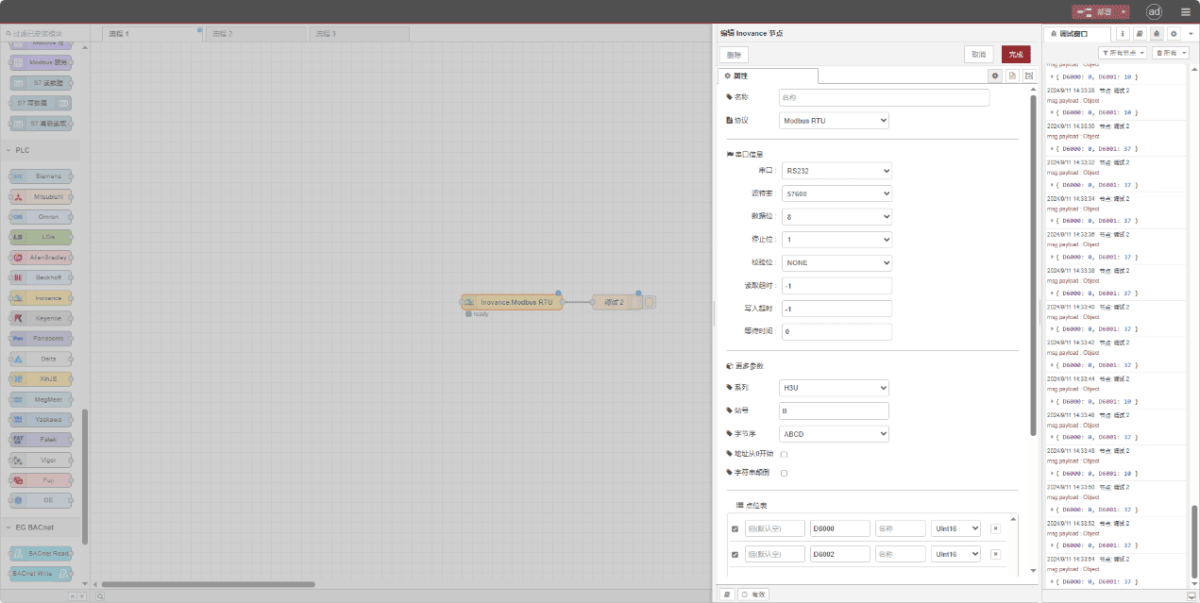
Drag an Inovance node from the left pane. Double-click to open the settings page and configure as follows based on the PLC’s serial parameters:
Protocollo: Seleziona Modbus RTU
Porta seriale: RS232
Velocità di trasmissione: 57600
Bit di dati: 8
Bit di stop: 1
Parità: Nessuno
Timeout: -1
Serie: H3U
ID stazione: 0x0B
Formato: ABCD
3.2. Configurazione del punto dati
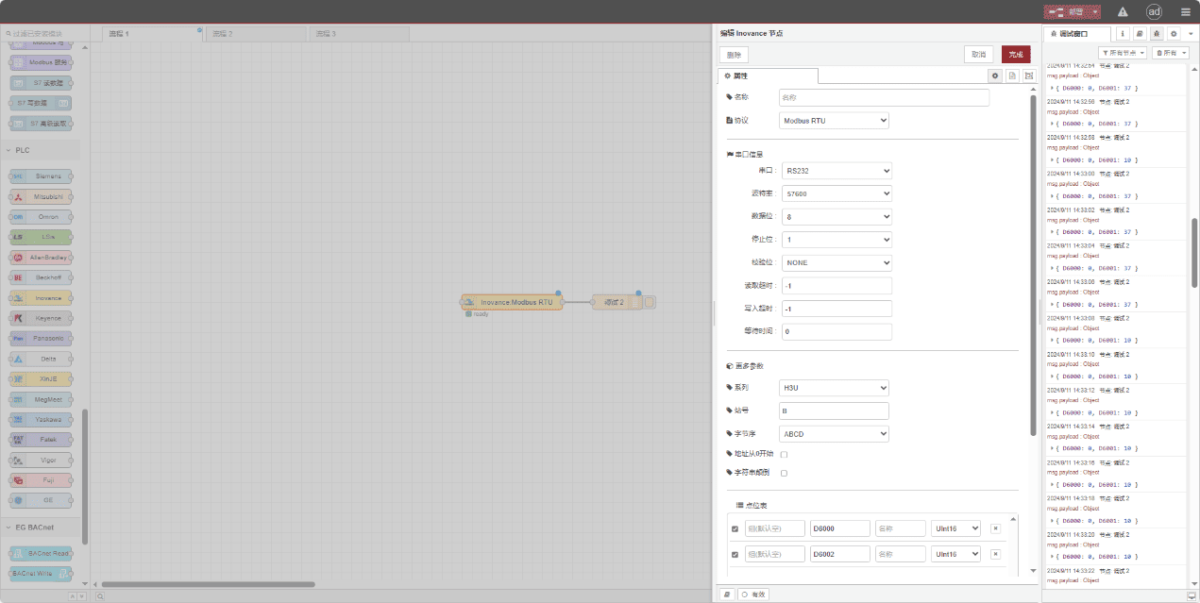
Enter the data points to be read into the parameter list of the Inovance node. Once configured, the node will automatically read data from the PLC at the specified frequency.
I punti dati sono in genere forniti dai tecnici dei PLC. Dopo aver ottenuto l'elenco dei punti, compilare i punti dati secondo il formato richiesto dal gateway. Per dettagli specifici sulla mappatura, consultare:
This section contains a Yueque content card. Click the link to view:(È possibile utilizzare Google Chrome per la traduzione.) https://iotrouter.yuque.com/zn3vdn/eg8000/dqdvyosc5vubd2rv
This example reads data from addresses D6000 and D6002. In the parameter list, enter the address/name/data type in sequence. The data is read cyclically every 2 seconds, as shown in the figure:
3.3. Test
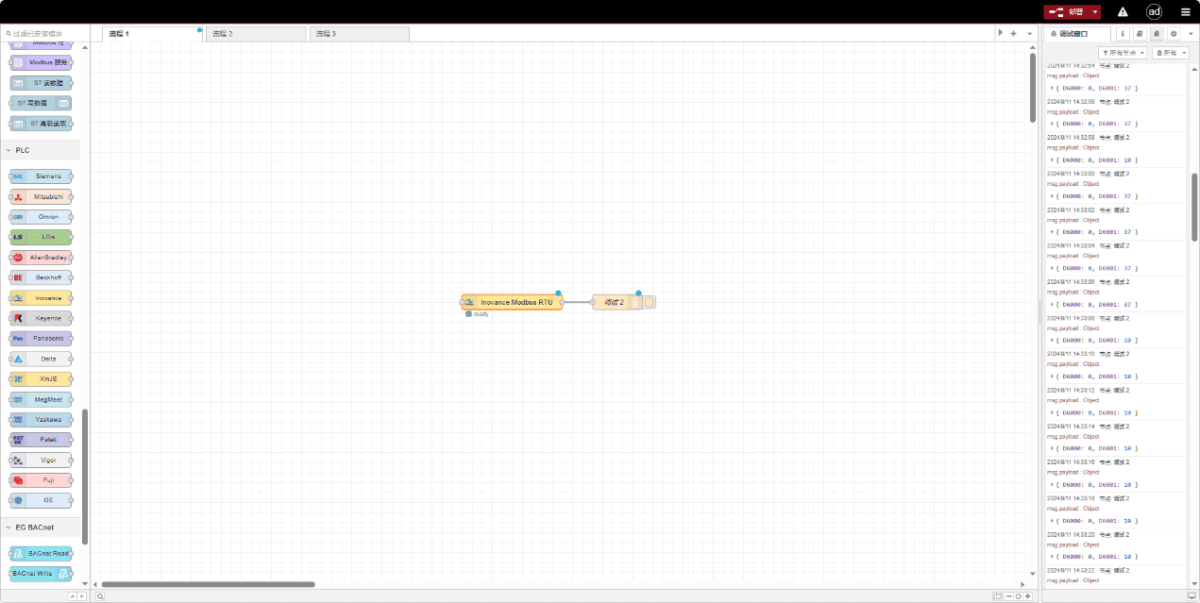
Click Deploy and observe that data is printed every 2 seconds. The read data point results are: D6000:0 D6002:0. Communication successful!
Guide correlate sull'integrazione dei PLC industriali
← Torna alla pagina "PLC Integration Hub"

Agnes Wang è una specialista in soluzioni IoT presso IOTRouter, dove si occupa principalmente di gateway IoT industriali, edge computing e soluzioni di automazione industriale.
È specializzata in tecnologie di comunicazione industriale, tra cui Modbus, IEC 60870-5-104, MQTT, OPC UA, integrazione di PLC e applicazioni di monitoraggio remoto. Collabora alla stesura di articoli tecnici e guide applicative riguardanti soluzioni IoT industriali, conversione di protocolli ed edge computing.