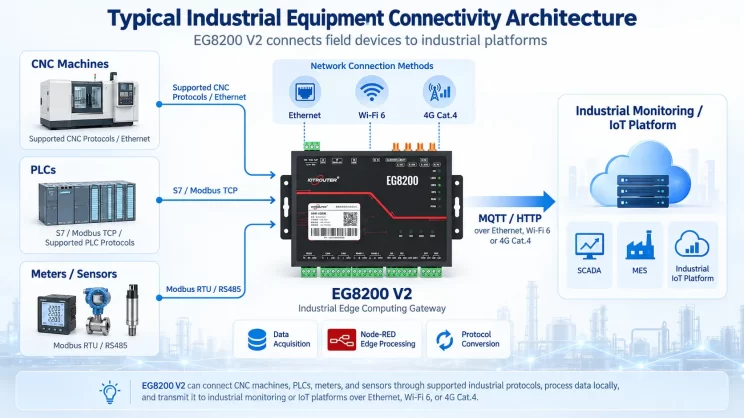
Laten we het vandaag eens hebben over hoe je de EG-edge-gateway via het Mewtocol TCP-protocol kunt koppelen aan Panasonic-PLC’s.
Het artikel dat we eerder bespraken:
Hoe EG edge computing gateway integreren met General Electric PLC
Integratie met Xinjie PLC via Modbus RTU-protocol
Interface met Keyence KV-8000 serie PLC's via het MC-3E protocol
Hoe te communiceren met Keyence KV-7500 serie PLC's via het KV TCP-protocol
Compatibele PLC’s: Panasonic FP0H / Panasonic XHC60ET
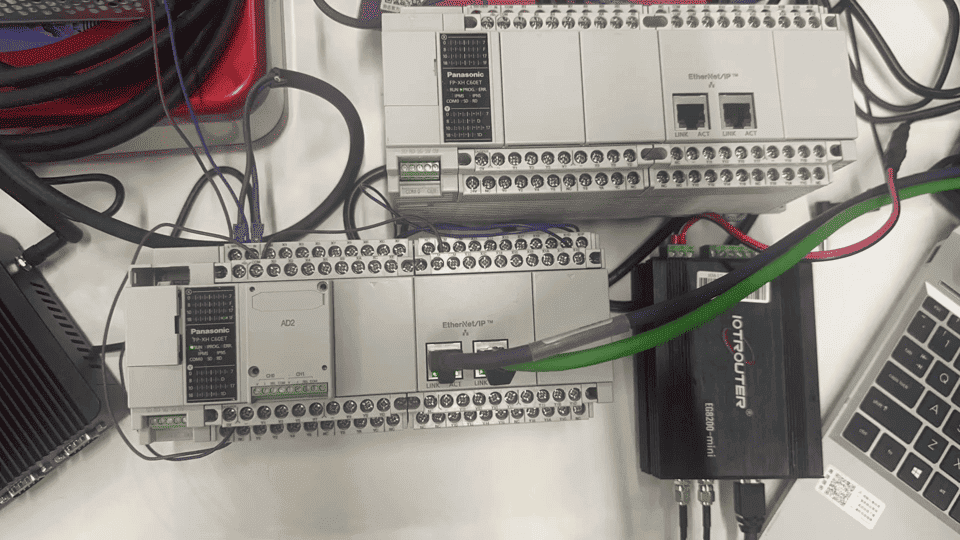
1. Hardwareverbinding
Het Mewtocol TCP-protocol communiceert via Ethernet. Zorg er daarom voor dat de LAN-poort van de gateway en het IP-adres van de Panasonic-PLC zich binnen hetzelfde subnet bevinden.
2. PLC-communicatieparameters
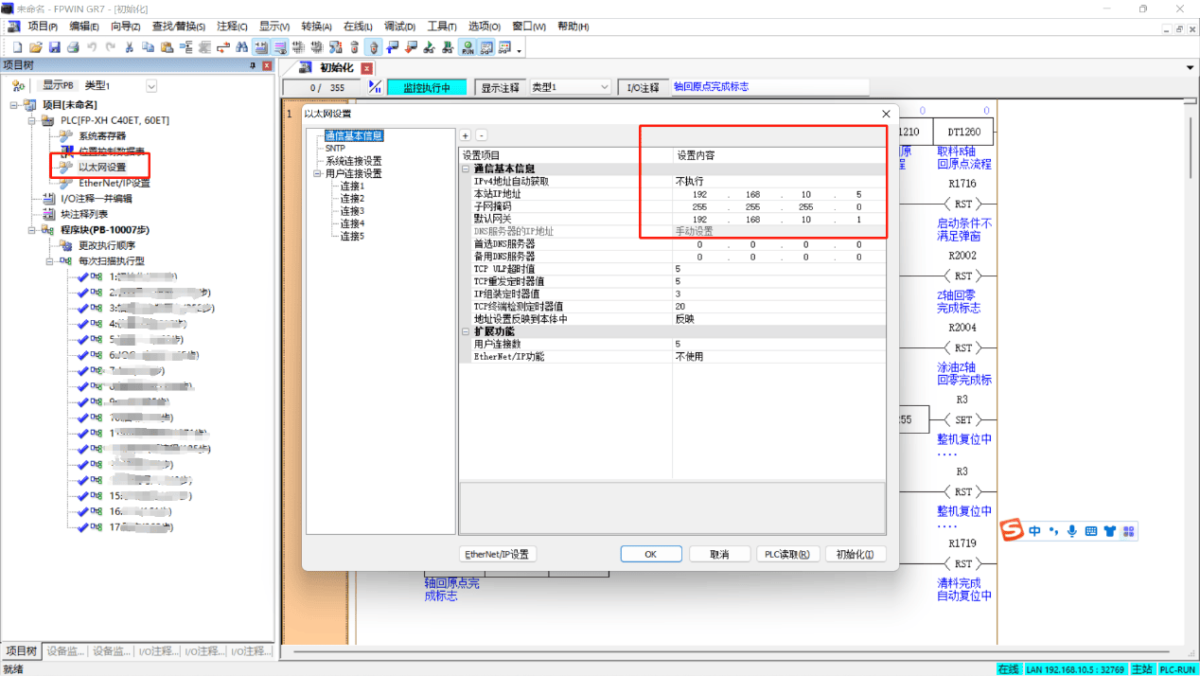
2.1. Instellingen ethernetparameters
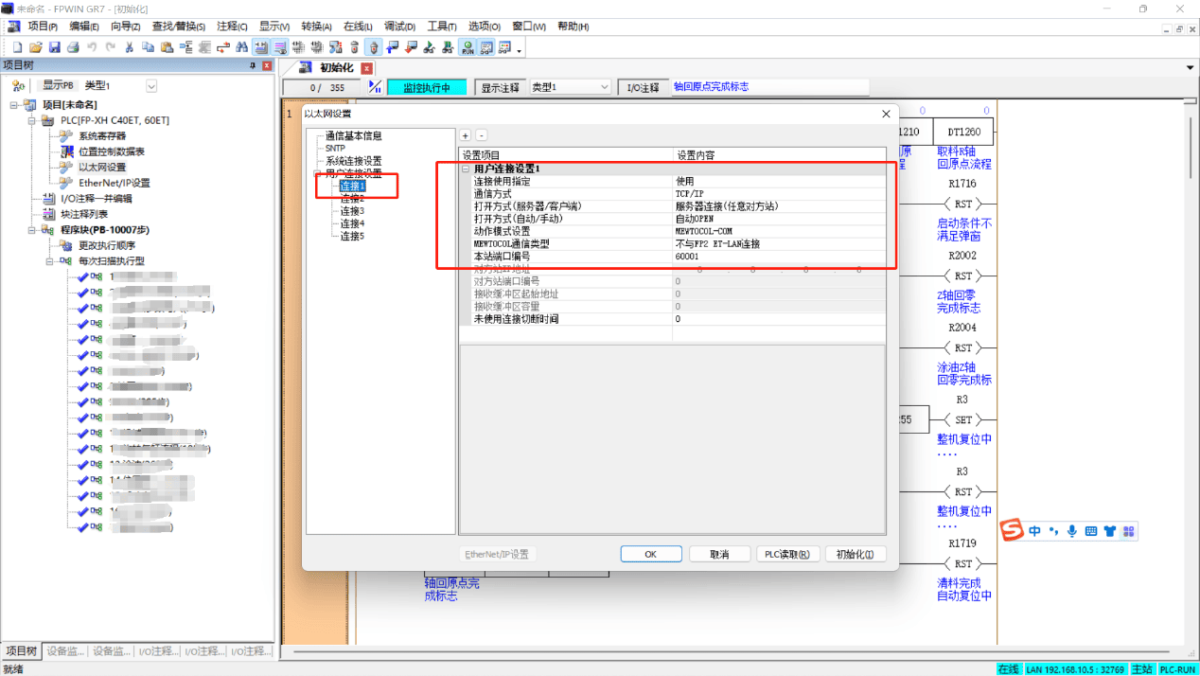
2.2. Instellingen voor de gebruikersaansluitpoort
3. Gateway-instellingen
3.1. PLC-verbindingsinstellingen
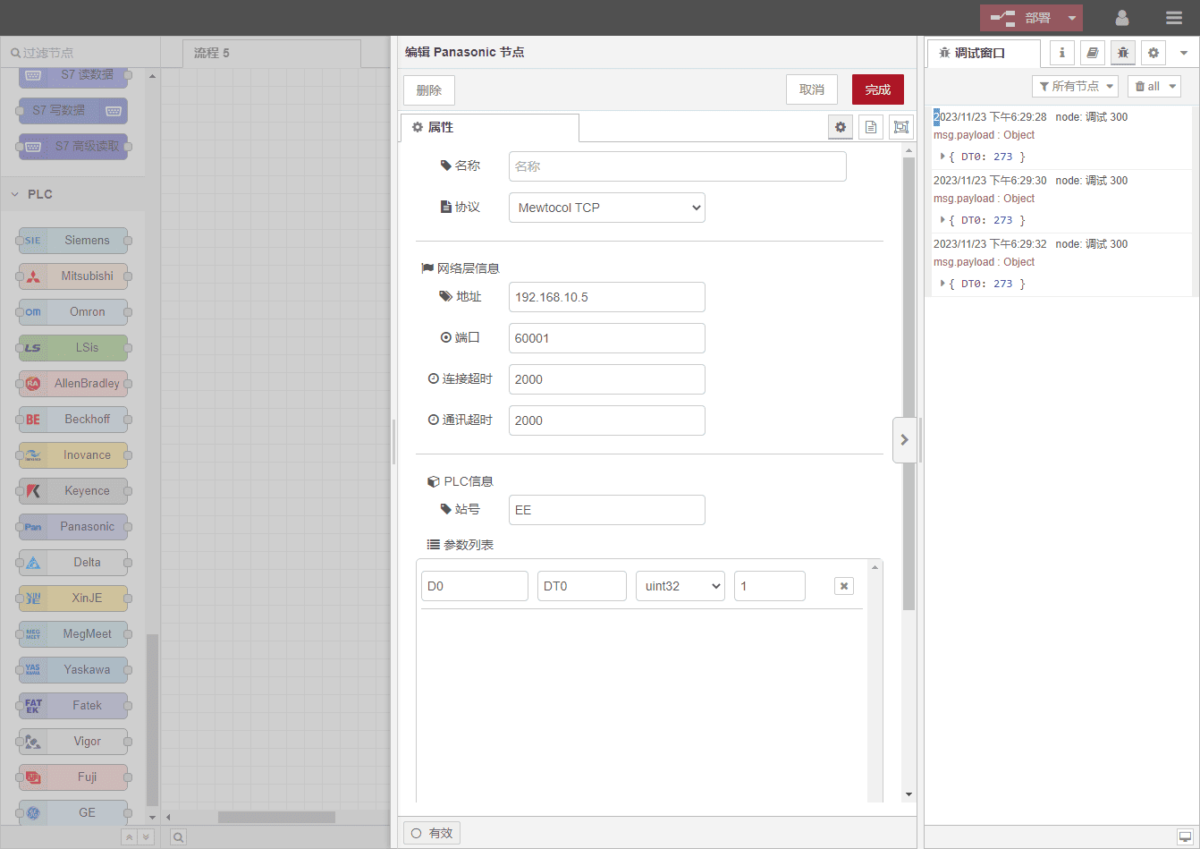
Sleep een Panasonic-knooppunt vanuit het linkerpaneel en dubbelklik erop om de instellingenpagina te openen. Stel de volgende instellingen in op basis van de parameters van de seriële poort van de PLC:
Protocol: Selecteer Mewtocol TCP
Adres: Voer het PLC-adres in (bijv. 192.168.10.5)
Haven: Voer het PLC-aansluitnummer in (bijv. 60001)
Time-out verbinding: 2000
Time-out communicatie: 2000
Station ID: EE
3.2. Configuratie gegevenspunt
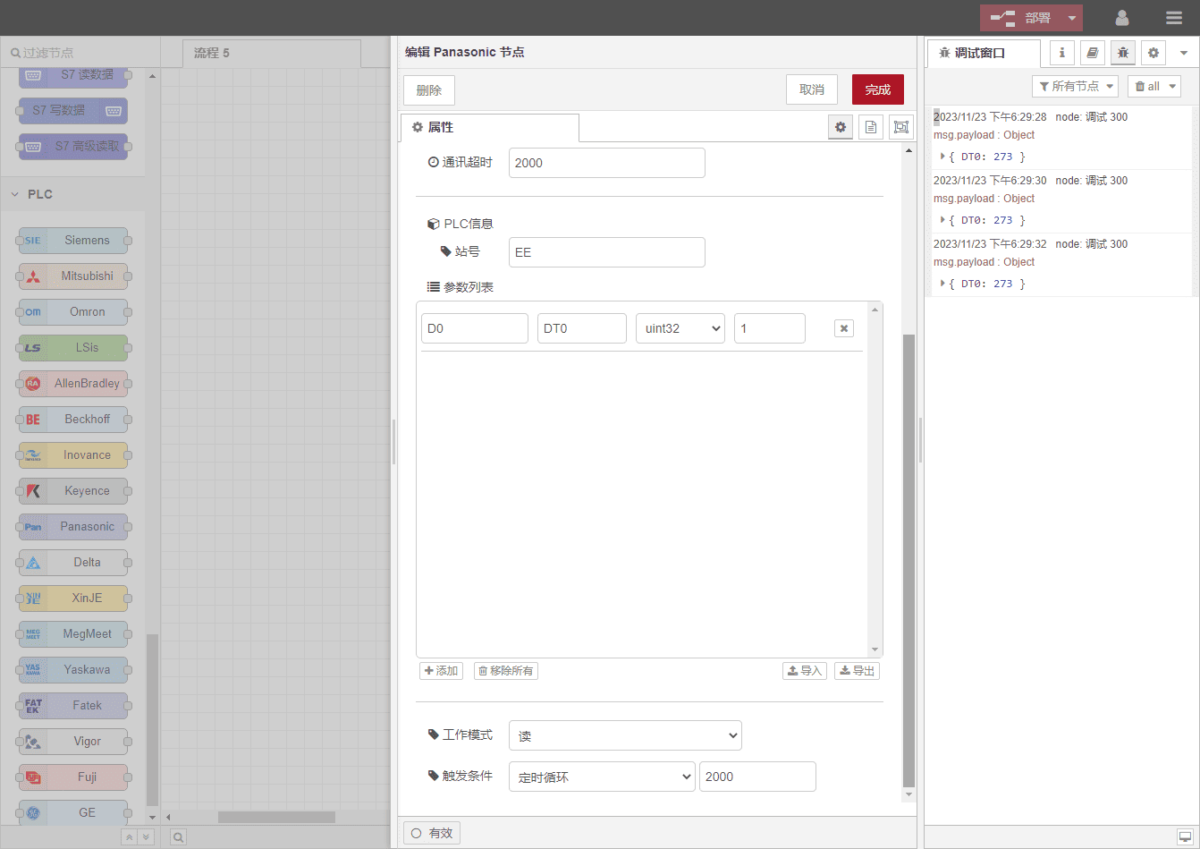
Voer de gegevenspunten die moeten worden ingelezen in de parameterlijst van het Panasonic-knooppunt in. Zodra de configuratie is voltooid, worden de PLC-gegevens automatisch met de opgegeven frequentie opgehaald.
Datapunten worden meestal geleverd door PLC-engineers. Na ontvangst van de puntenlijst vult u de gegevenspunten in volgens het vereiste formaat van de gateway. Raadpleeg voor specifieke correspondentie:
Dit is een Yuque-inhoudskaart. Klik op de link om deze te bekijken:(Je kunt Google Chrome gebruiken voor vertaling) https://iotrouter.yuque.com/zn3vdn/eg8000/frhrwhgsa8o2xpof
In dit voorbeeld worden gegevens uit adres DT0 gelezen. Met behulp van de FPWIN GR7-software kun je zien dat DT0 een 32-bits geheel getal met teken bevat: 273. Vul in de parameterlijst achtereenvolgens het adres, de naam, het gegevenstype en de gegevenslengte in. Stel een cyclus van 2 seconden in voor periodiek uitlezen, zoals weergegeven in de afbeelding:
3.3. Testen
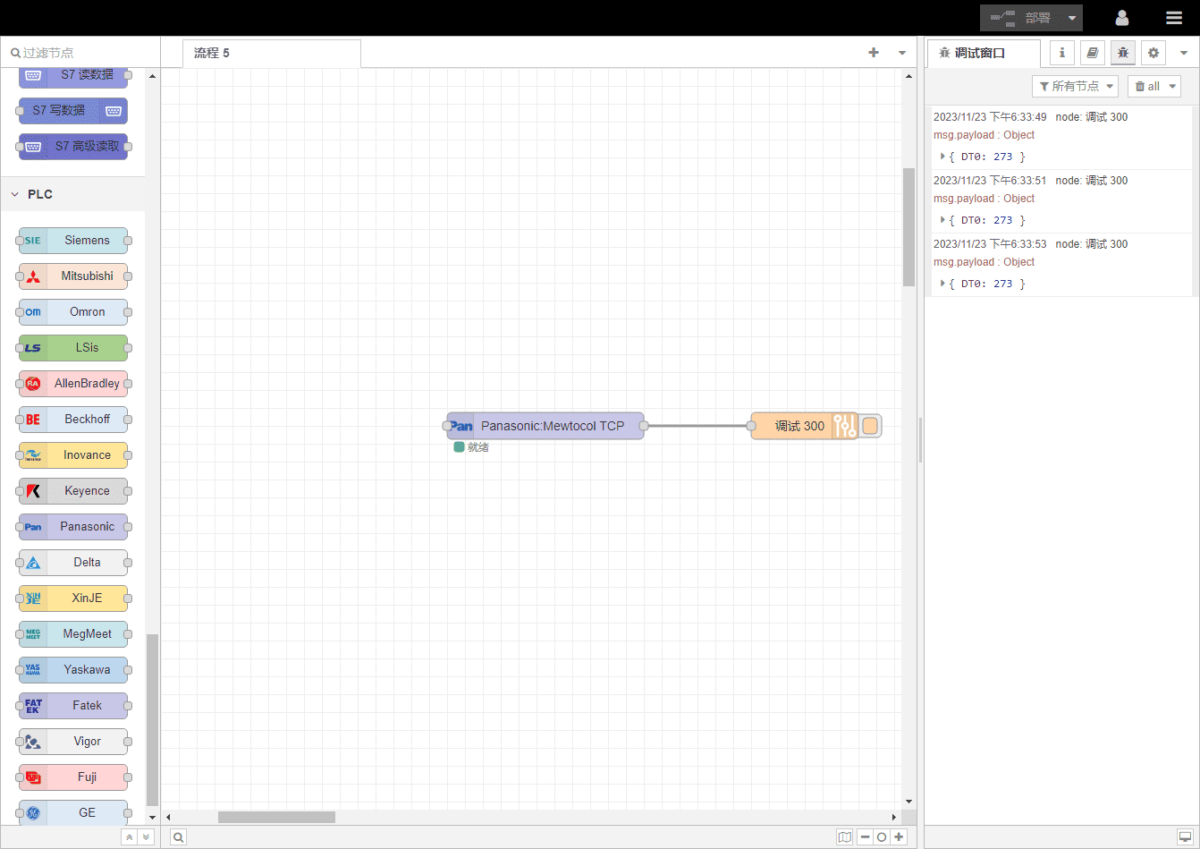
Klik op ‘Deploy’ en kijk of er om de 2 seconden een gegevenspunt wordt weergegeven. Het resultaat van het uitgelezen gegevenspunt is: DT0:273. Communicatie geslaagd!

Agnes Wang is IoT-oplossingsspecialist bij IOTRouter en richt zich op industriële IoT-gateways, edge computing en oplossingen voor industriële automatisering.
Ze is gespecialiseerd in industriële communicatietechnologieën, waaronder Modbus, IEC 60870-5-104, MQTT, OPC UA, PLC-integratie en toepassingen voor monitoring op afstand. Ze levert bijdragen aan technische artikelen en toepassingsgidsen over industriële IoT-oplossingen, protocolconversie en edge computing.