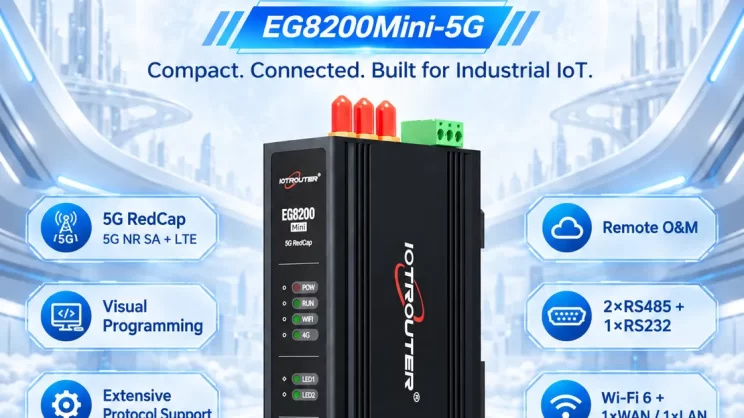
This guide explains how to integrate Omron PLC with EG Edge Gateway using the FINs protocol for industrial automation and data collection. It is part of the Siemens PLC communication series.
L'articolo di cui abbiamo parlato prima:
How to interface with Omron PLC via EtherNet/IP protocol
How to interface with Omron PLC via Hostlink protocol
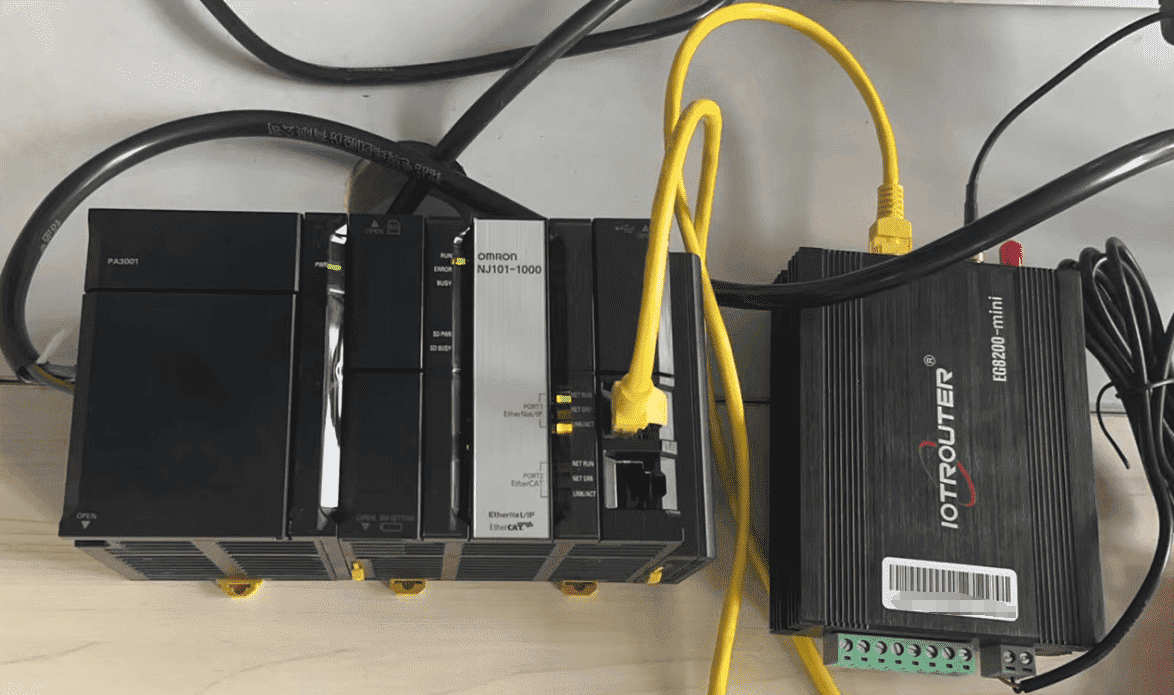
1. Connessione hardware
Compatible PLC: NJ101-1000
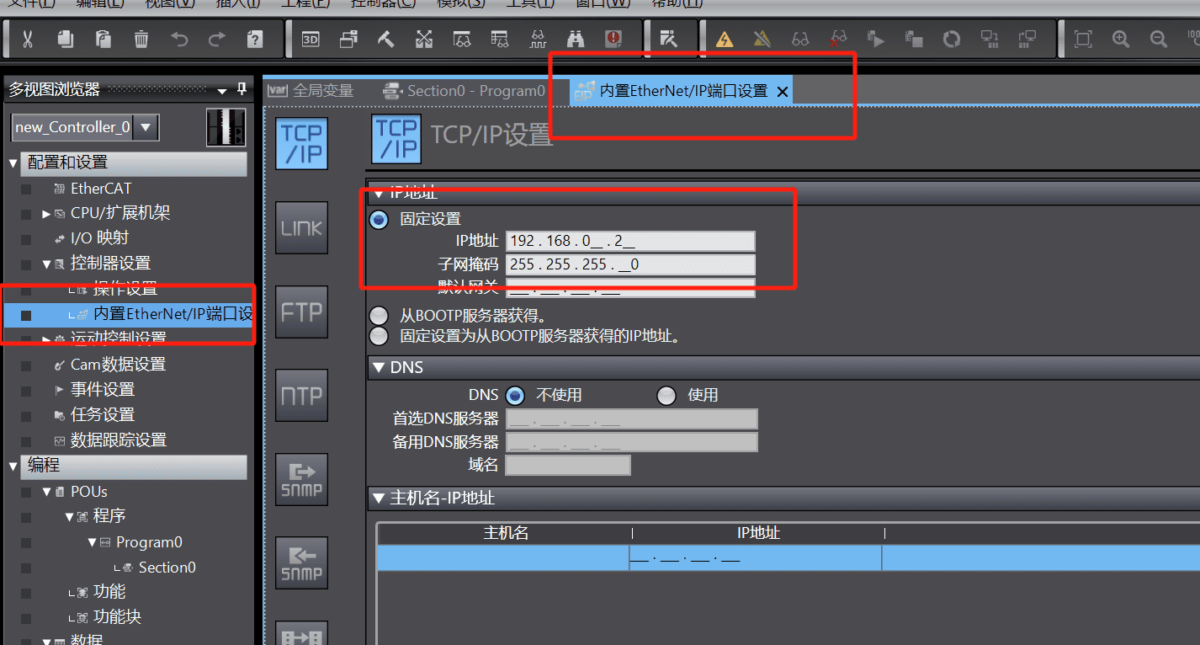
The FINS protocol uses Ethernet communication, so it is only necessary to ensure that the gateway’s LAN IP and the Omron PLC’s IP are on the same subnet (Note: in special cases, they do not need to be on the same subnet, but routing must be configured. For details, consult technical support). The IP addresses in this example are assigned as follows:
| EG8200Mini | Omron PLC | |
| Indirizzo IP | 192.168.0.80 | 192.168.0.2 |
2. Parametri di comunicazione del PLC
2.1. Impostazioni dei parametri Ethernet
2.2. Variable Addresses
3. Impostazioni del gateway
3.1. Impostazioni di connessione del PLC
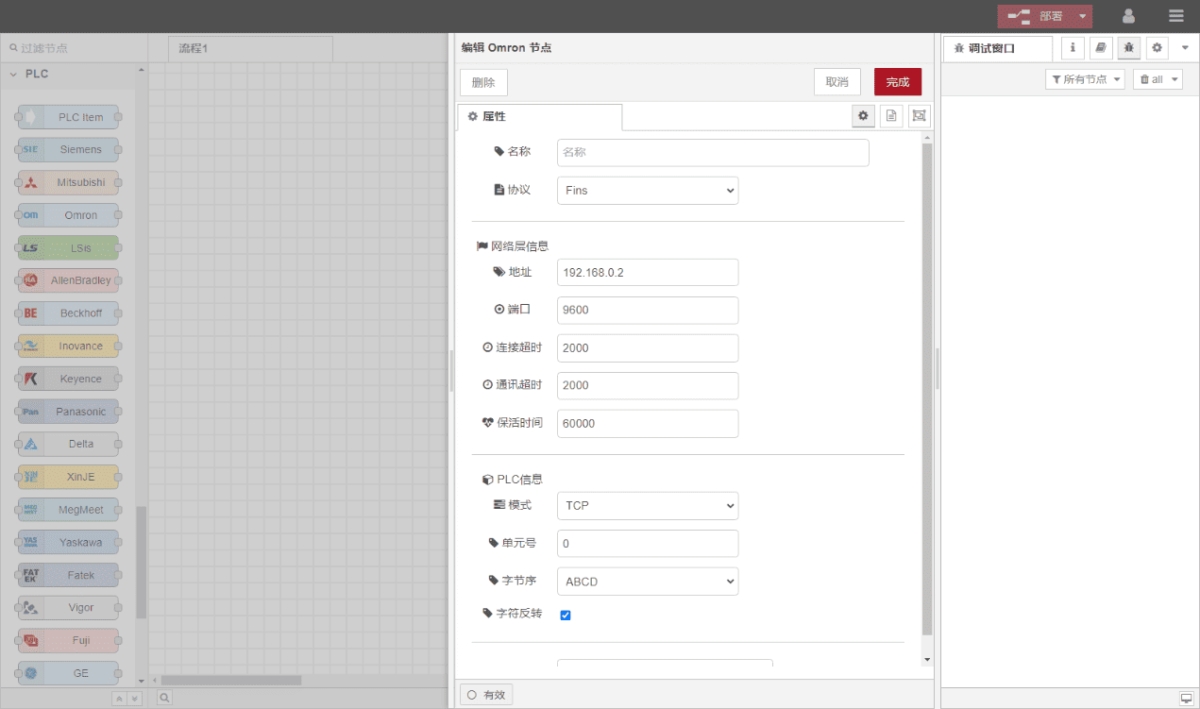
Drag an Omron node from the left panel and double-click to open the settings page. Configure it according to the PLC’s communication parameters as follows:
Protocollo: Select FINS
Indirizzo: Enter the PLC address, in this example: 192.168.0.2
Porto: Enter the PLC connection port, in this example: 9600
Timeout della connessione: 2000
Timeout di comunicazione: 2000
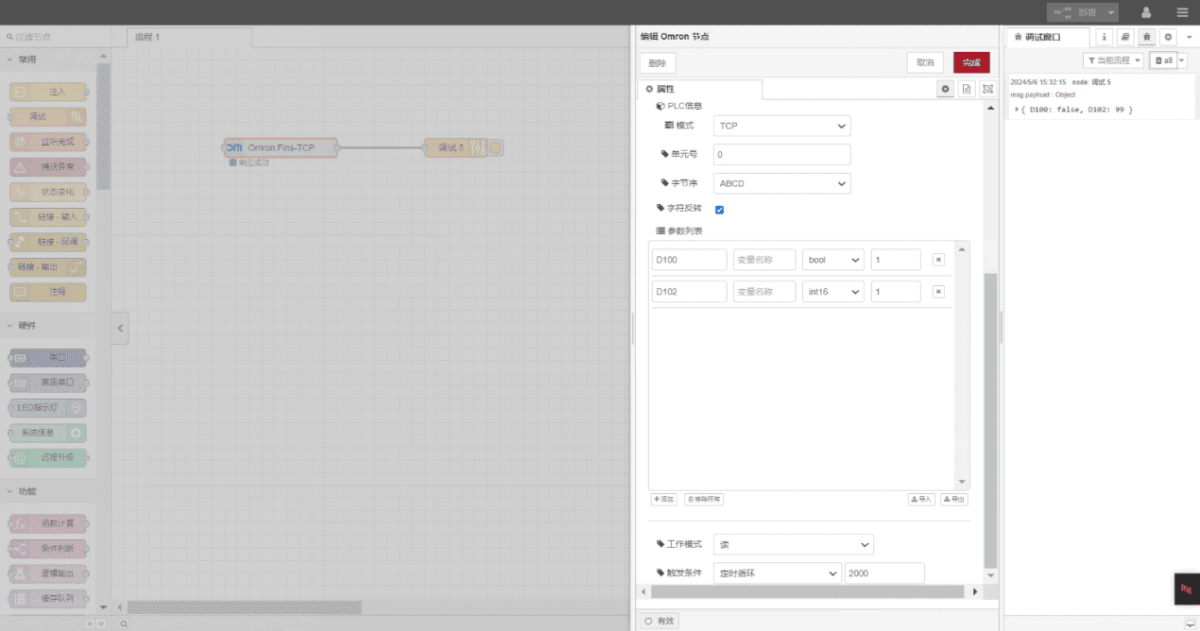
Mode: TCP
Unit Number: 0
Byte Order: ABCD
3.2. Configurazione del punto dati
In the parameter list of the Omron node, enter the data points you want to read. Once the data points are configured, the gateway will automatically read the PLC data at the set frequency.
Data points are usually provided by the PLC engineer. After receiving the point table, fill in the data points according to the format required by the gateway. For specific mappings, refer to:
Yuque content card:(È possibile utilizzare Google Chrome per la traduzione.) https://iotrouter.yuque.com/zn3vdn/eg8000/skfapgdm7332it5q
In this example, data from addresses D100 and D102 are read. In the parameter list, fill in the Address / Name / Data Type / Data Length, and set the reading cycle to 2 seconds, as shown below:
3.3. Test
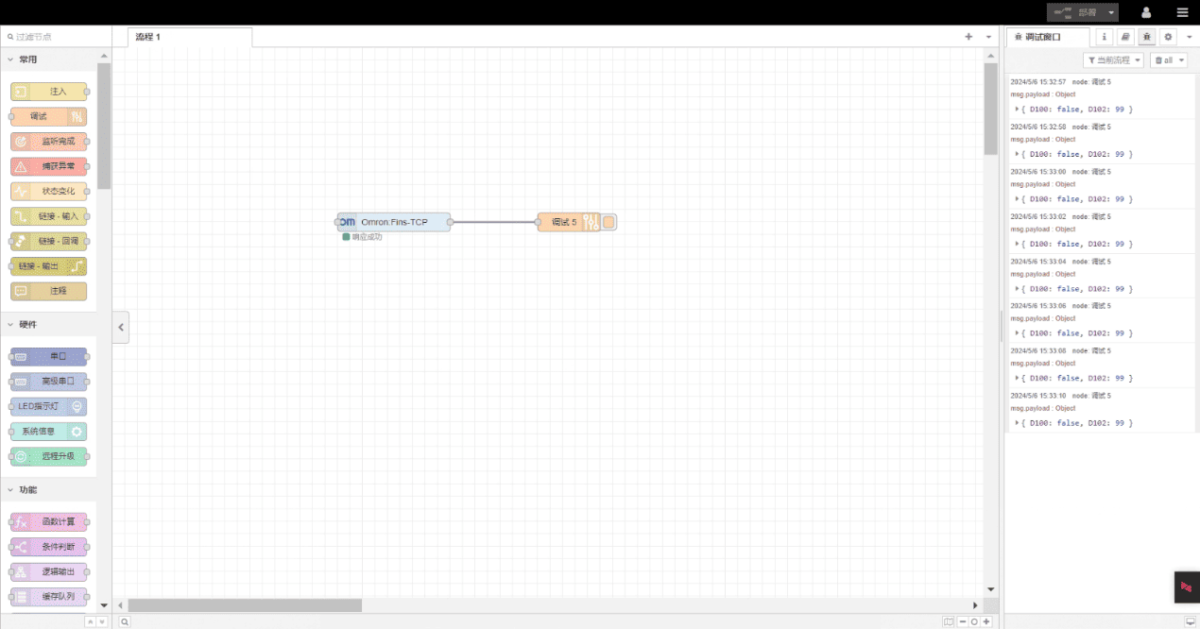
Cliccare Distribuire and observe that a data entry is printed every 2 seconds. The read data points should appear as: D100: false, D102: 99. Communication is successful!
Guide correlate sull'integrazione dei PLC industriali
← Torna alla pagina "PLC Integration Hub"

Agnes Wang è una specialista in soluzioni IoT presso IOTRouter, dove si occupa principalmente di gateway IoT industriali, edge computing e soluzioni di automazione industriale.
È specializzata in tecnologie di comunicazione industriale, tra cui Modbus, IEC 60870-5-104, MQTT, OPC UA, integrazione di PLC e applicazioni di monitoraggio remoto. Collabora alla stesura di articoli tecnici e guide applicative riguardanti soluzioni IoT industriali, conversione di protocolli ed edge computing.