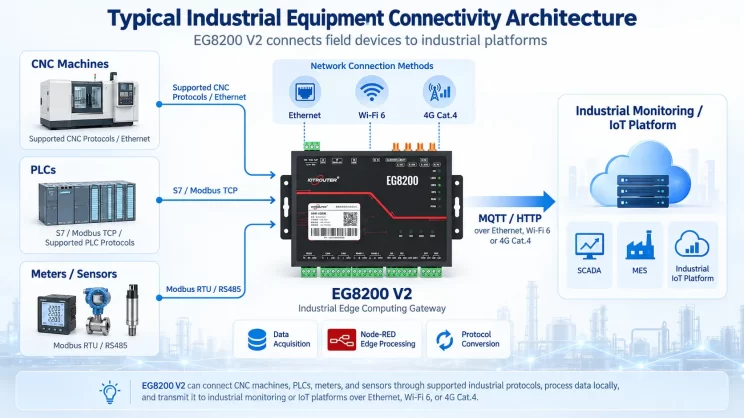
Questo articolo illustra come i PLC Panasonic possano essere integrati con l'EG Edge Gateway tramite il protocollo TCP Mewtocol per la comunicazione industriale. Fa parte del PLC Integration Hub.
1. Connessione hardware
PLC compatibili: Panasonic FP0H / Panasonic XHC60ET
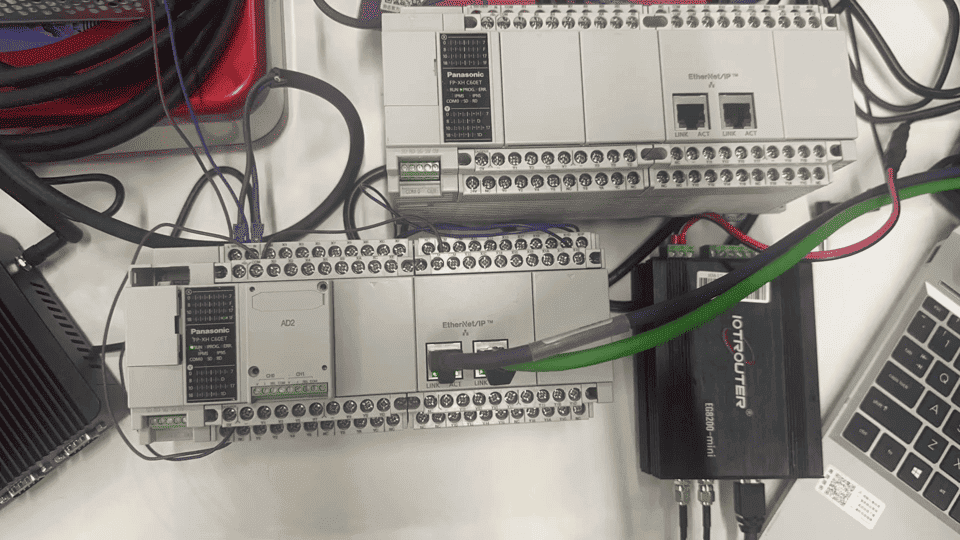
Il protocollo TCP di MEWTOCOL utilizza la comunicazione Ethernet. Pertanto, è sufficiente assicurarsi che la porta LAN del gateway e il PLC Panasonic siano configurati nella stessa sottorete IP.
2. Parametri di comunicazione del PLC
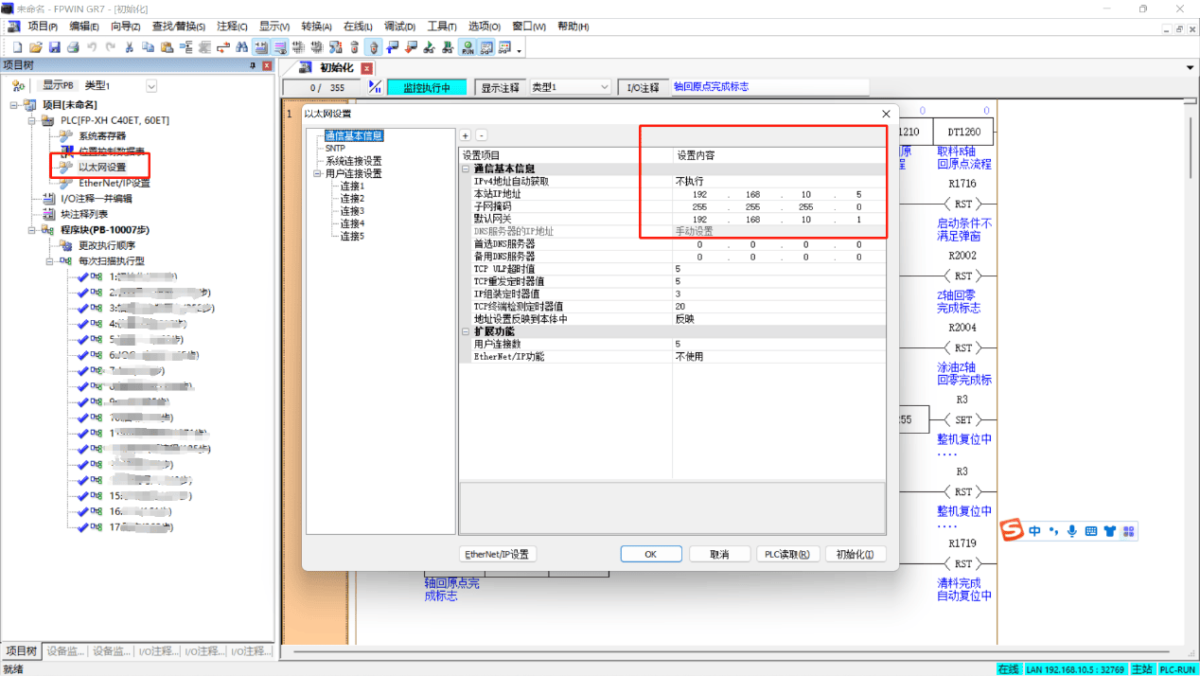
2.1 Configurazione dei parametri Ethernet
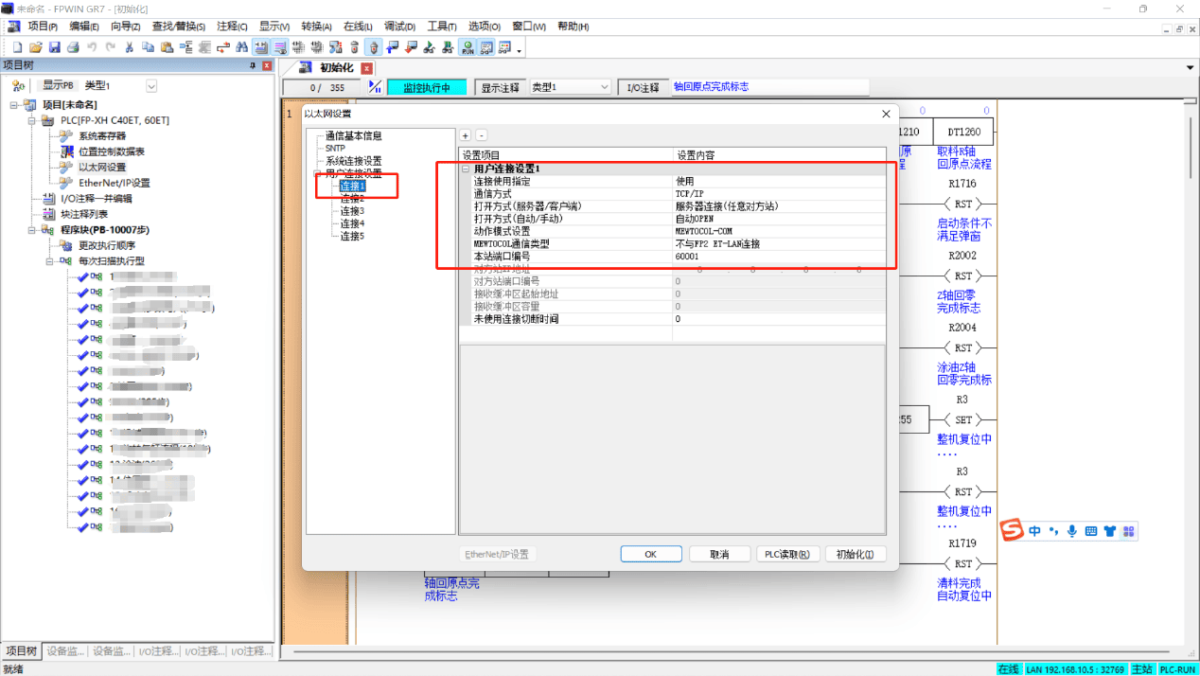
2.2 Configurazione delle porte di connessione utente
3. Configurazione del gateway
3.1 Impostazioni di connessione del PLC
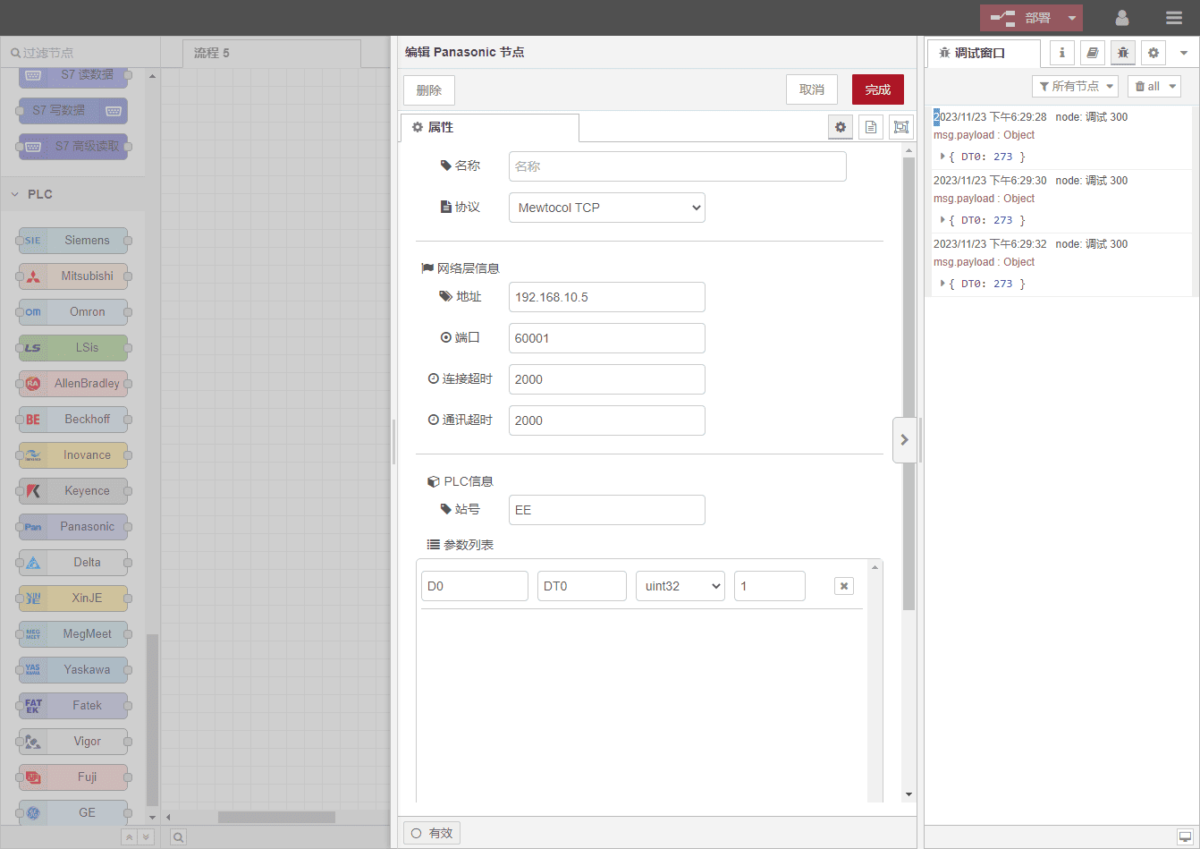
Trascina un Panasonic Selezionare il nodo dal pannello di sinistra, quindi fare doppio clic su di esso per aprire la pagina di configurazione. Compilare i parametri in base alle impostazioni di comunicazione del PLC come segue:
Protocollo: MEWTOCOL TCP
Indirizzo: Indirizzo IP del PLC (esempio: 192.168.10.5)
Porto: Porta di connessione PLC (esempio: 60001)
Timeout della connessione: 2000
Timeout di comunicazione: 2000
Numero della stazione: EE
3.2 Configurazione dei punti dati
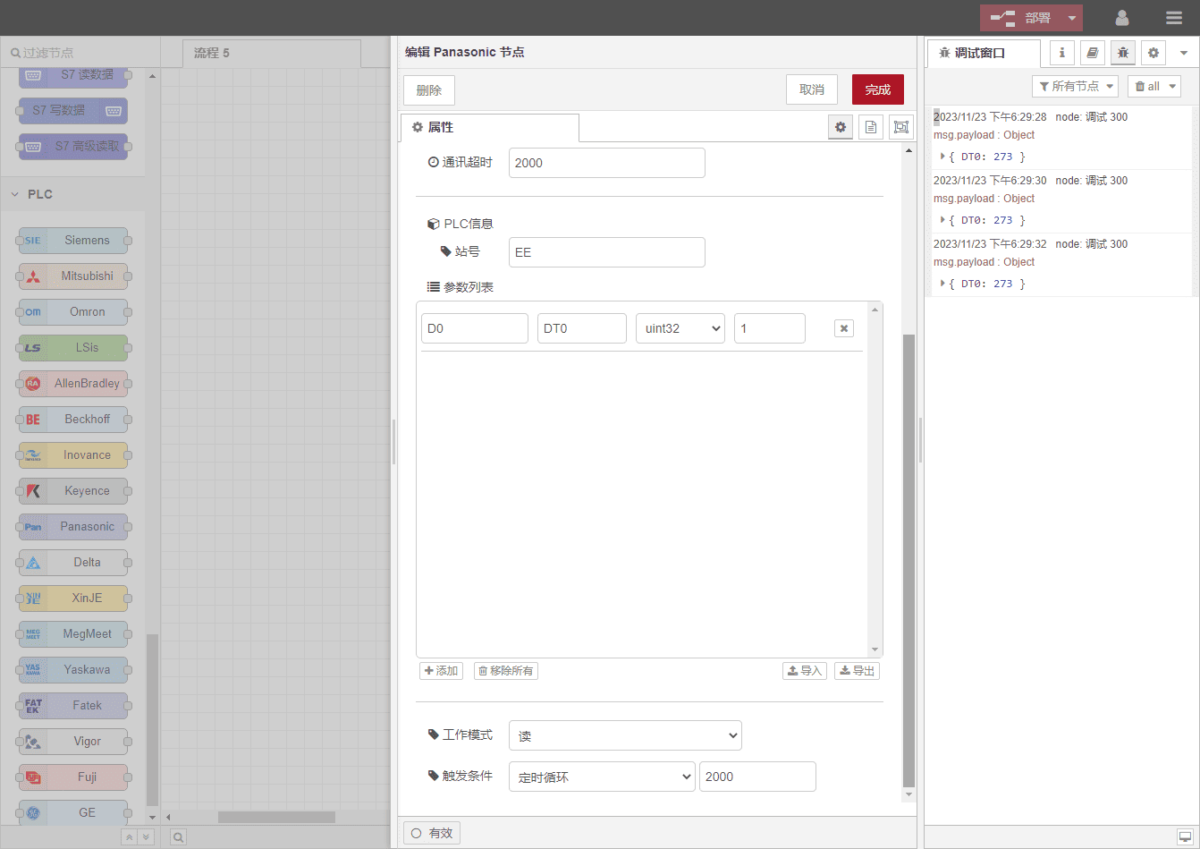
Nell'elenco dei parametri del Panasonic nodo, inserire i punti dati da leggere. Una volta configurati i punti dati, il gateway leggerà automaticamente i dati del PLC all'intervallo di polling configurato.
I punti dati vengono solitamente forniti dal tecnico addetto al PLC. Una volta ricevuto l'elenco dei punti, inserire i punti dati secondo il formato richiesto dal gateway. La mappatura dettagliata degli indirizzi è disponibile qui:(È possibile utilizzare Google Chrome per la traduzione.)
https://iotrouter.yuque.com/zn3vdn/eg8000/frhrwhgsa8o2xpof
In questo esempio, i dati vengono letti dall'indirizzo DT0. Utilizzando il FPWIN GR7 nel software, si può notare che l'intero a 32 bit con segno memorizzato in DT0 è 273. Nell'elenco dei parametri, inserire il indirizzo/nome/tipo di dati/lunghezza dei dati, e configurare un Intervallo di polling di 2 secondi, come illustrato nella figura.
3.3 Test
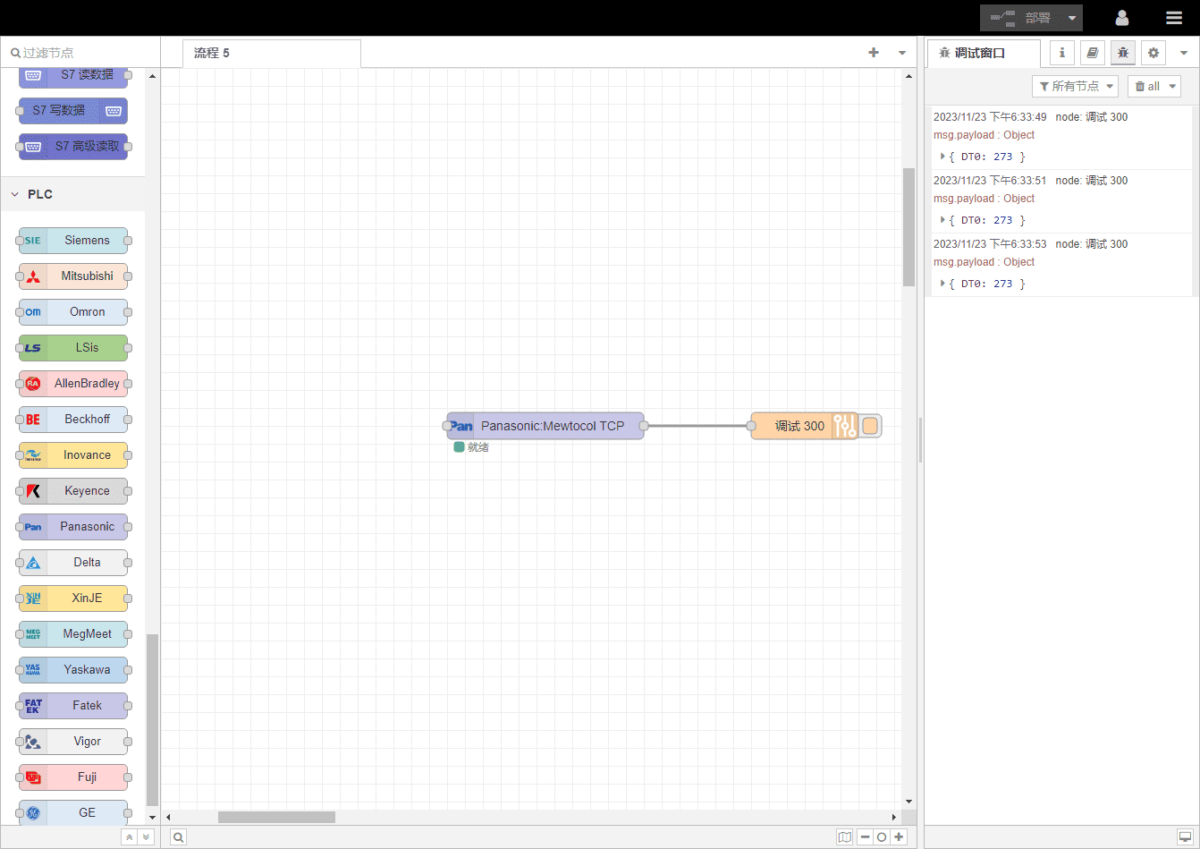
Cliccare Distribuire. Verrà visualizzato un record di dati ogni 2 secondi. Il risultato della lettura è:
DT0: 273
La comunicazione è andata a buon fine!
Guide correlate sull'integrazione dei PLC industriali
← Torna alla pagina "PLC Integration Hub"

Agnes Wang è una specialista in soluzioni IoT presso IOTRouter, dove si occupa principalmente di gateway IoT industriali, edge computing e soluzioni di automazione industriale.
È specializzata in tecnologie di comunicazione industriale, tra cui Modbus, IEC 60870-5-104, MQTT, OPC UA, integrazione di PLC e applicazioni di monitoraggio remoto. Collabora alla stesura di articoli tecnici e guide applicative riguardanti soluzioni IoT industriali, conversione di protocolli ed edge computing.