This article shows how Panasonic PLCs can be integrated with the EG Edge Gateway via the Mewtocol TCP protocol for industrial communication. It belongs to the PLC Integration Hub.
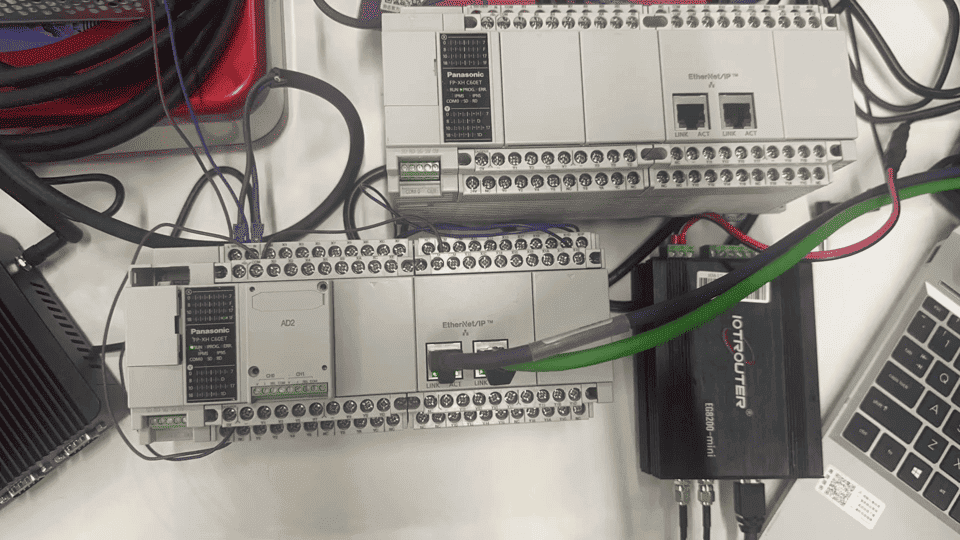
1. Подключение оборудования
Compatible PLC: Panasonic FP0H / Panasonic XHC60ET
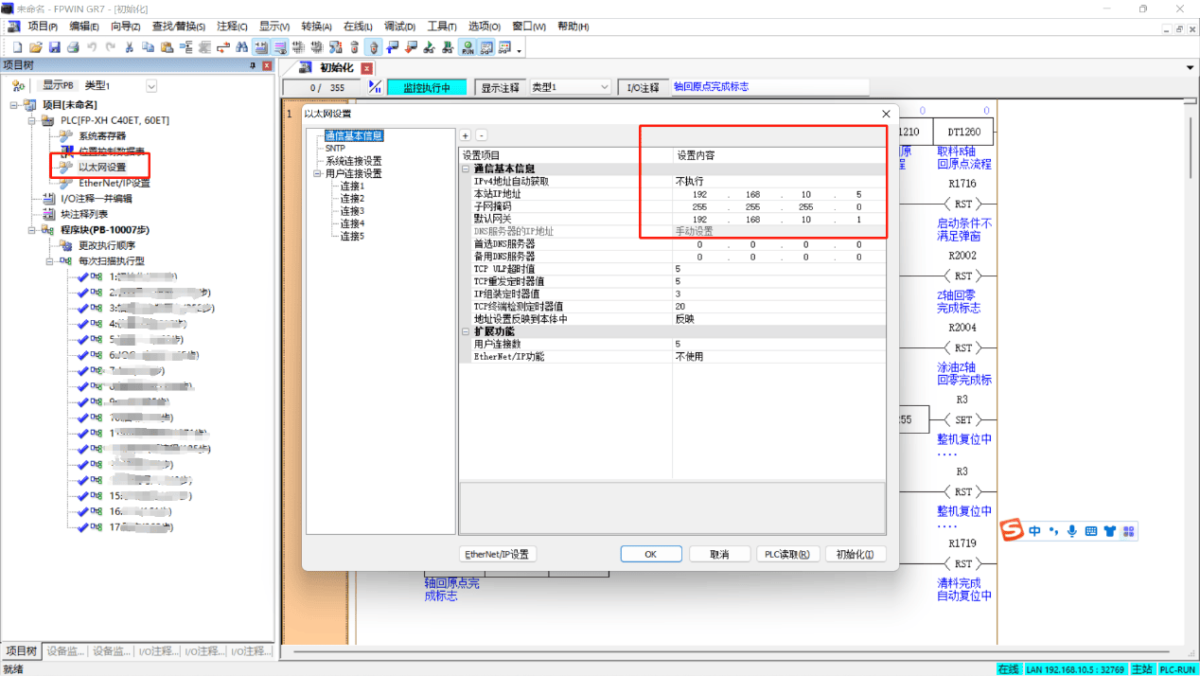
The MEWTOCOL TCP protocol uses Ethernet communication. Therefore, you only need to ensure that the gateway’s LAN port and the Panasonic PLC are configured within the same IP subnet.
2. Параметры связи с ПЛК
2.1 Ethernet Parameter Configuration
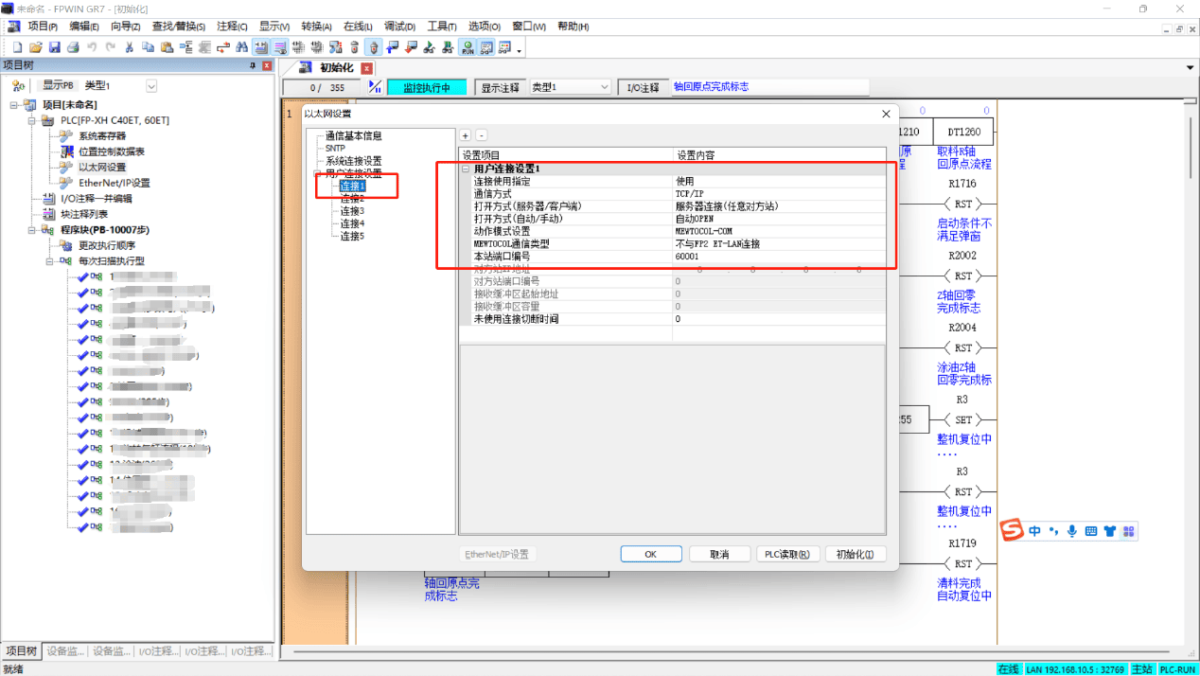
2.2 User Connection Port Configuration
3. Конфигурация шлюза
3.1 Настройки подключения ПЛК
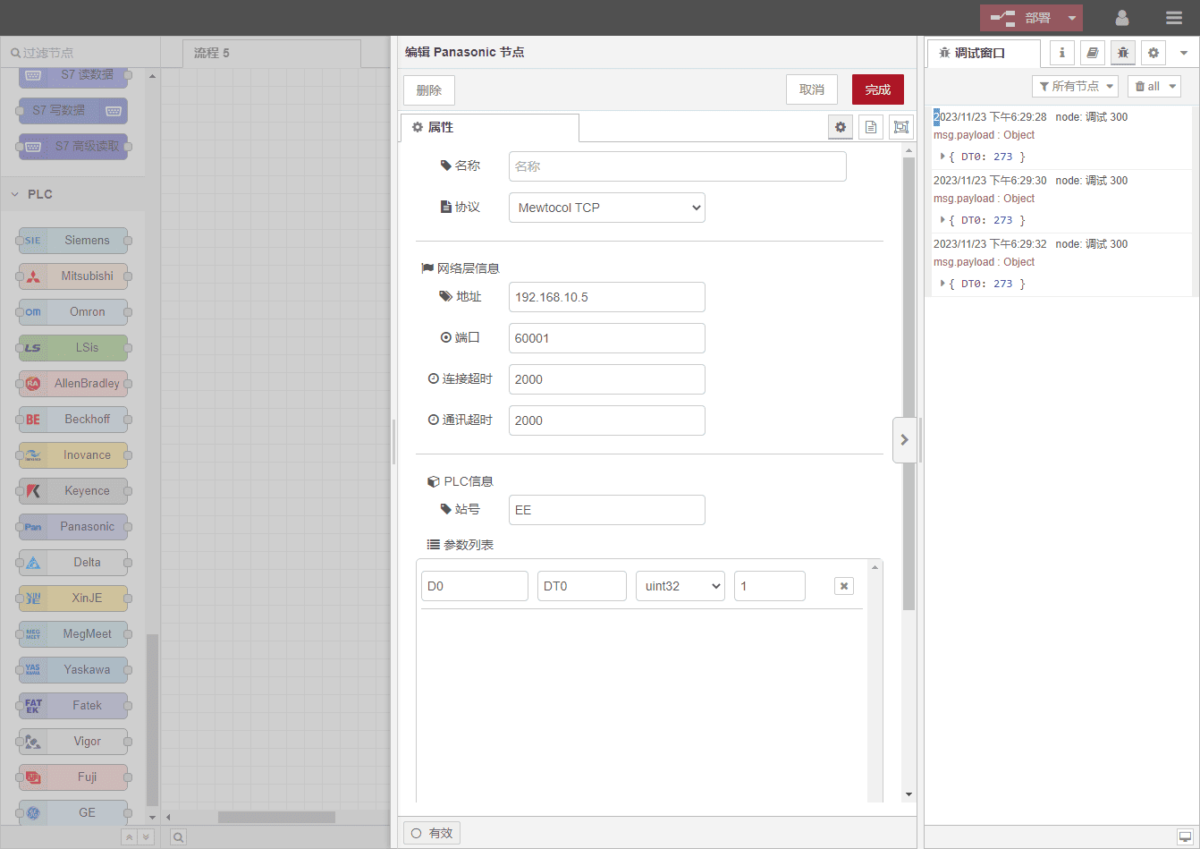
Перетащите Panasonic node from the left panel, then double-click it to open the configuration page. Fill in the parameters according to the PLC communication settings as follows:
Протокол: MEWTOCOL TCP
Адрес: PLC IP address (example: 192.168.10.5)
Port: PLC connection port (example: 60001)
Connection Timeout: 2000
Communication Timeout: 2000
Station Number: EE
3.2 Data Point Configuration
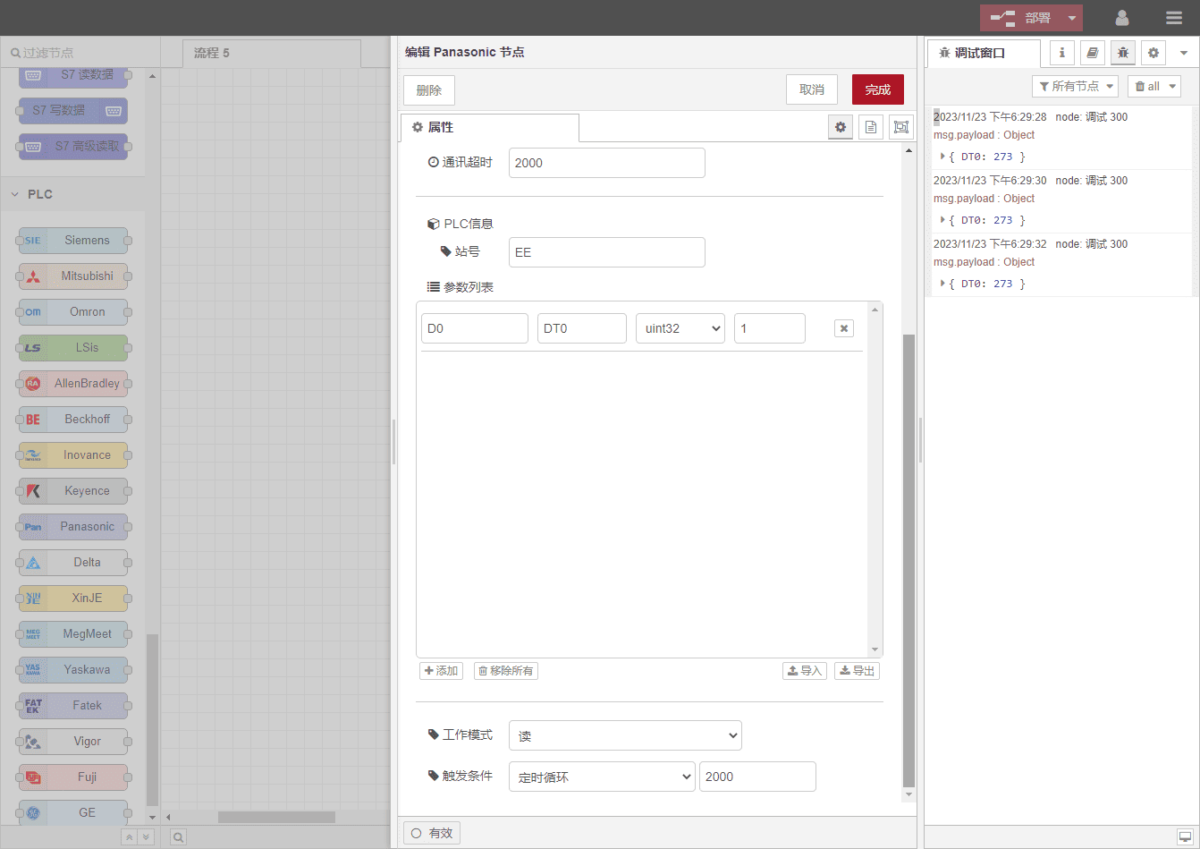
In the parameter list of the Panasonic node, enter the data points to be read. Once the data points are configured, the gateway will automatically read PLC data at the configured polling interval.
Data points are usually provided by the PLC engineer. After receiving the point list, fill in the data points according to the gateway’s required format. The detailed address mapping can be referenced here:(Вы можете использовать Google Chrome для перевода).
https://iotrouter.yuque.com/zn3vdn/eg8000/frhrwhgsa8o2xpof
In this example, data is read from address DT0. Using the FPWIN GR7 software, you can see that the signed 32-bit integer stored in DT0 is 273. In the parameter list, fill in the address/name/data type/data length, and configure a 2-second polling interval, as shown in the figure.
3.3 Тестирование
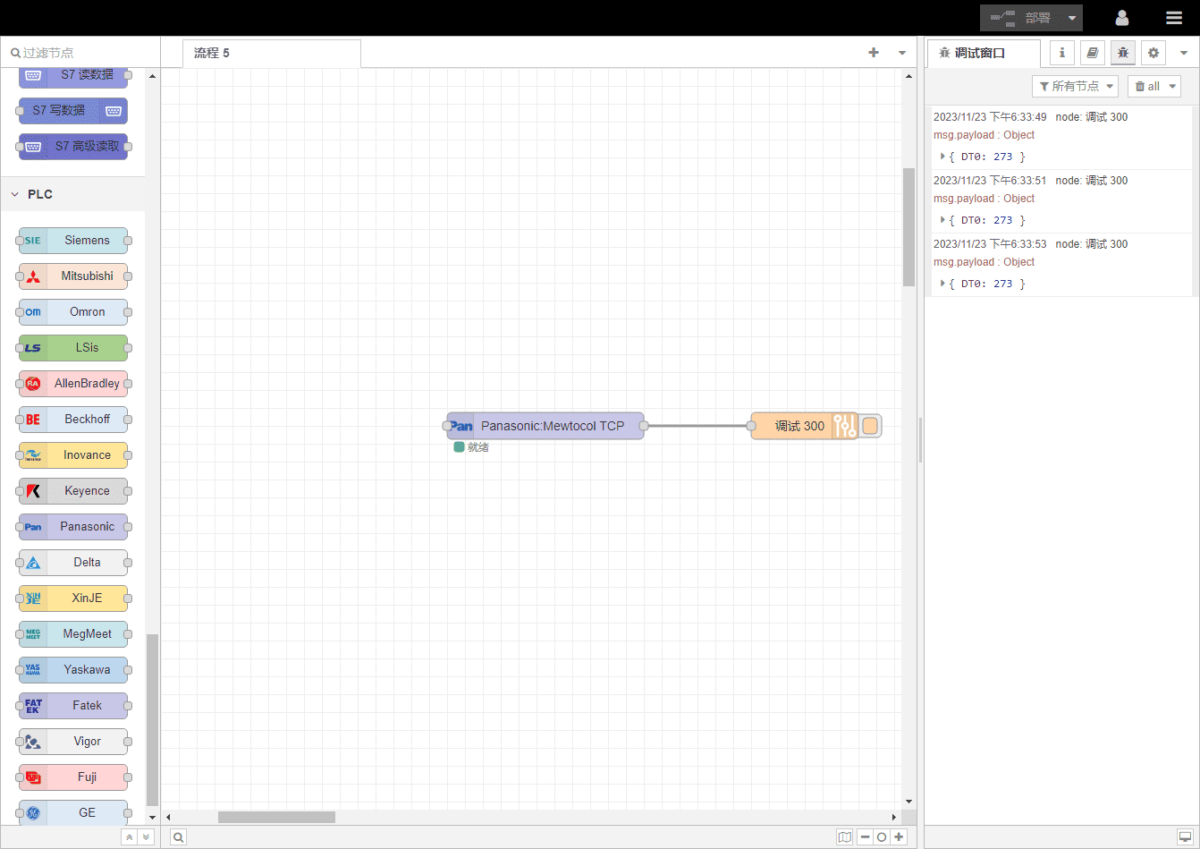
Нажмите Развернуть. You will see one data record printed every 2 seconds. The read data result is:
DT0: 273
Communication is successful!
Связанные руководства по интеграции промышленных ПЛК
← Вернуться на страницу «Центр интеграции ПЛК»

Агнес Ван — специалист по решениям в области Интернета вещей (IoT) в компании IOTRouter, специализирующаяся на промышленных шлюзах IoT, периферийных вычислениях и решениях для промышленной автоматизации.
Она специализируется на технологиях промышленной связи, в том числе на протоколах Modbus, IEC 60870-5-104, MQTT, OPC UA, интеграции ПЛК и приложениях для удаленного мониторинга. Она участвует в написании технических статей и руководств по применению, посвященных решениям в области промышленного Интернета вещей, преобразованию протоколов и пограничным вычислениям.