In this tutorial, we will focus on HAAS CNC Integration with CNC gateway. We hope this proves helpful.
Nelle lezioni precedenti abbiamo trattato :
Come il Mini Gateway CNC EG8200 si interfaccia con i sistemi CNC Siemens
Come integrare il gateway CNC con il CNC Mitsubishi
Come integrare il Gateway CNC con i CNC di nuova generazione
This lesson will provide a detailed explanation for Haas CNC systems. HAAS CNC employs two communication modes: Ethernet and serial port. Below, we will address CNC gateway integration for both modes.
1.Haas CNC (Ethernet) – CNC Gateway Integration
1. Connessione hardware
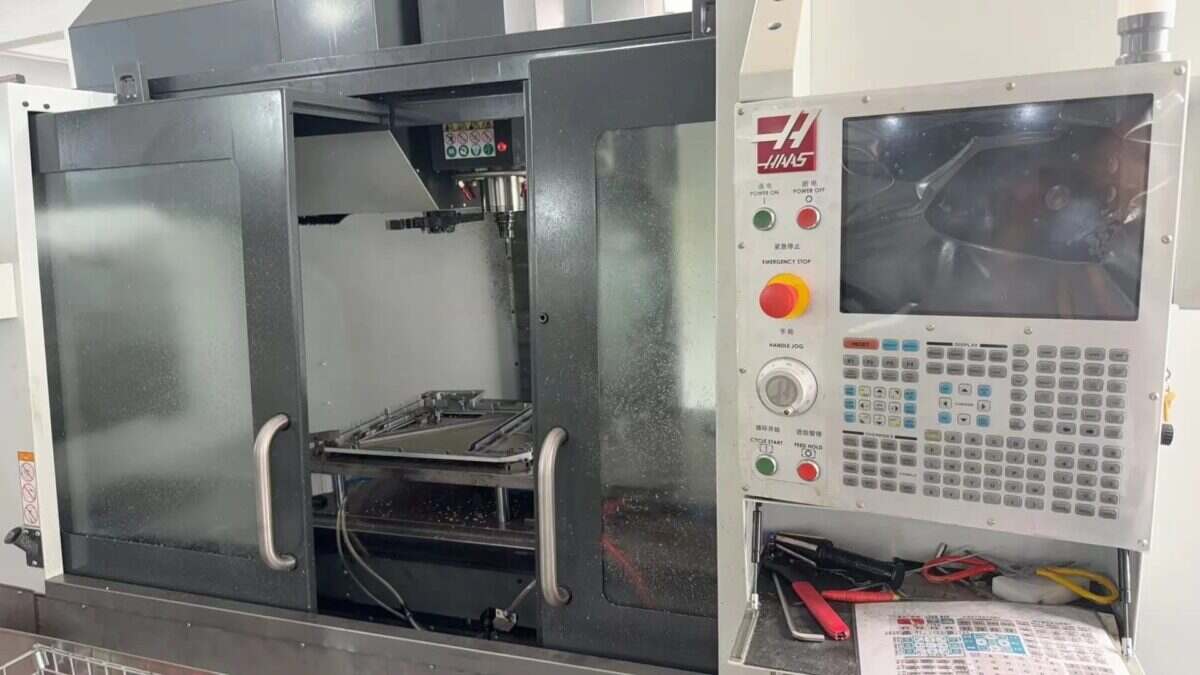
The Haas CNC communicates via Ethernet. Ensure the LAN port IP of the gateway and the Haas CNC DE IP are on the same subnet (Note: In special cases, they may be on different subnets, requiring routing configuration—consult technical support for details). IP addresses are assigned as follows in this example:
|
Gateway EG8200Mini-CNC |
Haas CNC (Ethernet) |
|
| Indirizzo IP | 192.168.88.1 | 192.168.88.34 |
2. Machine Tool Setup
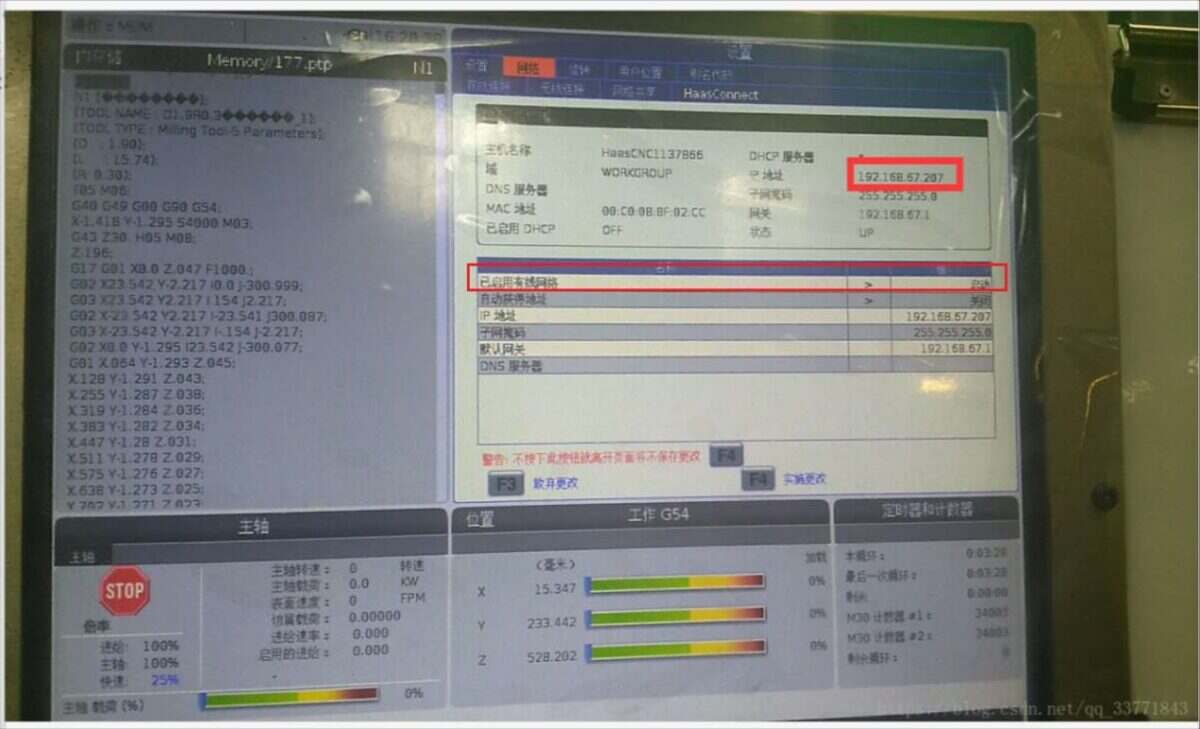
2.1. Locate or Configure IP in the Haas System
Locate the interface shown below and ensure the wired network status is enabled at startup:
2.2. Setting the Port Number
Switch to the Settings interface (to the left of the Network Options button), select the Other tab, and enter the corresponding interface:
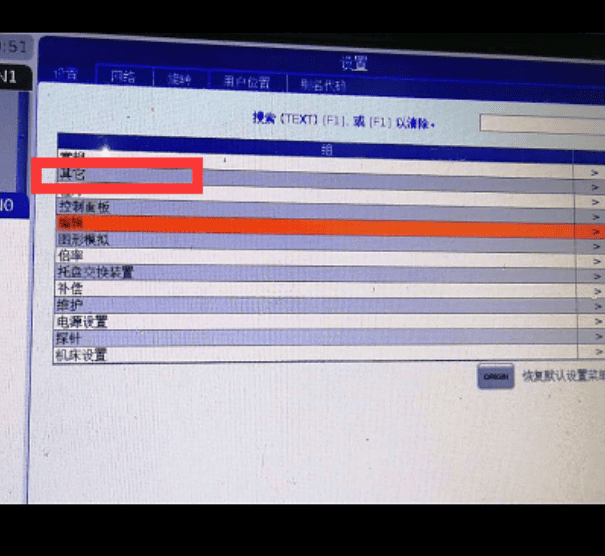
Configure the 143 parameter and set the port number:
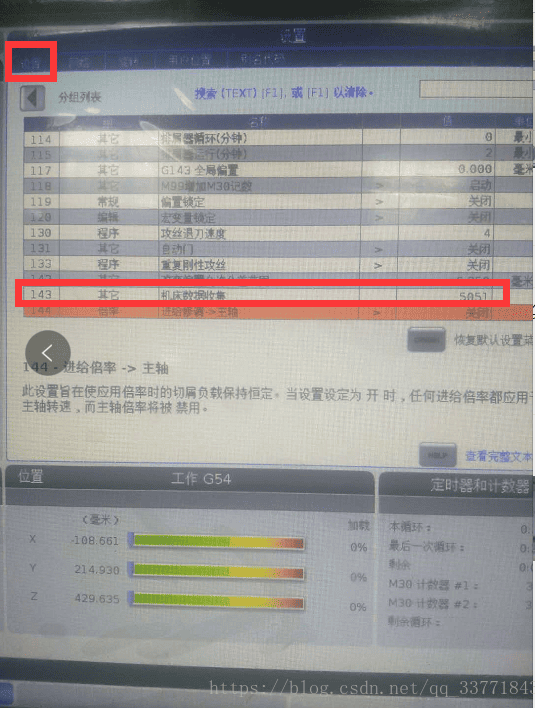
Machine tool side setup complete. Restart the CNC.
3. Configurazione del gateway
3.1. CNC Connection Settings
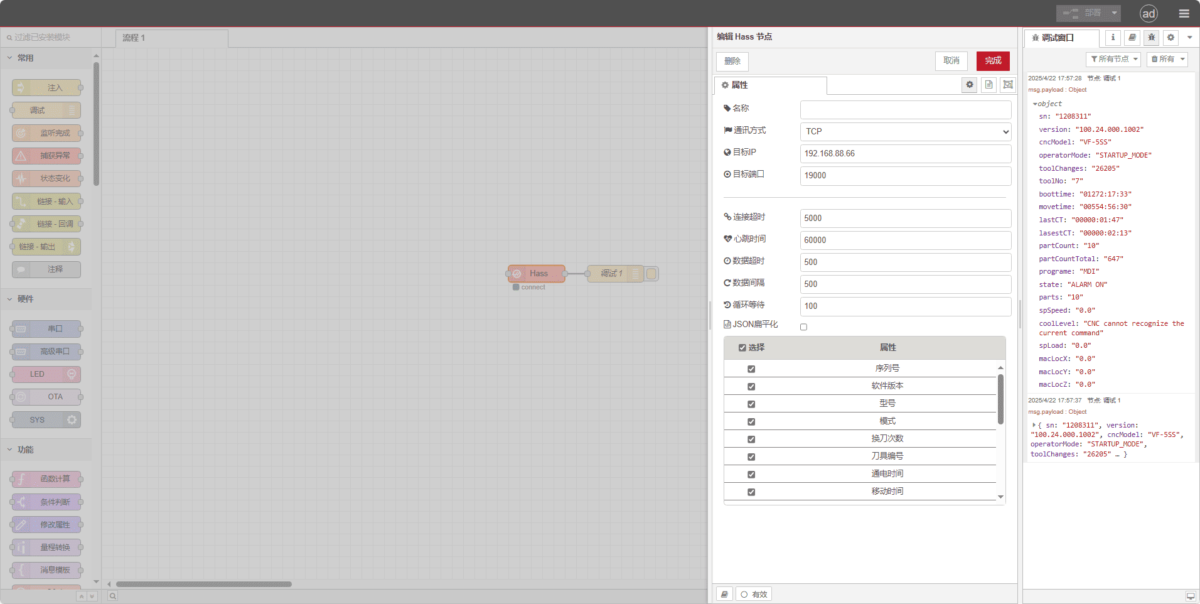
Drag a Hass node from the left panel, double-click to open the settings page, and configure as follows based on the PLC parameters:
Communication Method: TCP
IP di destinazione: 192.168.88.66 (Replace with your machine tool’s IP)
Porto: 19000 (Enter the port configured on the machine tool)
Timeout della connessione: 5000
Intervallo del battito cardiaco: 60000
Timeout dati: 500
Intervallo di dati: 500
Cycle Wait: 100
3.2. Test
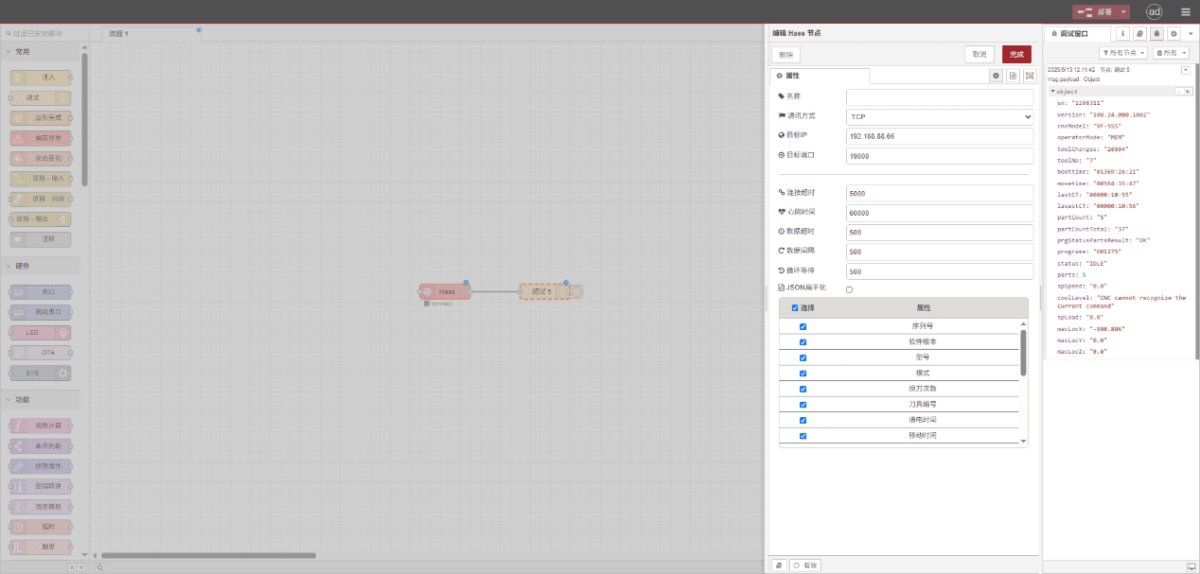
Fare clic su Deploy e osservare la stampa di un punto dati ogni pochi secondi. Verificare i punti dati ricevuti per confermare il successo della comunicazione!
Per la tabella di riferimento dei punti dati, fare riferimento a:
Questa è una scheda di contenuto Yueque. Fare clic sul link per visualizzarla: https://iotrouter.yuque.com/zn3vdn/eg8000/inggeg9b79itoggq
2.Haas CNC (Serial Port) – CNC Gateway Integration
Compatible CNC: VS500
1. Connessione hardware
The Haas CNC utilizes serial communication. In this example, the CNC communication port is a DB-25 pin RS-232 interface. The TXD/RXD/GND pins must be routed out and connected to the gateway’s RS232 interface. Connect TXD to the gateway’s RX, RXD to the gateway’s TX, and GND to the gateway’s GND.
DB25 (25-pin) RS-232 Standard Pinout
| Pin Number | Nome | Direction | Descrizione |
|---|---|---|---|
| 1 | PGND | – | Protective Ground (Chassis Ground) |
| 2 | TXD | Output | Transmit Data (DTE → DCE) |
| 3 | RXD | Input | Receive Data (DCE → DTE) |
| 4 | RTS | Output | Request To Send (DTE → DCE) |
| 5 | CTS | Input | Clear To Send (DCE → DTE) |
| 6 | DSR | Input | Data Set Ready (DCE → DTE) |
| 7 | GND | – | Signal Ground (Common Return) |
| 8 | DCD | Input | Data Carrier Detect (DCE → DTE) |
| 20 | DTR | Output | Data Terminal Ready (DTE → DCE) |
| 22 | RI | Input | Ring Indicator (DCE → DTE) |
2. Machine Tool Settings
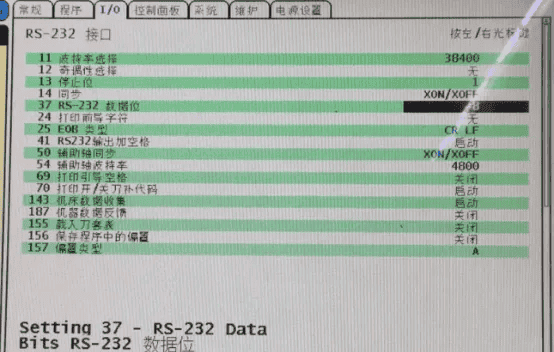
2.1. Serial Port Parameter Configuration
Click the Settings button, select I/O, and modify system parameters.
3. Gateway Settings
3.1. CNC Connection Settings
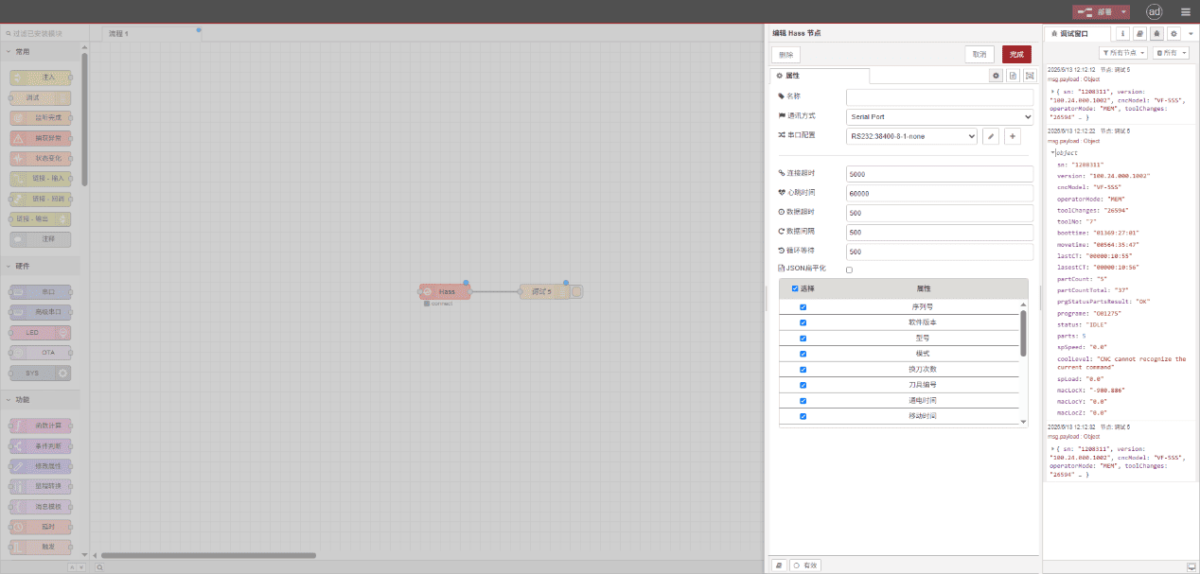
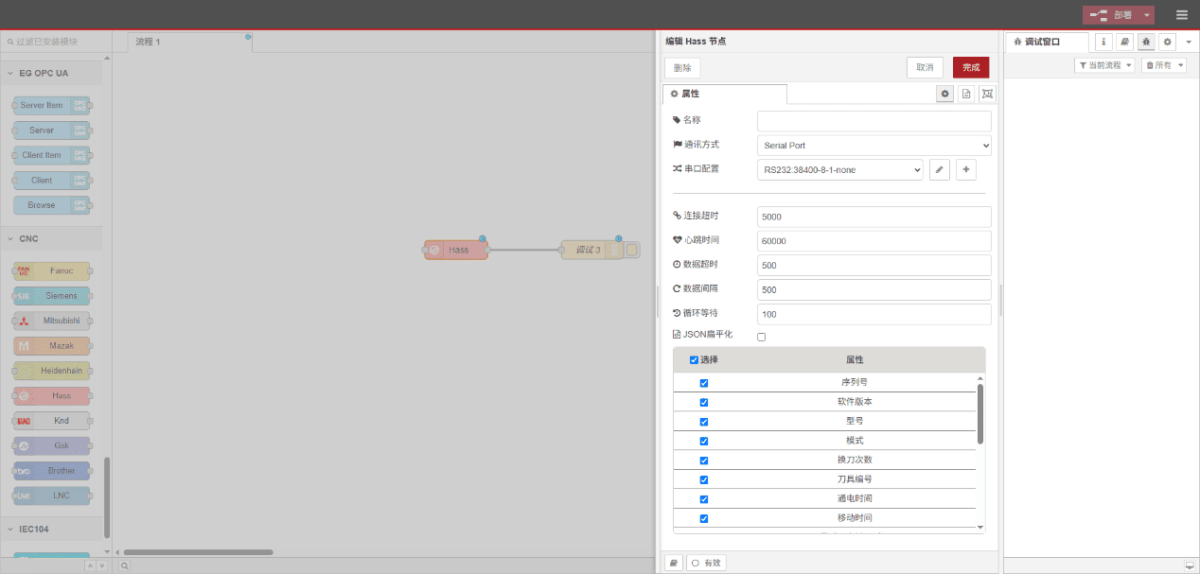
Drag a Hass node from the left panel, double-click to open the settings page, and configure as follows based on the PLC parameters:
Communication Method: Porta seriale
Serial Port: RS232
Baud Rate: 38400
Data Bits: 8
Stop Bits: 1
Parity: None
Timeout della connessione: 5000
Intervallo del battito cardiaco: 60000
Timeout dati: 500
Intervallo di dati: 500
Cycle Wait: 100
3.2. Test
Fare clic su Deploy e osservare la stampa di un punto dati ogni pochi secondi. Verificare i punti dati ricevuti per confermare il successo della comunicazione!
Per la tabella di riferimento dei punti dati, fare riferimento a:
Questa è una scheda di contenuto Yueque. Fare clic sul link per visualizzarla: https://iotrouter.yuque.com/zn3vdn/eg8000/inggeg9b79itoggq