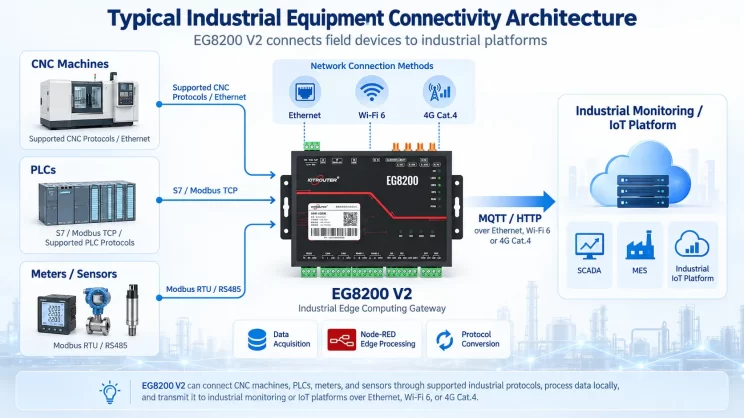
In this tutorial, we will focus on HAAS CNC Integration with CNC gateway. We hope this proves helpful.
In de vorige lessen hebben we het volgende behandeld:
Hoe de EG8200 Mini CNC Gateway wordt gekoppeld aan Siemens CNC-systemen
Hoe integreer je de CNC-gateway met Mitsubishi CNC?
Hoe integreer je de CNC-gateway met de nieuwe generatie CNC-systemen?
This lesson will provide a detailed explanation for Haas CNC systems. HAAS CNC employs two communication modes: Ethernet and serial port. Below, we will address CNC gateway integration for both modes.
1.Haas CNC (Ethernet) – CNC Gateway Integration
1. Hardwareverbinding
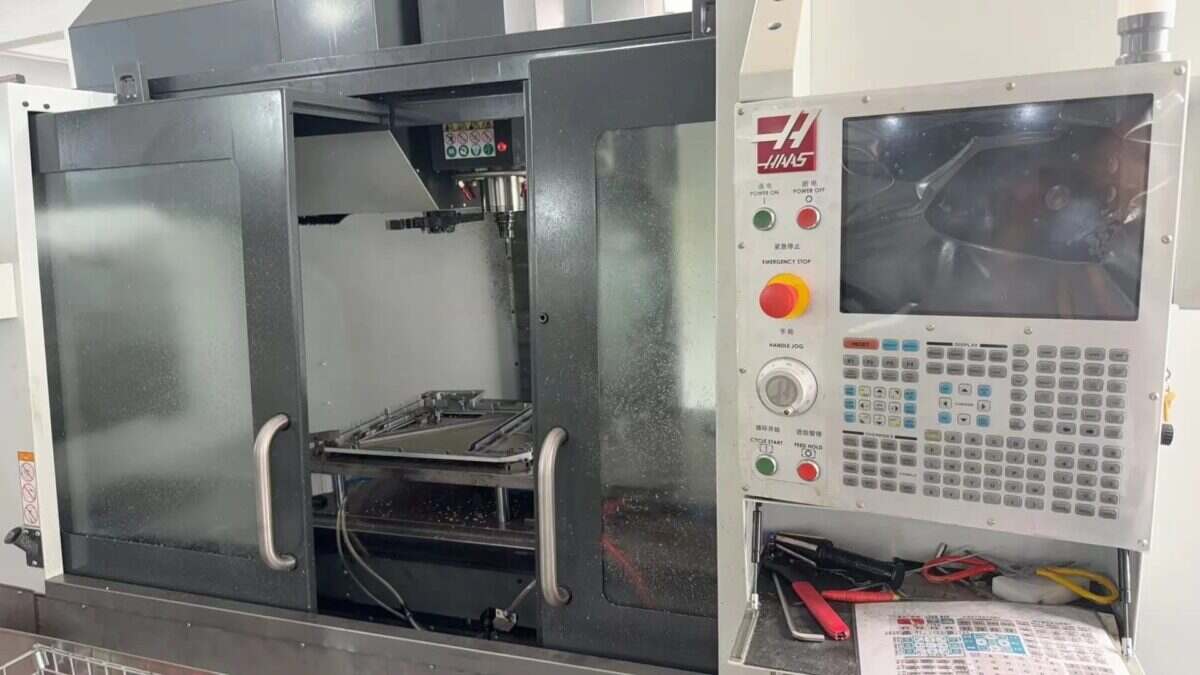
The Haas CNC communicates via Ethernet. Ensure the LAN port IP of the gateway and the Haas CNC DE IP are on the same subnet (Note: In special cases, they may be on different subnets, requiring routing configuration—consult technical support for details). IP addresses are assigned as follows in this example:
|
EG8200Mini-CNC-gateway |
Haas CNC (Ethernet) |
|
| IP-adres | 192.168.88.1 | 192.168.88.34 |
2. Machine Tool Setup
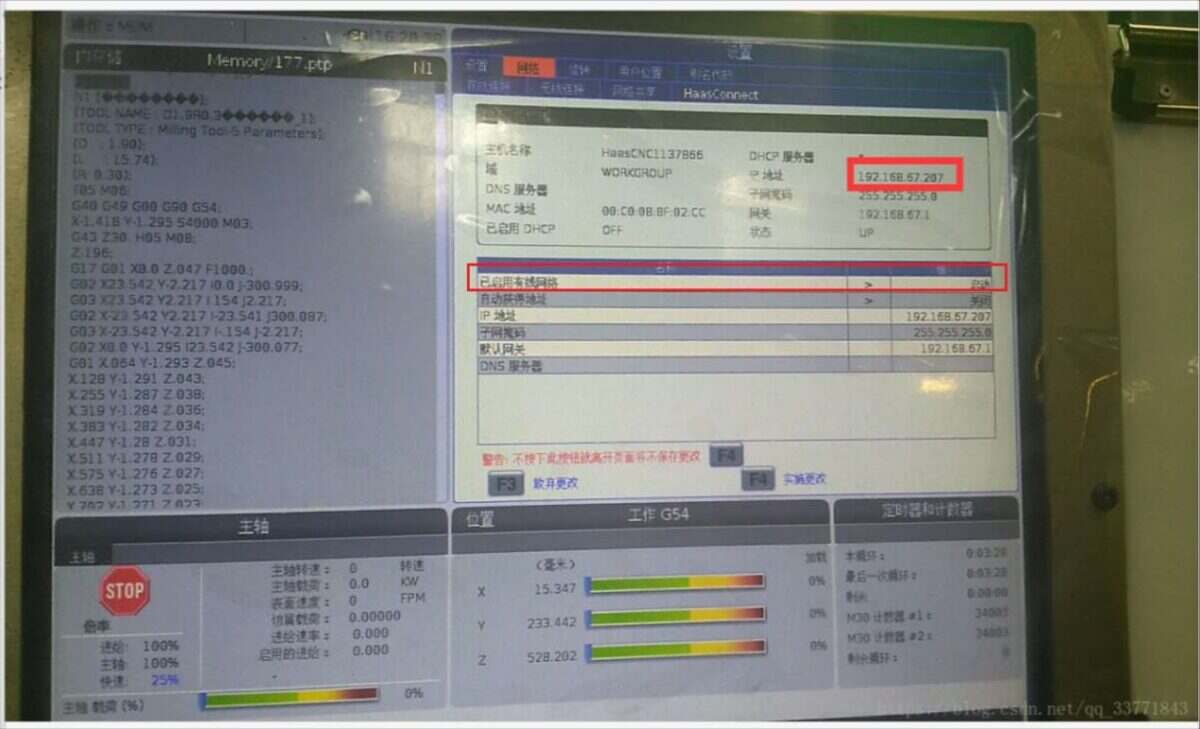
2.1. Locate or Configure IP in the Haas System
Locate the interface shown below and ensure the wired network status is enabled at startup:
2.2. Setting the Port Number
Switch to the Settings interface (to the left of the Network Options button), select the Other tab, and enter the corresponding interface:
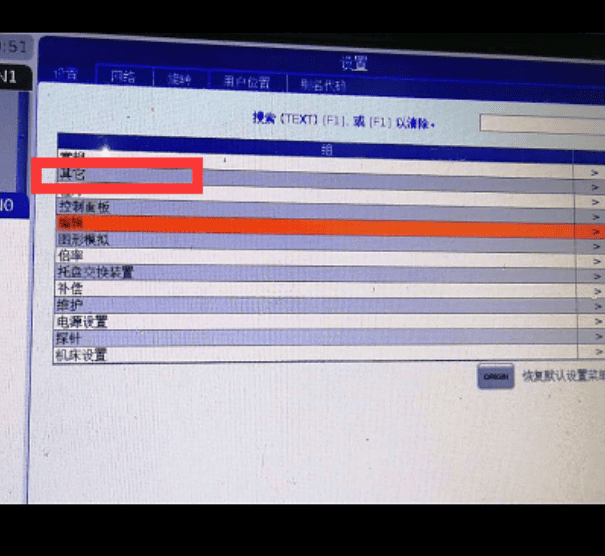
Configure the 143 parameter and set the port number:
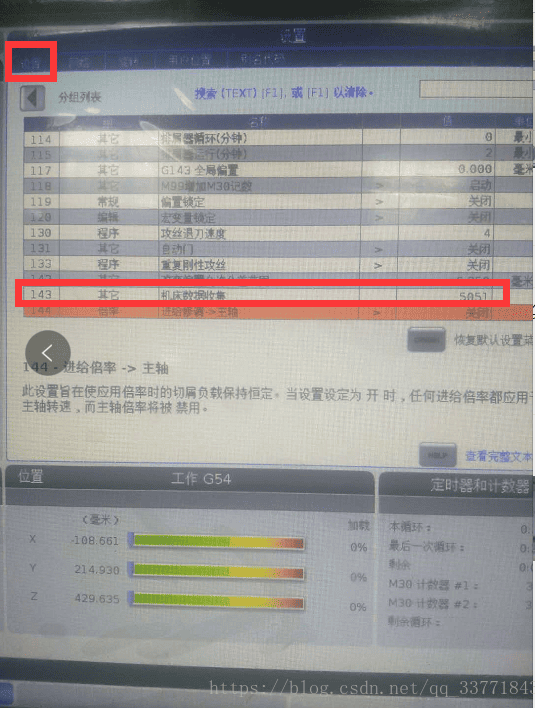
Machine tool side setup complete. Restart the CNC.
3. Configuratie van de gateway
3.1. Instellingen voor de CNC-verbinding
Drag a Hass node from the left panel, double-click to open the settings page, and configure as follows based on the PLC parameters:
Communication Method: TCP
Target IP: 192.168.88.66 (Replace with your machine tool’s IP)
Haven: 19000 (Enter the port configured on the machine tool)
Time-out verbinding: 5000
Heartbeat Interval: 60000
Data Timeout: 500
Data Interval: 500
Cycle Wait: 100
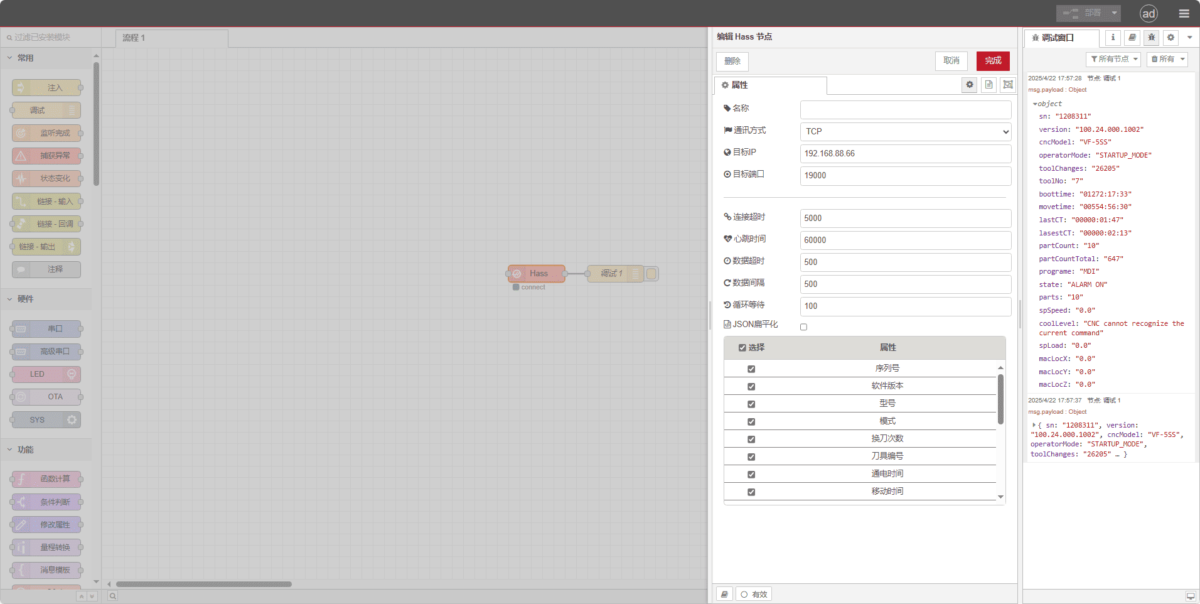
3.2. Testen
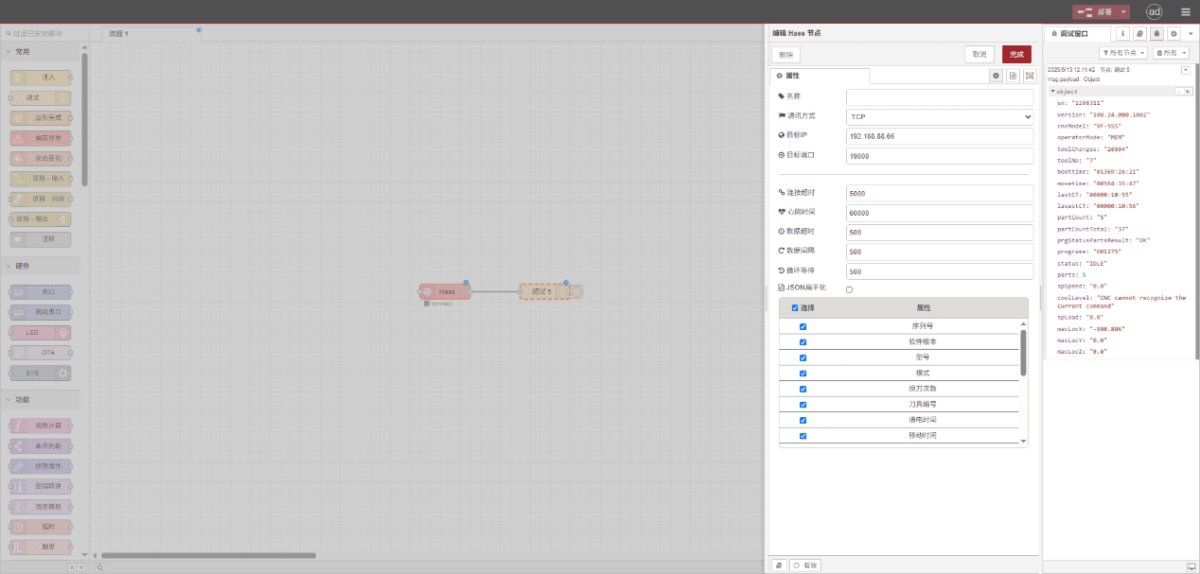
Klik op ‘Deploy’ en kijk hoe er om de paar seconden een gegevenspunt wordt weergegeven. Controleer de ontvangen gegevenspunten om te zien of de communicatie goed verloopt!
Raadpleeg voor de referentietabel met gegevenspunten:
Dit is een Yueque-contentkaart. Klik op de link om deze te bekijken: https://iotrouter.yuque.com/zn3vdn/eg8000/inggeg9b79itoggq
2.Haas CNC (Serial Port) – CNC Gateway Integration
Compatible CNC: VS500
1. Hardwareverbinding
The Haas CNC utilizes serial communication. In this example, the CNC communication port is a DB-25 pin RS-232 interface. The TXD/RXD/GND pins must be routed out and connected to the gateway’s RS232 interface. Connect TXD to the gateway’s RX, RXD to the gateway’s TX, and GND to the gateway’s GND.
DB25 (25-pin) RS-232 Standard Pinout
| Pin Number | Naam | Direction | Beschrijving |
|---|---|---|---|
| 1 | PGND | – | Protective Ground (Chassis Ground) |
| 2 | TXD | Output | Transmit Data (DTE → DCE) |
| 3 | RXD | Input | Receive Data (DCE → DTE) |
| 4 | RTS | Output | Request To Send (DTE → DCE) |
| 5 | CTS | Input | Clear To Send (DCE → DTE) |
| 6 | DSR | Input | Data Set Ready (DCE → DTE) |
| 7 | GND | – | Signal Ground (Common Return) |
| 8 | DCD | Input | Data Carrier Detect (DCE → DTE) |
| 20 | DTR | Output | Data Terminal Ready (DTE → DCE) |
| 22 | RI | Input | Ring Indicator (DCE → DTE) |
2. Machine Tool Settings
2.1. Serial Port Parameter Configuration
Click the Settings button, select I/O, and modify system parameters.
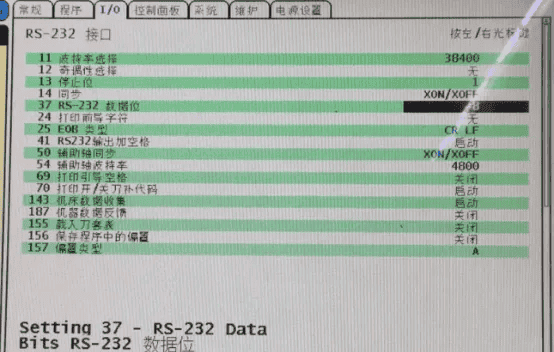
3. Gateway-instellingen
3.1. Instellingen voor de CNC-verbinding
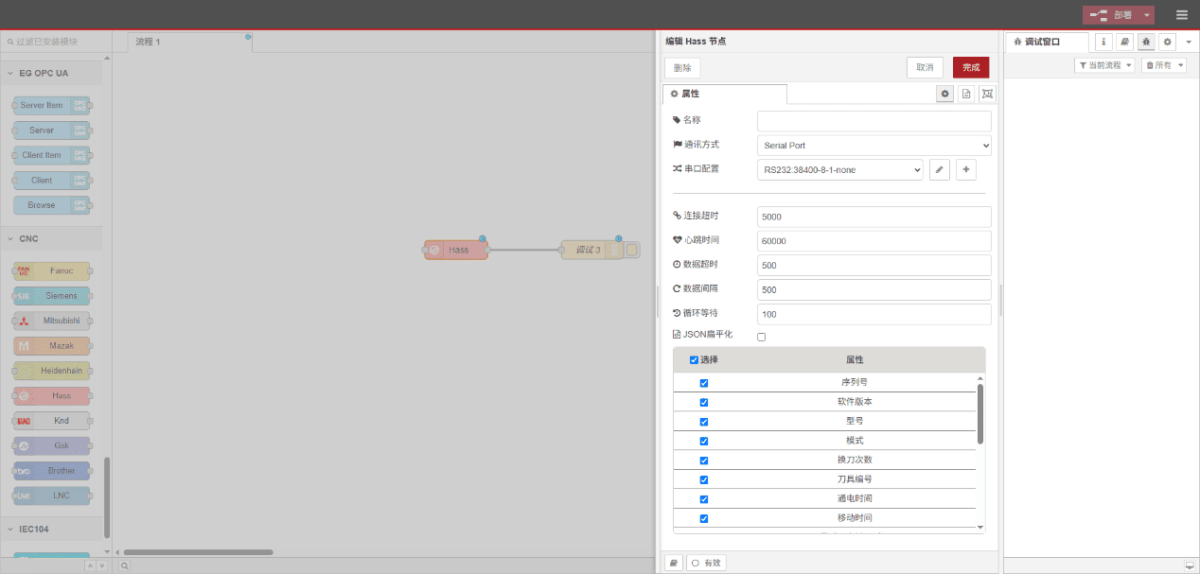
Drag a Hass node from the left panel, double-click to open the settings page, and configure as follows based on the PLC parameters:
Communication Method: Seriële poort
Seriële poort: RS232
Baudrate: 38400
Gegevensbits: 8
Stopbits: 1
Pariteit: None
Time-out verbinding: 5000
Heartbeat Interval: 60000
Data Timeout: 500
Data Interval: 500
Cycle Wait: 100
3.2. Testen
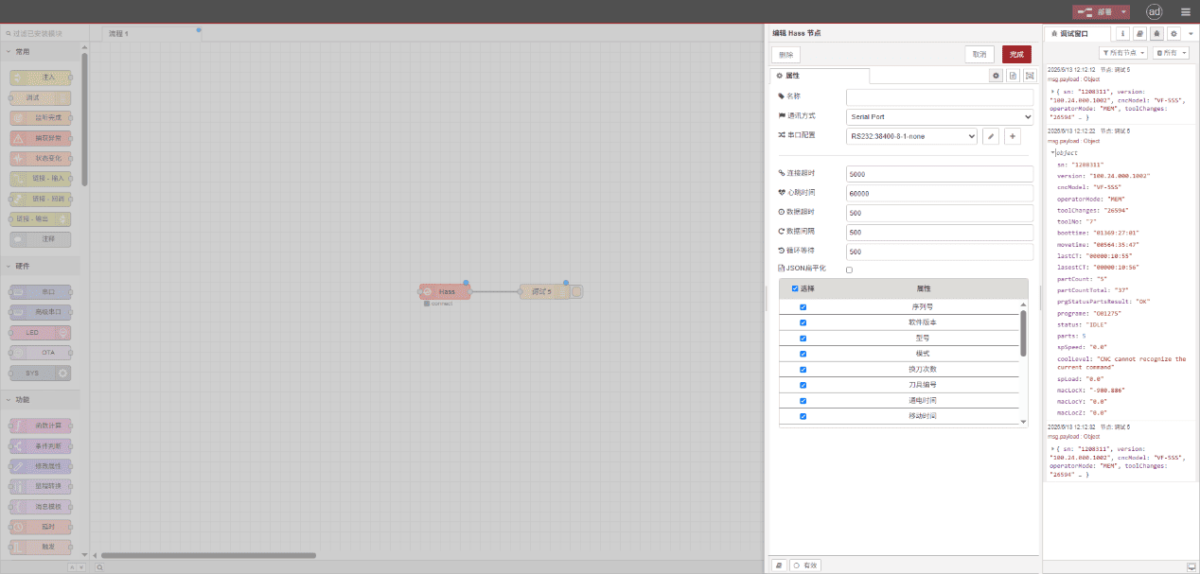
Klik op ‘Deploy’ en kijk hoe er om de paar seconden een gegevenspunt wordt weergegeven. Controleer de ontvangen gegevenspunten om te zien of de communicatie goed verloopt!
Raadpleeg voor de referentietabel met gegevenspunten:
Dit is een Yueque-contentkaart. Klik op de link om deze te bekijken: https://iotrouter.yuque.com/zn3vdn/eg8000/inggeg9b79itoggq

Agnes Wang is IoT-oplossingsspecialist bij IOTRouter en richt zich op industriële IoT-gateways, edge computing en oplossingen voor industriële automatisering.
Ze is gespecialiseerd in industriële communicatietechnologieën, waaronder Modbus, IEC 60870-5-104, MQTT, OPC UA, PLC-integratie en toepassingen voor monitoring op afstand. Ze levert bijdragen aan technische artikelen en toepassingsgidsen over industriële IoT-oplossingen, protocolconversie en edge computing.