 Vidéo
Vidéo PDF
PDF


Description
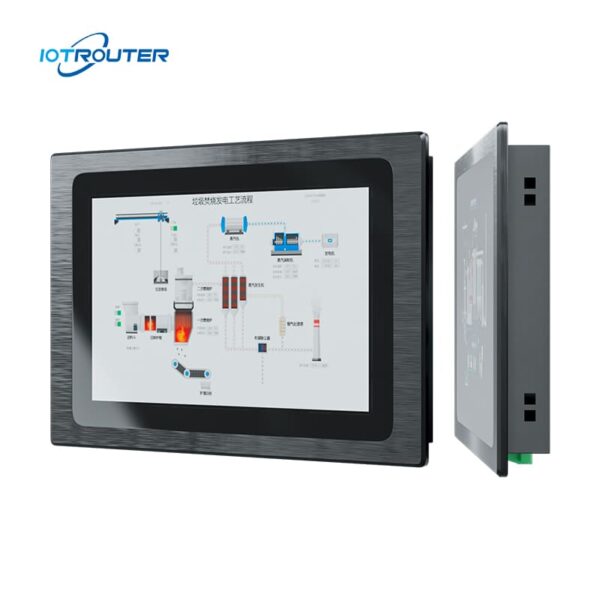
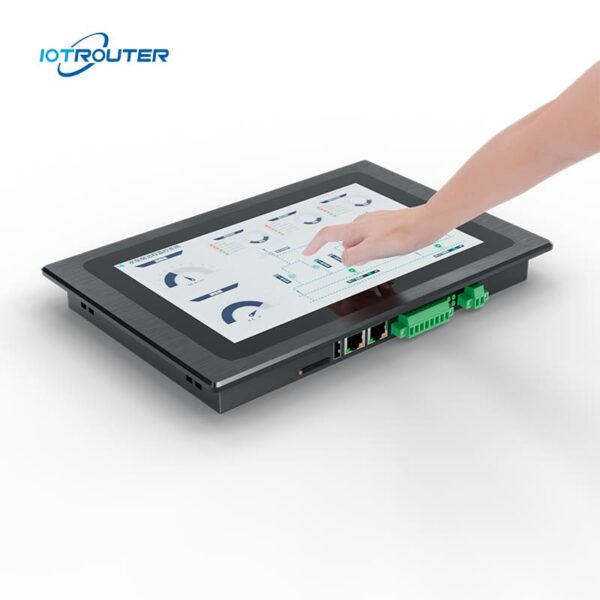
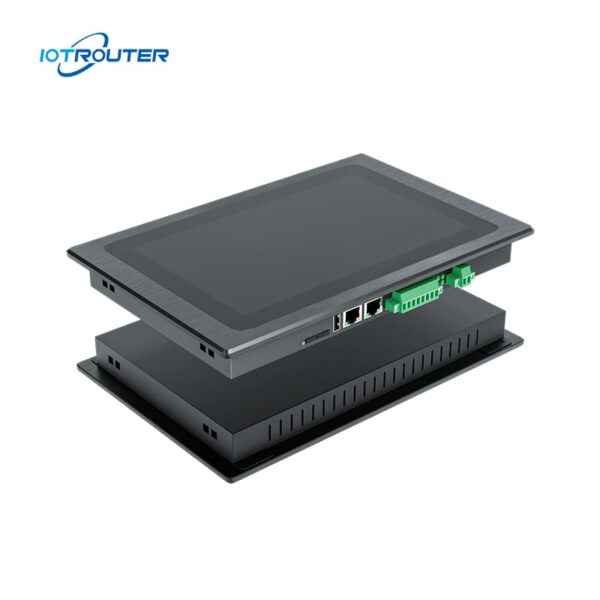
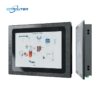
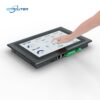
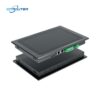
L'EV8010 est un PC à écran tactile industriel robuste et une passerelle IHM de périphérie qui intègre une passerelle d'acquisition de données multiprotocole avec un écran tactile HD de 10,1 pouces. L'écran offre des temps de réponse de l'ordre de la milliseconde et prend en charge plusieurs gestes tactiles. Il constitue une solution tout-en-un pour la visualisation et le calcul en périphérie.
L'ordinateur industriel EV8010 est équipé d'un processeur haute performance à 8 cœurs doté de puissantes capacités graphiques. Sa fréquence de base atteint 1,8 GHz, garantissant un fonctionnement fluide et sans ralentissements, 24 heures sur 24, 7 jours sur 7, quelles que soient les conditions météorologiques.
Il prend en charge l'acquisition de données multiprotocole, la conversion de protocoles et le traitement en périphérie, ainsi que la programmation basée sur Node-RED et le déploiement à distance. La configuration via l'interface Web FUXA permet une utilisation flexible et intuitive dans diverses applications IoT.
Caractéristiques principales

De qualité industrielle
- Température de fonctionnement : -20 à 70 °C, tension d'entrée : 9 à 36 V, protection contre les surtensions et les décharges électrostatiques

Logique « zéro code »
Configuration visuelle grâce à Node-RED intégré

IHM intégrée + passerelle
Acquisition de données, conversion de protocoles et visualisation dans un seul appareil

PLC multiprotocole
Siemens, Mitsubishi, Omron → MQTT / HTTP

Gestion des alarmes et des données
Prend en charge les événements d'alarme, le stockage des données historiques et la visualisation

IHM Web
Accédez aux écrans IHM et contrôlez-les via un navigateur, à tout moment et où que vous soyez

Affichage multi-écrans
Un projet accessible simultanément sur plusieurs appareils

Visualisation FUXA
Affichage direct des tableaux de bord ou des écrans SCADA
* Soutien OEM/ODM, Contactez le service clientèle pour plus d'informations.
Caractéristiques importantes
| Paramètres du matériel | Écran d'affichage | Écran LCD TFT 10,1 pouces au format 16:9 |
| Angle de vision | 85'/85'/85'/85' (T/B/L/R) | |
| Nombre de pixels | 1 280 (H) × 800 (V) | |
| Couleurs d'affichage | 16,7 millions | |
| Luminosité | 400 cd/m² | |
| Rétroéclairé | LED | |
| Durée de vie des LED | > 50 000 h | |
| Écran tactile | 10 points capacitifs | |
| UNITÉ CENTRALE | ARM Cortex-A55@1.8GHz | |
| RAM | LPDDR4 2 Go, 32 bits | |
| Stockage | eMMC de 16 Go | |
| RTC | Horloge en temps réel intégrée | |
| Ethernet | 1 * WAN (GE) / 1 * LAN (FE) | |
| USB | 1 * USB 2.0 | |
| Port série | 1 * RS232 / 2 * RS485 | |
| 4G Full Netcom | Facultatif | |
| Paramètres du logiciel | Système d'exploitation | Linux |
| Programmation visuelle | Soutien | |
| Configuration WEB | Soutien | |
| Paramètres électriques | Puissance nominale | <8W |
| Alimentation électrique | DC9~36V | |
| Protection de l'alimentation | Protection antistatique, protection contre les surtensions, protection contre les inversions de polarité | |
| Paramètres environnementaux | Température de fonctionnement | -20 à 70 °C |
| Température de stockage | -30 à 70 °C | |
| Humidité ambiante | 10~90%RH (sans condensation) | |
| Dissipation de la chaleur | Dissipation thermique passive | |
| Paramètres mécaniques | Installation | Installation intégrée |
| Matériau de la coque | Alliages de zinc par trempage | |
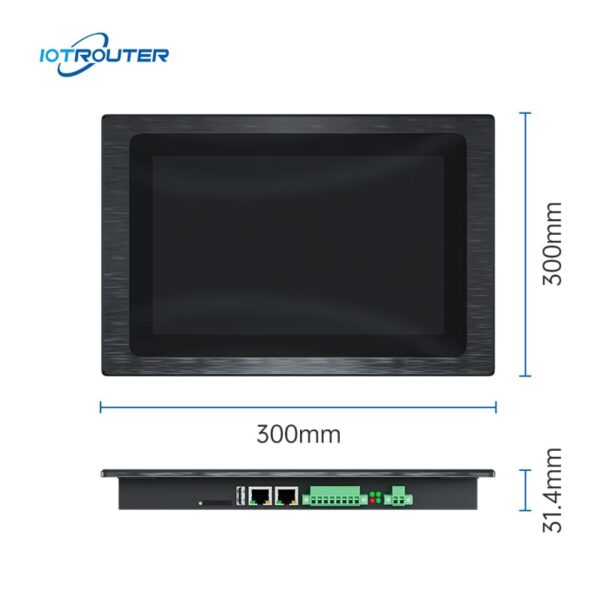
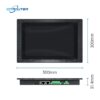
| Dimensions totales | 300 mm × 203 mm × 31,4 mm | |
| Diamètre de perçage recommandé | 282,5 mm × 182,5 mm |
Principales fonctions

Protocoles PLC à grande échelle
– Acquisition en millisecondes –
Le PC industriel à écran tactile EV8010 permet une intégration transparente avec les principales marques d'automates programmables (PLC), notamment Siemens, Mitsubishi, Omron, LS, Allen-Bradley, Beckhoff, Inovance, Keyence, Panasonic, Delta, XinJE, MegMeet, Yaskawa, Fatek, Vigor, Fuji, et bien d'autres encore.
Pour obtenir la liste détaillée des modèles d'automates programmables et des protocoles pris en charge, veuillez vous reporter à la documentation relative aux protocoles.
Protocoles sectoriels multiples
– Intégration flexible des protocoles –
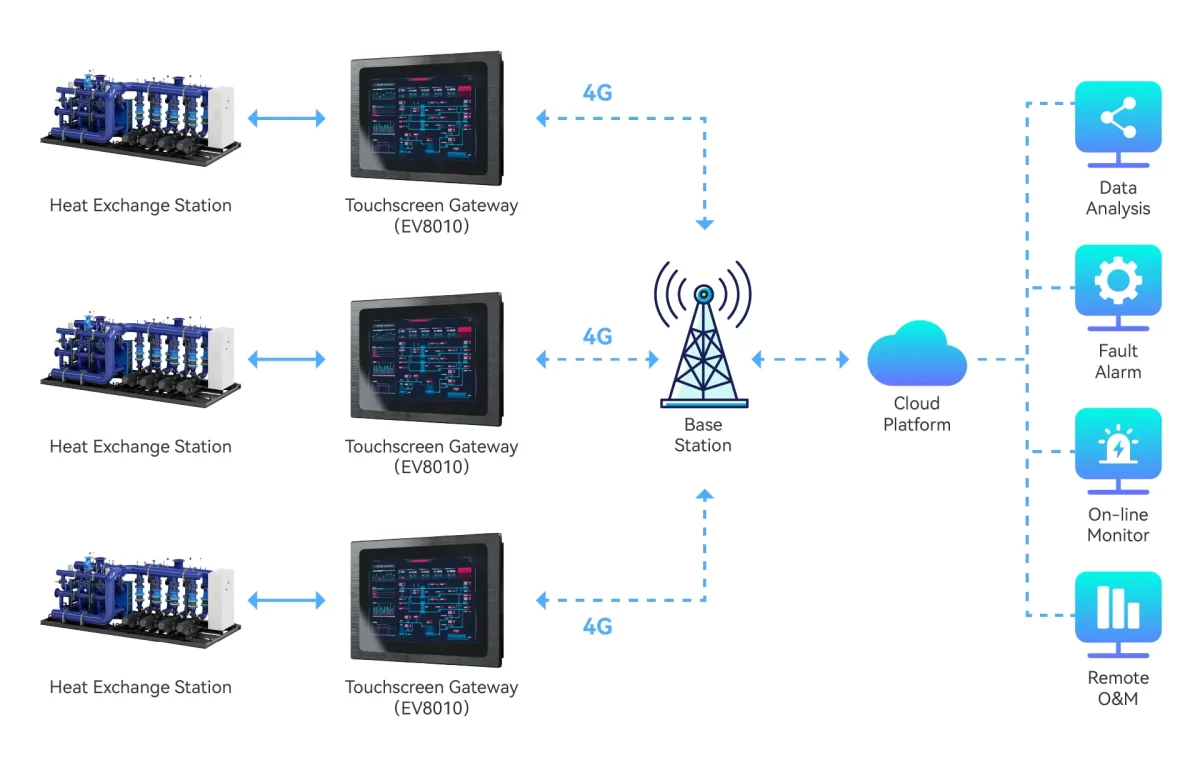
Le PC à écran tactile industriel EV8010 sert de passerelle polyvalente entre différents systèmes industriels. Il prend en charge les protocoles industriels et IoT courants, tels que Modbus, MQTT, OPC UA/DA, HJ212 et IEC104, ce qui facilite son intégration à des plateformes tierces.
Pour les protocoles non standard ou propriétaires. L'EV8010 permet l'analyse personnalisée des données et la configuration de la logique via JavaScript (JS), offrant ainsi une gestion adaptable des protocoles pour les applications de terrain complexes.


Configuration en ligne avec FUXA
Grâce à FUXA, créez sans effort des tableaux de bord de visualisation de données hautement personnalisés grâce à une fonctionnalité intuitive de glisser-déposer. Les utilisateurs peuvent accéder à l'interface via un navigateur, sans avoir à installer de logiciel ou de plug-in supplémentaire.
Affichage multi-écrans
– Utilisable à tout moment, où que vous soyez –
Grâce aux avantages de l'affichage Web, l'ordinateur industriel EV8010 permet à plusieurs appareils de partager l'écran et prend en charge l'exploitation à distance.


Programmation par glisser-déposer
– Programmation visuelle « low-code » –
Les produits de la série EV s'appuient sur les fonctionnalités des passerelles de la série EG, notamment le téléchargement et l'envoi à distance de programmes pour automates programmables (PLC), la prise en charge de divers protocoles industriels, la programmation de la visualisation, l'exploitation et la maintenance à distance, etc.
Scénarios d'application de la passerelle IHM tout-en-un EV8010
1. Armoires de commande à espace restreint ou architectures matérielles simplifiées
Dans les déploiements réels, le fait de disposer de dispositifs distincts pour la passerelle et l'IHM occupe non seulement davantage d'espace dans l'armoire, mais accroît également la complexité du câblage et des configurations de communication. Lors de la mise en service et de la maintenance, les architectures à plusieurs dispositifs nécessitent souvent un dépannage supplémentaire en raison de problèmes de connexion ou de protocole.
Le PC industriel à écran tactile EV8010 intègre l'acquisition de données et la visualisation locale au sein d'un seul et même appareil. En réduisant le nombre d'appareils et de connexions, il simplifie l'architecture du système, tout en contribuant à réduire les investissements en matériel et les coûts de maintenance à long terme.
Applications typiques : Armoires de distribution électrique, armoires de commande compactes, projets d'intégration d'équipements, sprojets de modernisation des systèmes.
Solution traditionnelle VS EV8010
| Objet | Solution traditionnelle
(Passerelle + IHM, deux appareils) |
Solution intégrée
(Appareil unique – EV8010) |
|---|---|---|
| Structure du système | Passerelle et terminaux IHM distincts | Un appareil tout-en-un |
| Configuration | Configuration et intégration distinctes pour chaque appareil | Environnement de configuration unifié |
| Processus de développement | Le traitement des données et l'interface homme-machine ont été développés indépendamment l'un de l'autre | Données, logique et visualisation intégrées dans un seul flux de travail |
| Communication | Communication entre plusieurs appareils requise | Communication interne au sein d'un même système |
| Complexité du débogage | Plus élevé, en raison de problèmes liés à l'utilisation sur plusieurs appareils | Moins de points de défaillance |
| Maintenance | Davantage de composants à gérer et à dépanner | Une maintenance simplifiée grâce à un nombre réduit d'éléments du système |
2. Intégration « tout-en-un » : accélérer la mise en œuvre des projets urgents
Compte tenu des délais serrés imposés par le projet, L'EV8010 regroupe acquisition de données, commande logique, visualisation IHM et connectivité au cloud en un seul appareil. En évitant d'avoir à procéder à un débogage constant sur plusieurs plateformes logicielles, cela réduit considérablement la complexité de l'intégration.
-
Flux de travail de bout en bout : Couvre de manière homogène toutes les étapes, de l'acquisition à la visualisation en passant par le traitement, contrôle, et le transfert vers le cloud.
-
Développement « low-code » hautement efficace : Tirez parti des outils « glisser-déposer » Node-RED et FUXA pour réduire les cycles de programmation et de débogage de plus de 50%.
-
Réduction des coûts d'entretien : Simplifie l'architecture en supprimant la mise en réseau multi-appareils, réduire les points de défaillance potentiels et garantir le respect des délais de livraison.
Applications typiques : Lignes de production, Machines OEM, et des projets sur mesure à délai de livraison rapide.
3. Accès flexible et collaboration à distance : dépasser les limites des IHM locales
Les interfaces homme-machine (IHM) traditionnelles sont souvent liées à des écrans physiques, ce qui rend la surveillance à distance et la collaboration entre plusieurs utilisateurs complexes et coûteuses. L'EV8010 est doté d'un IHM Web, permettant ainsi une utilisation fluide sur les PC, les tablettes et les appareils mobiles.
-
Accès unifié : Une interface unique pour les utilisateurs locaux et distants, ce qui évite d'avoir recours à des outils d'accès à distance supplémentaires.
-
Fiabilité en périphérie : Le traitement local des données et le contrôle logique garantissent que le système reste pleinement opérationnel, même en cas de coupure du réseau.
-
Une collaboration renforcée : Permet aux ingénieurs et aux responsables de surveiller et d'assurer la maintenance des systèmes où qu'ils se trouvent, ce qui améliore la rapidité d'intervention.
Applications typiques : Maintenance à distance, déploiements interrégionaux et gestion collaborative polyvalente.
L'atout majeur
Le PC industriel à écran tactile EV8010 est conçu pour les projets qui nécessitent une architecture allégée et un déploiement rapide. En regroupant Acquisition de données (DAQ), conversion de protocoles, commande logique et interface homme-machine (IHM) en un seul nœud périphérique, cela permet aux ingénieurs de développer et de gérer des systèmes au sein d'un environnement unifié.
-
Éliminer les difficultés d'intégration : Réduire les dépendances entre les appareils et la charge liée à la communication.
-
Meilleure maniabilité : Le développement centralisé garantit une fiabilité accrue et le respect des échéances du projet.
-
Coût total de possession (TCO) réduit en termes de maintenance : Une architecture simplifiée se traduit par un nombre réduit de points de défaillance et une baisse des coûts d'exploitation à long terme.
FAQ
Q1. Quel niveau de connaissances en programmation est requis pour l'EV8010 ?
A1 : Le PC à écran tactile industriel EV8010 est conçu pour déploiement « low-code », ce qui évite d'avoir à effectuer un codage manuel complexe.
-
-
La logique plutôt que les scripts : Si vous maîtrisez les concepts de base de l'automatisation industrielle (tels que l'adressage IP, les registres et le mappage des E/S), vous pourrez configurer facilement cet appareil.
-
Configuration via le Web : La gestion de la compatibilité des protocoles et des paramètres réseau s'effectue via une interface de navigateur intuitive ; aucun IDE spécialisé n'est nécessaire.
-
Conception d'interfaces homme-machine (IHM) visuelles : Le logiciel VISION intègre un éditeur de type « glisser-déposer ». Au lieu de programmer les éléments graphiques, il vous suffit de relier les widgets de l'interface utilisateur à vos balises de données.
-
En résumé : Bien que des connaissances de base en automatisation soient nécessaires, l'EV8010 élimine les obstacles importants liés au développement logiciel traditionnel, ce qui permet un déploiement bien plus rapide.
Q2. Quels automates programmables et quels périphériques sont compatibles avec le PC industriel à écran tactile EV8010 ?
A2 : L'appareil prend en charge plus de 90% de contrôleurs industriels courants disponibles sur le marché.
-
Compatibilité avec les automates programmables : Parmi celles-ci figurent Siemens, Mitsubishi, Omron, Rockwell Automation, Inovance, Delta et Xinjie.
-
Interfaces physiques : Équipé de 2 ports Gigabit Ethernet, d'un port RS232 et de 2 ports RS485. Tout appareil doté d'une sortie Ethernet ou série est généralement compatible « plug-and-play ».
-
Capteurs analogiques : L'intégration de capteurs 4-20 mA ou 0-10 V s'effectue facilement à l'aide de convertisseurs analogique-numérique standard.
Si vous avez des doutes concernant un modèle en particulier, veuillez nous communiquer les caractéristiques techniques de votre équipement ; notre équipe se chargera de vérifier la compatibilité pour vous.
Dimensions et interfaces

Liste des bagages

Installation du produit

Étape 1.
Avant l'installation, il est nécessaire de réaliser un trou de montage légèrement plus grand que l'équipement.
Étape 2.
Placez l'équipement dans les emplacements prévus à cet effet.
Étape 3.
Il y a deux trous carrés de chaque côté de l'appareil ; lors de l'installation, une extrémité de chaque trou carré est fixée à l'aide d'une boucle. Les vis de la boucle sont vissées dans la partie supérieure du meuble ; serrez-les, puis procédez de la même manière pour les trois autres parties afin de terminer l'installation.