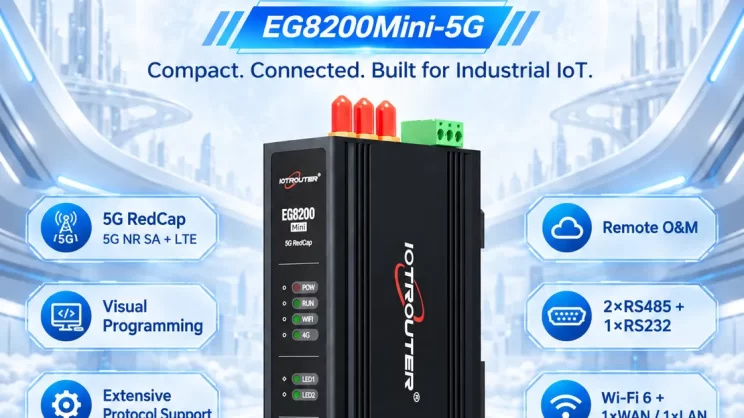
Ce guide explique comment connecter un GSK CNC à un Passerelle CNC en utilisant le EG8200Mini-CNC à titre d'exemple. Il présente, étape par étape, la connexion du matériel, la configuration IP et les bonnes pratiques recommandées.
- Pour découvrir des exemples de connexion d'autres marques de CNC à une passerelle, veuillez consulter nos articles précédents.
💡 Modèles CNC compatibles : 988TA, 980MDi, 980TDi (série 980TDC)
1. Connexion du matériel
La CNC GSK utilise la communication Ethernet. Il suffit donc de s'assurer que l'adresse IP du port LAN de la passerelle et celle de la CNC se trouvent dans le même sous-réseau. (Remarque : Dans certains cas particuliers, il n'est pas nécessaire qu'ils se trouvent dans le même sous-réseau ; il faut alors configurer le routage. Veuillez contacter le support technique pour plus de détails.)
Exemple d'attribution d'adresses IP :
| Dispositif | Adresse IP |
|---|---|
| EG8200Mini-CNC | 192.168.1.10 |
| GSK CNC | 192.168.1.100 |
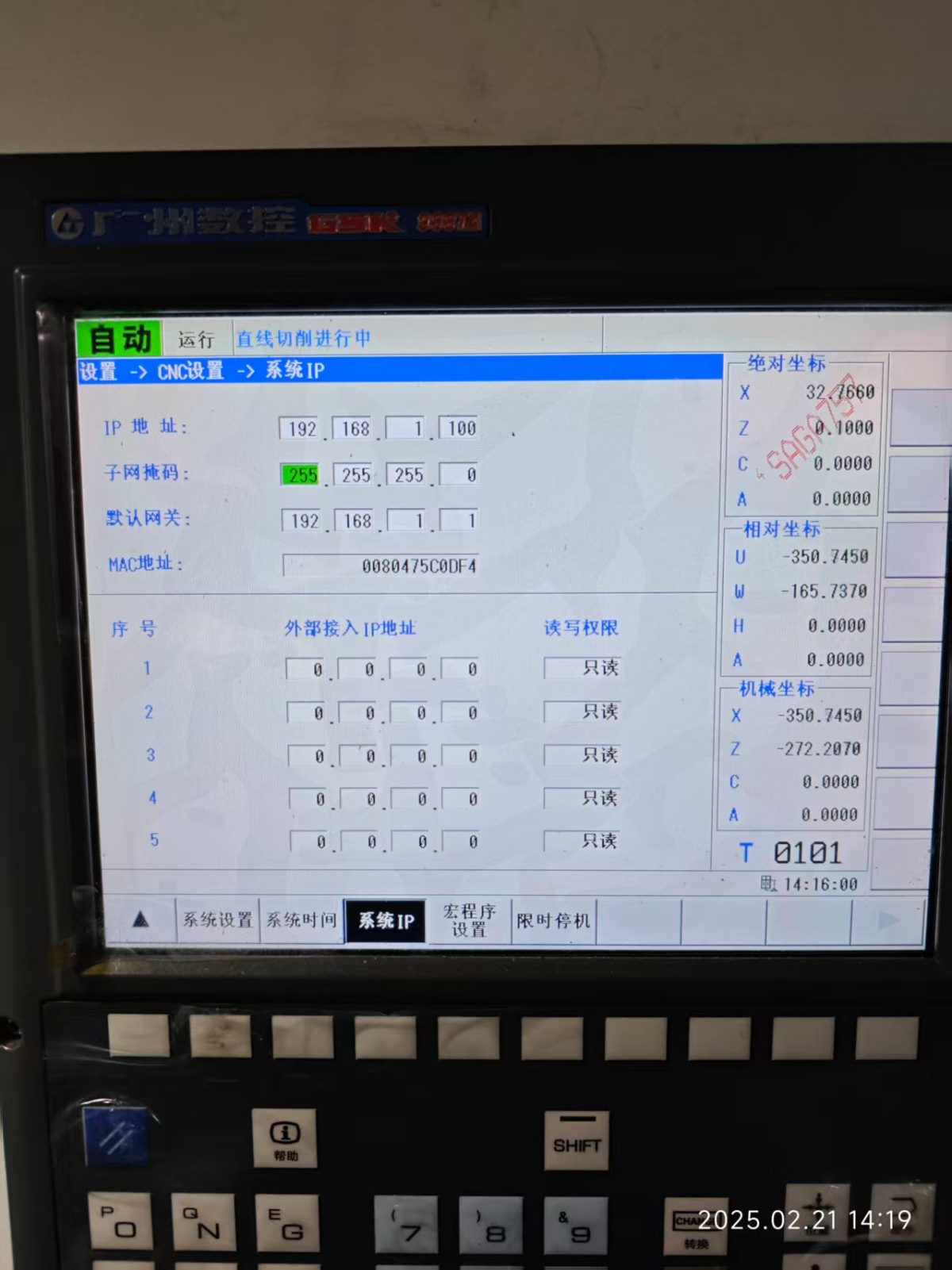
2. Paramètres de communication de la CNC
Fourni par l'ingénieur de la CNC.
Dans cet exemple, les paramètres Ethernet de la CNC sont les suivants :
-
IP : 192.168.0.100
-
Port : 502
-
ID de la station : 01
3. Paramètres de la passerelle
3.1 Configuration de la connexion CNC
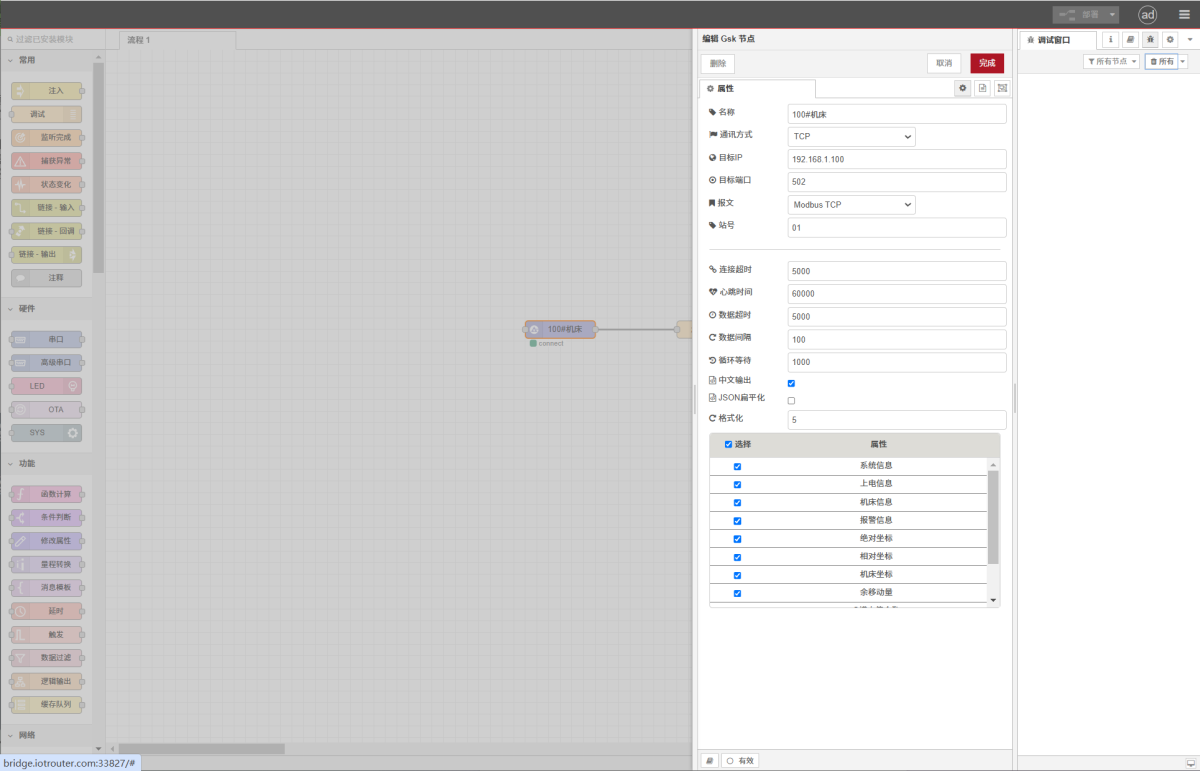
Faire glisser un GSK Sélectionnez le nœud dans le panneau CNC situé à gauche, double-cliquez pour ouvrir la page des paramètres, puis renseignez la configuration en fonction des paramètres CNC comme suit :
Adresse : 192.168.0.100
Port : 502
Protocole : Modbus TCP
ID de station : 01
Délai d'expiration de la connexion : 5000
Intervalle de signal de vie : 60000
Délai d'expiration des données : 5000
Intervalle de données : 100 (cycle de lecture)
Attente de boucle : 1000 (intervalle entre les lectures de points de données)
3.2 Paramètres des points de données
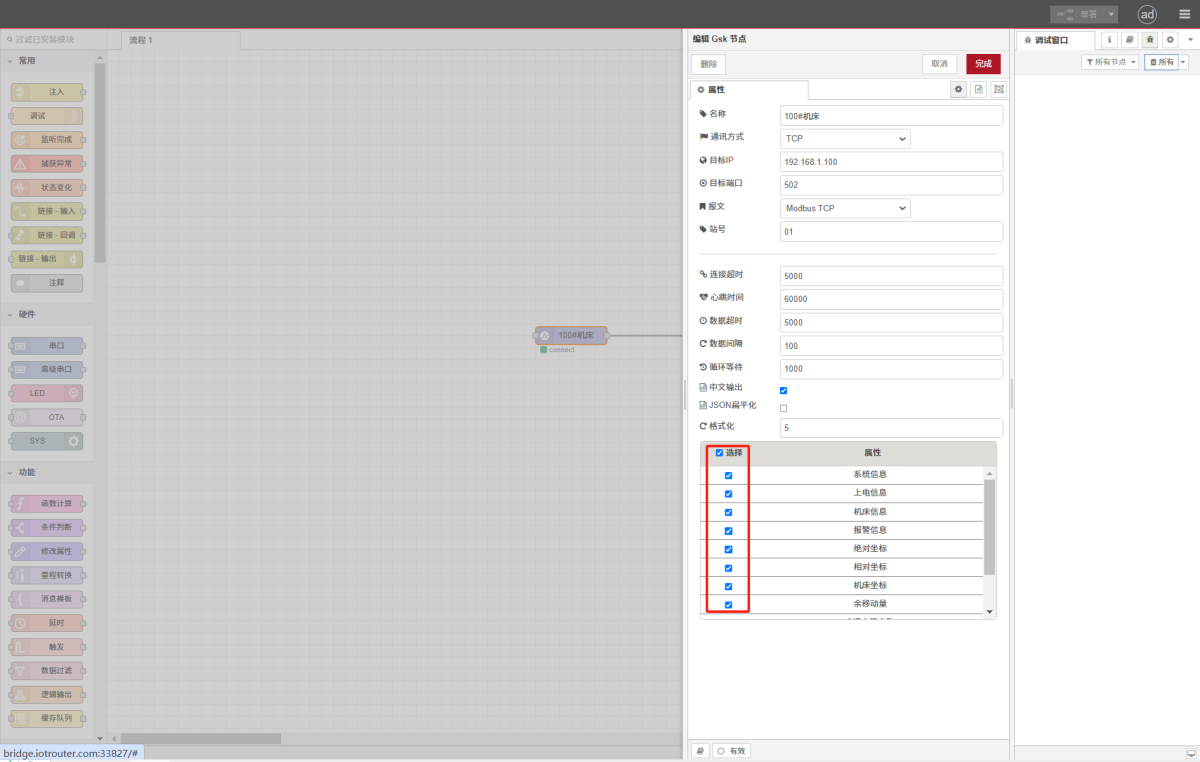
Sélectionnez les points de données souhaités :
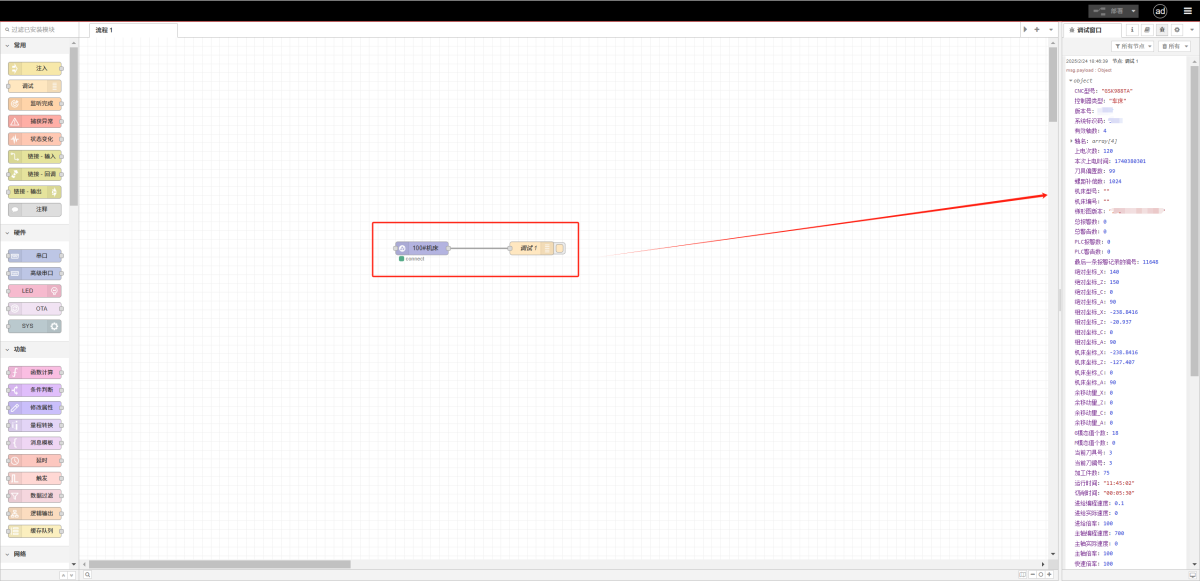
3.3 Test
Cliquez sur Déployer. Les données s'afficheront toutes les quelques secondes. Vérifiez que les valeurs lues correspondent aux valeurs réelles afin de vous assurer que la communication s'est bien établie.
4. Notes complémentaires
Veuillez vous référer à la tableau de référence des points de données.

Agnes Wang est spécialiste des solutions IoT chez IOTRouter ; elle se consacre principalement aux passerelles IoT industrielles, à l'edge computing et aux solutions d'automatisation industrielle.
Elle est spécialisée dans les technologies de communication industrielle, notamment Modbus, la norme CEI 60870-5-104, MQTT, OPC UA, l'intégration d'automates programmables (PLC) et les applications de télésurveillance. Elle contribue à la rédaction d'articles techniques et de guides d'application consacrés aux solutions IoT industrielles, à la conversion de protocoles et à l'edge computing.