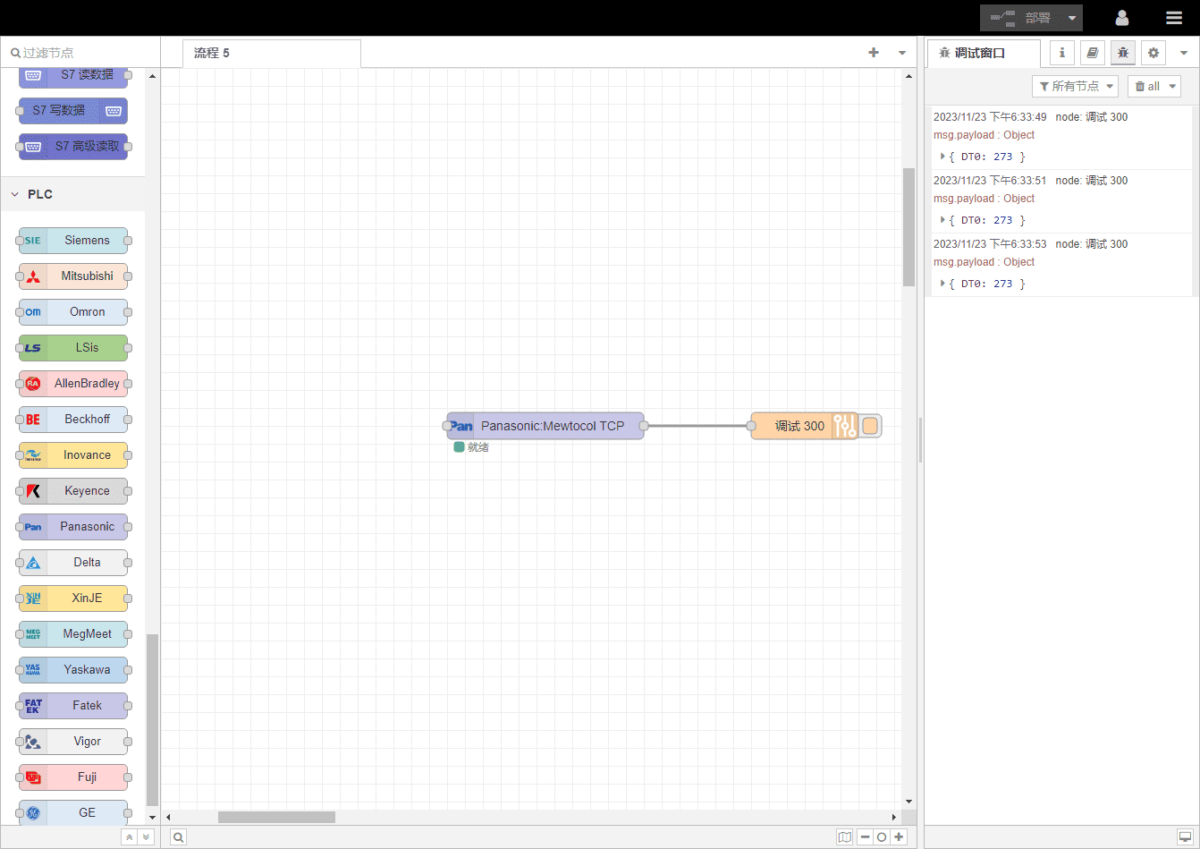
Today, let’s talk about how to connecting to Panasonic PLCs via the Mewtocol TCP protocol.
El artículo del que hablamos antes:
Cómo interactuar con el PLC de Omron mediante el protocolo EtherNet/IP
How to interface with Omron PLC via Hostlink protocol
How to interface with Omron PLC via Fins protocol
How to integration with Mitsubishi PLC using the MC-1E protocol
1. Conexión de hardware
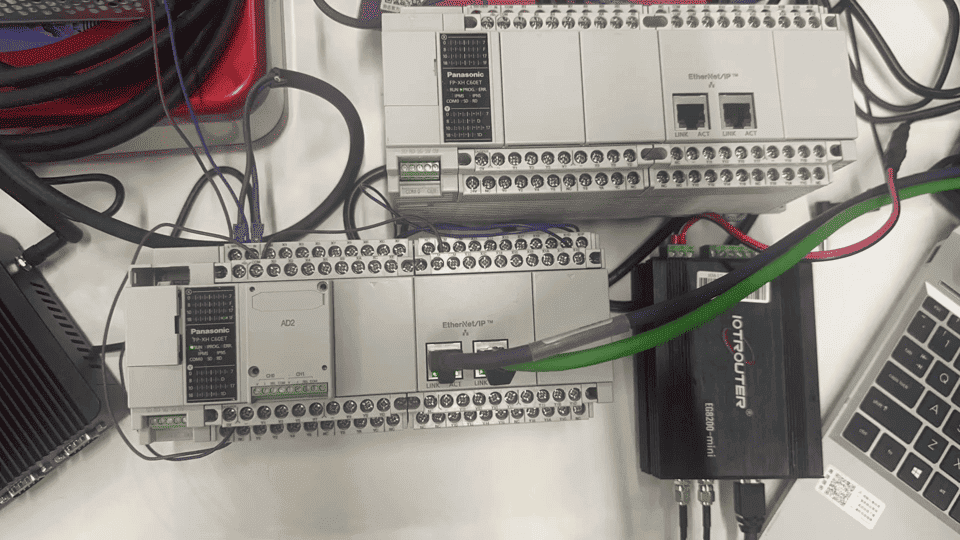
Compatible PLC: Panasonic FP0H / Panasonic XHC60ET
The MEWTOCOL TCP protocol uses Ethernet communication. Therefore, you only need to ensure that the gateway’s LAN port and the Panasonic PLC are configured within the same IP subnet.
2. Parámetros de comunicación PLC
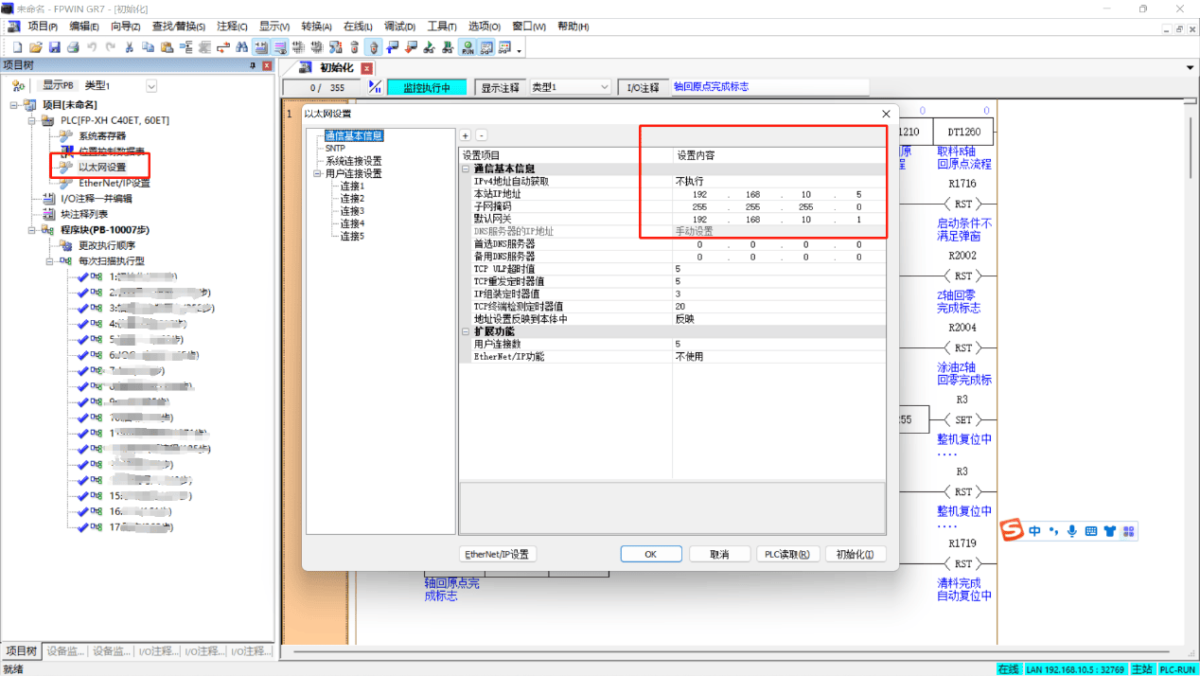
2.1 Ethernet Parameter Configuration
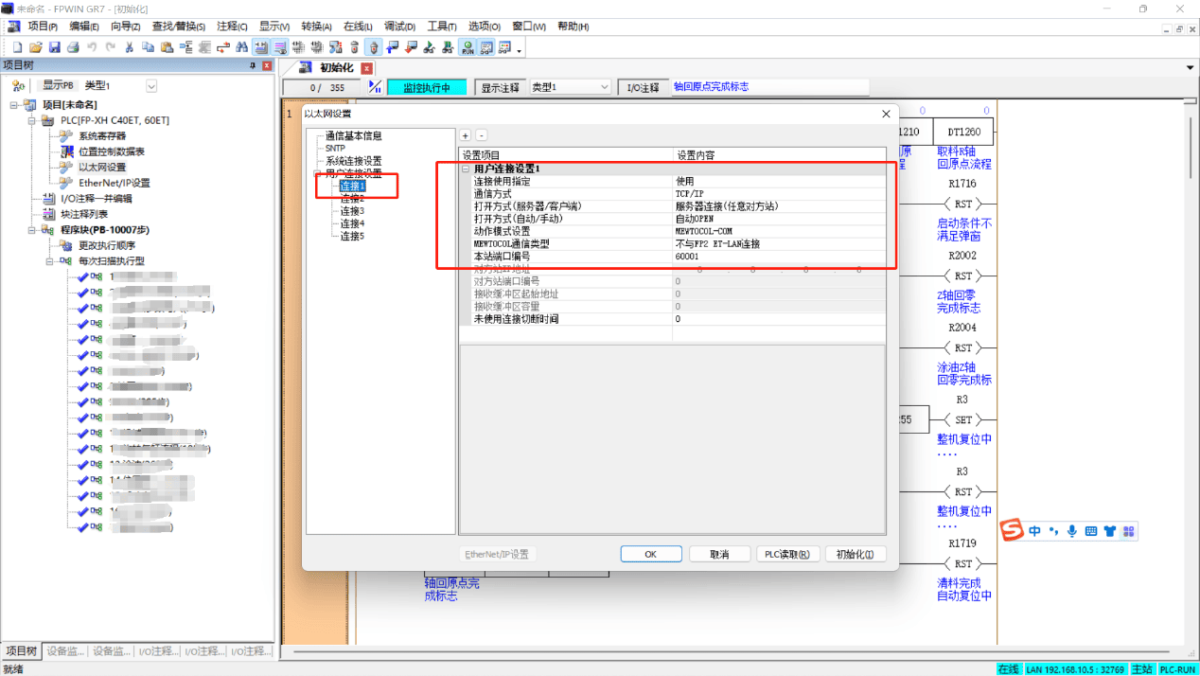
2.2 User Connection Port Configuration
3. Configuración de la pasarela
3.1 PLC Connection Settings
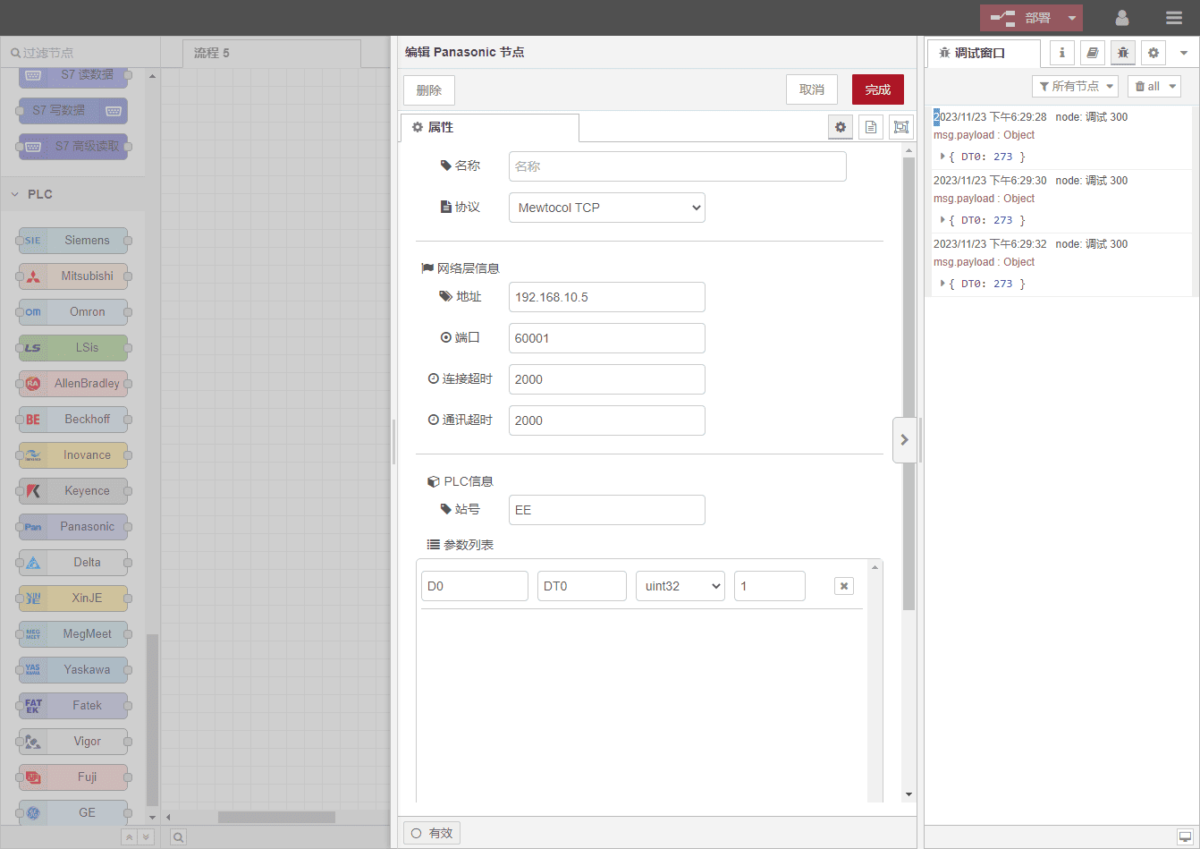
Drag a Panasonic node from the left panel, then double-click it to open the configuration page. Fill in the parameters according to the PLC communication settings as follows:
Protocolo: MEWTOCOL TCP
Address: PLC IP address (example: 192.168.10.5)
Port: PLC connection port (example: 60001)
Connection Timeout: 2000
Communication Timeout: 2000
Station Number: EE
3.2 Data Point Configuration
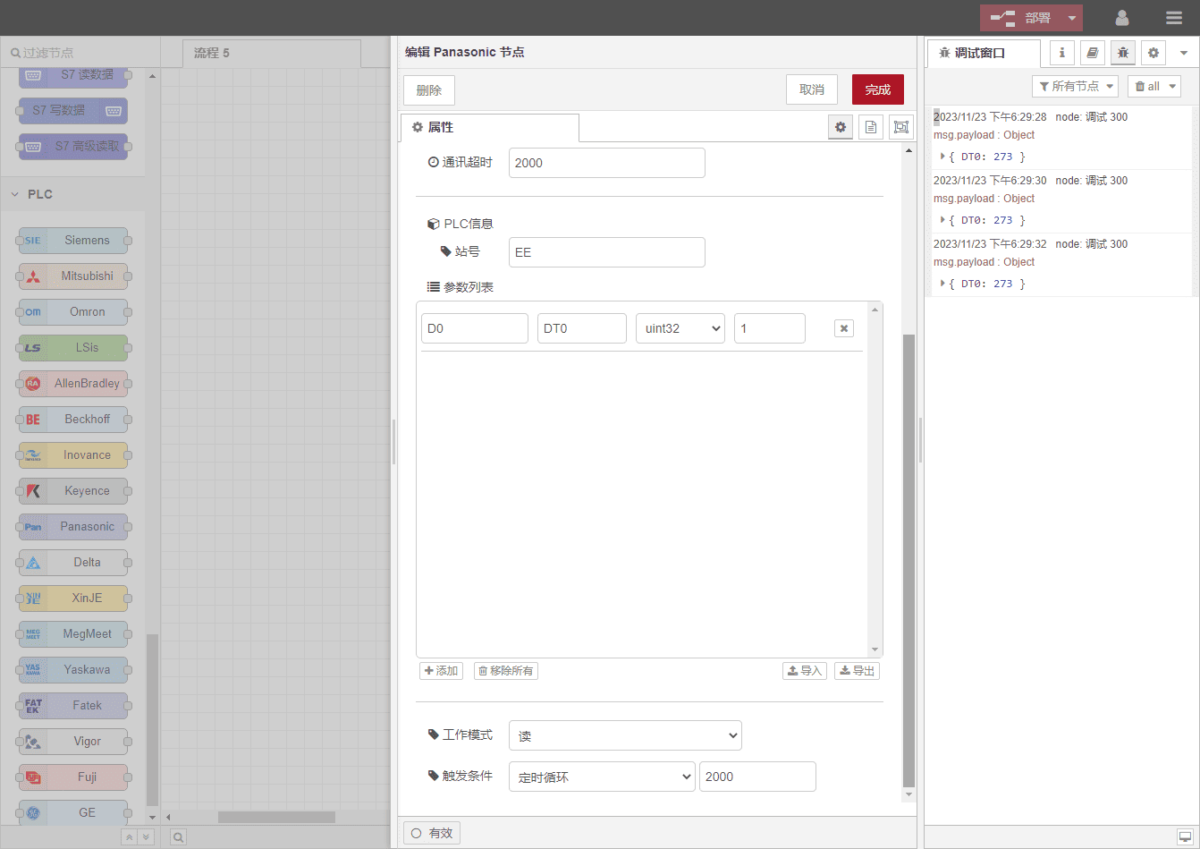
In the parameter list of the Panasonic node, enter the data points to be read. Once the data points are configured, the gateway will automatically read PLC data at the configured polling interval.
Data points are usually provided by the PLC engineer. After receiving the point list, fill in the data points according to the gateway’s required format. The detailed address mapping can be referenced here:(Puedes utilizar Google Chrome para la traducción)
https://iotrouter.yuque.com/zn3vdn/eg8000/frhrwhgsa8o2xpof
In this example, data is read from address DT0. Using the FPWIN GR7 software, you can see that the signed 32-bit integer stored in DT0 is 273. In the parameter list, fill in the address / name / data type / data length, and configure a 2-second polling interval, as shown in the figure.
3.3 Testing
Haga clic en Despliegue. You will see one data record printed every 2 seconds. The read data result is:
DT0: 273
Communication is successful!