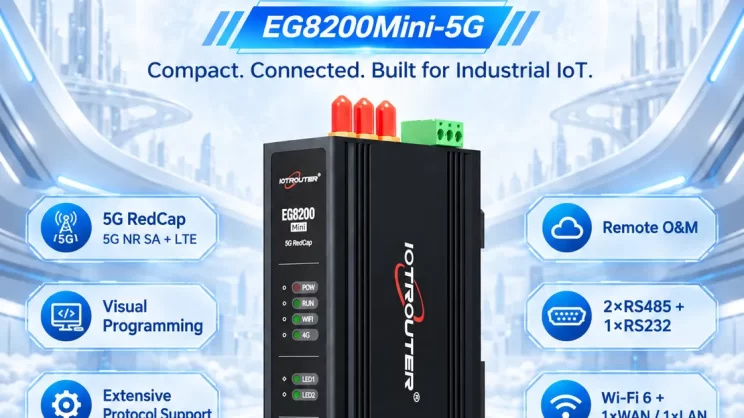
This guide offers a comprehensive solution for connecting Delta DVP, AS series, and other PLCs supporting the Modbus TCP protocol to IoT Edge Gateways. While these series share protocol compatibility, their addressing logic differs: DVP and AS models typically utilize fixed register maps, whereas the CODESYS-based AX-C12E used in this tutorial requires manual variable mapping through its Modbus TCP Slave component. We will demonstrate the communication configuration between the AX-C12E and the EG8200Mini gateway, specifically focusing on the Ethernet interface and data acquisition process.
Compatible PLCs include DVP series models and AS PLCs that support the Modbus TCP protocol.
1. Hardware Connection
Modbus TCP utilizes Ethernet communication. For this guide, the AX-C12E PLC is used. Simply connect the PLC’s Ethernet port to the LAN port of the gateway.
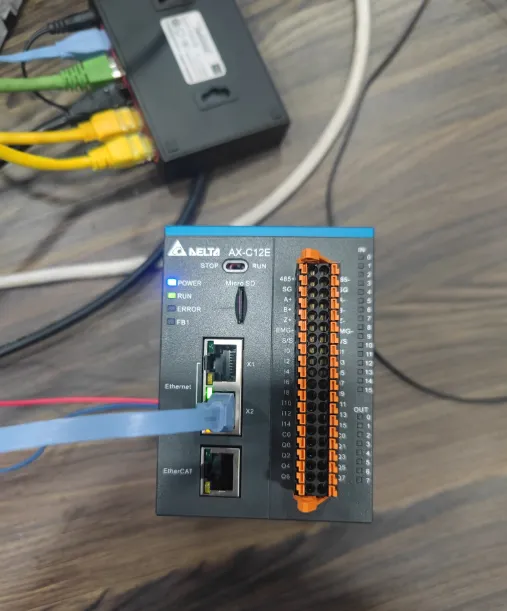
2. PLC Communication Parameters
The PLC engineer typically provides these parameters. In this example:
-
PLC IP Address:
192.168.1.121 -
Port:
502
3. Gateway Configuration
3.1. PLC Connection Setup
Drag a Delta node from the left palette and double-click it to open the configuration page. Configure the PLC parameters as follows:
-
Protocol: Modbus TCP
-
Port: 502
-
Connection Timeout: 2000 ms
-
Communication Timeout: 2000 ms
-
Series: AS
-
Unit ID (Station Number): 1
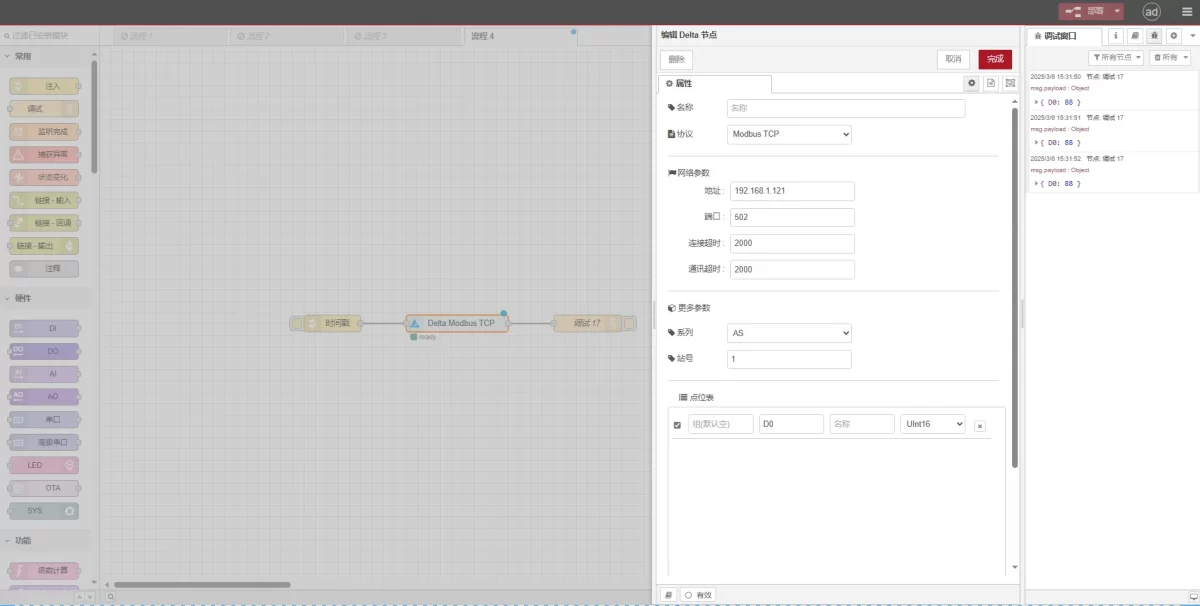
3.2. Data Point Configuration
Enter the data points to be polled in the Parameter List. Once configured, the gateway will automatically read data from the PLC at the specified frequency.
Data points are usually provided by the PLC engineer in a point list. Map these points according to the gateway’s required format.
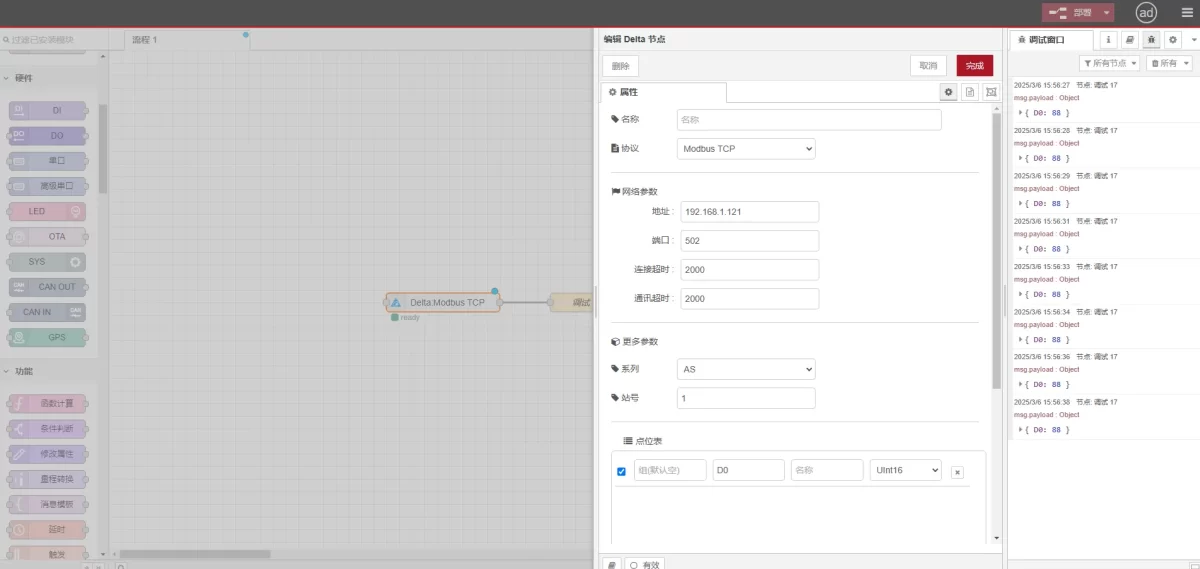
3.3. Testing and Verification
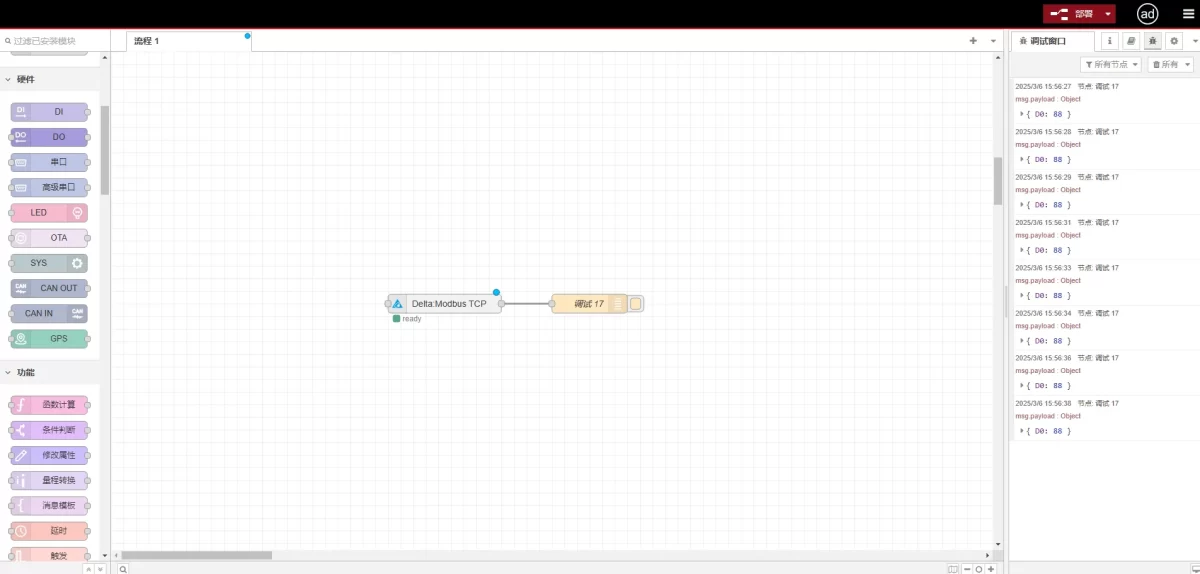
Click Deploy. The gateway will log a data entry every 2 seconds. Observe the output to verify the result:
-
Received Value:
D0: 88
Successful communication is confirmed.
Summary & Next Steps
With the communication channel established, your EG8200Mini is now ready to transform raw data from the Delta PLC into actionable insights. This Ethernet-based Modbus TCP connection ensures high-speed data transmission and provides the stability required for demanding industrial environments.
What’s Next?
-
Data Normalization: Use the gateway’s built-in edge computing capabilities to pre-process data before sending it to the cloud.
-
Alerting: Set up threshold-based alarms to monitor critical parameters in real-time.
-
Dashboarding: Visualize your D0 register data through the gateway’s local dashboard or an external SCADA system.
If you encounter any issues during the configuration process, please get in touch with our technical support team.
Related Guides in Industrial PLC Integration

Agnes Wang is an IoT Solutions Specialist at IOTRouter, focusing on industrial IoT gateways, edge computing, and industrial automation solutions.
She specializes in industrial communication technologies, including Modbus, IEC 60870-5-104, MQTT, OPC UA, PLC integration, and remote monitoring applications. She contributes to technical articles and application guides covering industrial IoT solutions, protocol conversion, and edge computing.