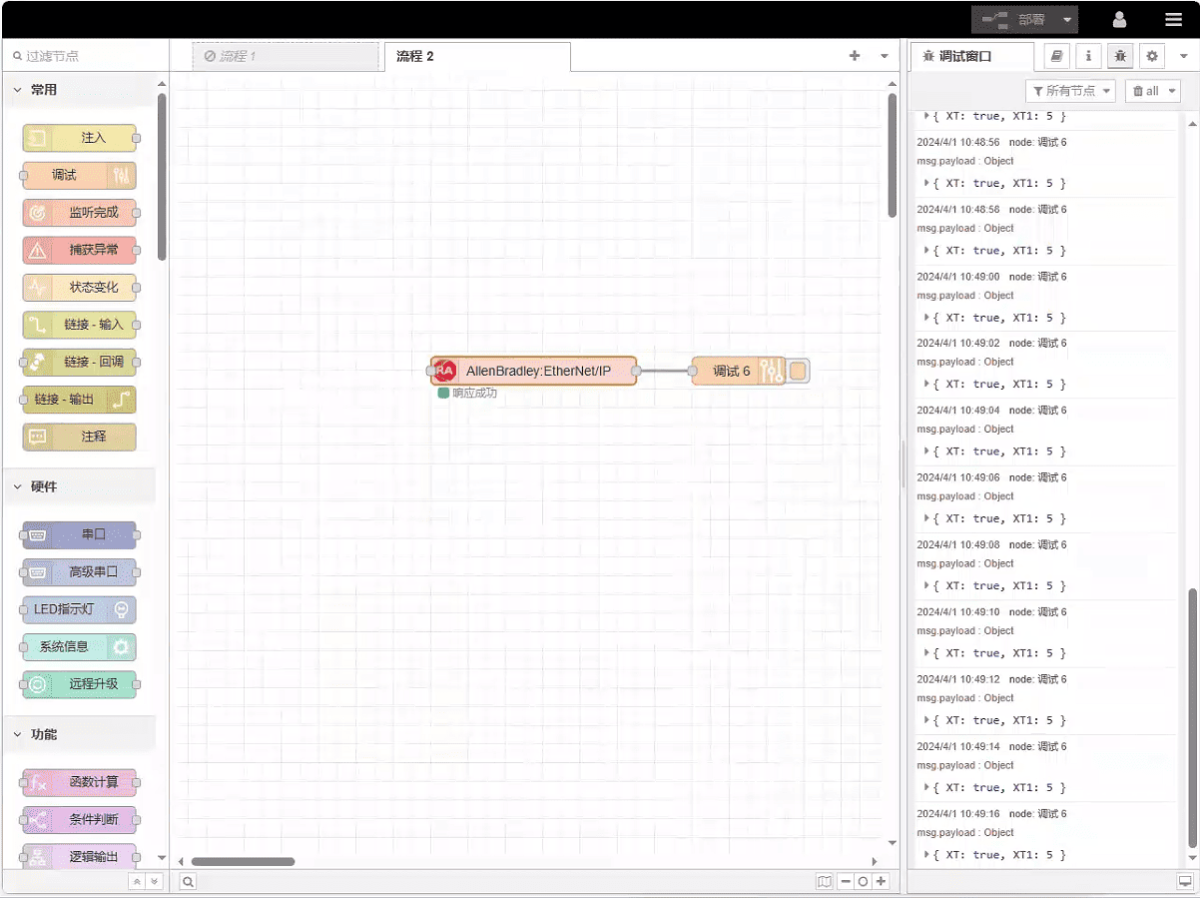
Today, let’s talk about how to interface with AB PLC via EtherNet/IP protocol.
L'article dont nous avons parlé précédemment :
Comment intégrer la passerelle EG edge computing avec General Electric PLC
Comment intégrer l'automate Xinjie via le protocole Modbus RTU ?
How to interface with Keyence KV-8000 series PLCs via the MC-3E protocol
How to interface with Keyence KV-7500 series PLCs via the KV TCP protocol
How to interface with Panasonic PLCs via Mewtocol TCP Protocol
How to interface with Inovance PLC via Modbus RTU protocol
How to interface with AB PLC via PCCC protocol
1. Connexion du matériel
Compatible PLC: AB 1769-L23-QB1B
The EtherNet/IP protocol utilizes Ethernet communication. Therefore, simply ensure the gateway’s LAN port and the AB PLC’s IP address are within the same subnet.
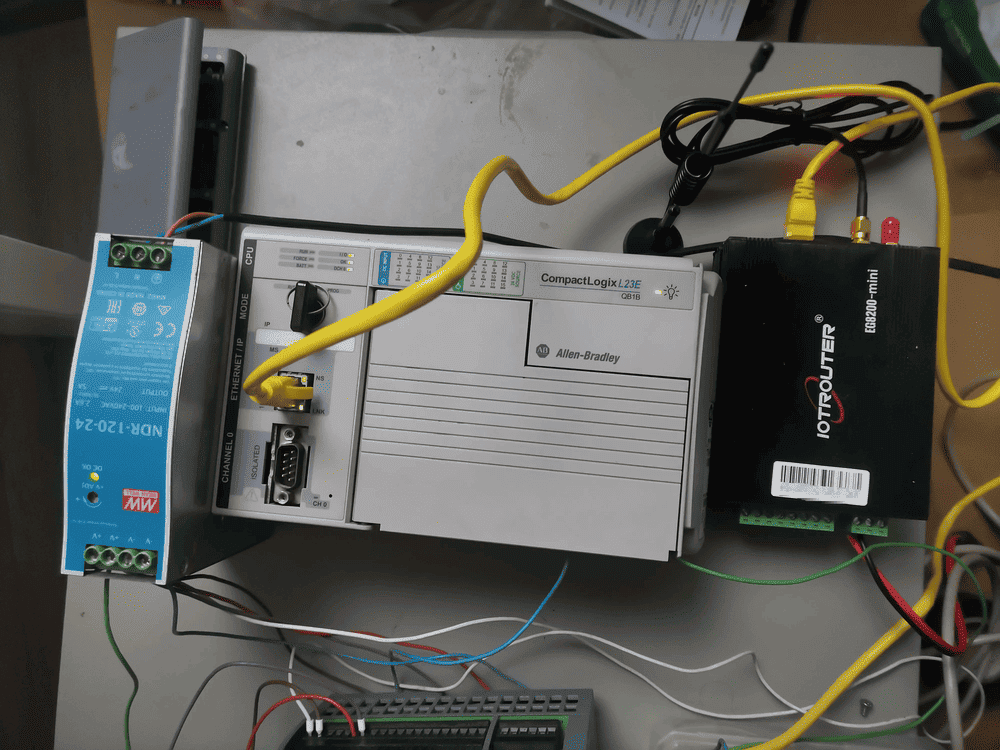
2. Paramètres de communication PLC
2.1. Ethernet Parameter Settings
Provided by PLC Engineer
3. Paramètres de la passerelle
3.1. Paramètres de connexion PLC
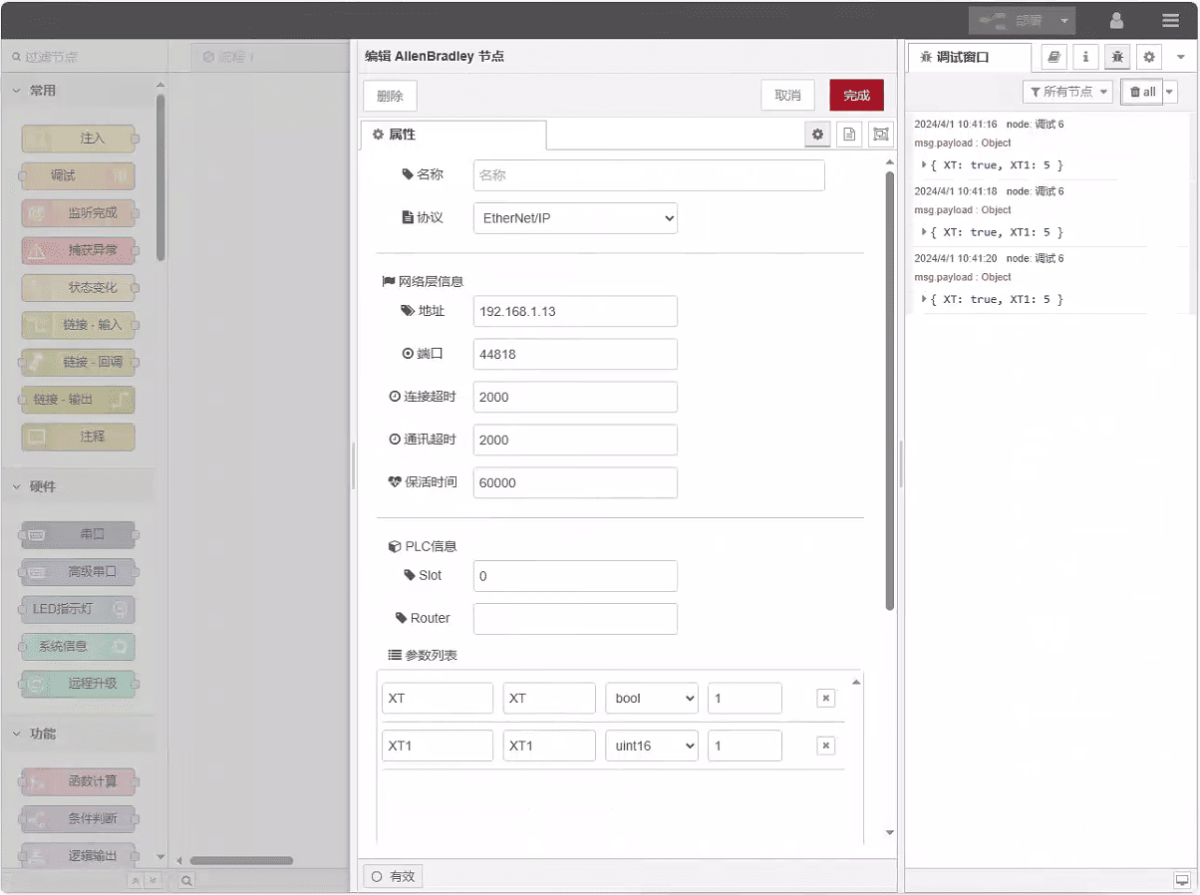
Drag an AllenBradley node from the left panel, double-click to open the settings page, and configure as follows based on the PLC’s network port parameters:
Protocole : Select EtherNet/IP
Adresse : Enter the PLC address (e.g., 192.168.1.13)
Port : Enter the PLC connection port (e.g., 44818)
Délai de connexion : 2000
Délai de communication : 2000
Keepalive Time: 60000
Slot: 0
3.2. Configuration des points de données
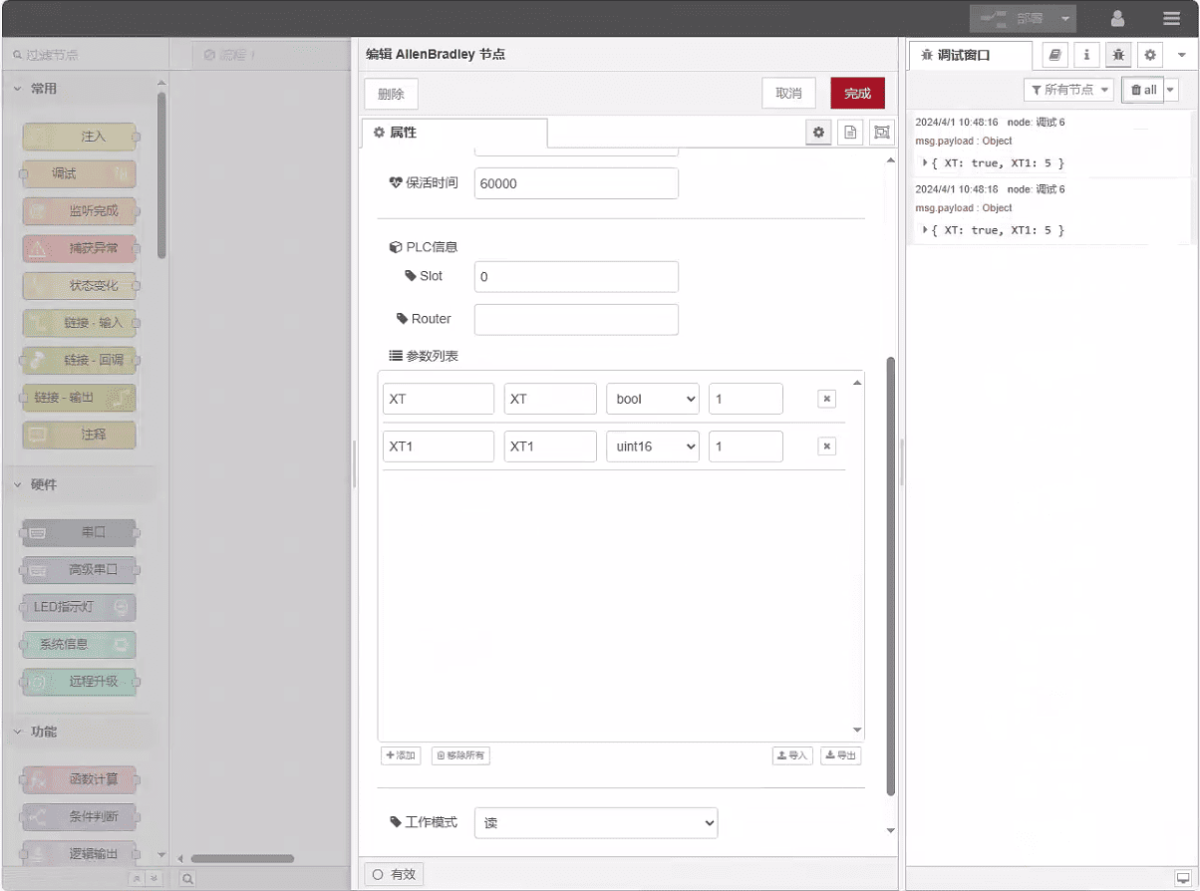
Enter the data points to be read into the parameter list of the Allen-Bradley node. Once configured, the PLC data will be automatically retrieved at the specified frequency.
Les points de données sont généralement fournis par les ingénieurs API. Après avoir reçu la liste des points, remplissez les points de données selon le format requis par la passerelle. Pour plus de détails sur le mappage, voir :
Cette section contient du contenu de Yueque. Cliquez sur le lien pour le consulter : (Vous pouvez utiliser Google Chrome pour la traduction) https://iotrouter.yuque.com/zn3vdn/eg8000/tcxbmwqbg7k7f5ah
This example reads data from addresses XT and XT1. In the parameter list, enter the address/name/data type/data length in sequence. The data is read cyclically every 2 seconds, as shown in the figure:
3.3. Essais
Click Deploy and observe that a data point is printed every 2 seconds. The read data point results are: XT:true, XT1:5. Communication successful!