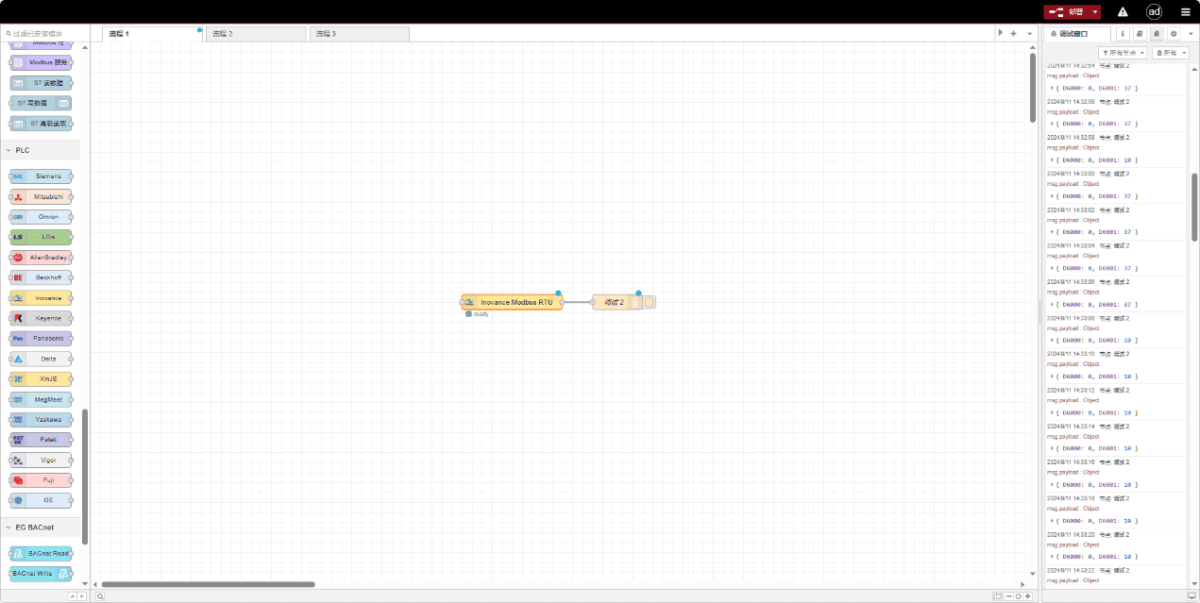
Hoy vamos a hablar de cómo interconectar la puerta de enlace EG edge con los PLC de Inovance a través del protocolo Modbus RTU.
El artículo del que hablamos antes:
Cómo integrar la pasarela EG edge computing con General Electric PLC
Cómo integrarse con el PLC Xinjie mediante el protocolo Modbus RTU
Cómo interactuar con los PLC de la serie KV-8000 de Keyence mediante el protocolo MC-3E
Cómo interactuar con los PLC de la serie KV-7500 de Keyence mediante el protocolo KV TCP
Cómo interactuar con los PLC de Panasonic mediante el protocolo Mewtocol TCP
1. Conexión de hardware
PLC compatible: Inovance H3U
El protocolo Modbus RTU utiliza comunicación serie. Este modelo de PLC de ejemplo emplea comunicación RS232.
2. Parámetros de comunicación PLC
2.1. Configuración de los parámetros del puerto serie
Proporcionado por el ingeniero del PLC.
Los parámetros del puerto serie para este PLC Inovance son:
Velocidad en baudios: 57600
Bits de datos: 8
Bits de parada: 1
Bit de paridad: NONE
3. Configuración de la pasarela
3.1. Configuración de la conexión del PLC
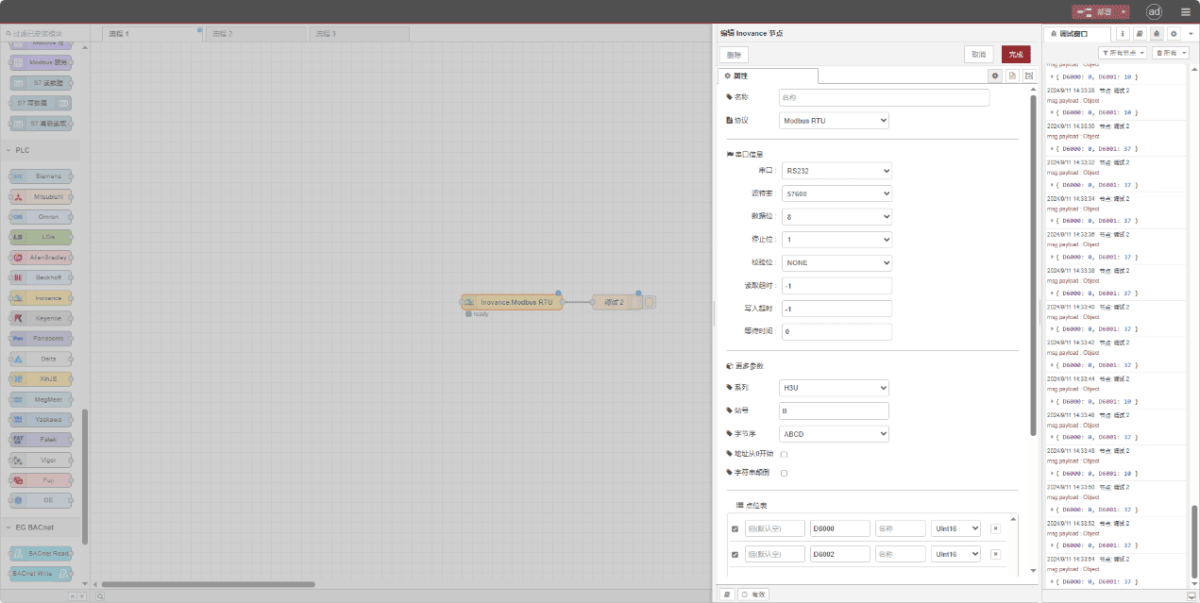
Arrastre un nodo Inovance desde el panel izquierdo. Haga doble clic para abrir la página de configuración y configure como se indica a continuación en función de los parámetros serie del PLC:
Protocolo: Seleccione Modbus RTU
Puerto serie: RS232
Velocidad en baudios: 57600
Bits de datos: 8
Bits de parada: 1
Paridad: Ninguno
Tiempo de espera: -1
Series: H3U
Identificación de la estación: 0x0B
Formato: ABCD
3.2. Configuración de los puntos de datos
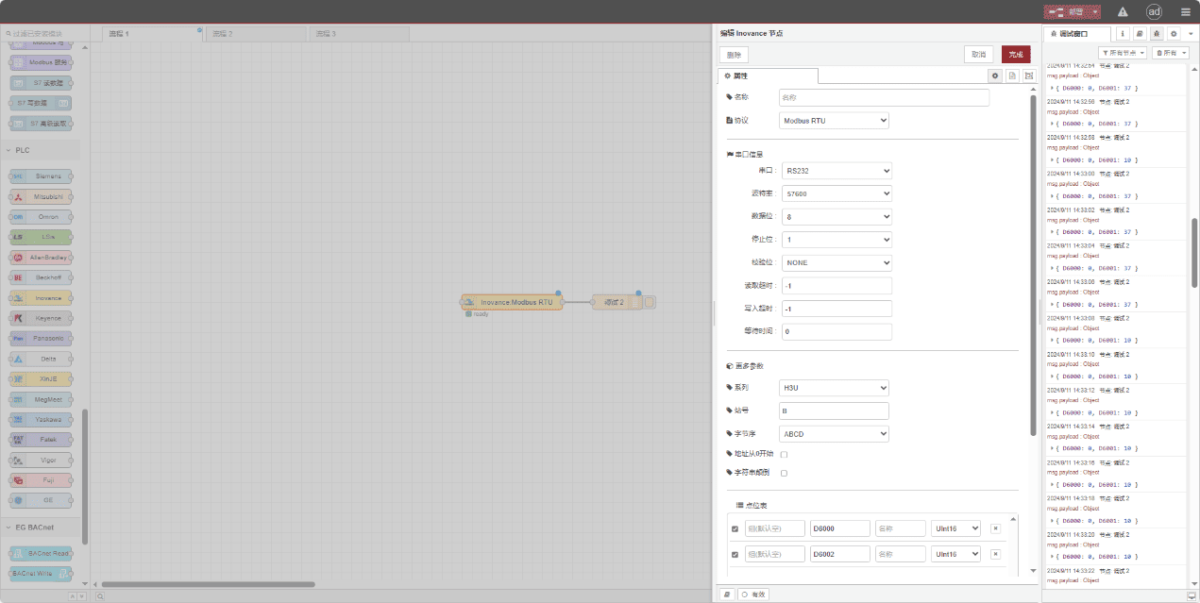
Introduzca los puntos de datos a leer en la lista de parámetros del nodo Inovance. Una vez configurado, el nodo leerá automáticamente los datos del PLC con la frecuencia especificada.
Los puntos de datos suelen proporcionarlos los ingenieros de PLC. Una vez obtenida la lista de puntos, rellene los puntos de datos de acuerdo con el formato requerido por la pasarela. Para obtener detalles específicos de mapeo, consulte:
Esta sección contiene una ficha de contenido de Yueque. Haga clic en el enlace para ver:(Puedes utilizar Google Chrome para la traducción) https://iotrouter.yuque.com/zn3vdn/eg8000/dqdvyosc5vubd2rv
Este ejemplo lee datos de las direcciones D6000 y D6002. En la lista de parámetros, introduzca la dirección/nombre/tipo de datos en secuencia. Los datos se leen cíclicamente cada 2 segundos, como se muestra en la figura:
3.3. Pruebas
Haga clic en Desplegar y observe que los datos se imprimen cada 2 segundos. Los resultados de los puntos de datos leídos son: D6000:0 D6002:0. La comunicación se ha realizado correctamente.