Today, let’s talk about how to interface the EG edge gateway with AB PLC via PCCC protocol.
Het artikel dat we eerder bespraken:
Hoe EG edge computing gateway integreren met General Electric PLC
Integratie met Xinjie PLC via Modbus RTU-protocol
Interface met Keyence KV-8000 serie PLC's via het MC-3E protocol
Hoe te communiceren met Keyence KV-7500 serie PLC's via het KV TCP-protocol
Interface met Panasonic PLC's via het Mewtocol TCP-protocol
Interface met Inovance PLC via Modbus RTU-protocol
1. Hardwareverbinding
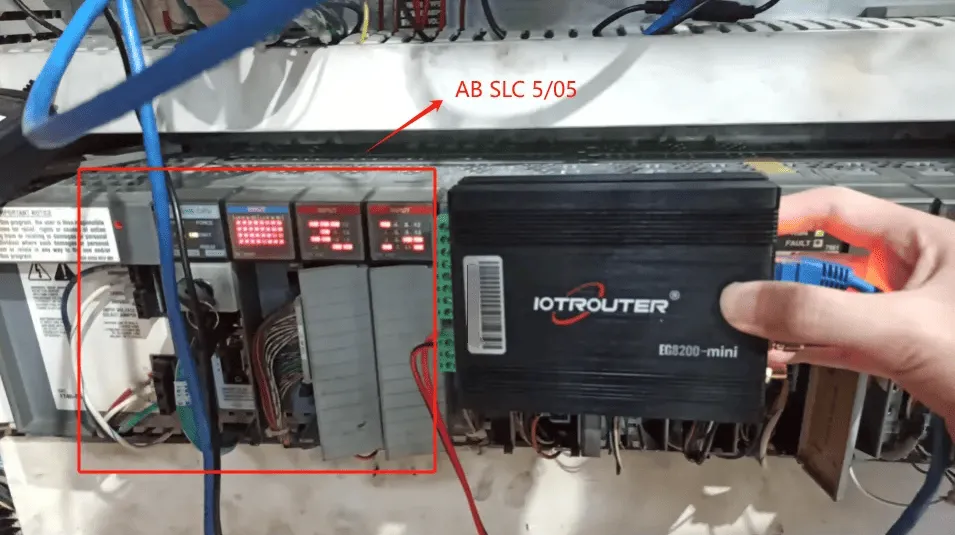
Compatible PLC: AB SLC 5/05
The PCCC protocol utilizes Ethernet communication. Therefore, simply ensure the gateway’s LAN port and the AB PLC’s IP address are within the same subnet.
2. PLC-communicatieparameters
2.1. Instellingen ethernetparameters
Geleverd door PLC Engineer
3. Gateway-instellingen
3.1. PLC-verbindingsinstellingen
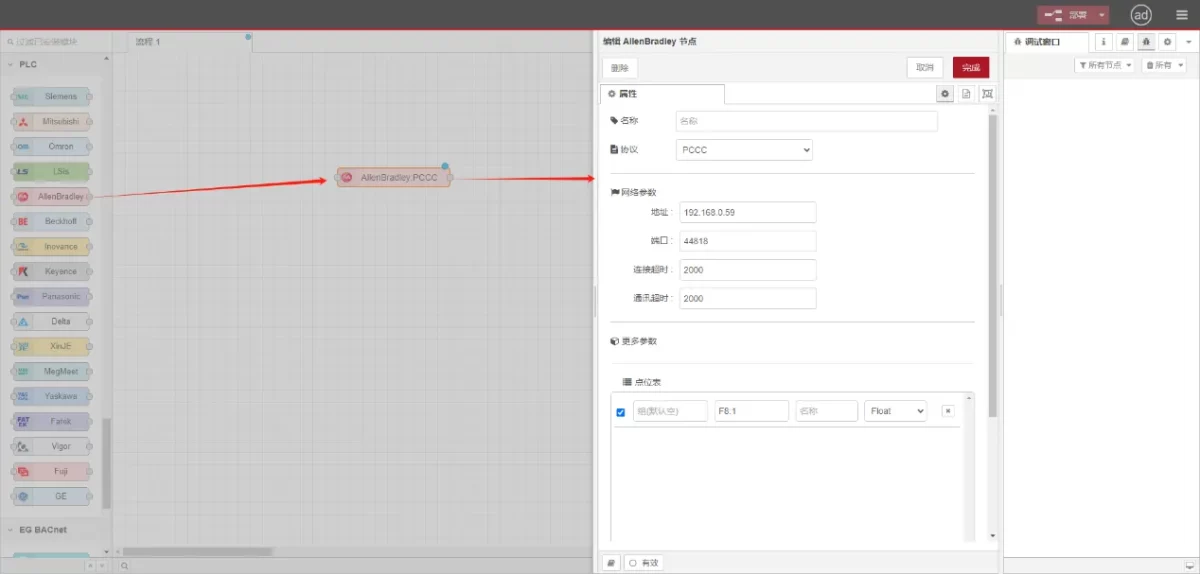
Sleep een AllenBradley-knooppunt vanuit het linkerpaneel, dubbelklik om de instellingenpagina te openen en configureer als volgt op basis van de netwerkpoortparameters van de PLC:
Protocol: Select PCCC
Adres: Enter the PLC address (e.g., 192.168.0.59)
Haven: Voer de aansluitpoort van de PLC in (bijvoorbeeld 44818).
Time-out verbinding: 2000
Time-out communicatie: 2000
3.2. Configuratie gegevenspunt
Voer de datapunten die moeten worden gelezen in de parameterlijst van het Allen-Bradley knooppunt in. Na de configuratie worden de PLC-gegevens automatisch opgehaald met de opgegeven frequentie.
Datapunten worden meestal geleverd door PLC-engineers. Na ontvangst van de puntenlijst vult u de gegevenspunten in volgens het vereiste formaat van de gateway. Raadpleeg voor specifieke details over de toewijzing:
Deze sectie bevat inhoud van Yueque. Klik op de link om te bekijken:(Je kunt Google Chrome gebruiken voor vertaling) https://iotrouter.yuque.com/zn3vdn/eg8000/tcxbmwqbg7k7f5ah
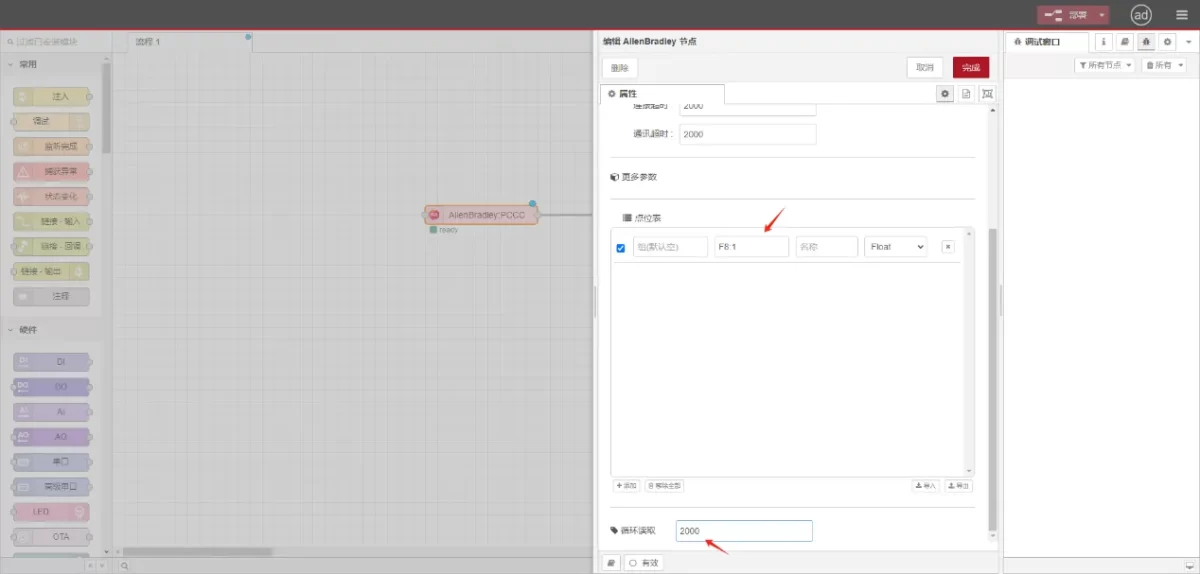
This example reads data from address F8:1. In the parameter list, enter the address/name/data type/data length sequentially. The data is read cyclically every 2 seconds, as shown in the figure:
3.3. Testen
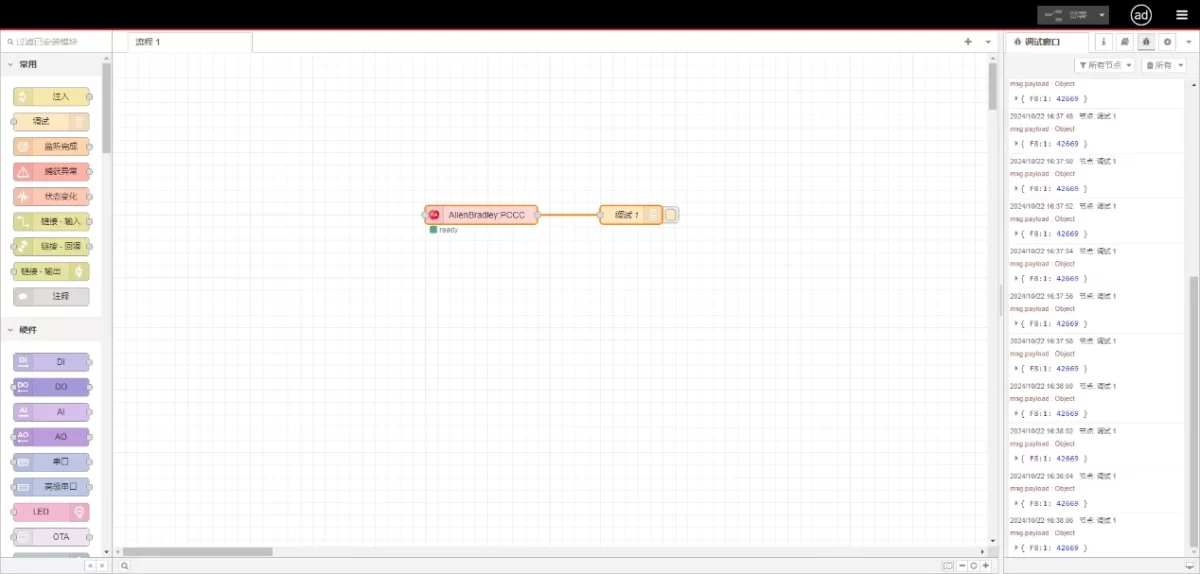
Connect to the debugging node, click Deploy, and observe that a data point is printed every 2 seconds. The read data point result is:
{F8:1:42669}. Communication successful!