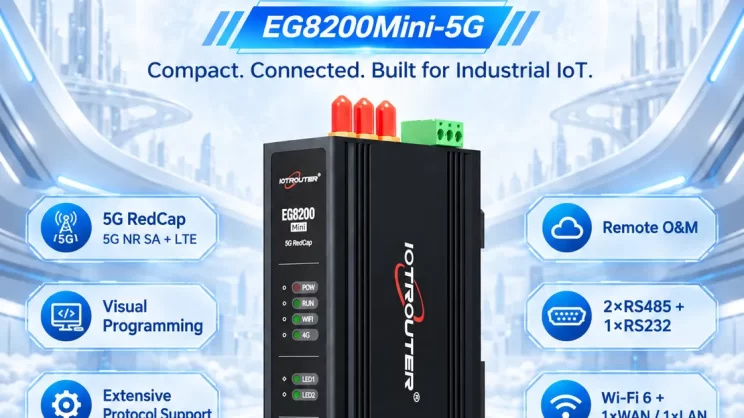
This guide explains how to connect a Siemens S7 PLC to the EG Edge Gateway for industrial data communication. It is part of the PLC Integration Hub, focusing on real-world PLC connectivity with edge gateways.
1. Connessione hardware
Compatible PLC: S7-200 Smart / S7-300 / S7-400 / S7-1200 / S7-1500
All Siemens PLCs currently on the market support communication via the S7 protocol. The following section mainly explains how the EG8200Mini uses the S7 protocol to read data from a Siemens S7-200 Smart PLC.
The S7 protocol uses Ethernet communication, so it is only necessary to ensure that the LAN IP of the gateway and the IP of the Siemens PLC are on the same subnet (Note: in special cases, they do not need to be on the same subnet, but routing must be configured—please consult technical support for details). In this example, the IP addresses are assigned as follows:
| S7-200 Smart | ||
| Indirizzo IP | 192.168.0.80 | 192.168.0.34 |
2. Parametri di comunicazione del PLC
2.1. Check Rack/Slot Number
If the PLC model is S7-200 Smart, there is no need to set the rack number and slot number.
If the PLC model is S7-300/S7-400/S7-1200/S7-1500, go to the device configuration page, select General → Project Information to check the rack number and slot number.
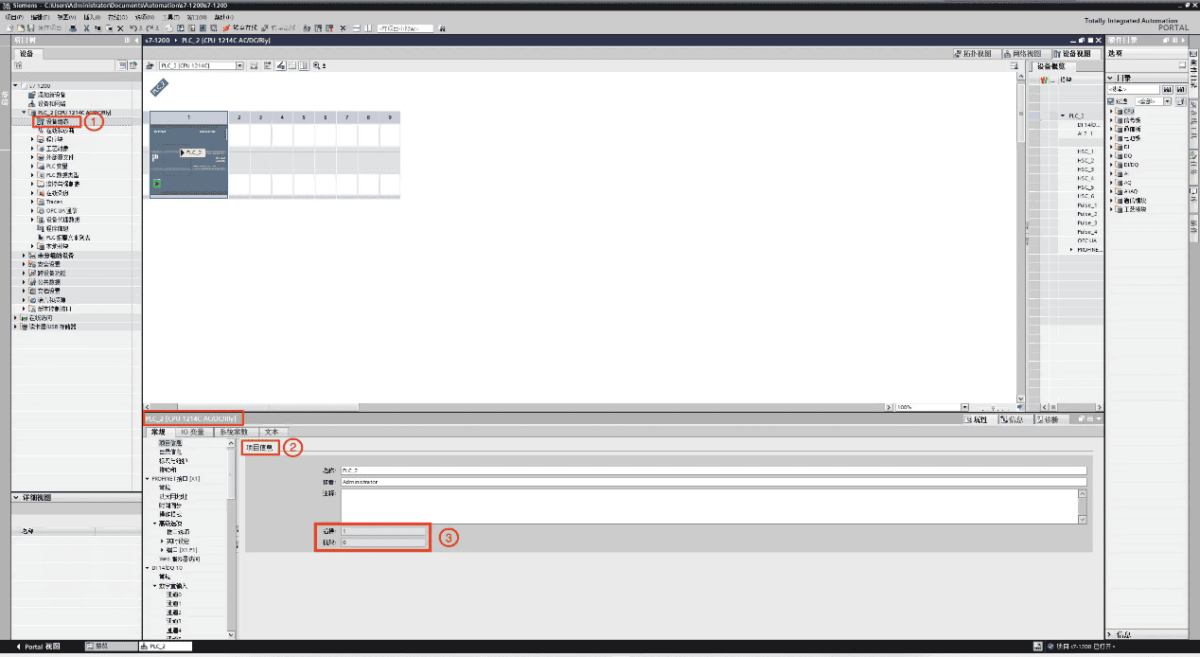
2.2. Enable Access Rights
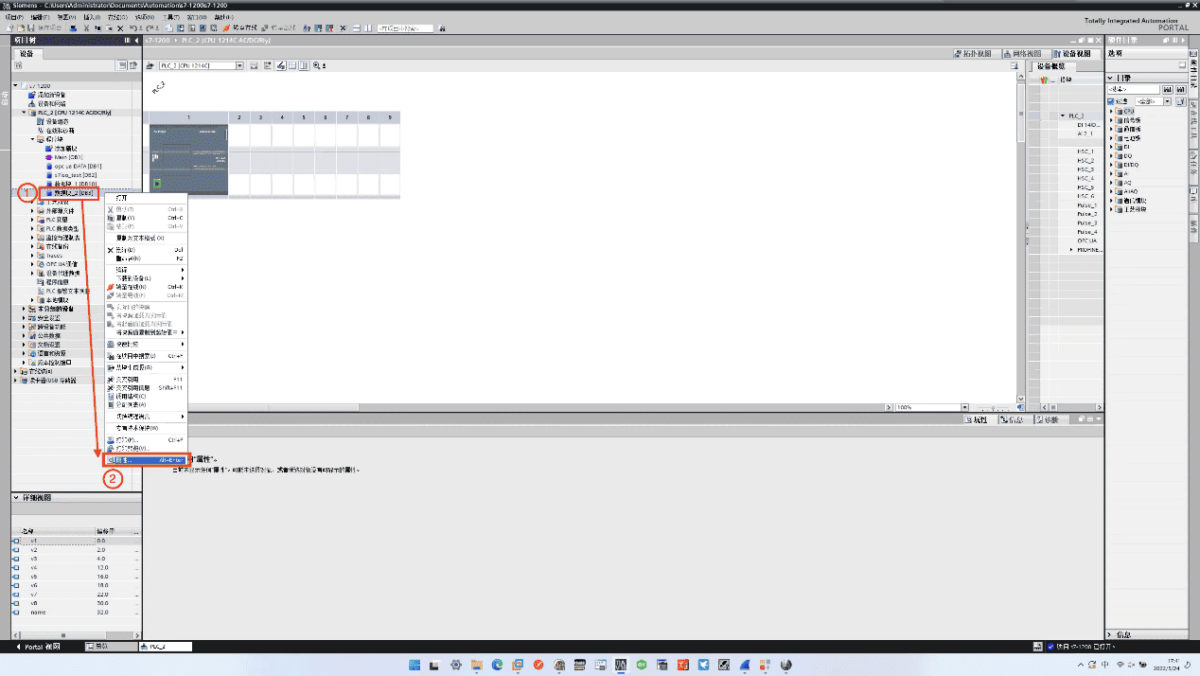
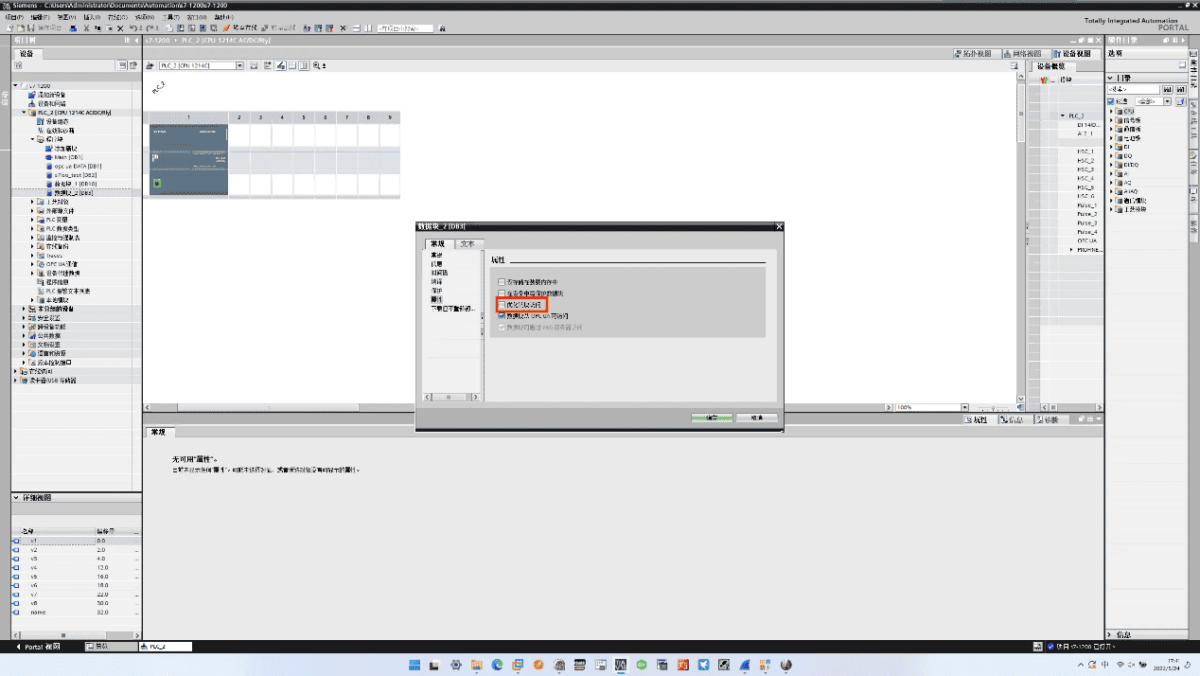
If the PLC model is S7-1200/S7-1500, access rights must be enabled to read data. The specific steps are as follows:
Right-click the DB block you want to use, select Properties in the pop-up dialog, and in the next dialog, uncheck Optimized block access.
Right-click the device name, select Properties in the pop-up dialog, and set the Access Level e Connection Mechanism as shown.
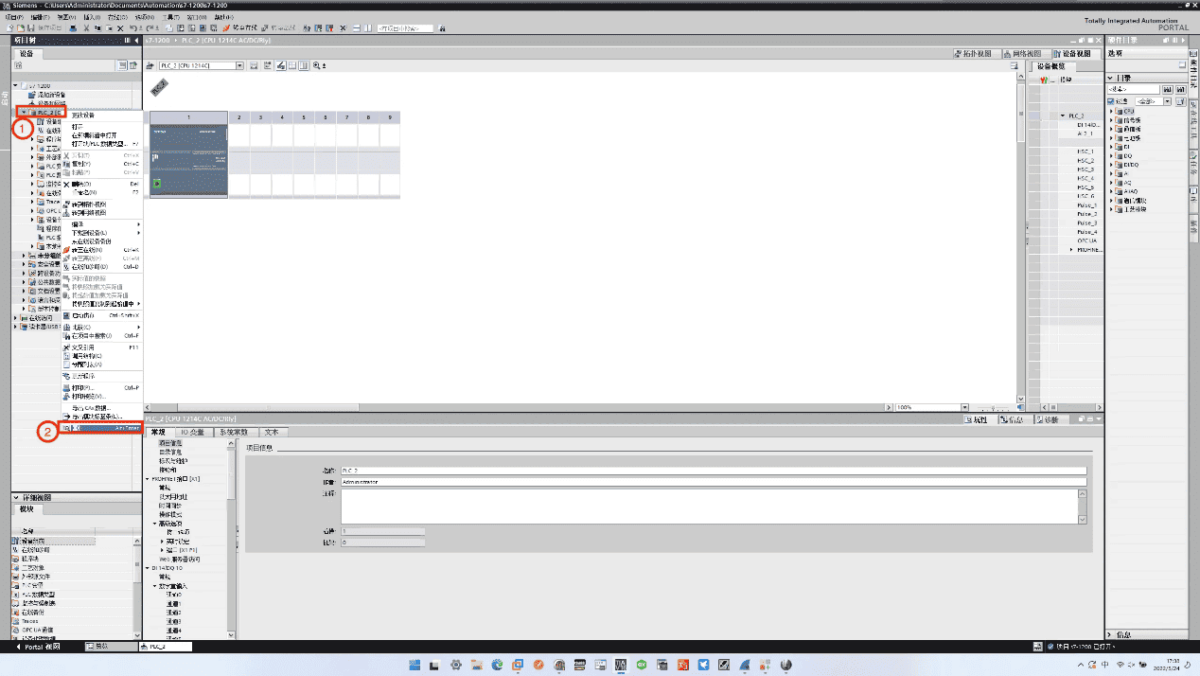
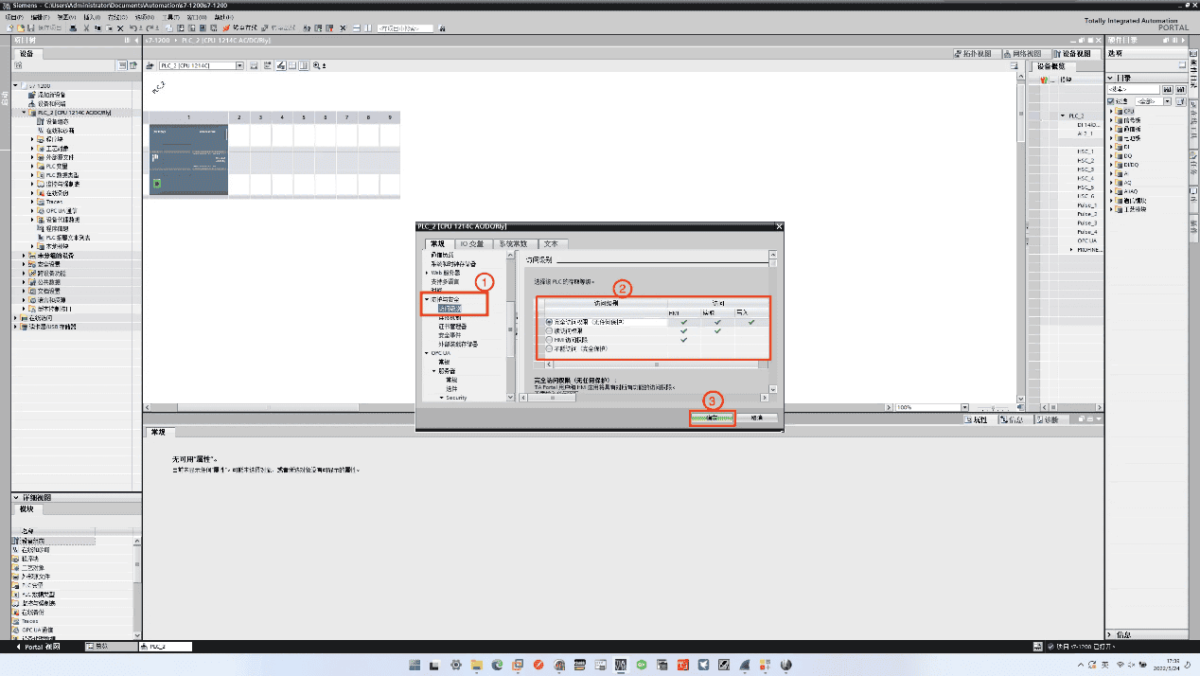
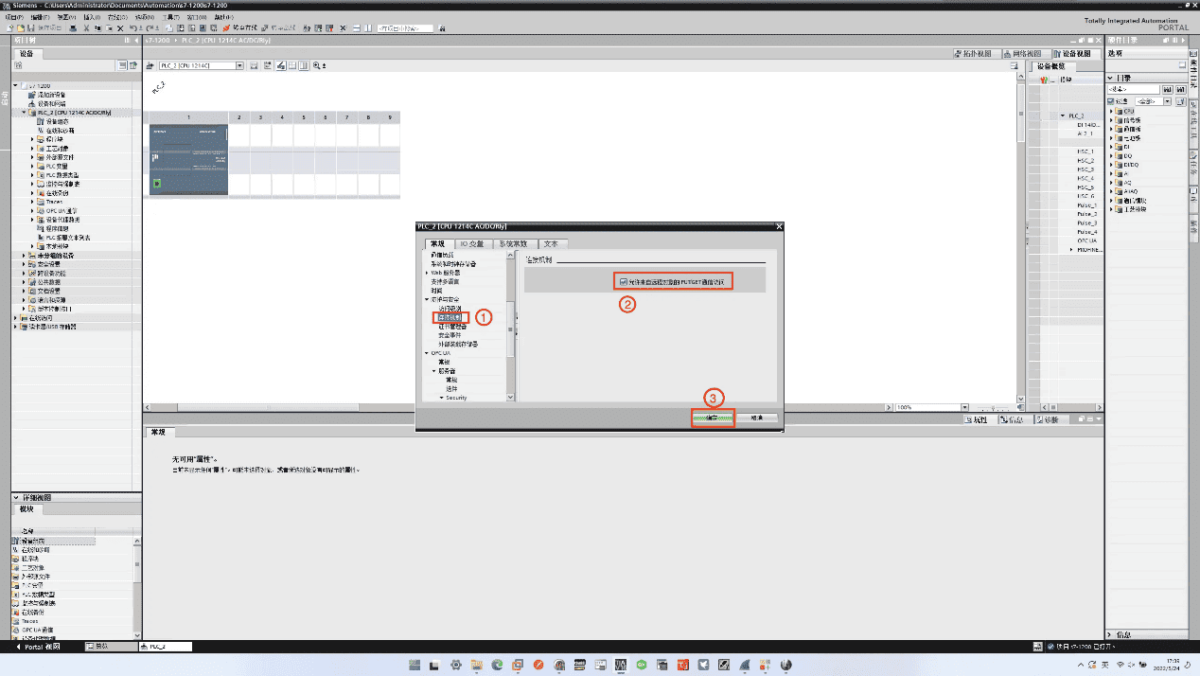
3. Impostazioni del gateway
3.1. Impostazioni di connessione del PLC
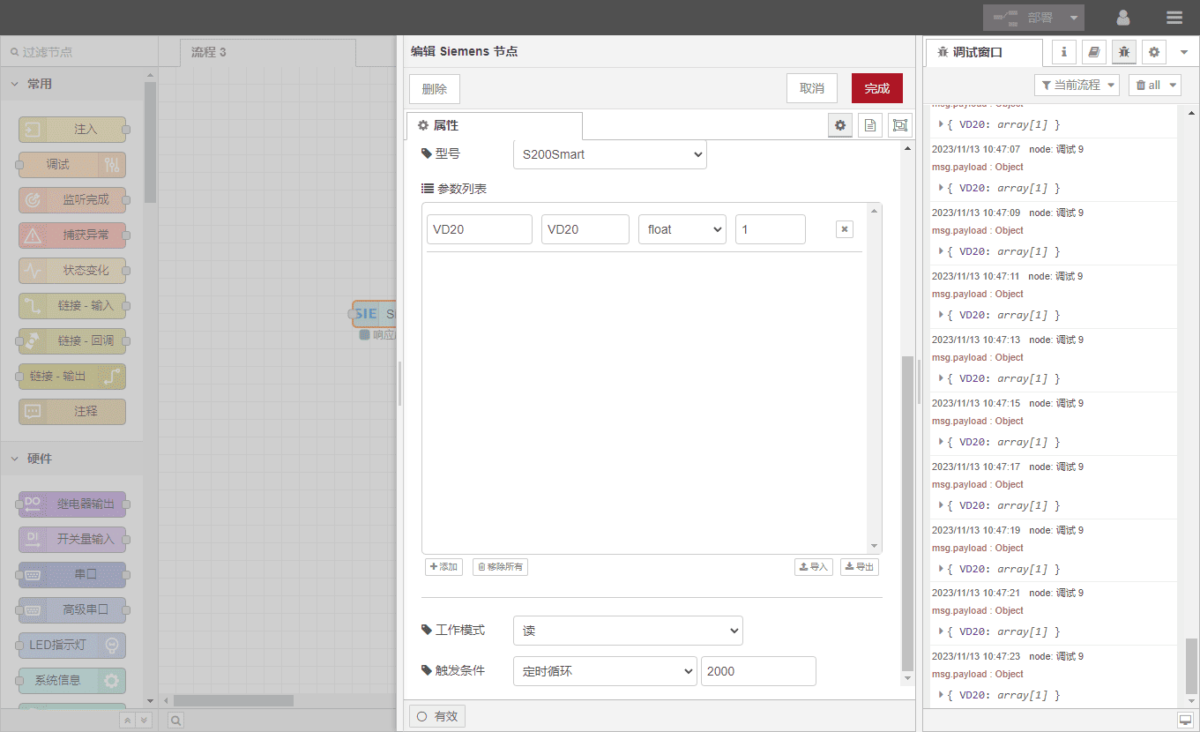
Drag a Siemens node from the left panel, double-click to open the settings page, and fill in the configuration according to the PLC communication parameters:
Indirizzo: IP of the PLC
Porto: 102 (default for S7 communication)
Timeout della connessione: 2000
Timeout di comunicazione: 2000
Modello: S200Smart
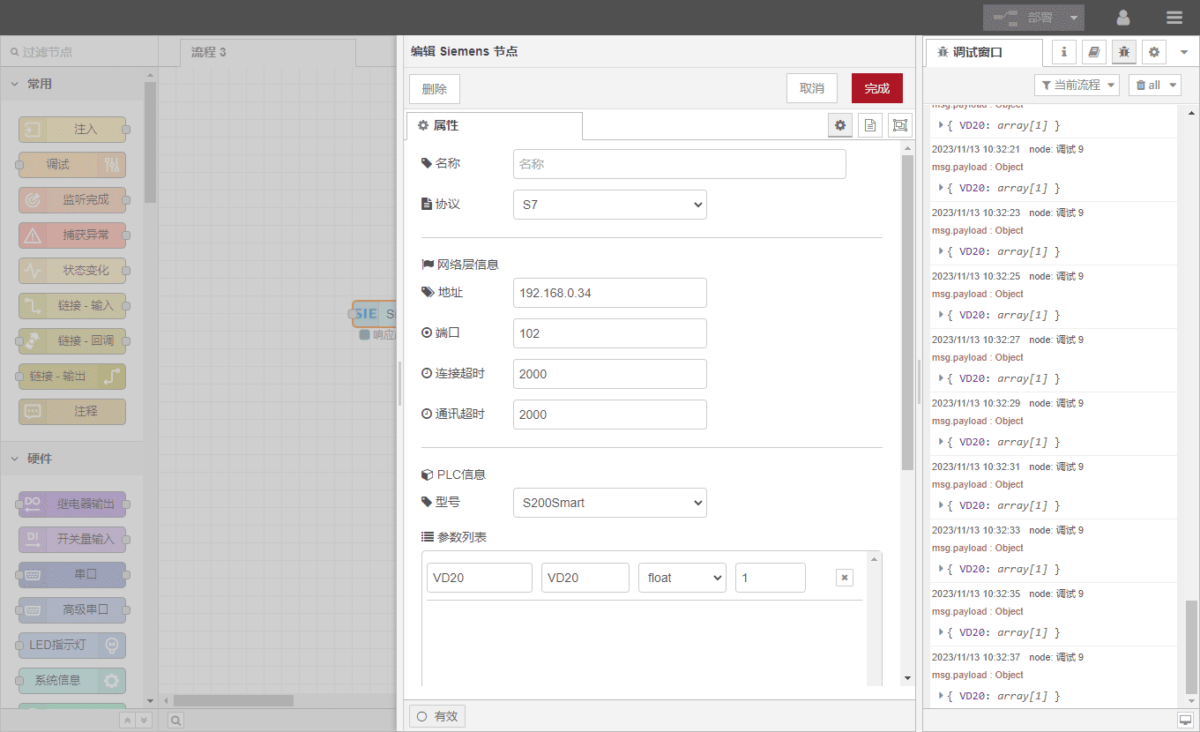
3.2. Configurazione del punto dati
Fill in the data points to be read in the parameter list of the Siemens node. Once the data points are configured, the gateway will automatically read the PLC data according to the set frequency.
Data points are usually provided by PLC engineers. After obtaining the point table, fill in the data points according to the gateway’s required format. The specific correspondence can be referenced here:
Questa è una scheda di contenuto Yuque. Fare clic sul link per visualizzarla: (È possibile utilizzare Google Chrome per la traduzione.)
https://iotrouter.yuque.com/zn3vdn/eg8000/hh3gq8an371h7xiw
In this example, the data at address VD20 is read.
Through the STEP7 software, it can be seen that the float stored at VD20 is 415.64.
In the parameter list, fill in the Indirizzo / Nome / Tipo di dati / Lunghezza dei dati, set a 2-second cyclic reading, as shown.
3.3. Test
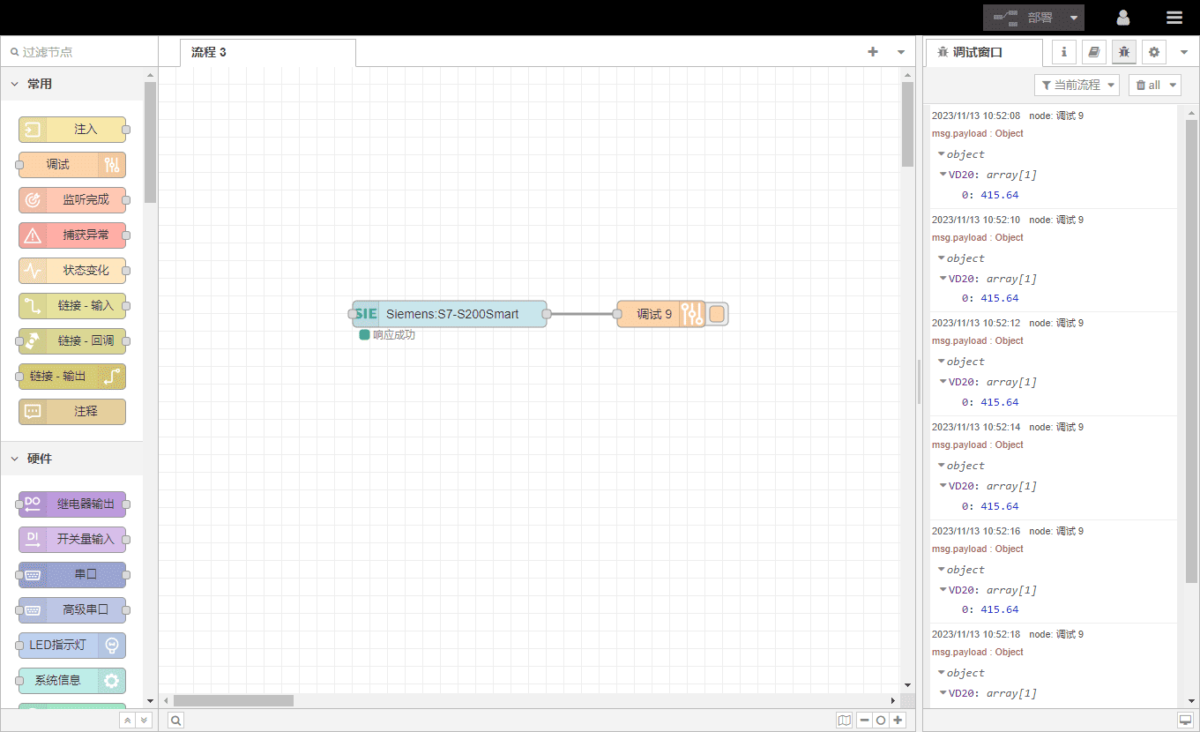
Cliccare Distribuire, and observe that a data point is printed every 2 seconds. The read data point result is: VD20: 415.64. Communication is successful!
Guide correlate sull'integrazione dei PLC industriali
← Torna alla pagina "PLC Integration Hub"

Agnes Wang è una specialista in soluzioni IoT presso IOTRouter, dove si occupa principalmente di gateway IoT industriali, edge computing e soluzioni di automazione industriale.
È specializzata in tecnologie di comunicazione industriale, tra cui Modbus, IEC 60870-5-104, MQTT, OPC UA, integrazione di PLC e applicazioni di monitoraggio remoto. Collabora alla stesura di articoli tecnici e guide applicative riguardanti soluzioni IoT industriali, conversione di protocolli ed edge computing.