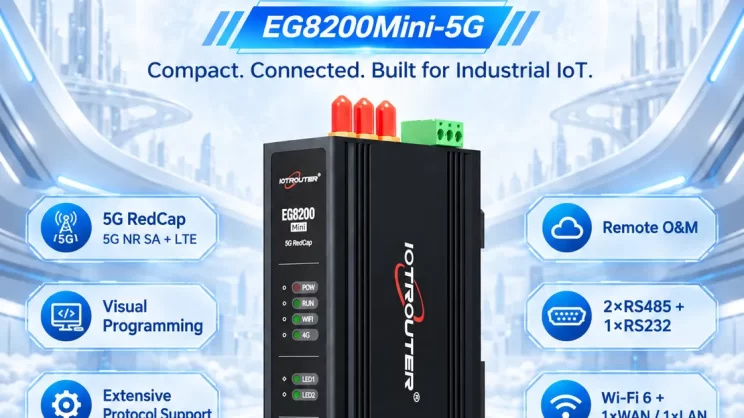
In questo tutorial ci concentreremo sul gateway di edge computing della serie EG con PLC. Ci auguriamo che possa esservi utile.
Related guide:
Come interfacciarsi con i PLC Keyence della serie KV-7500 tramite il protocollo KV TCP
Today, let’s talk about how to interface the EG edge gateway with Keyence KV-8000 series PLCs via the MC-3E protocol.
Compatible PLC: KV-8000 Series
1. Connessione hardware
The MC-3E protocol utilizes Ethernet communication. Therefore, simply ensure the gateway’s LAN port and the Keyence PLC’s IP address are within the same subnet.
| EG8200Mini(LAN) | KV-8000 | |
| Indirizzo IP | 192.168.1.100 | 192.168.1.1 |
2. Parametri di comunicazione del PLC
IP: 192.168.1.1
Porto: 5000
3. Impostazioni del gateway
3.1. Impostazioni di connessione del PLC
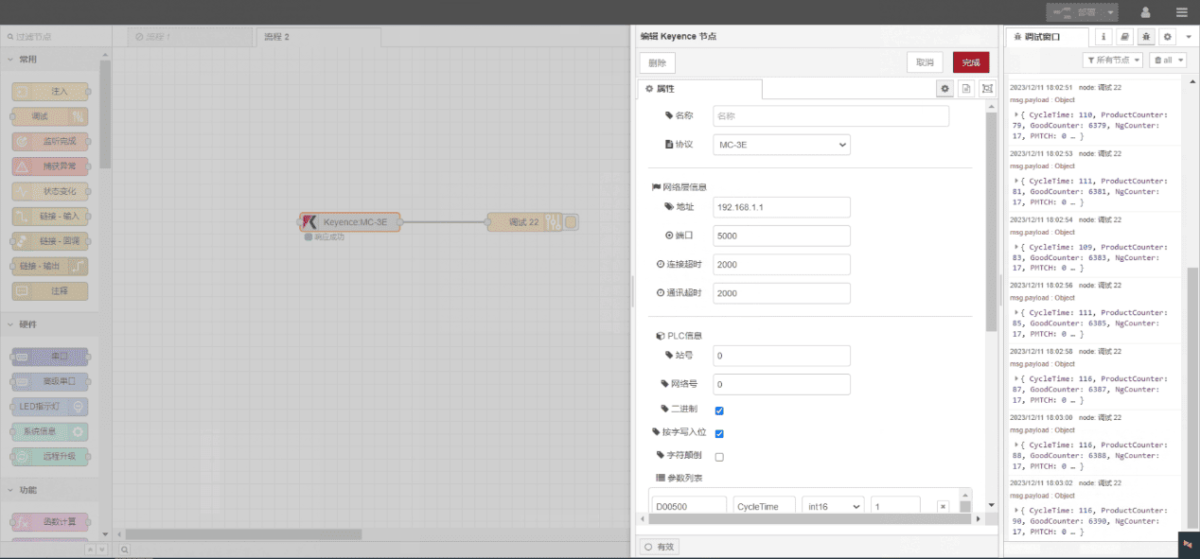
Trascinare un nodo Keyence dal pannello di sinistra, fare doppio clic per aprire la pagina delle impostazioni e configurare come segue in base ai parametri di comunicazione del PLC:
Protocollo: MC-3E
Porta di rete: Collegato alla porta LAN del gateway
Indirizzo: 192.168.1.1
Porto: 5000
Timeout della connessione: 2000
Timeout di comunicazione: 2000
ID stazione: 0
Network ID: 0
Binary: √
3.2. Configurazione del punto dati
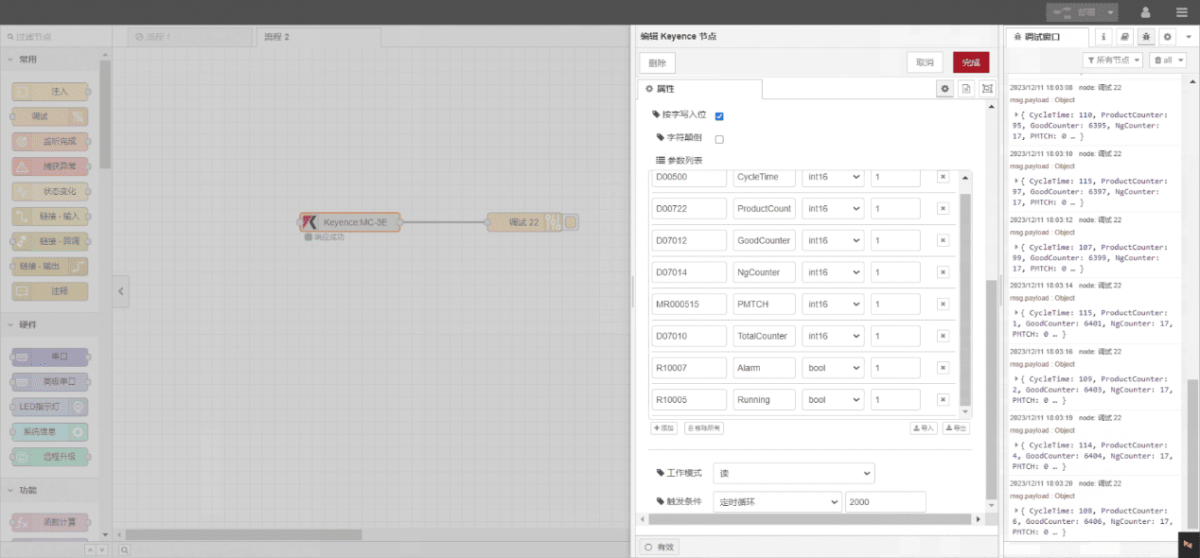
Inserire i punti dati da leggere nell'elenco dei parametri del nodo Keyence. Una volta configurato, il nodo leggerà automaticamente i dati dal PLC alla frequenza specificata.
I punti dati sono tipicamente forniti dai tecnici del PLC. Una volta ricevuto l'elenco dei punti, compilare i punti dati secondo il formato richiesto dal gateway. Per una corrispondenza specifica, fare riferimento a:
Questa è una scheda di contenuto Yueque. Fare clic sul link per visualizzarla:(È possibile utilizzare Google Chrome per la traduzione.) https://iotrouter.yuque.com/zn3vdn/eg8000/wgvrbfp0ivzdod3h
This example reads data from multiple addresses, such as DM00500 and DM00722. In the parameter list, enter each entry in the following order: Address/Name/Data Type/Data Length. The data is read cyclically every 2 seconds, as shown in the diagram:
3.3. Test
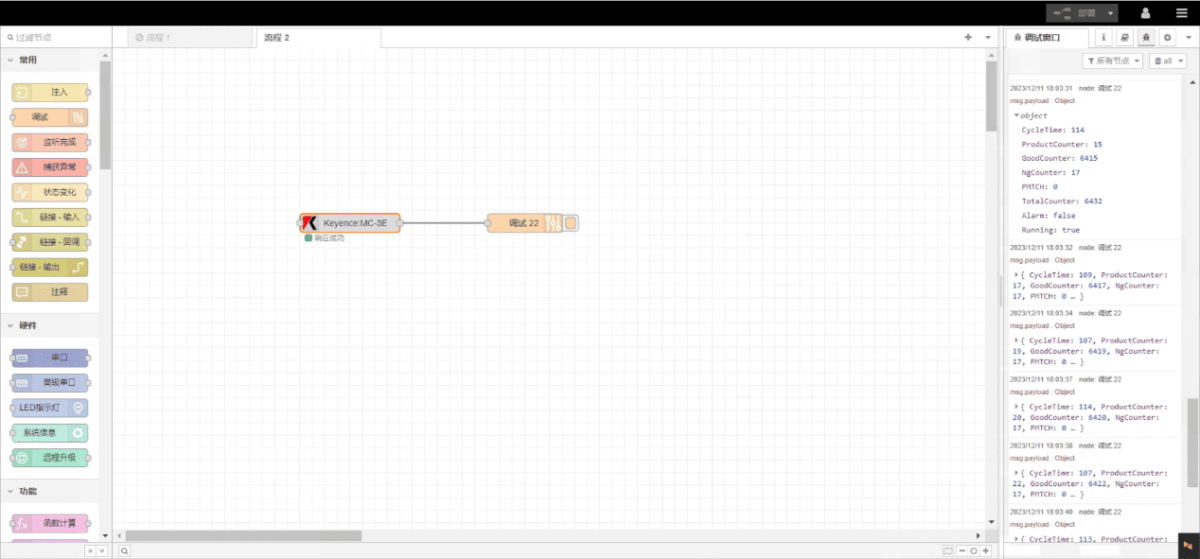
Click Deploy and observe that a data point is printed every 2 seconds. Verify that the returned data point name and corresponding value appear—communication is successful!
Guide correlate sull'integrazione dei PLC industriali
← Torna alla pagina "PLC Integration Hub"

Agnes Wang è una specialista in soluzioni IoT presso IOTRouter, dove si occupa principalmente di gateway IoT industriali, edge computing e soluzioni di automazione industriale.
È specializzata in tecnologie di comunicazione industriale, tra cui Modbus, IEC 60870-5-104, MQTT, OPC UA, integrazione di PLC e applicazioni di monitoraggio remoto. Collabora alla stesura di articoli tecnici e guide applicative riguardanti soluzioni IoT industriali, conversione di protocolli ed edge computing.